Step - 1: Login to https:start.visailabs.com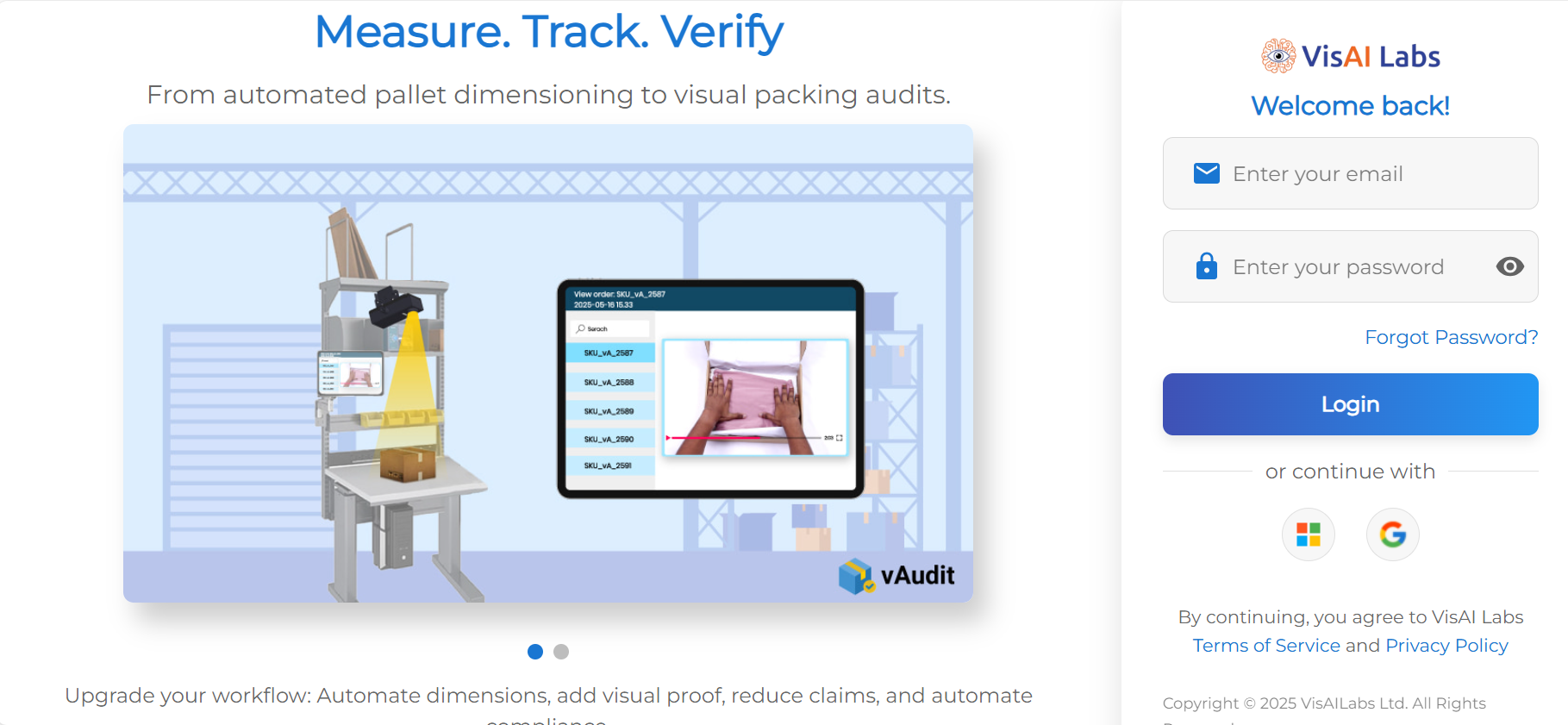
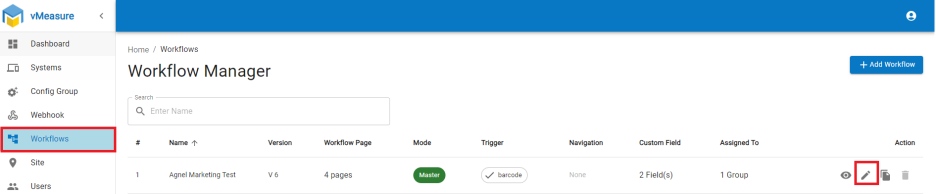
Step - 2: Navigate to Workflow, click on pencil icon edit the current workflow.
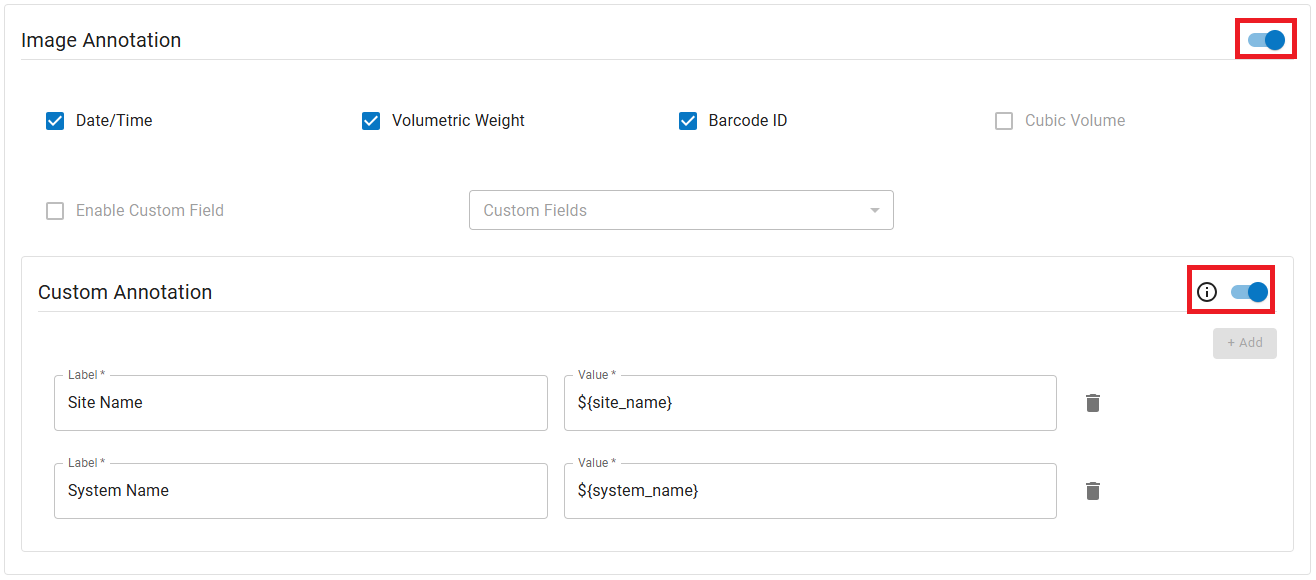
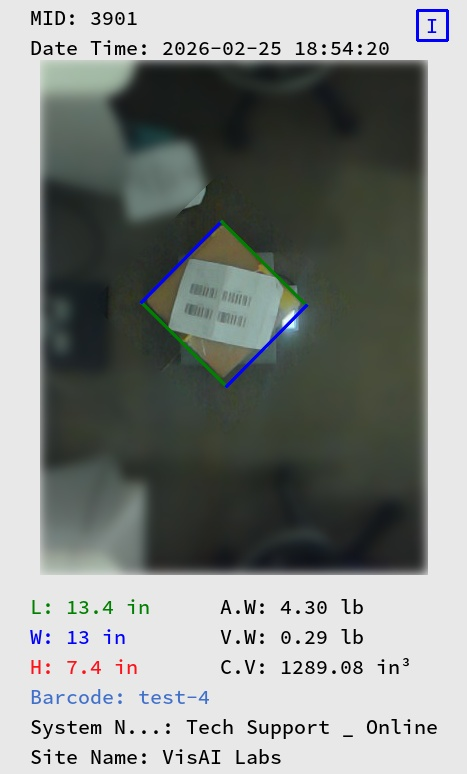
Step - 3: Scroll down & Navigate to the next page, enable "image Annotation". User can add 2 additional custom annotations.
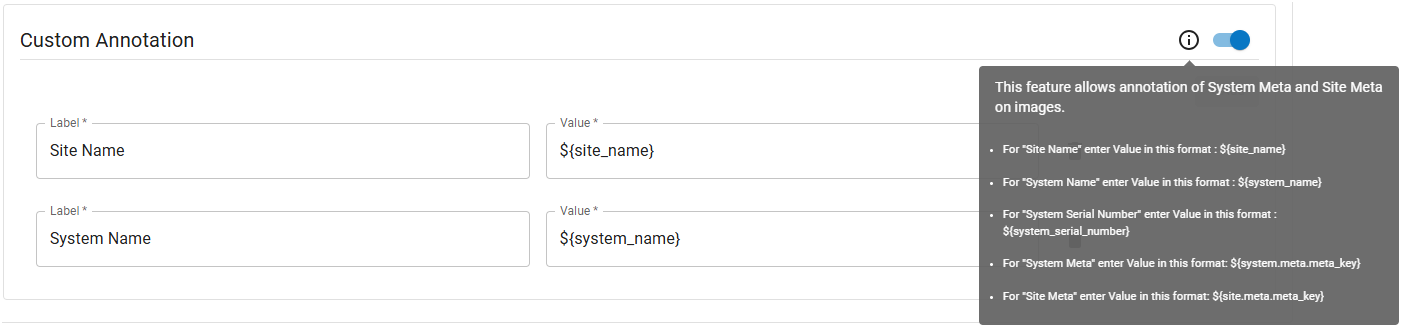
Custom Annotation: This feature allows annotation of System Meta and Site Meta on images.
Note: User can add 2 custom annotation.
Step - 4: Navigate to the next page and save the workflow.
Step - 5: After completing these steps, the vMeasure device will prompt you to update the workflow click on Yes to update the workflow. If no pop-up received perform Logout & Log-in to vMeasure device to reflect the updated workflow.
Annotation Image with custom annotation:
If you need any support , please drop a mail to vmeasure@visailabs.com
Was this article helpful?
That’s Great!
Thank you for your feedback
Sorry! We couldn't be helpful
Thank you for your feedback
Feedback sent
We appreciate your effort and will try to fix the article