Step 1: Log in to your Forge account using your login credentials.
Login Link: https://forge.vmeasure.ai/login
Step 2: Navigate to "Workflows" & click on the "Edit" icon.
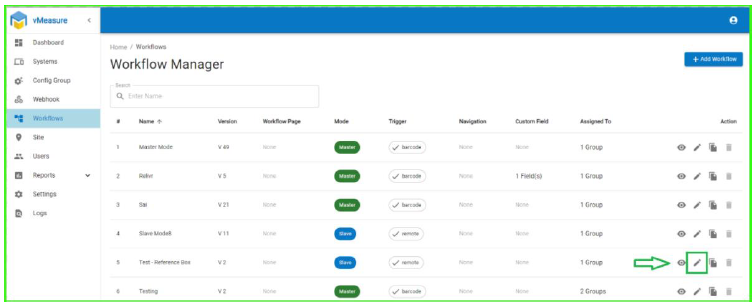
Step 3: Scroll down and click on "Next" Button.
Step 4: Navigate to the "Measurement Page".
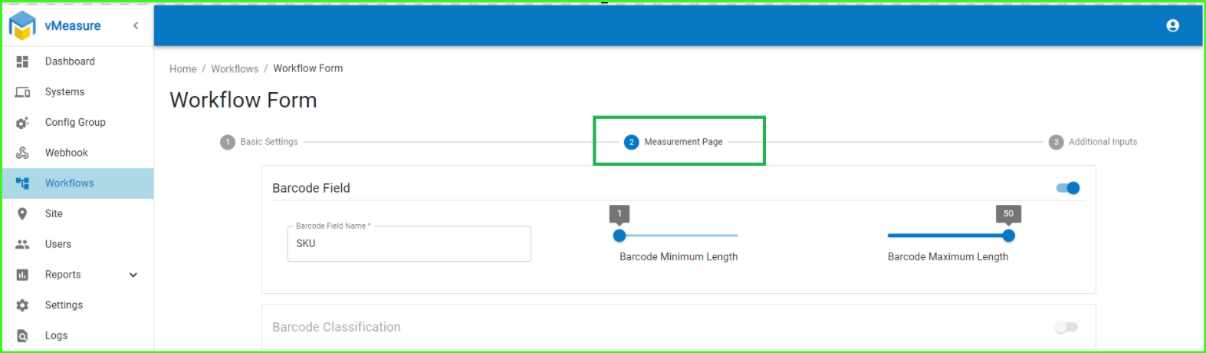
Step 5: Enable the Measurement Check toggle button, click "Next," and save the workflow.

Steps to Add Reference Box In Forge :
Step 1: Navigate to "Settings" & click on "Add Reference box".
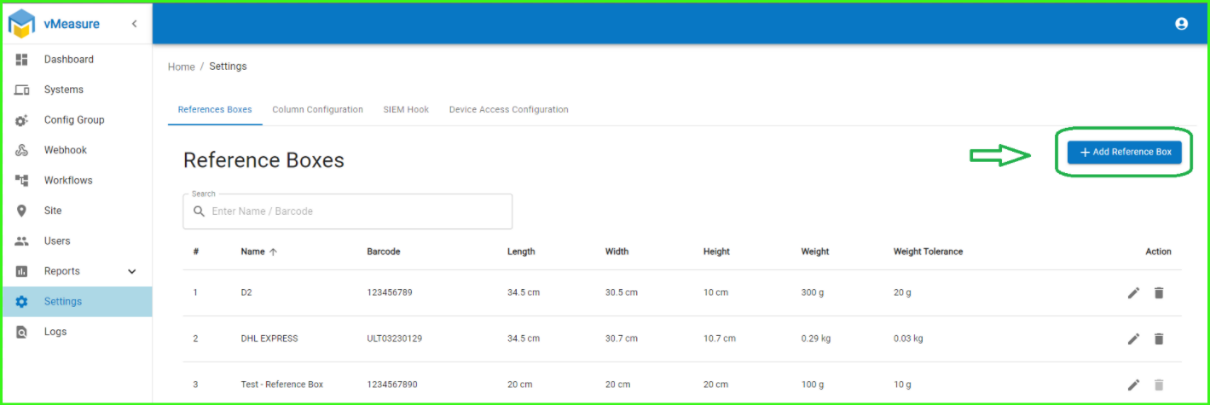
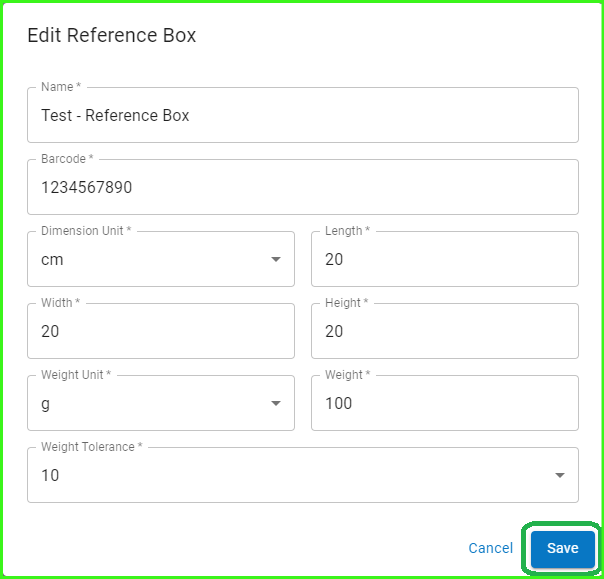
Step 2: Enter the Reference box details & Click on "Save".
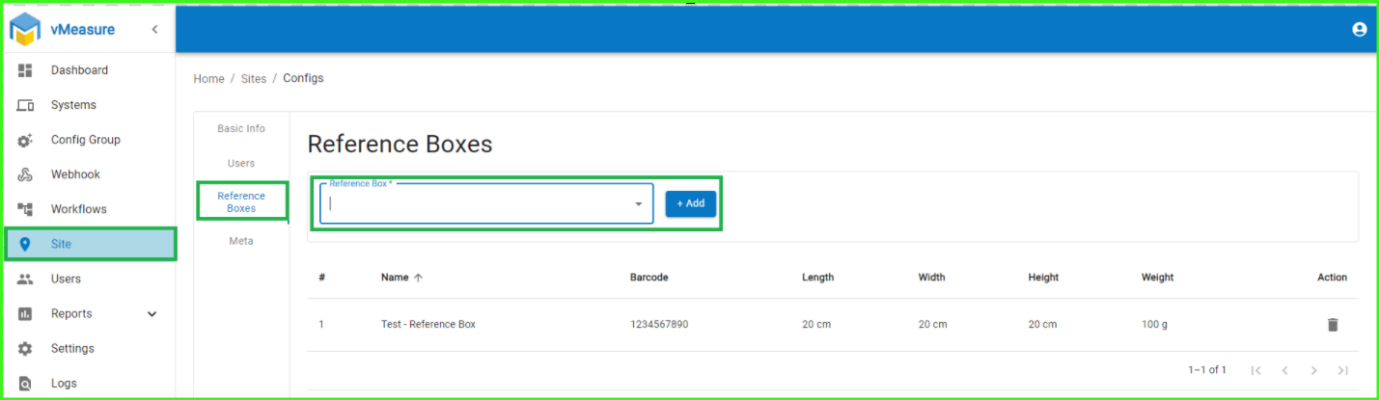
Step 3: Navigate to the Site, click on the Reference Box section, select the Reference Box you added in the settings, and click Add.
Step 4: Log out and log back into the vMeasure device to apply the changes.
If you need any support , please drop a mail to vmeasure@visailabs.com or Click here to Submit a Ticket.
Was this article helpful?
That’s Great!
Thank you for your feedback
Sorry! We couldn't be helpful
Thank you for your feedback
Feedback sent
We appreciate your effort and will try to fix the article