How to Set Hostname in Forge?
Through vMeasure system you will be able to configure the hostname of the system on vMeasure Forge. PFB the steps to configure the hostname on Forge.
- Login into vMeasure Forge.
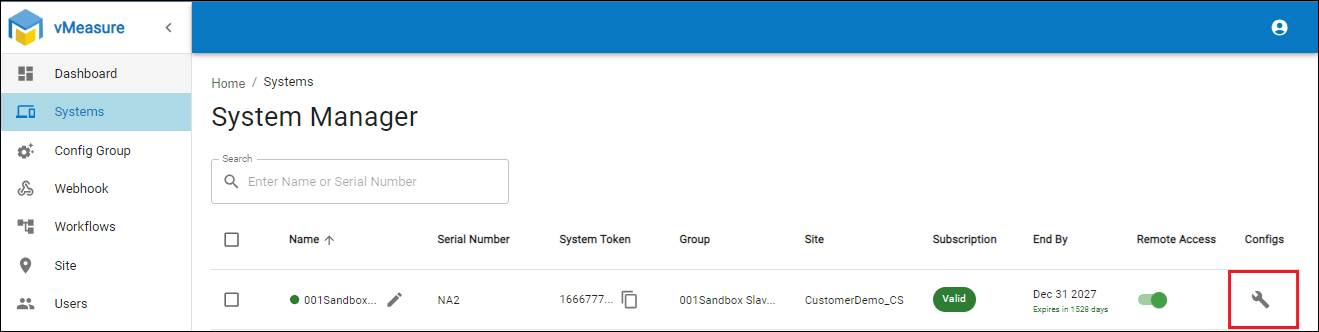
- Navigate to the Systems menu, Click on the Config button for desired system.
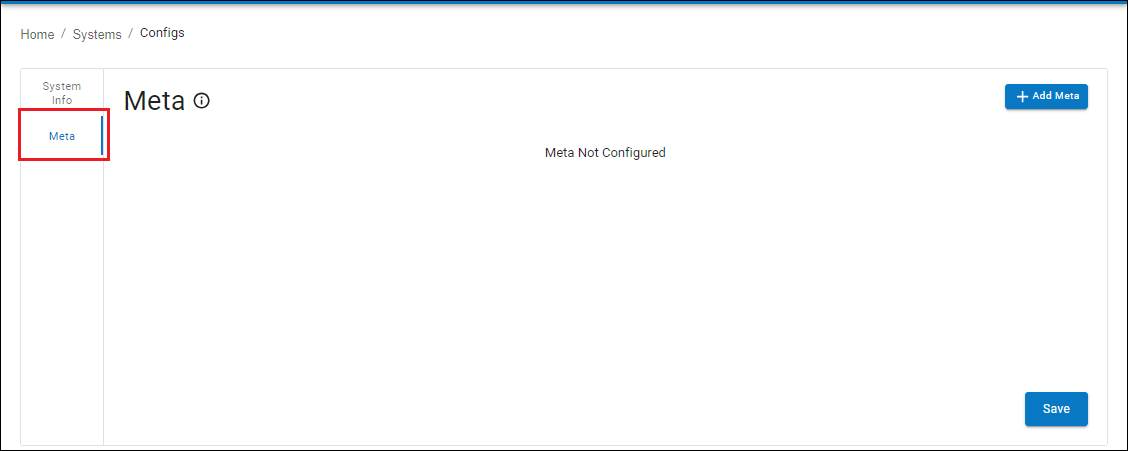
- Navigate to the Meta tab as shown below.
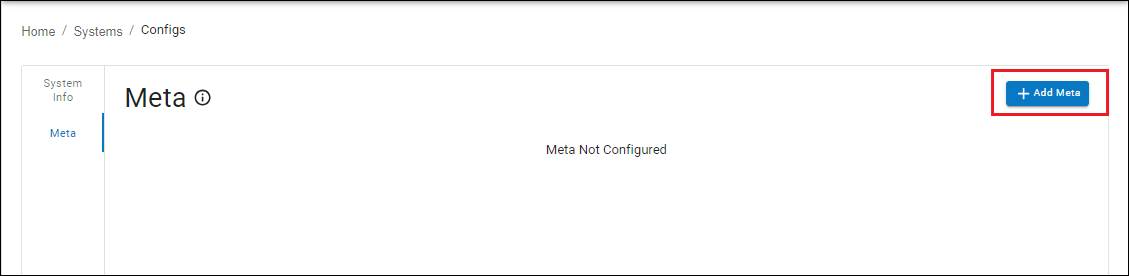
- Click on the + Add Meta button as shown below.
- Input the fields below
- Key - hostname
- Value - the desired hostname of the system followed by *.vmeasure.systems
- Data Type - String
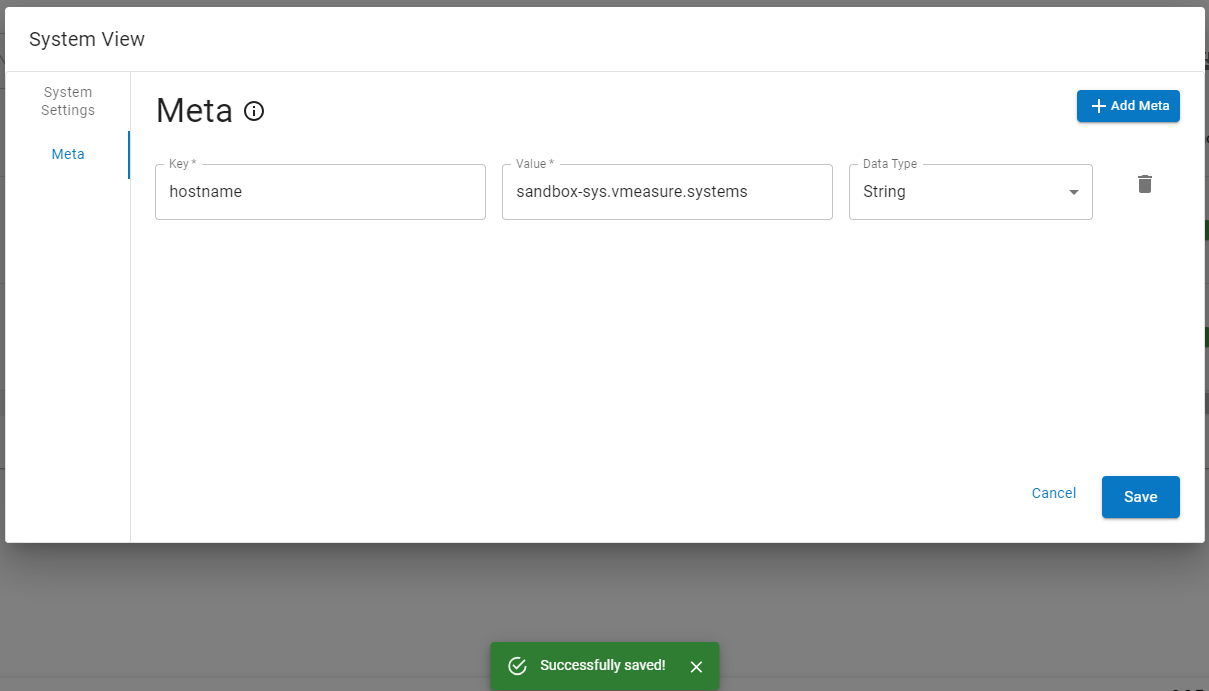
- Click on the Save button to save the configuration.
If you need any support , please drop a mail to vmeasure@visailabs.com
Was this article helpful?
That’s Great!
Thank you for your feedback
Sorry! We couldn't be helpful
Thank you for your feedback
Feedback sent
We appreciate your effort and will try to fix the article