This section explains the steps involved in creating a file hook
Step 1: Log in to the Forge account.
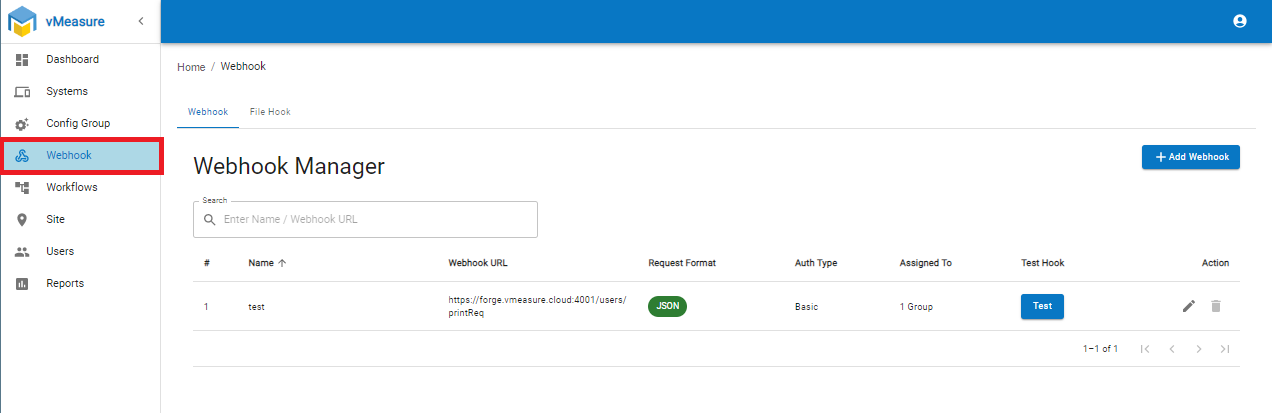
Step 2: Navigate to the "Webhook" menu as shown below.
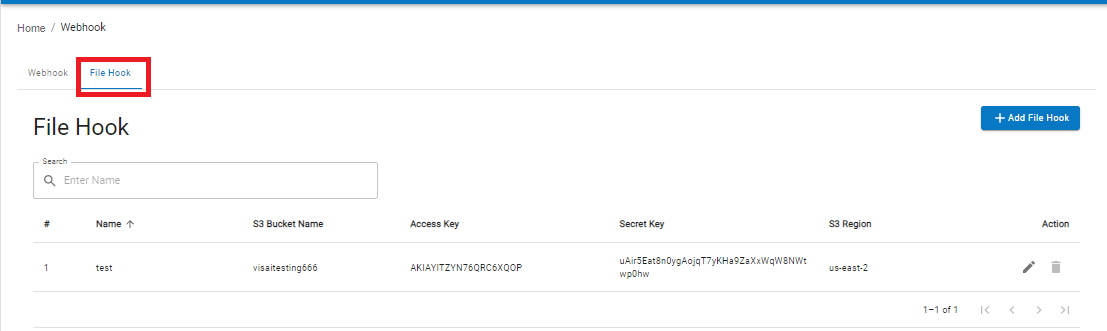
Step 3: Navigate to the "File Hook" section as shown below.
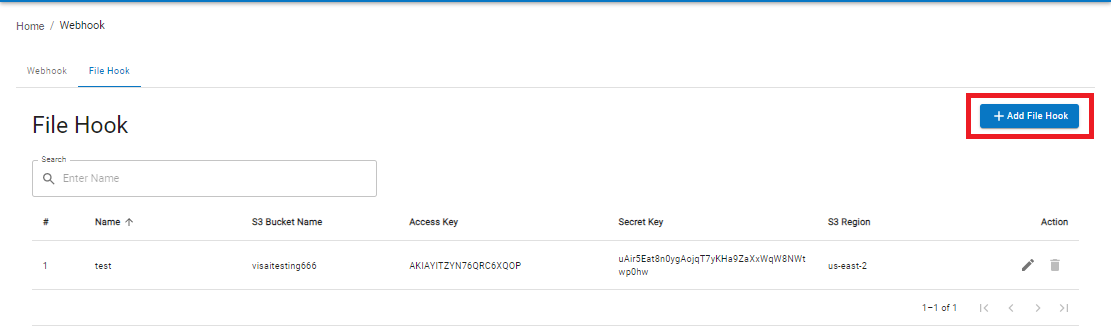
Step 4: Click "Add File Hook" button as shown below.
Step 5: Configure the required S3 Webhook Form as shown below.
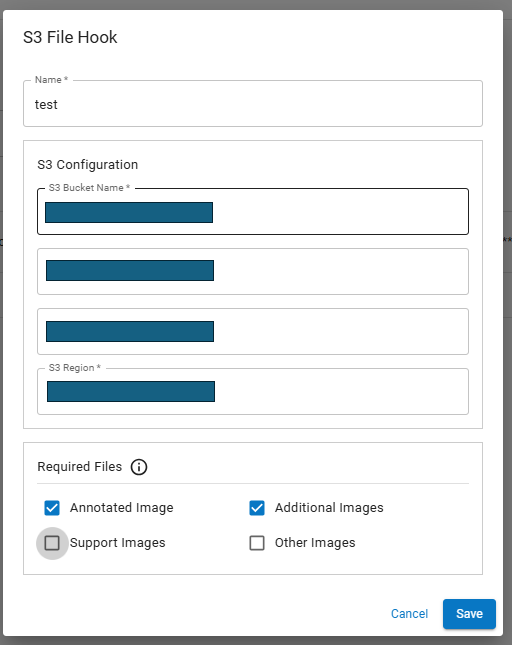
Note: You can eable required Files need to push to your S3 Bucket.
Step 6: Click on the "Save".
Step 7: Once the file hook has been created, make sure to assign it to your system. To assign a file hook to the system
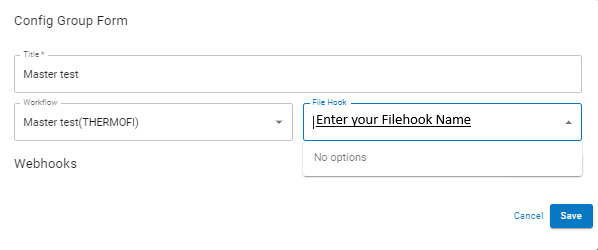
Step 8: Navigate to "Config Group" and click on the "Edit" icon of the group assigned to the system.

Step 9: Select your File hook and click on Save.
If you need any support, please drop a mail to vmeasure@visailabs.com or click here to Submit a Ticket.
Was this article helpful?
That’s Great!
Thank you for your feedback
Sorry! We couldn't be helpful
Thank you for your feedback
Feedback sent
We appreciate your effort and will try to fix the article