Config Group
What is a Config Group?
A Config Group is a centralized configuration that contains the Webhook, File Hook, and Workflow configurations required by a system.
Once a Config Group is created, it can be assigned to one or more systems. This allows the same configuration to be applied consistently across multiple devices without configuring each system individually.
Steps to Create and Assign a Config Group
Step 1: Create a Config Group
Navigate to Config Group.
Click Add Config Group.
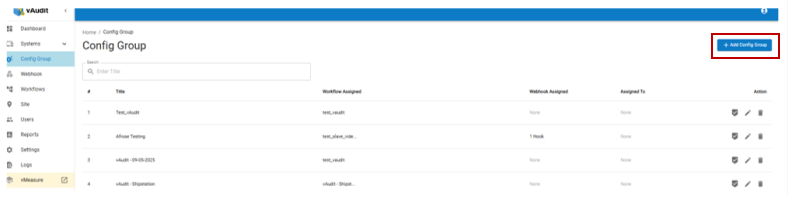
Step 2: Configure the Config Group
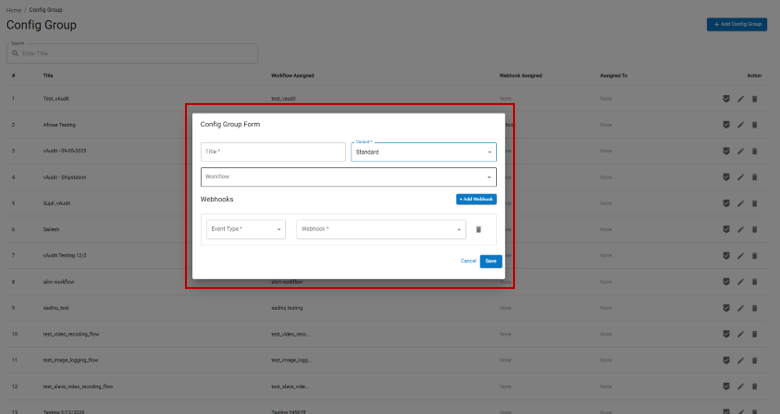
Enter the Title for the Config Group.
Select the required Variant
Select the required Workflow
If Webhook is applicable:Click Add Webhook.
Select the applicable Measurement Type from the dropdown.
Select the required Webhook from the dropdown.
Click Save.
Measurement Types
The following Measurement Types are available:
Classification: Only Barcode/API Validation data will be pushed to the configured endpoint.
Normal: All measurement data will be pushed to the configured endpoint.
Step 3: Navigate to Systems
Navigate to the Systems menu.
Step 4: Select the System
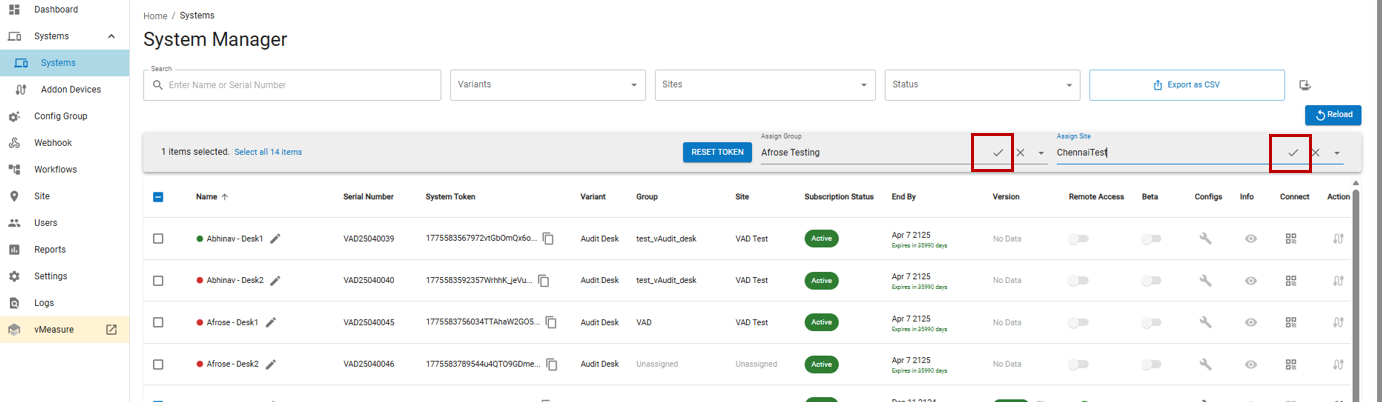
Select the checkbox next to the System Name to which you want to assign the Config Group.
Step 5: Assign the Config Group
Select the required Config Group from the available options and click the Check Mark to apply the configuration.
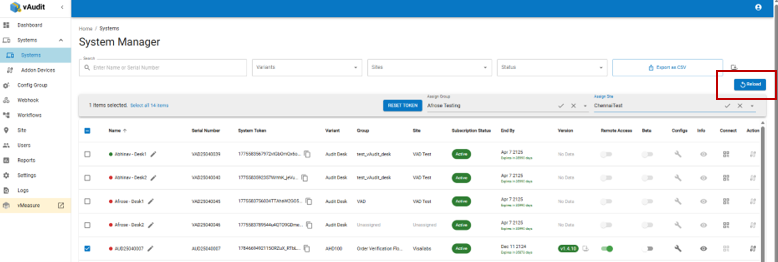
Step 6: Reload the System
After assigning the Config Group, click RELOAD to apply the updated configuration to the system.
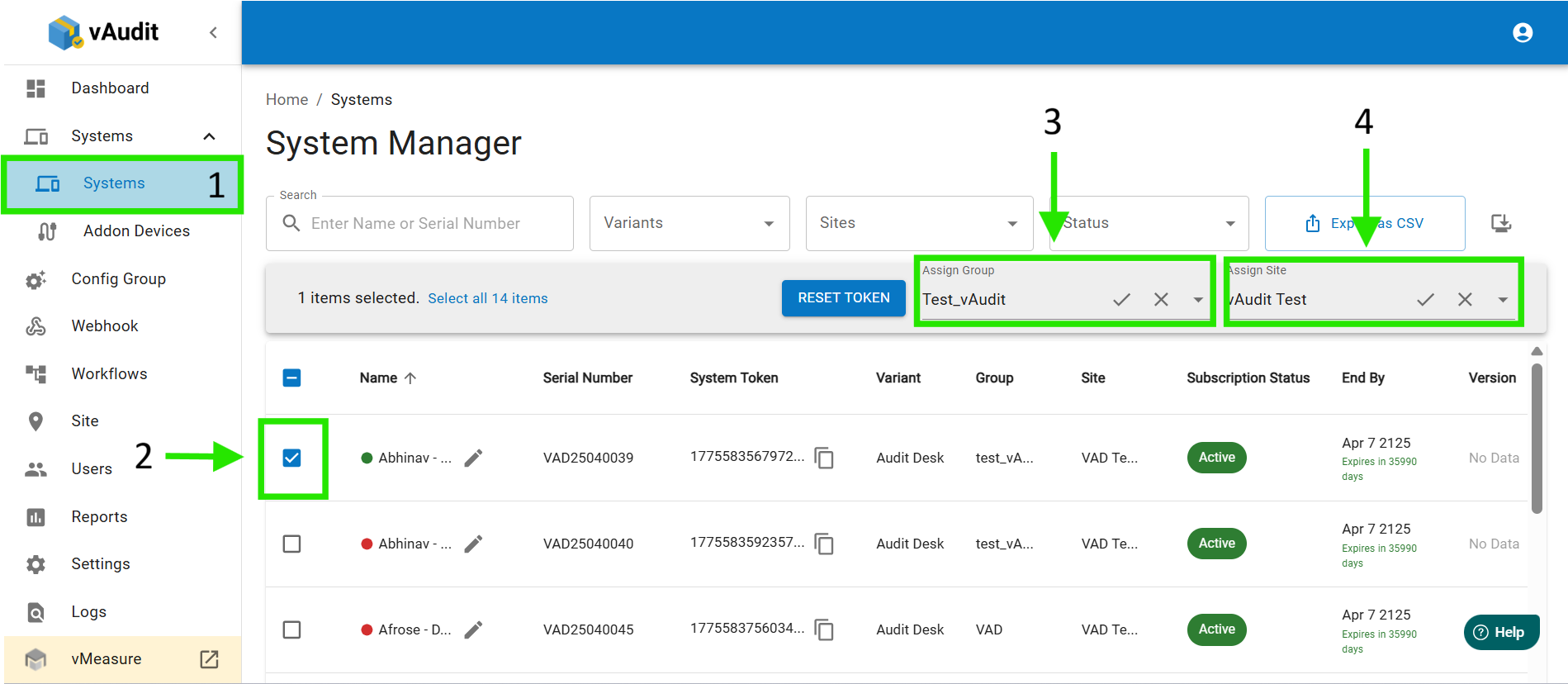
Note: A single Config Group can be assigned to multiple systems/devices.
Was this article helpful?
That’s Great!
Thank you for your feedback
Sorry! We couldn't be helpful
Thank you for your feedback
Feedback sent
We appreciate your effort and will try to fix the article