Config Group Creation – vAudit (Audit Desk)
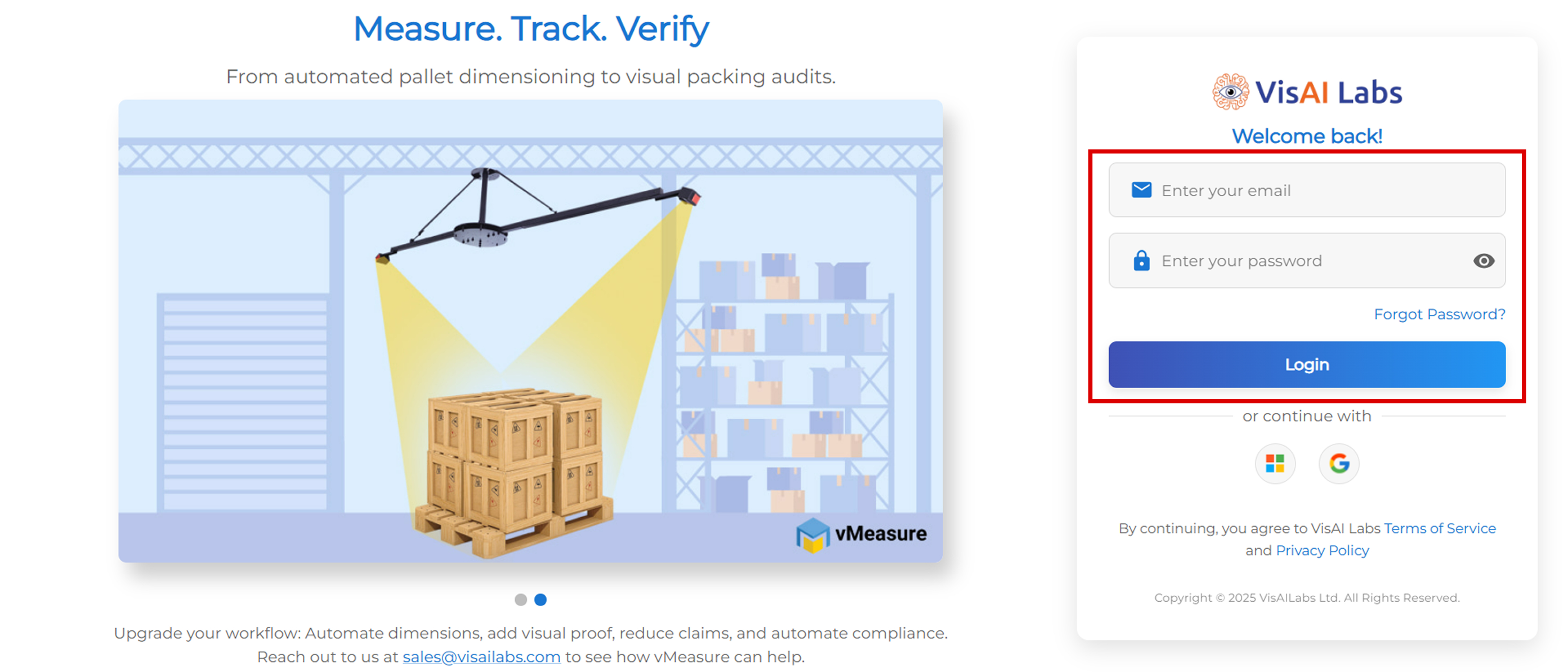
Step 1: Login to Portal
- Login to vMeasure Forge Portal using your credentials
- Navigate to the vAudit module
Step 2: Open Config Group Section
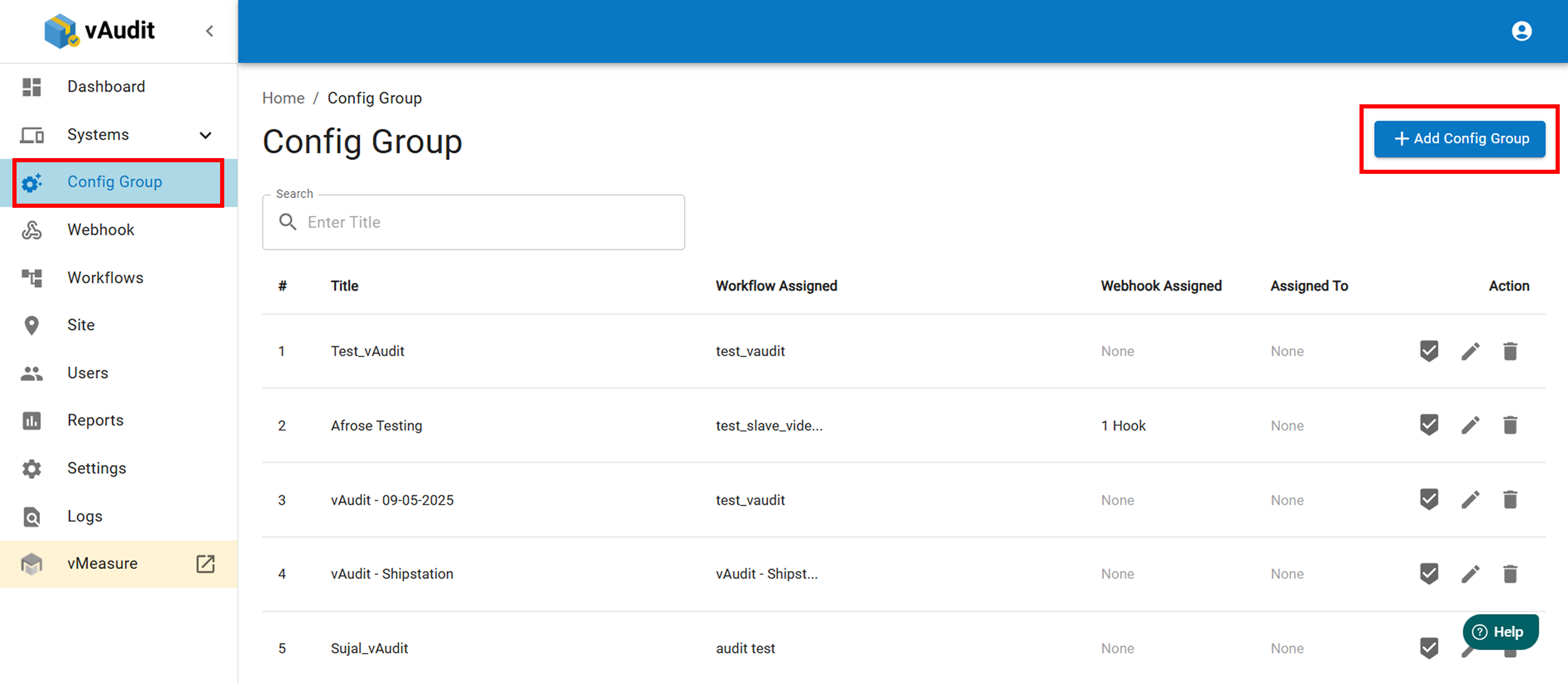
- Go to “Config Group”
- Click on “+ Add Config Group”
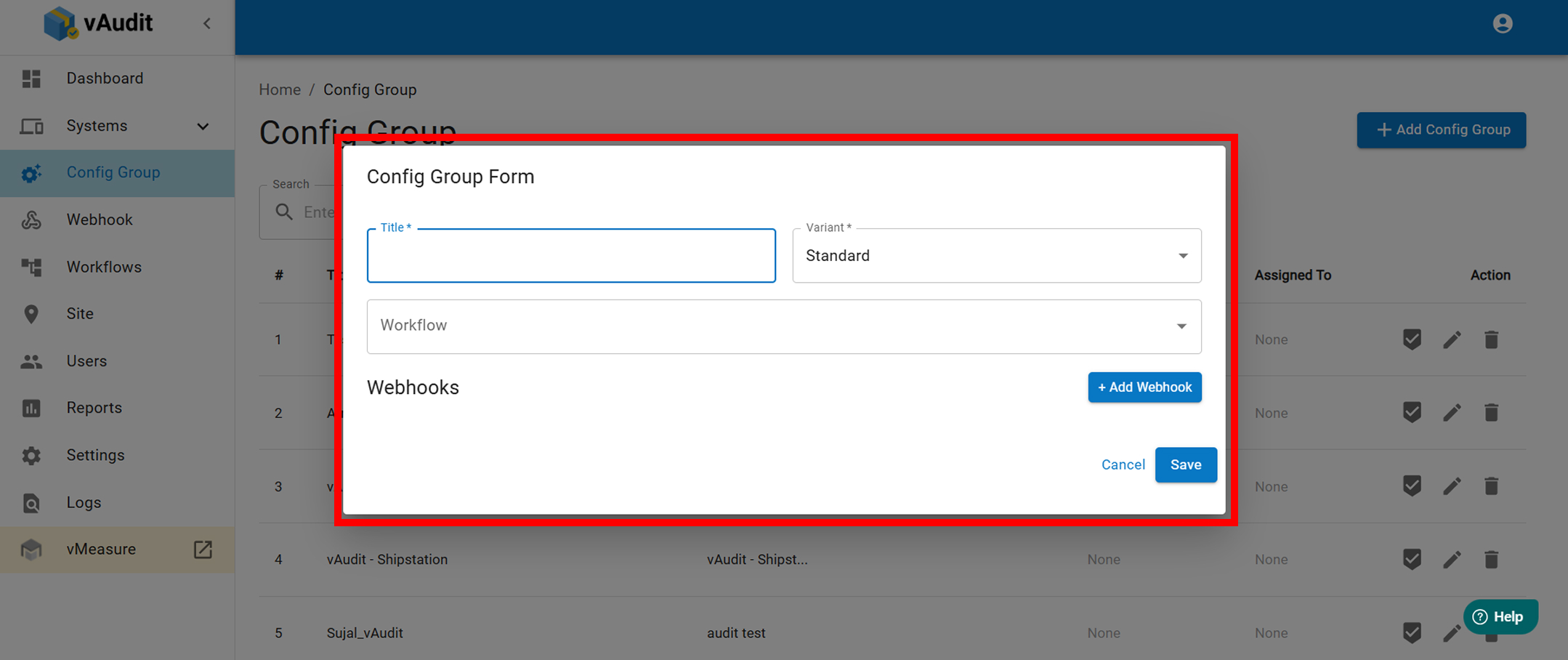
- A popup window will appear
Step 3: Fill Config Group Details
- Enter the required information in the form:
- Config Group Name
- Description (if applicable)
- Any other mandatory fields as per requirement
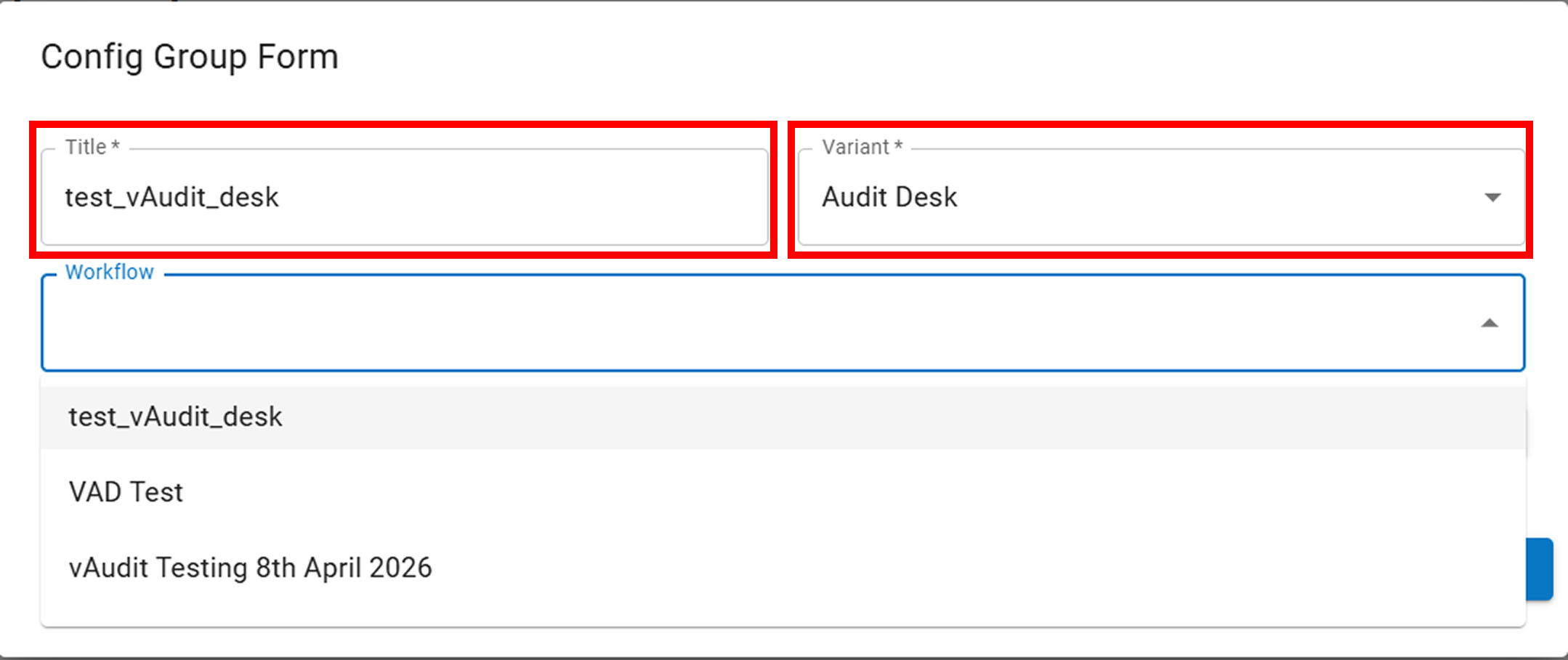
Step 4: Select Workflow
- Choose the Workflowfrom the dropdown
- (Workflow should be created beforehand)
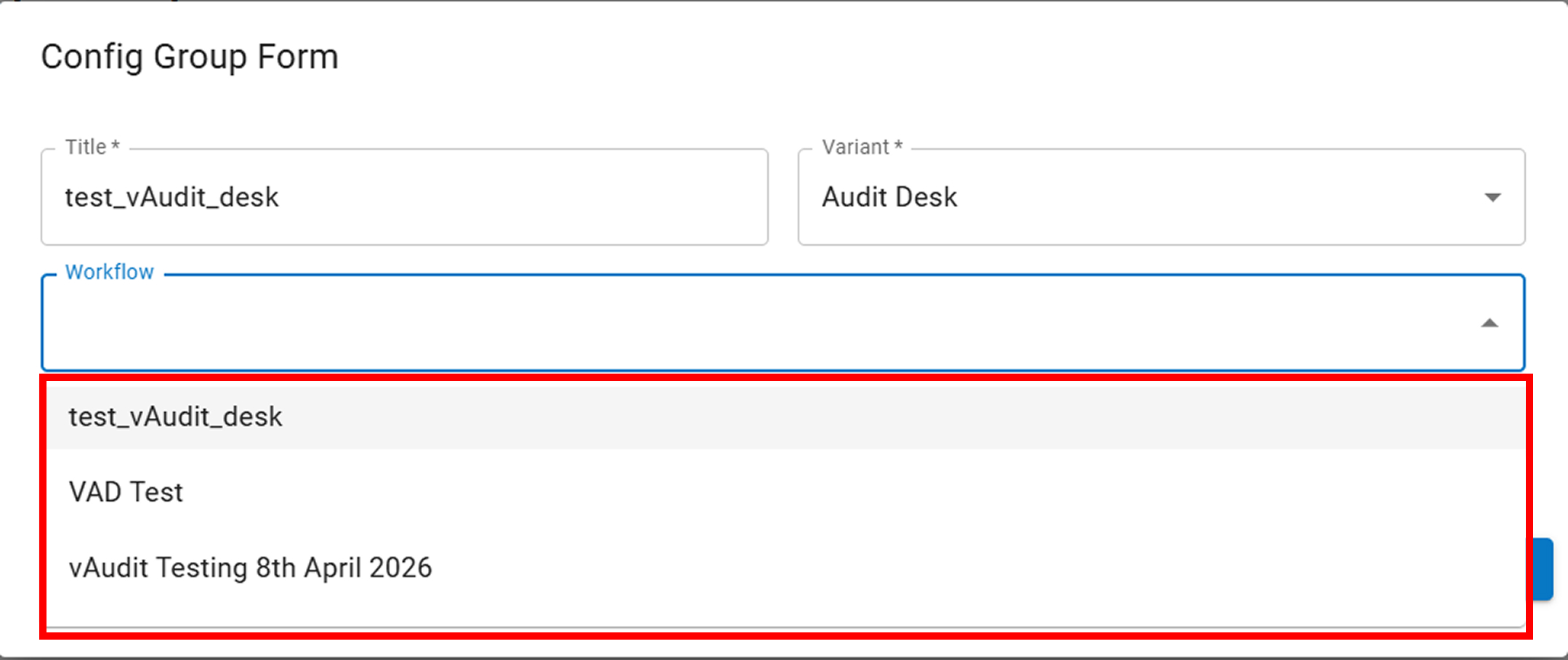
- (Workflow should be created beforehand)
Step 5: Save Configuration
- Click on “Save” to create the Config Group
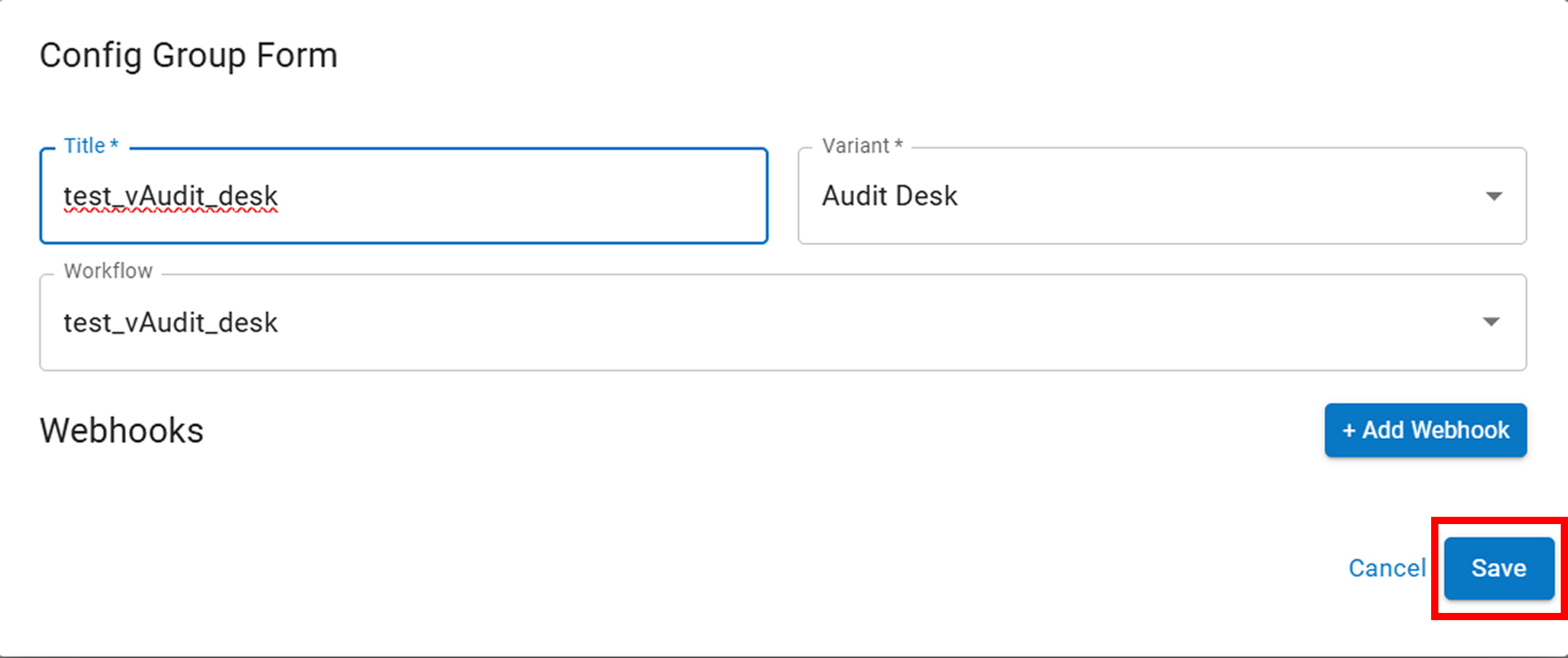
✅ Final Outcome
- Config Group will be successfully created
- It will be linked with the selected Workflow
If you need any support , please drop a mail to vmeasure@visailabs.com
Was this article helpful?
That’s Great!
Thank you for your feedback
Sorry! We couldn't be helpful
Thank you for your feedback
Feedback sent
We appreciate your effort and will try to fix the article