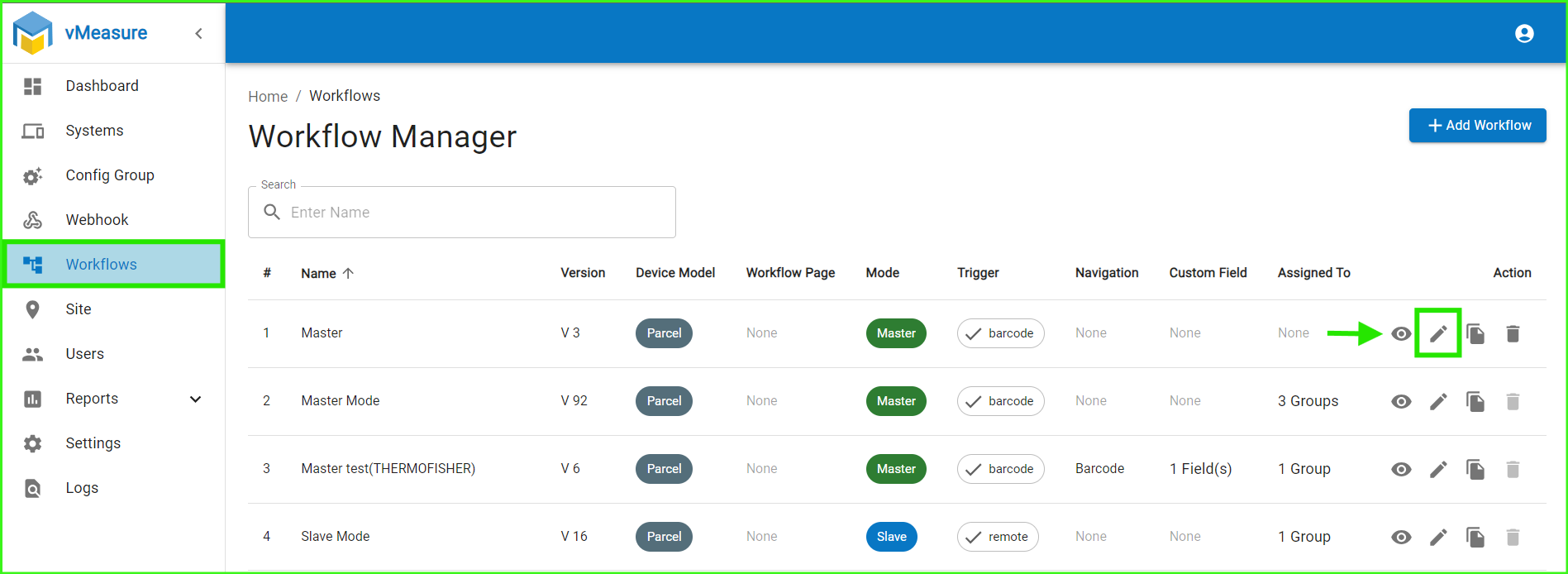
A) Log in to your Forge account, navigate to Workflow, and click on the edit icon.
icon.
B) In Basic Settings, navigate to Calibration Settings, select Manual Mode, and in the Manual Calibration Modes dropdown, enable the 1.5 Envelope Mode.
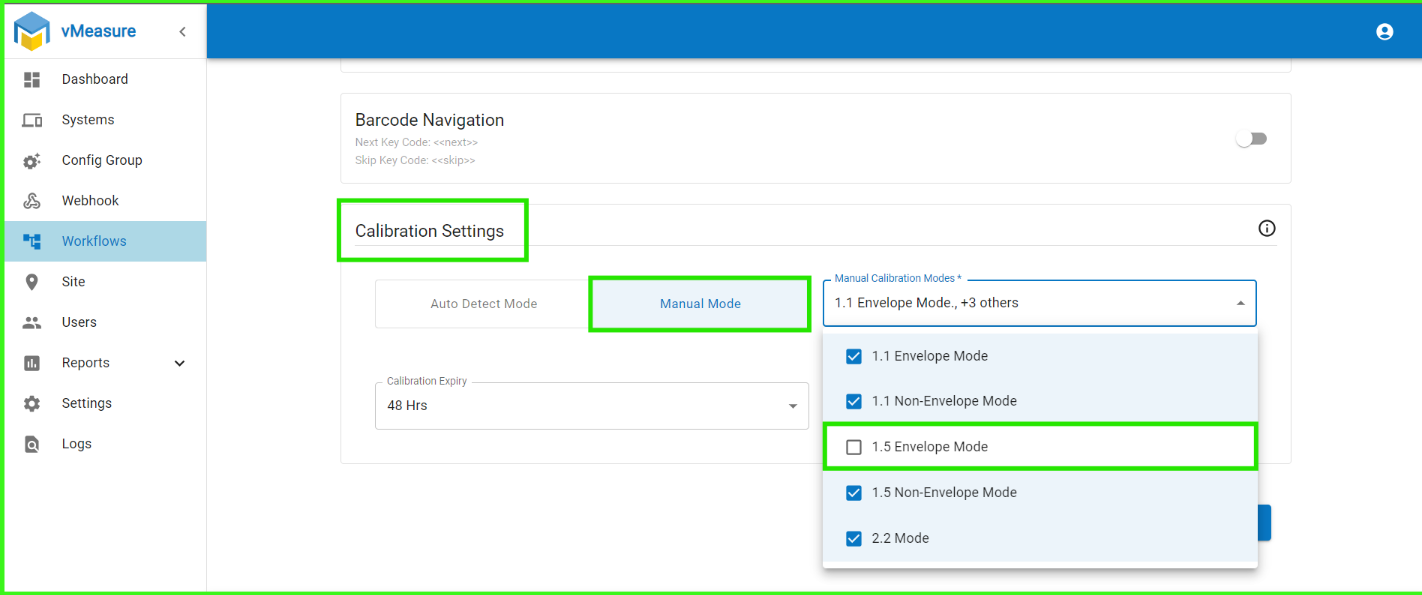
C) Click Next & Save the changes.
D) Once the Envelope mode is enabled in Forge, please log out and log in to the vMeasure device for the changes to apply.
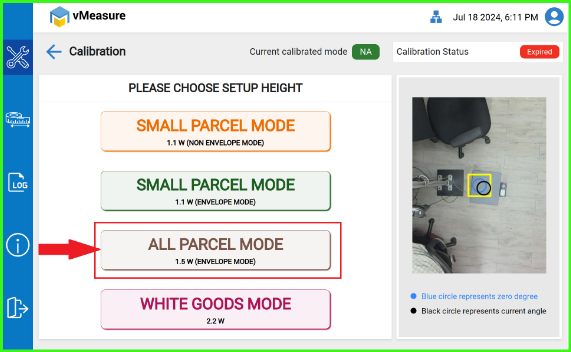
E) Finally, calibrate the vMeasure device in 1.5W Envelope Mode.
Was this article helpful?
That’s Great!
Thank you for your feedback
Sorry! We couldn't be helpful
Thank you for your feedback
Feedback sent
We appreciate your effort and will try to fix the article