- Login to vMeasure Foreg
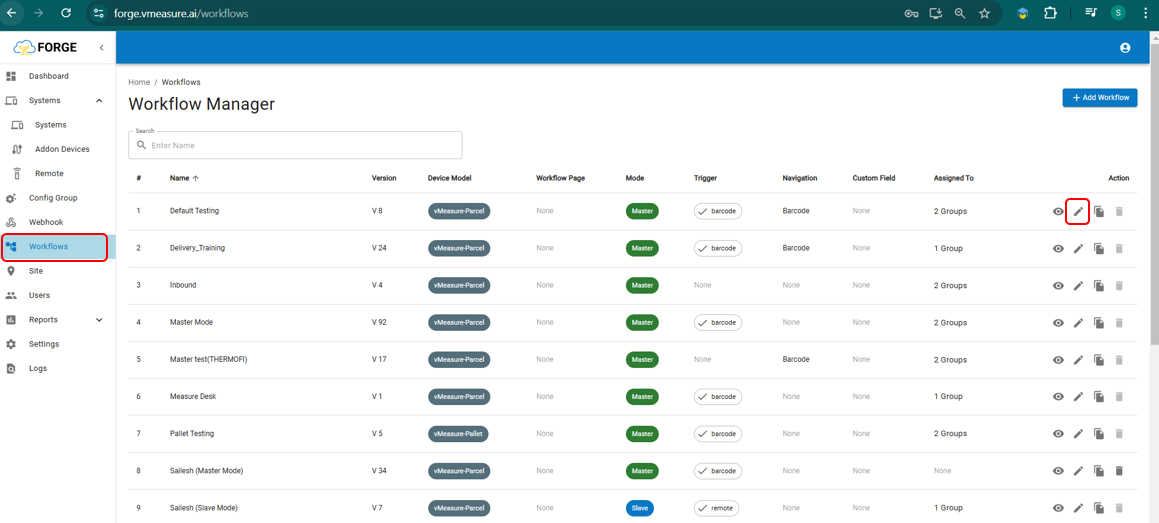
- Navigate to Appropriate workflow and click on the Edit icon.
Navigate to Barcode Navigation enable/disable it, and save the workflow.
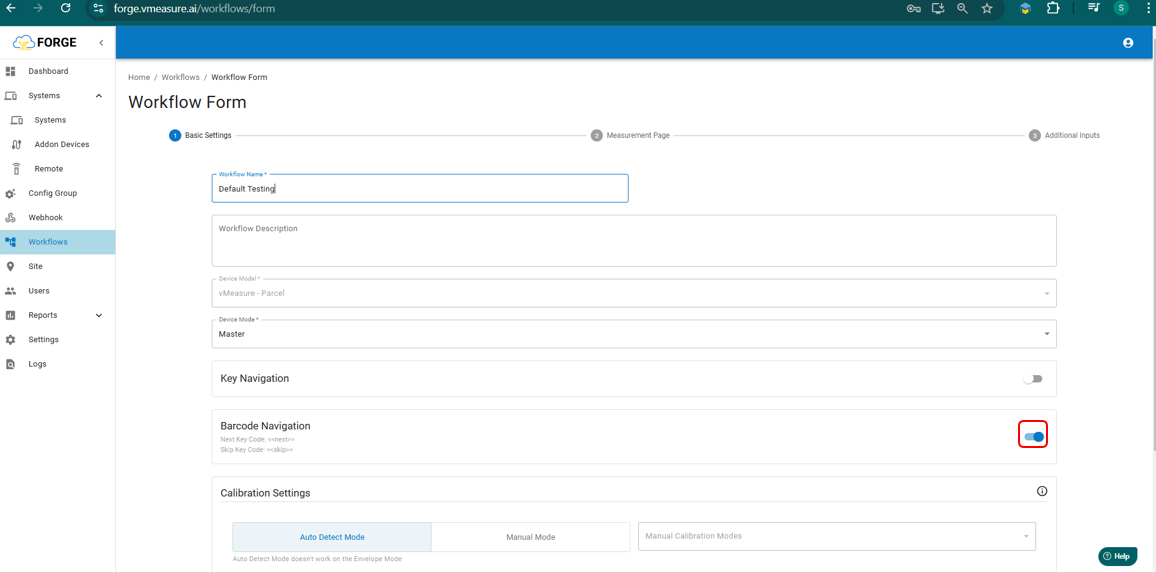
After completing these steps, the vMeasure device will prompt you to update the workflow, and the Barcode Navigation feature will be ready for use.
If you need any support , please drop a mail to vmeasure@visailabs.com or Click here to Submit a Ticket.
Was this article helpful?
That’s Great!
Thank you for your feedback
Sorry! We couldn't be helpful
Thank you for your feedback
Feedback sent
We appreciate your effort and will try to fix the article