How to connect the Barcode in Device,
Step 1: Navigate to "Main Menu", Then Navigate to "Configurations".
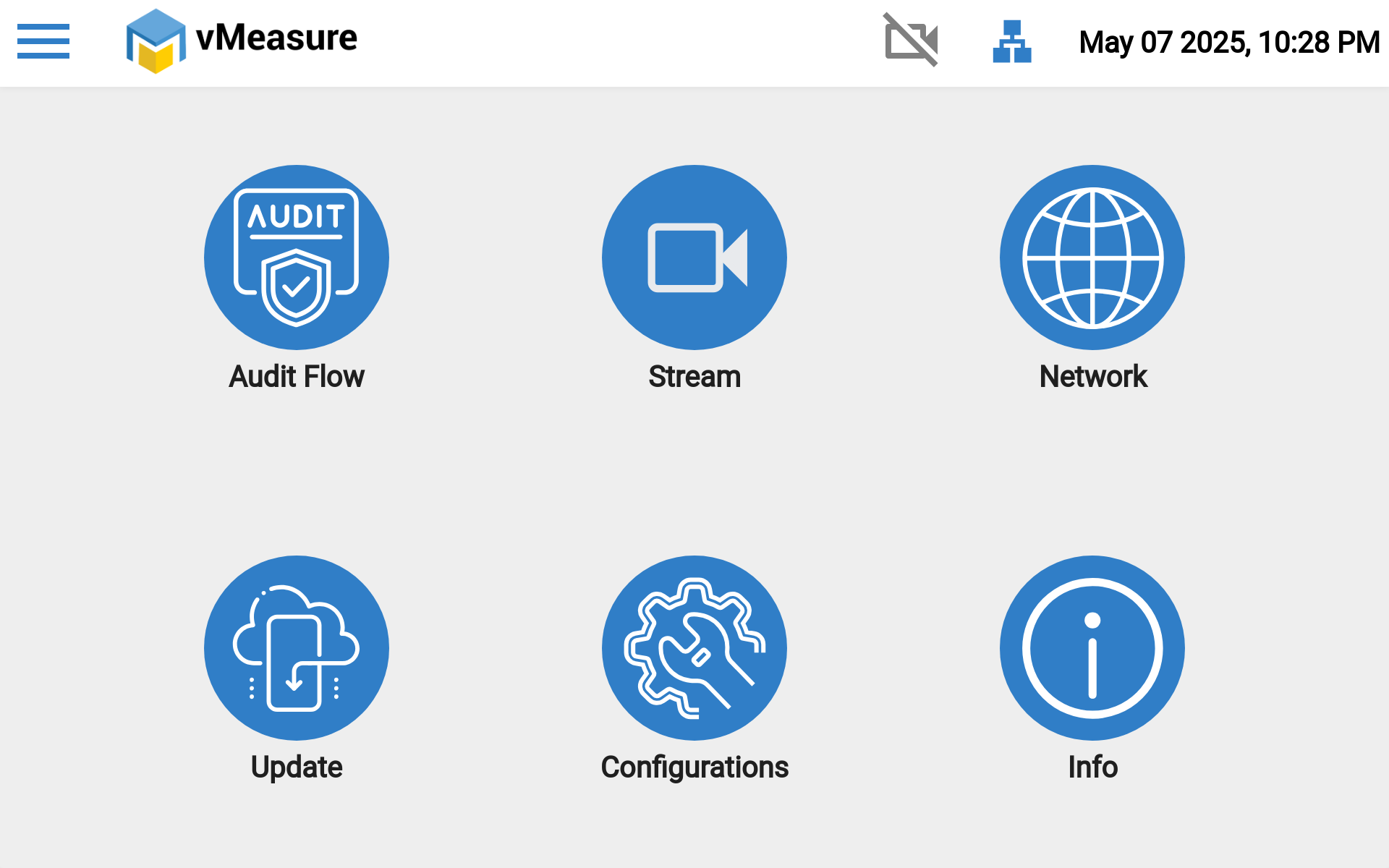
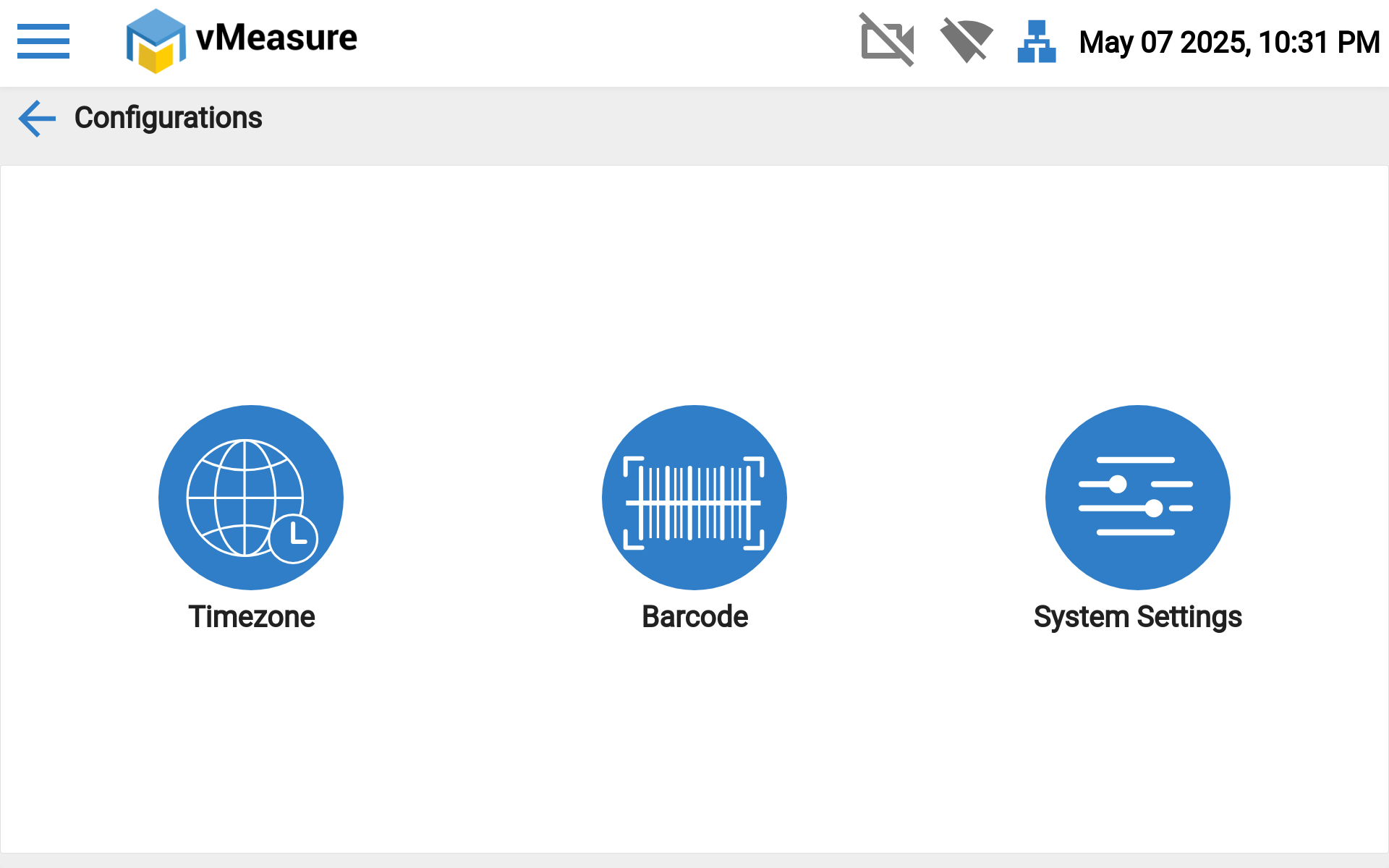
Step 2: Then Click the "Barcode".
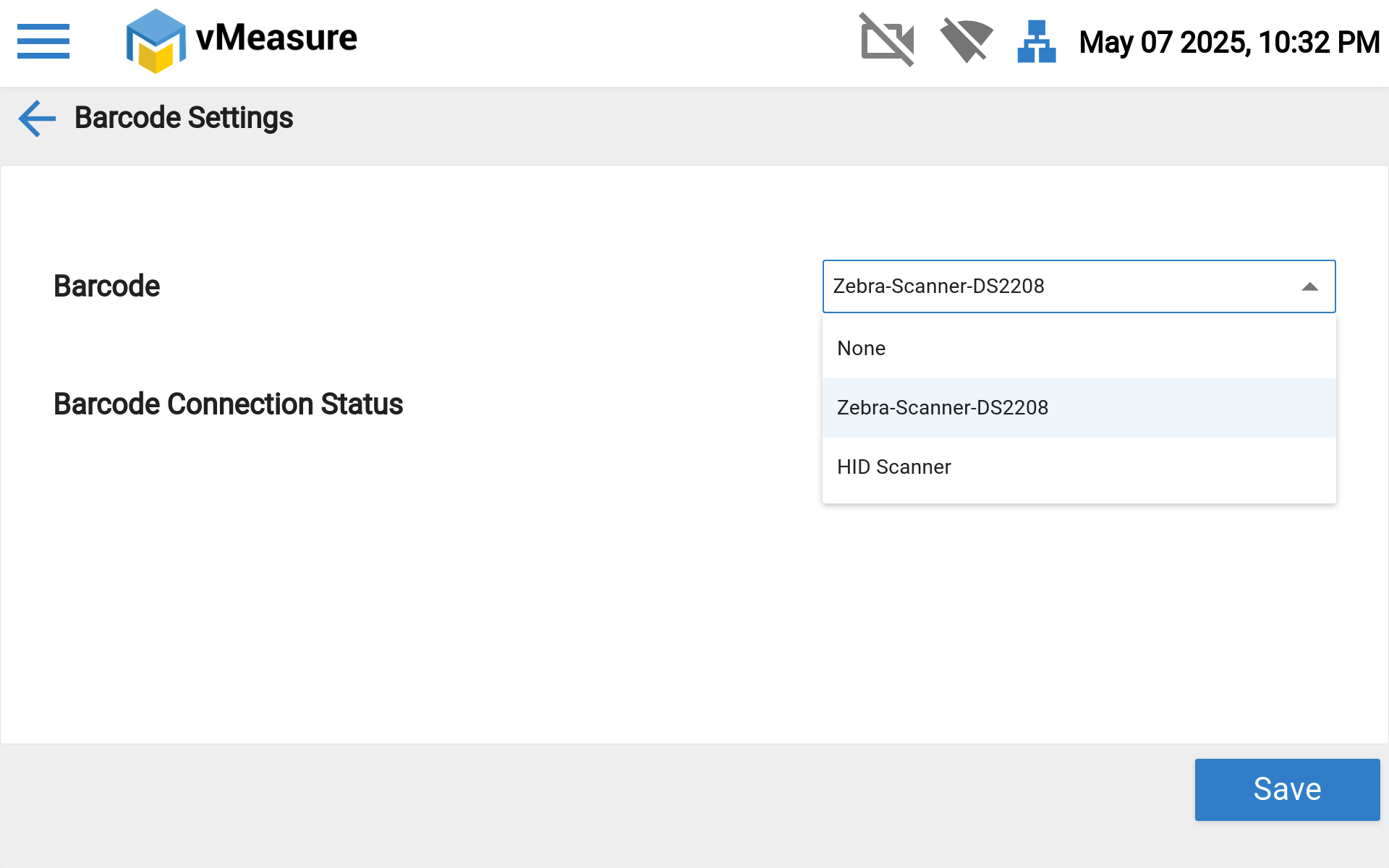
Step 3: You can select the different barcode like wired (Zebra scanner) and wireless (HID scanner) as per your needs.
Step 4: After selecting the scanner, then Click the "Save" button to save the changes.
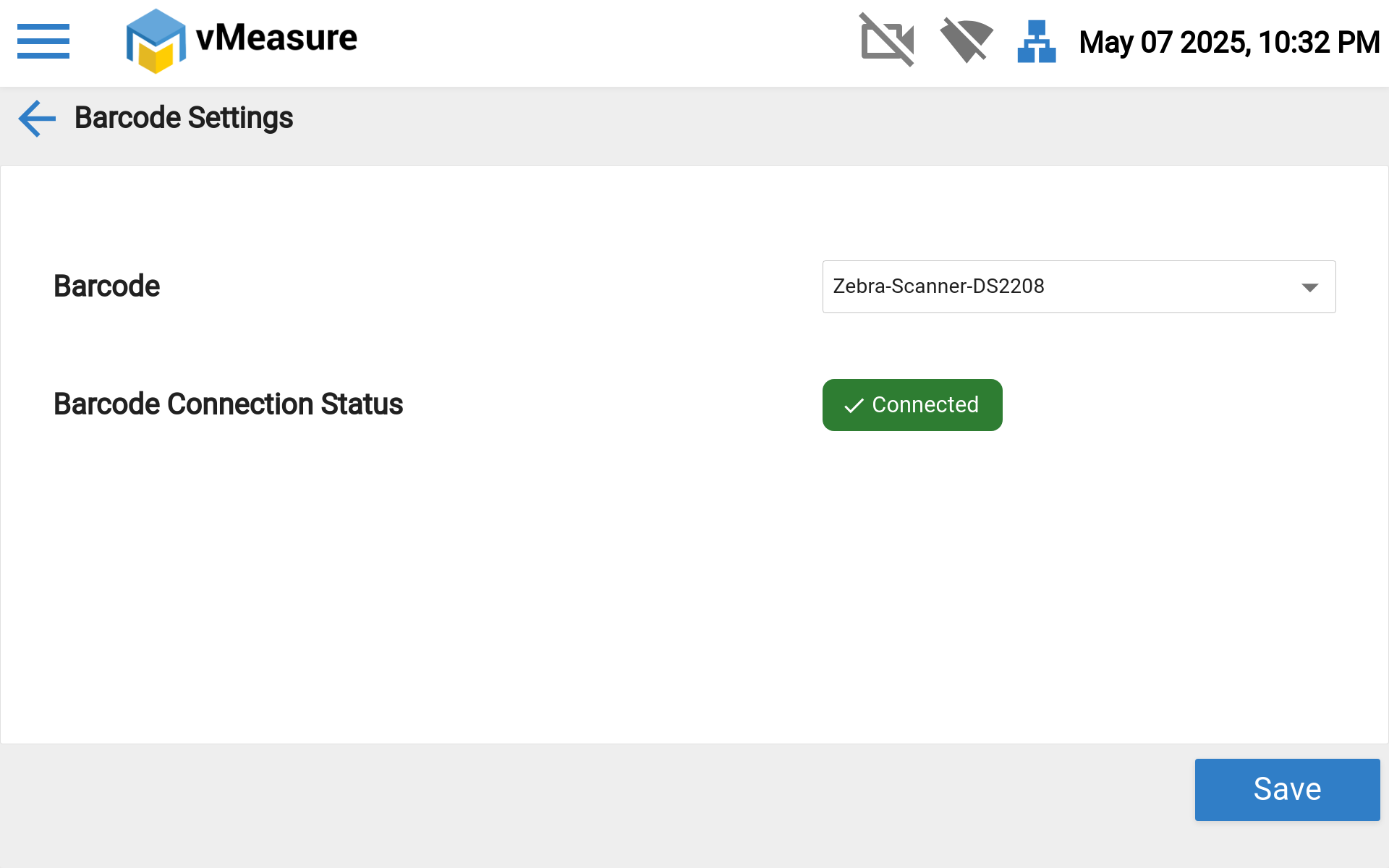
Note: The vMeasure device supports two types of barcode scanners: wired and wireless.
It is compatible with the Zebra DS2208 wired barcode scanner and also supports HID-compliant wireless barcode scanners.
If you need any support , please drop a mail to vmeasure@visailabs.com or Click Here to Summit a Ticket.
Was this article helpful?
That’s Great!
Thank you for your feedback
Sorry! We couldn't be helpful
Thank you for your feedback
Feedback sent
We appreciate your effort and will try to fix the article