Why should we Enable "Remote Access"?
Enabling Remote Access allows the vMeasure support team to securely connect to your device for troubleshooting, diagnostics, and configuration support. This helps in quickly identifying and resolving issues without requiring on-site assistance, ensuring minimal downtime and smoother operation.
How to Enable Remote Access for vAudit:
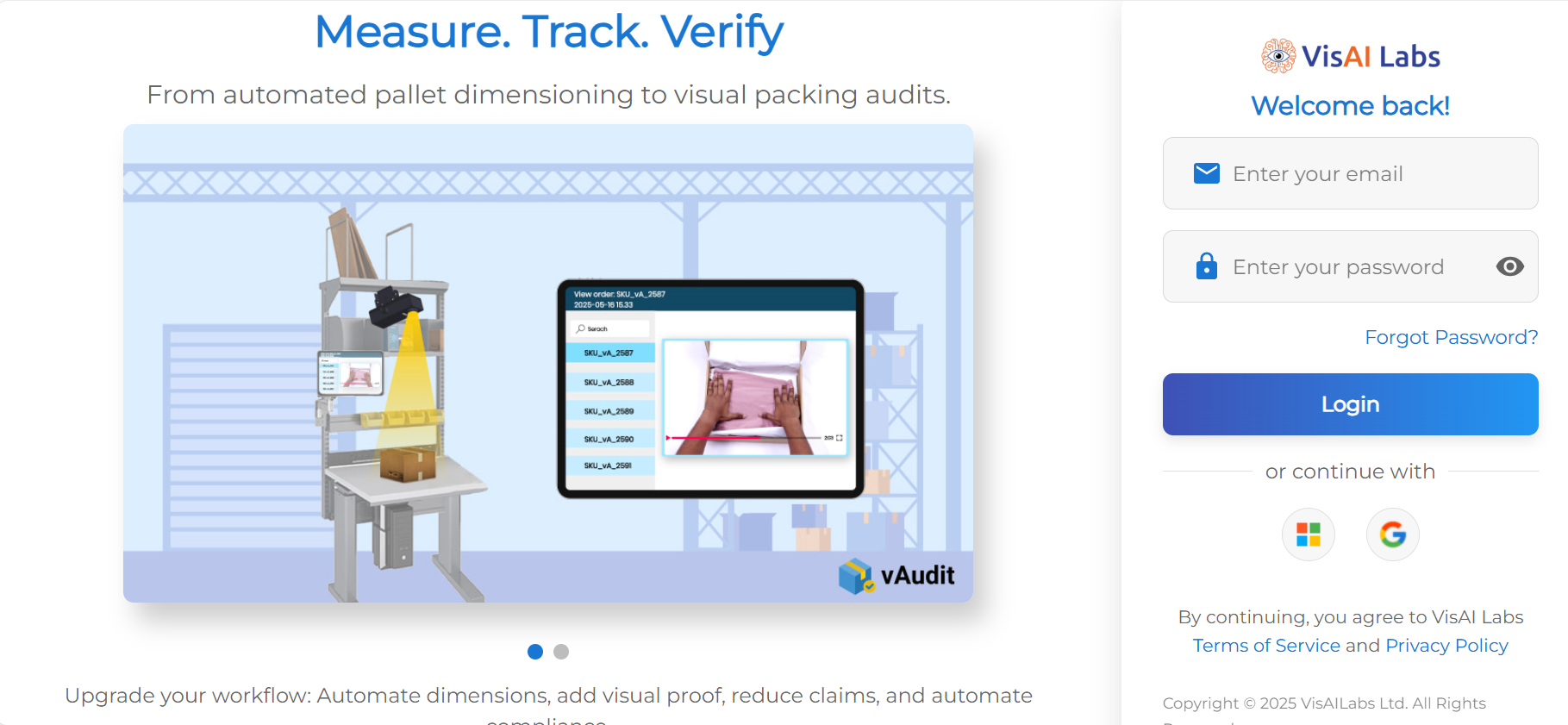
Step 1: Log in to https://forge.vmeasure.ai/login
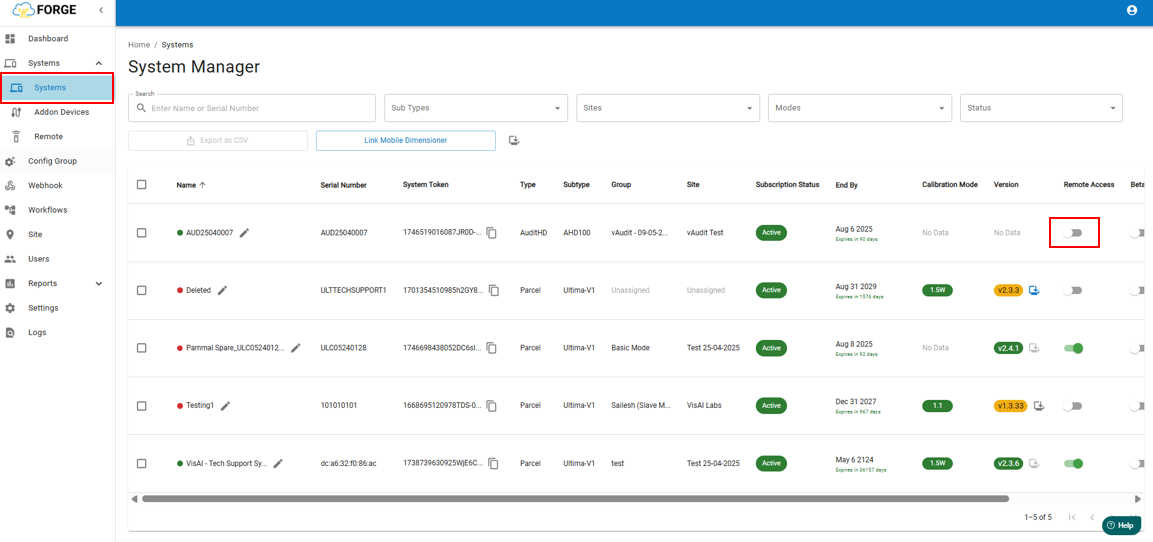
Step 2: Navigate to the "System" section and toggle "Remote Access" to enable it (as shown in the image below).
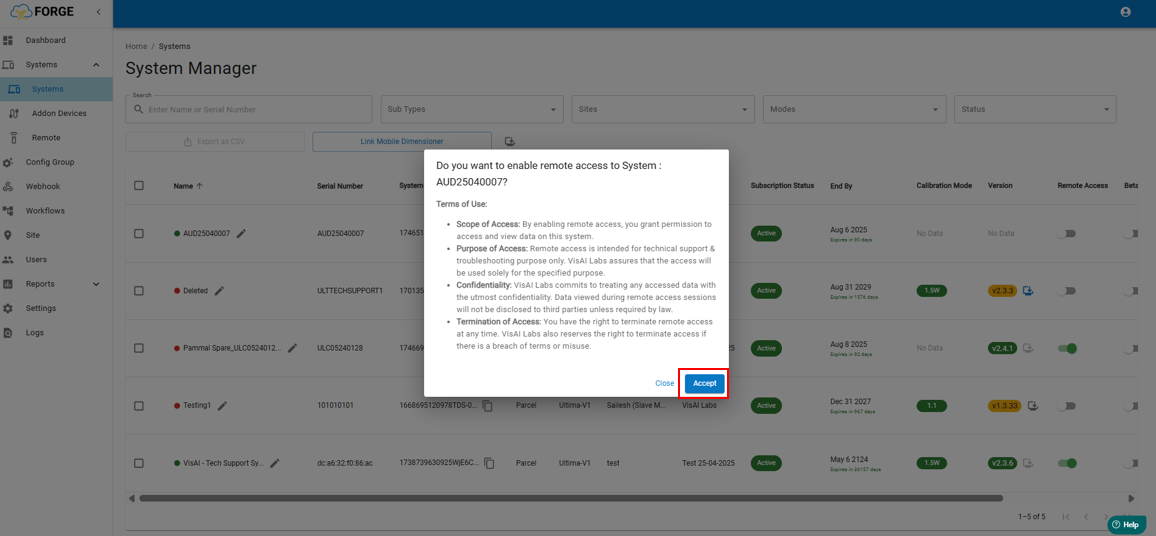
Step 3: A pop-up will appear. Click "Accept" to grant remote access permission.
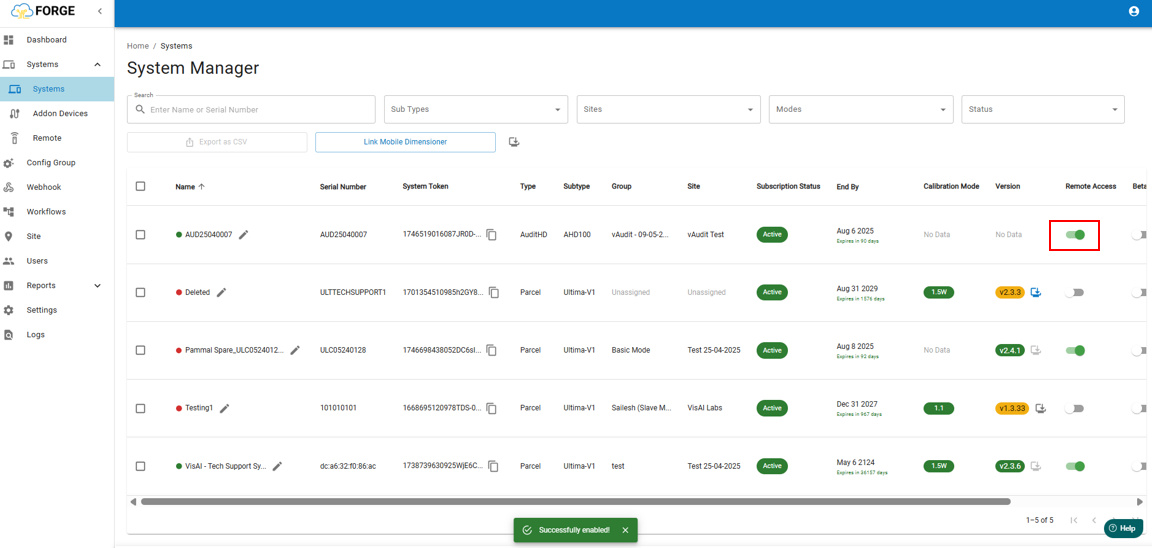
If you need any support , please drop a mail to vmeasure@visailabs.com
Was this article helpful?
That’s Great!
Thank you for your feedback
Sorry! We couldn't be helpful
Thank you for your feedback
Feedback sent
We appreciate your effort and will try to fix the article