Step - 1: Login into forge.vmeasure.ai
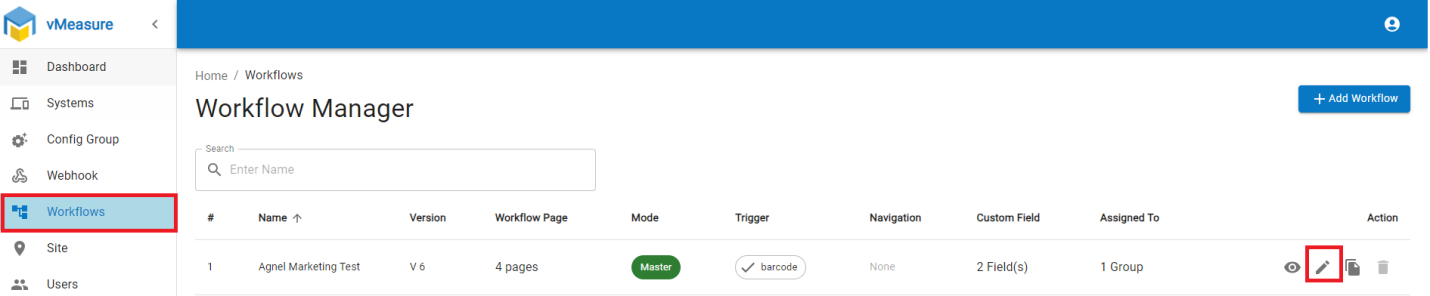
Step 2: Navigate to Workflow, click on the pencil icon, and edit the current workflow.
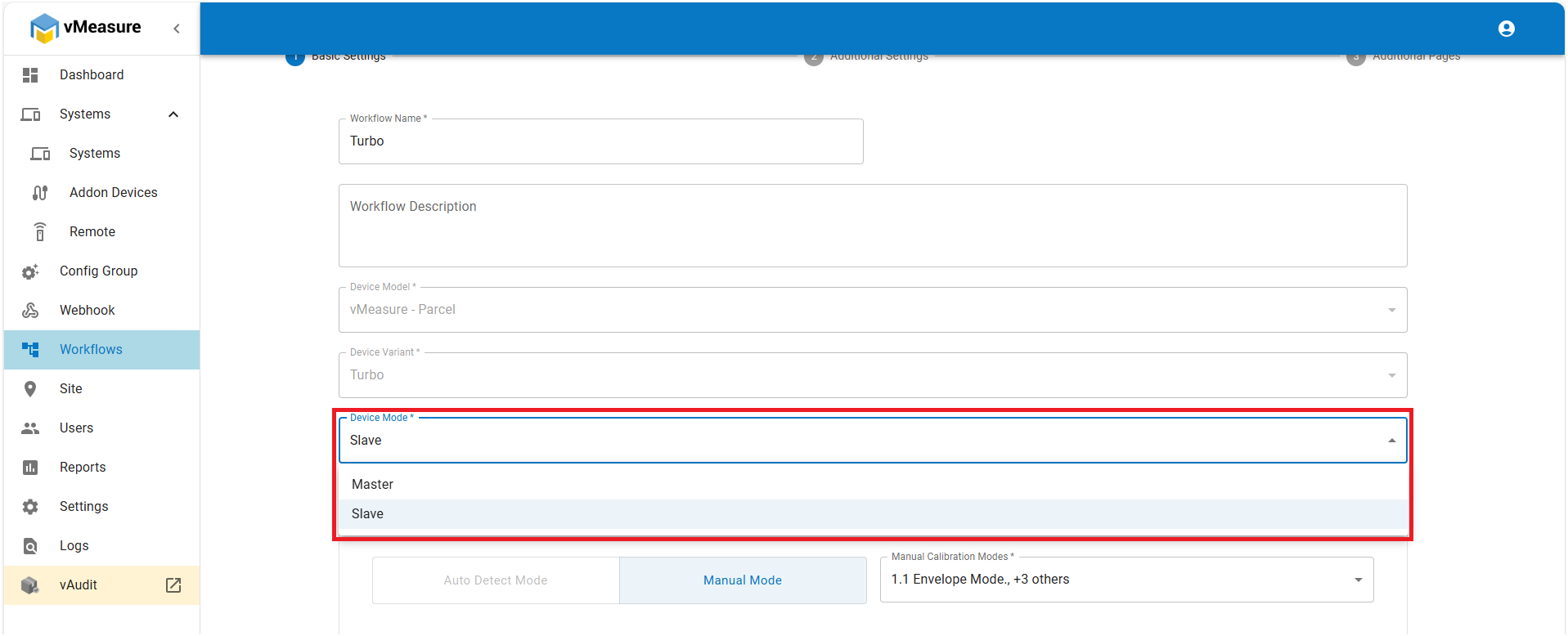
Step 3: Select “Slave” mode from the drop-down, then save the workflow.
Step 4: Once changes are done in forge, log out and log-in in vMeasure Touch screen.
Related Articles:
How to Obtain Credentials for Slave Mode.
If you need any support , please drop a mail to vmeasure@visailabs.com
Was this article helpful?
That’s Great!
Thank you for your feedback
Sorry! We couldn't be helpful
Thank you for your feedback
Feedback sent
We appreciate your effort and will try to fix the article