What time frame of measurement data is available for download from Forge?
For example:
1st period - last 90 days to last 60 days.
2nd period - last 59 days to last 30 days
3rdperiod - last 29 days to till date.
How to Download the measurement data reports in CSV format?
Step 1: Login to vMeasure forge using your forge login credentials.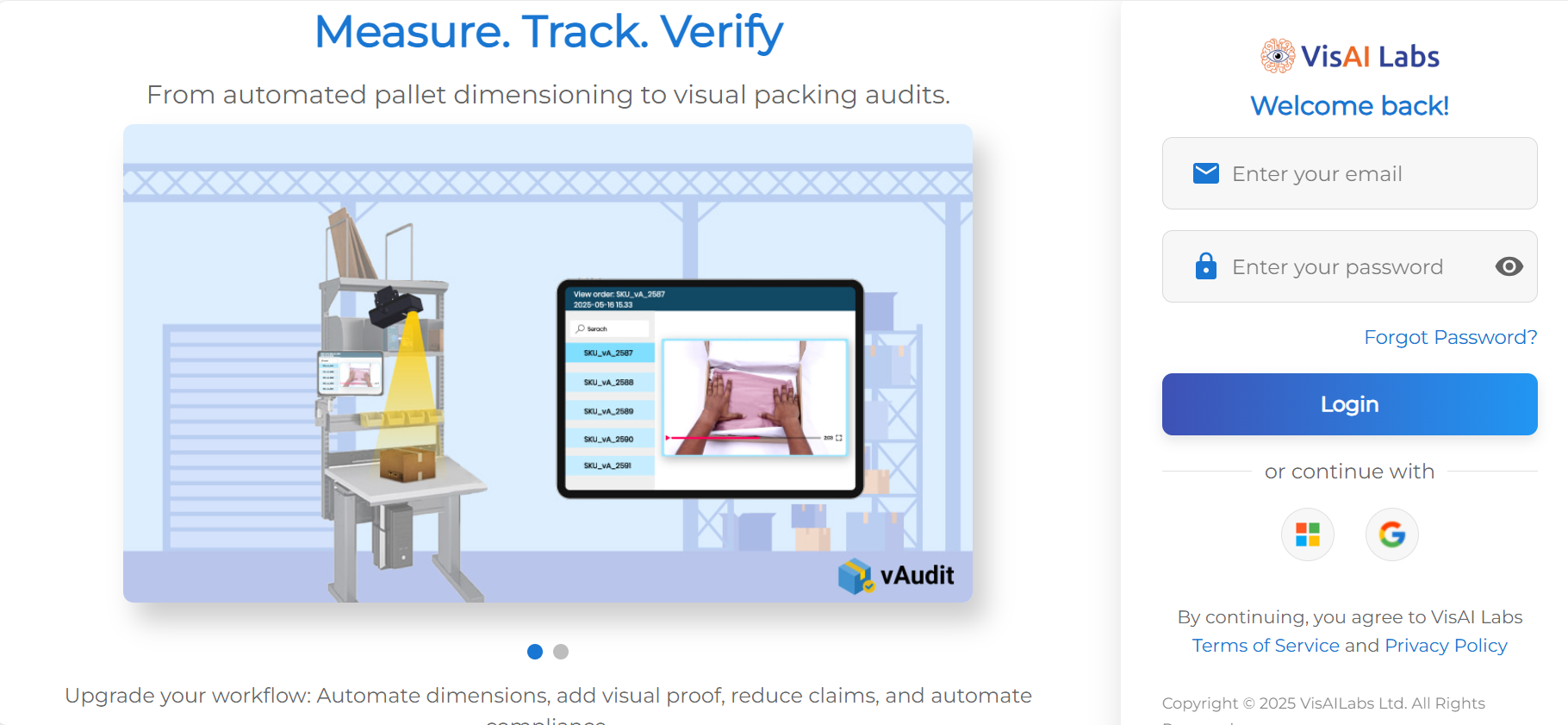
Step 2: Once on the "Dashboard" page go to the "Reports" page.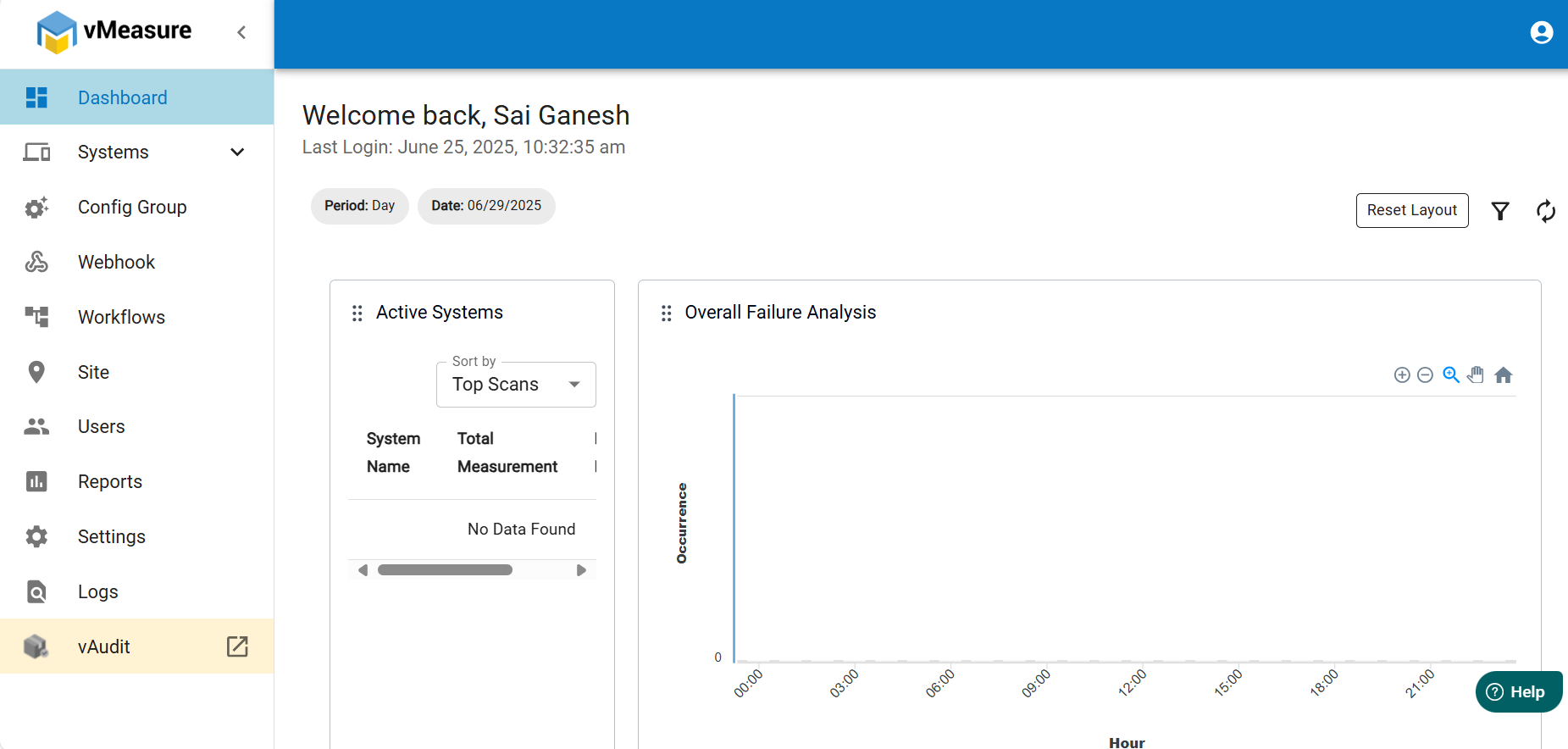
Step 3: In the sub-menu select the "Reports" option.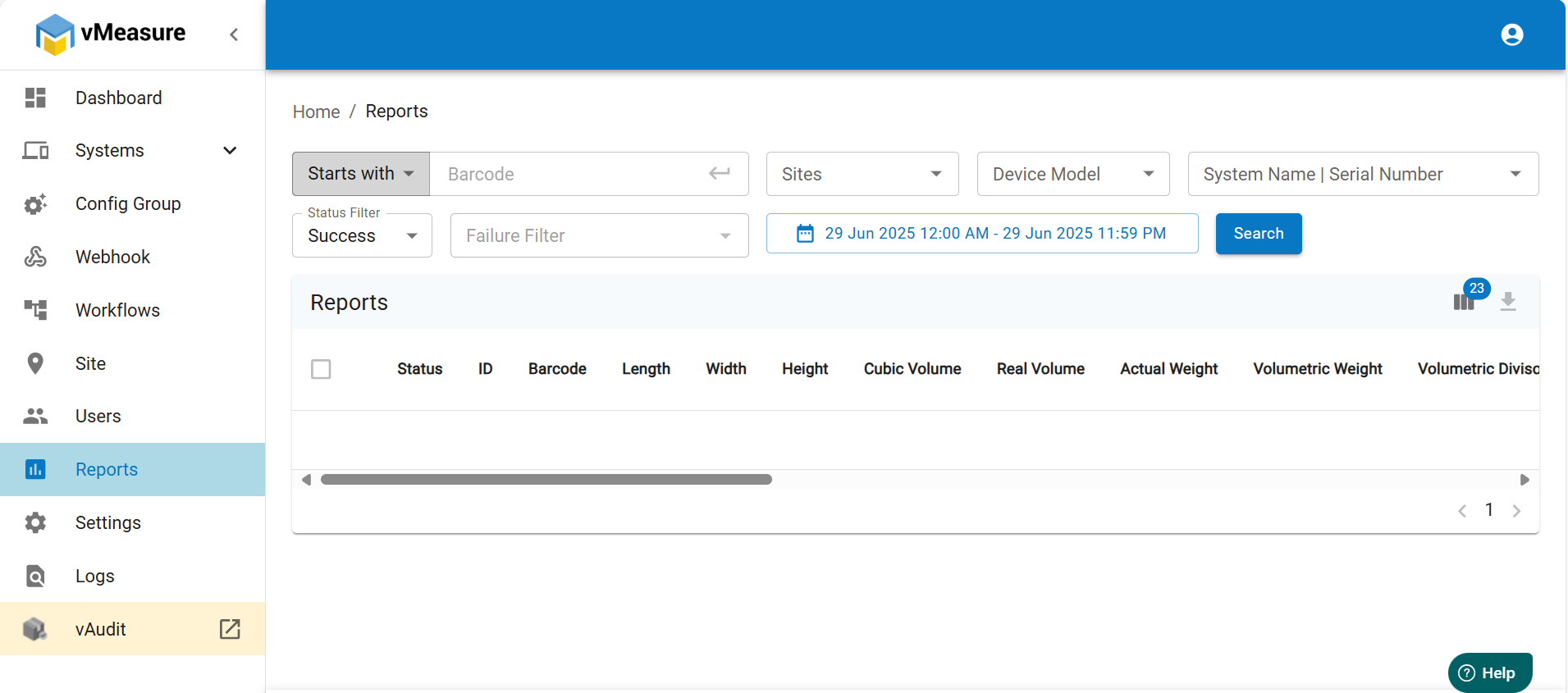
Step 4: Select the Period and select "Custom".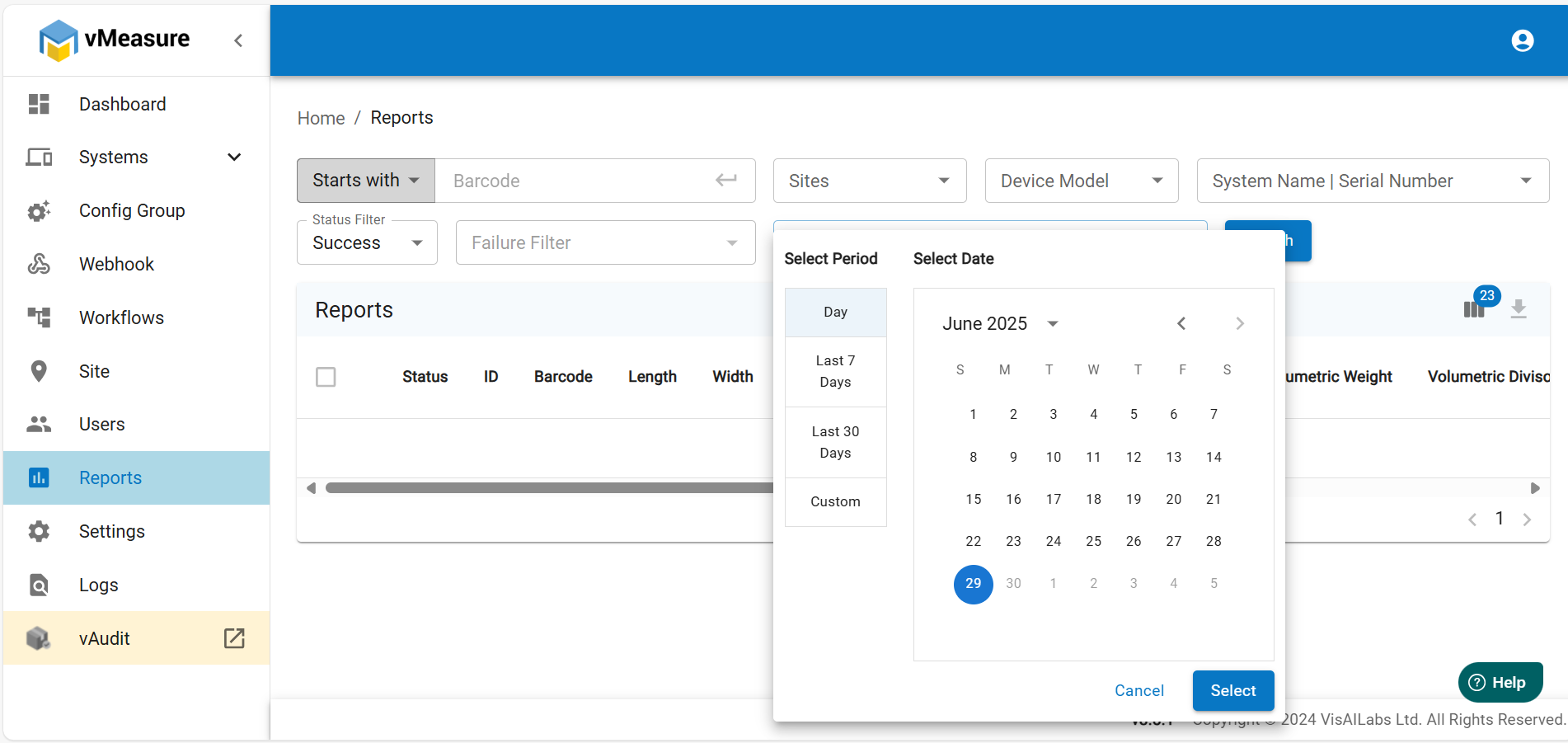
NOTE: You can also fine tune what type of data you require in the report by using the "Select Columns" option.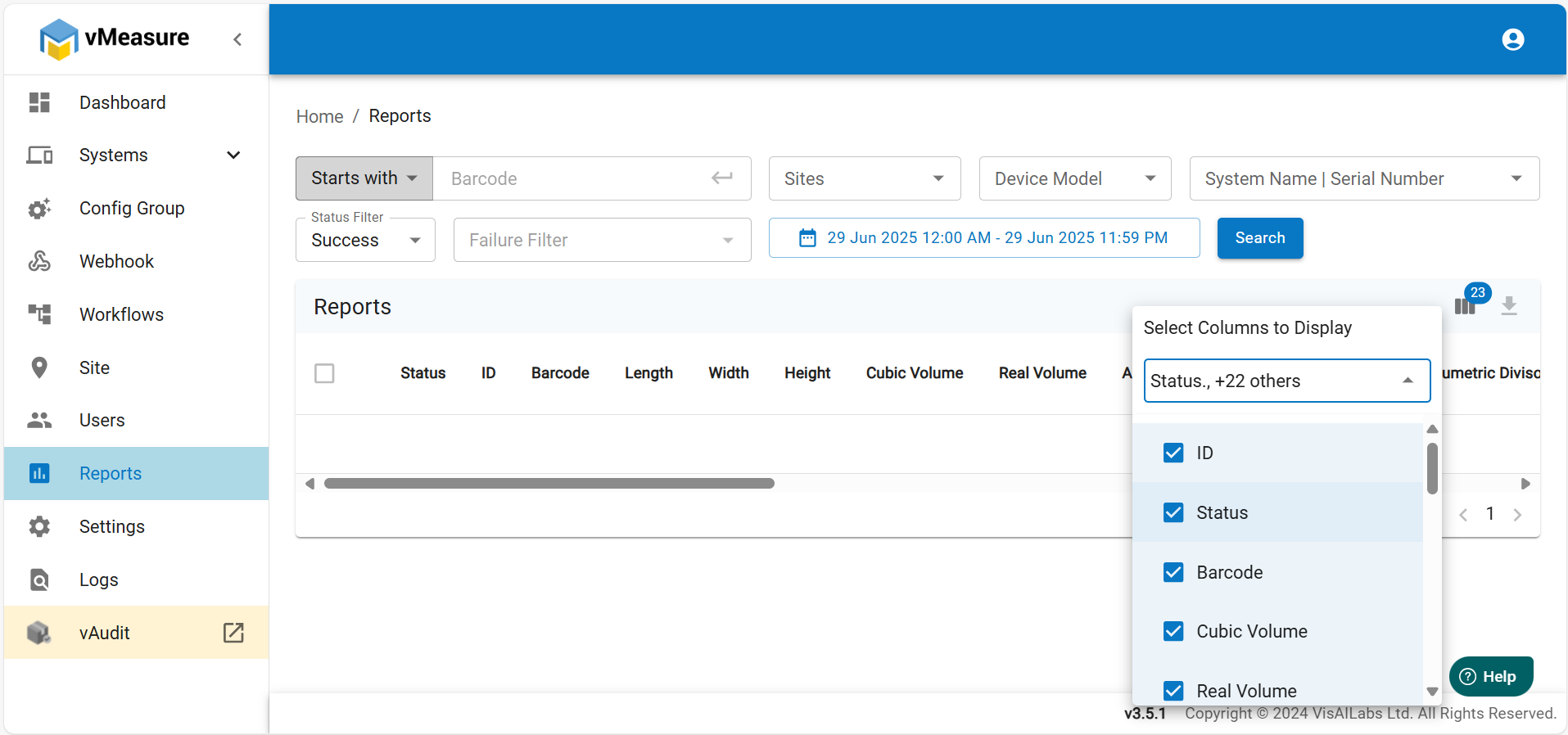
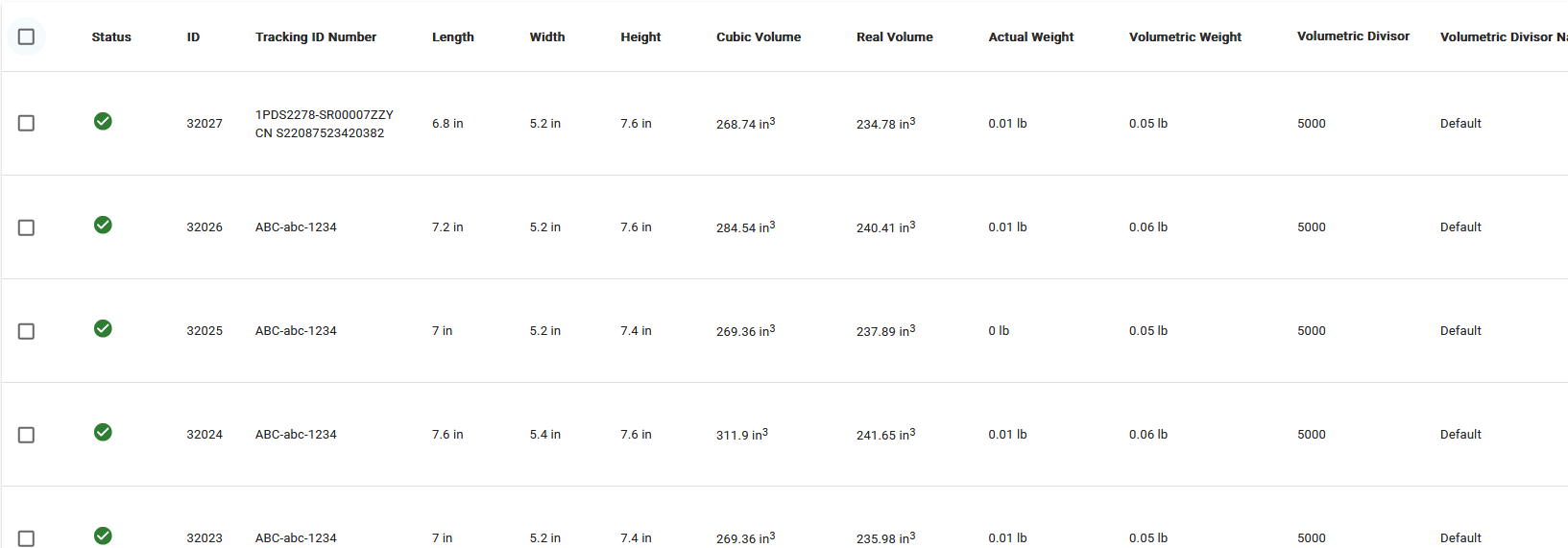
Step 5: Mark the checkboxes for the measurements required, if all the measurements are required.
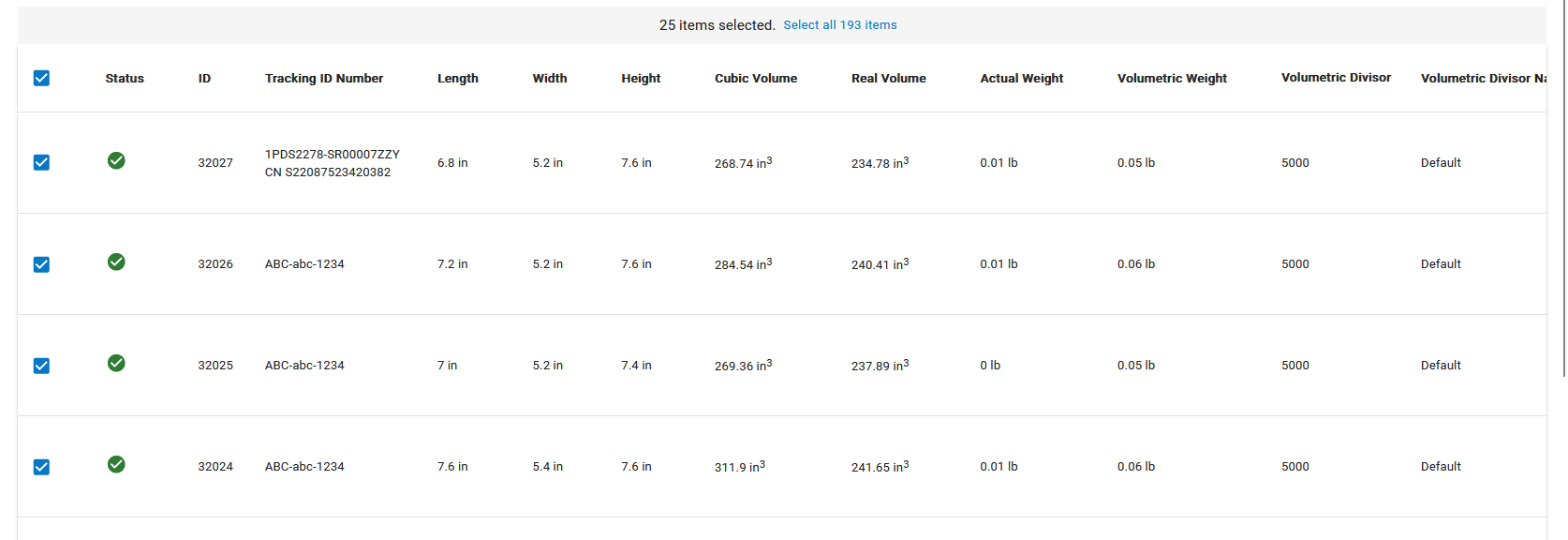
If all the measurements are required for the selected period, press "select all items".
Step 6: Click "Download CSV" button to download the report, you can find the report in your Downloads folder.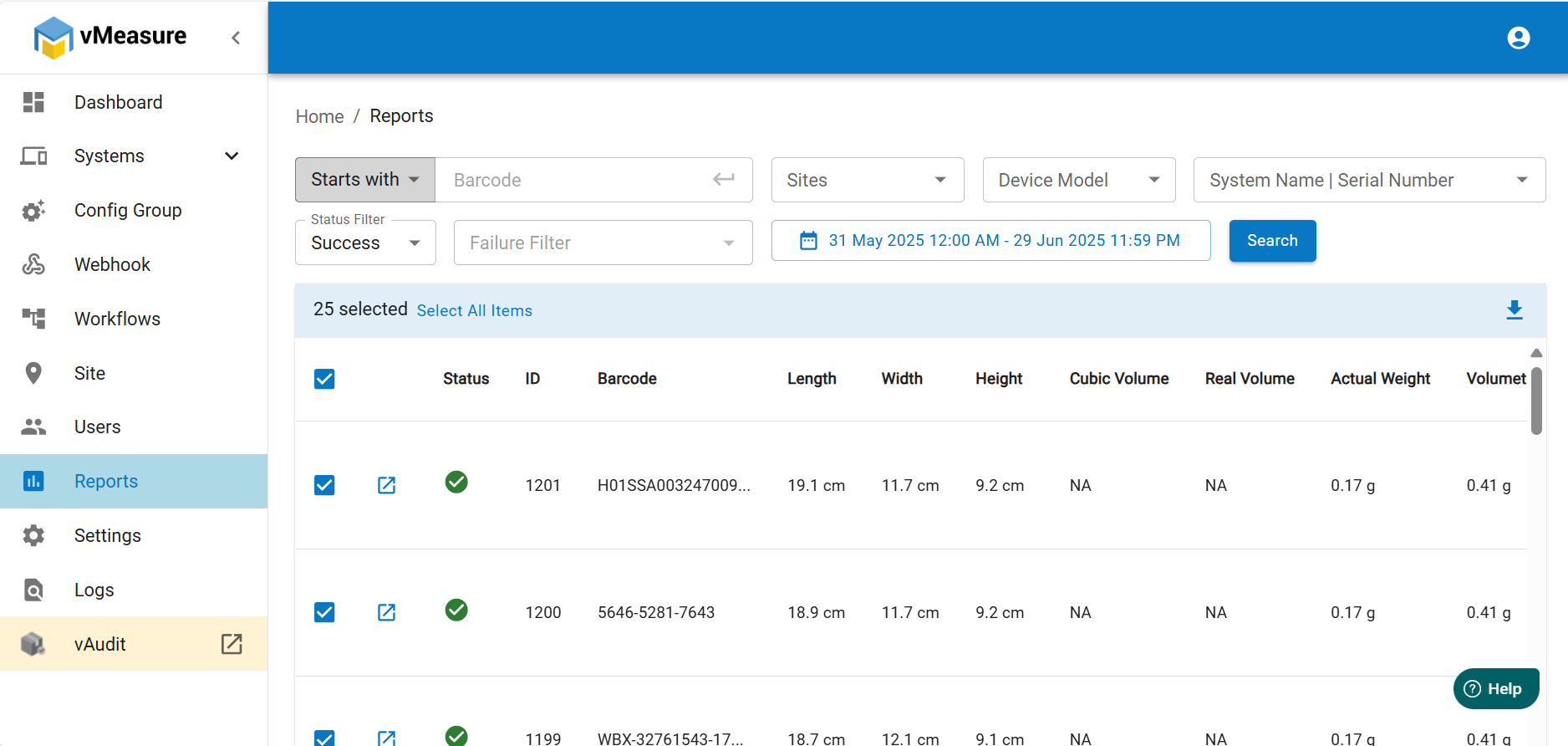
If you need any support, please drop a mail to vmeasure@visailabs.com
Was this article helpful?
That’s Great!
Thank you for your feedback
Sorry! We couldn't be helpful
Thank you for your feedback
Feedback sent
We appreciate your effort and will try to fix the article