How to Download Reports for vAudit:
Step 1: Log in to https://forge.vmeasure.ai/login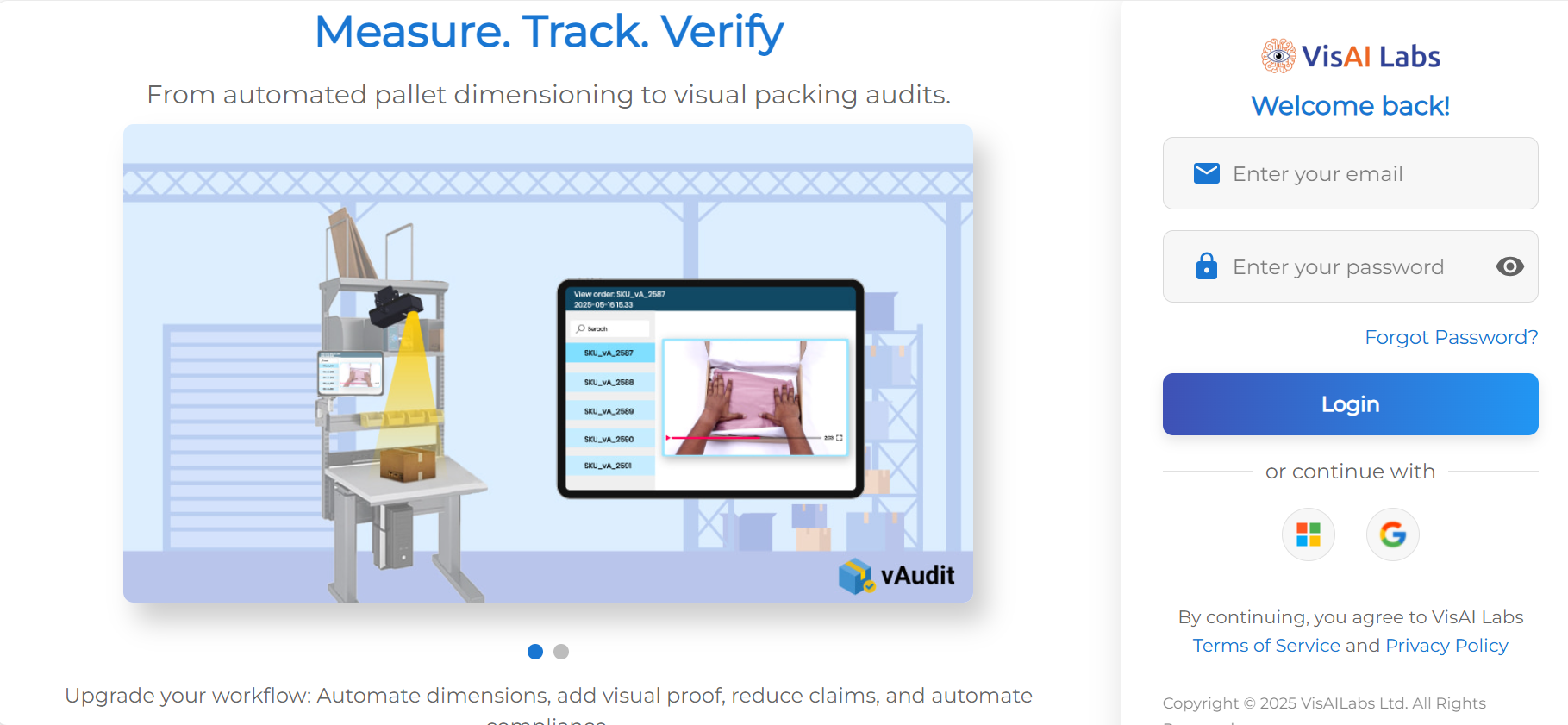
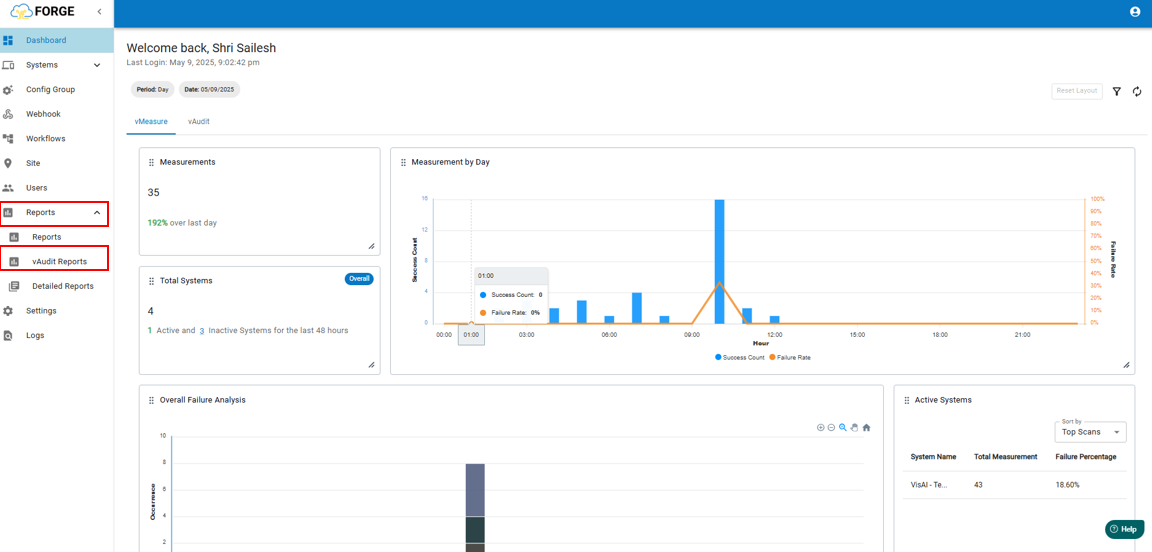
Step 2: Navigate to the "Reports" section and select "vAudit Report".
Step 3: Click the checkbox and choose "Select All Items" to include all available reports.
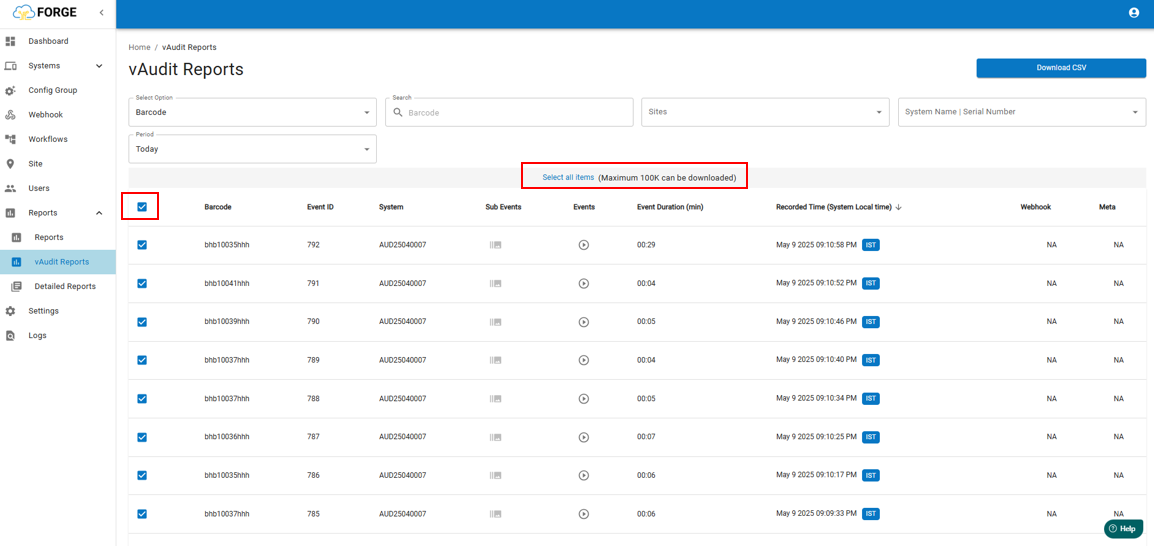
Note: You can download a maximum of 100,000 records at a time.
Step 4: Click on "Download CSV" to save the reports to your local system.
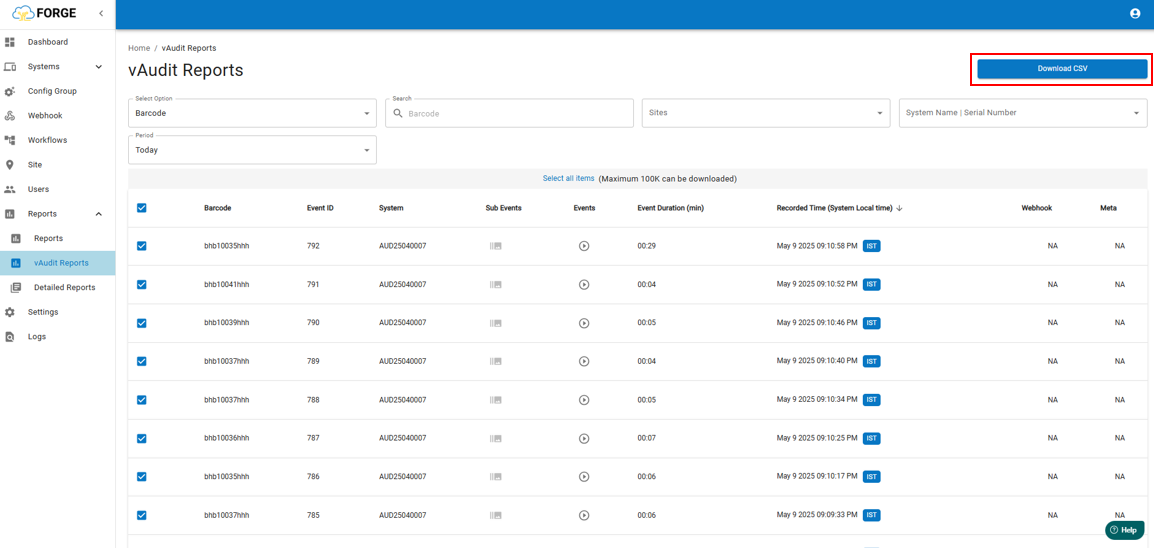
Note:
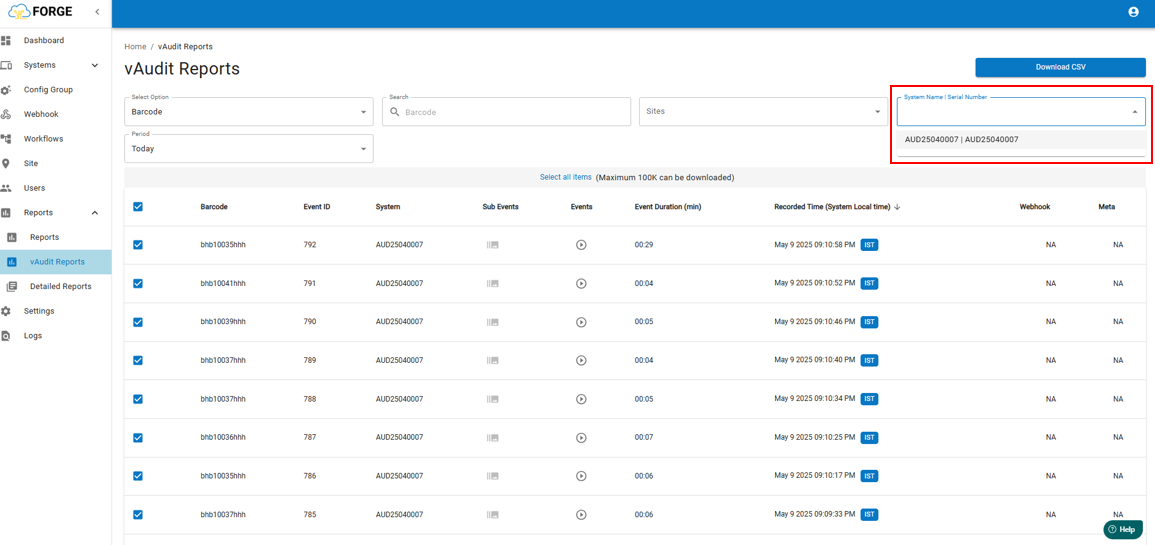
You can also filter and download reports using specific options such as System Serial Number or Date Range (Period).
By Date Range :
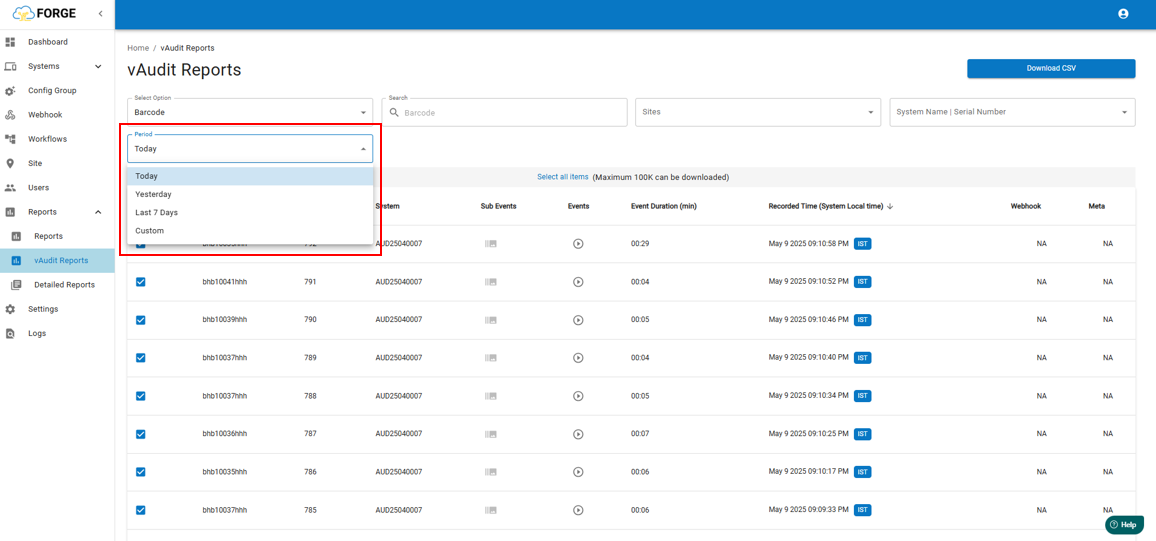
"Please note that reports can be downloaded for a maximum period of 90 days, in intervals of 30 days."
By System Serial Number or System Name
If you need any support , please drop a mail to vmeasure@visailabs.com
Was this article helpful?
That’s Great!
Thank you for your feedback
Sorry! We couldn't be helpful
Thank you for your feedback
Feedback sent
We appreciate your effort and will try to fix the article