Follow the steps below to set the video recording duration and capture resolution for vAudit on Forge:
Step 1: Log in to forge.vmeasure.ai.
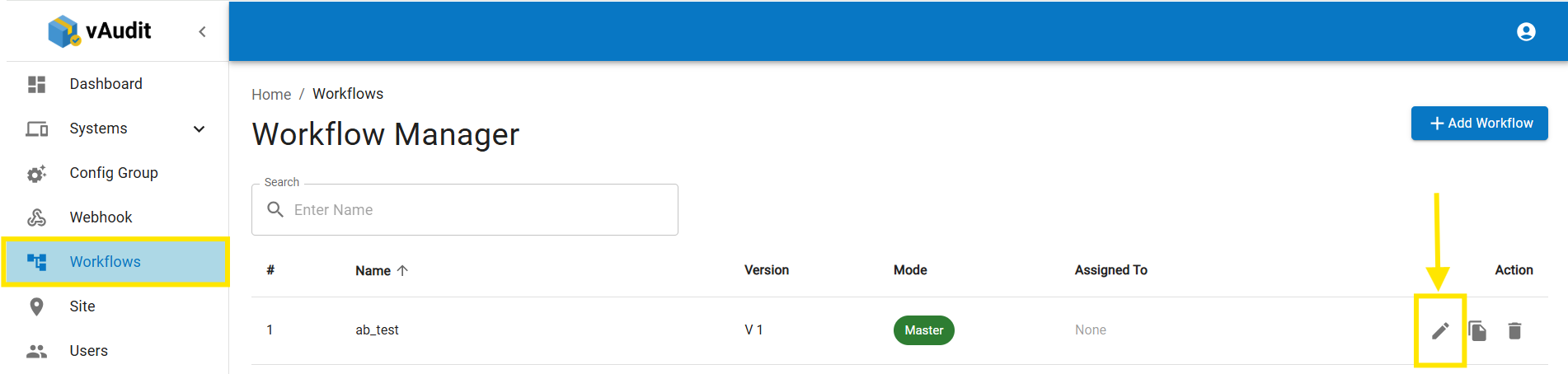
Step 2: Go to "Workflow" and click on the pencil icon to edit the current workflow.
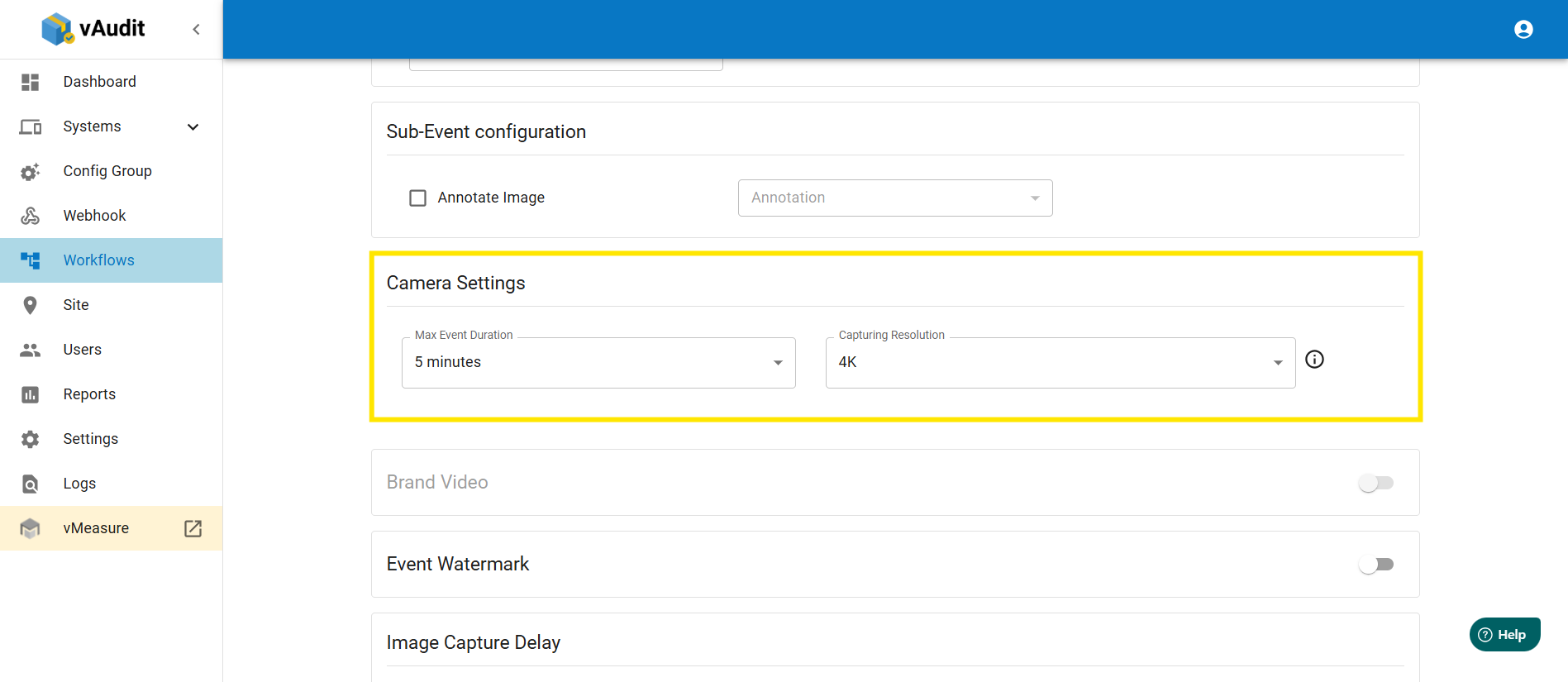
Step 3: Go to the next page and scroll down to find the camera settings.
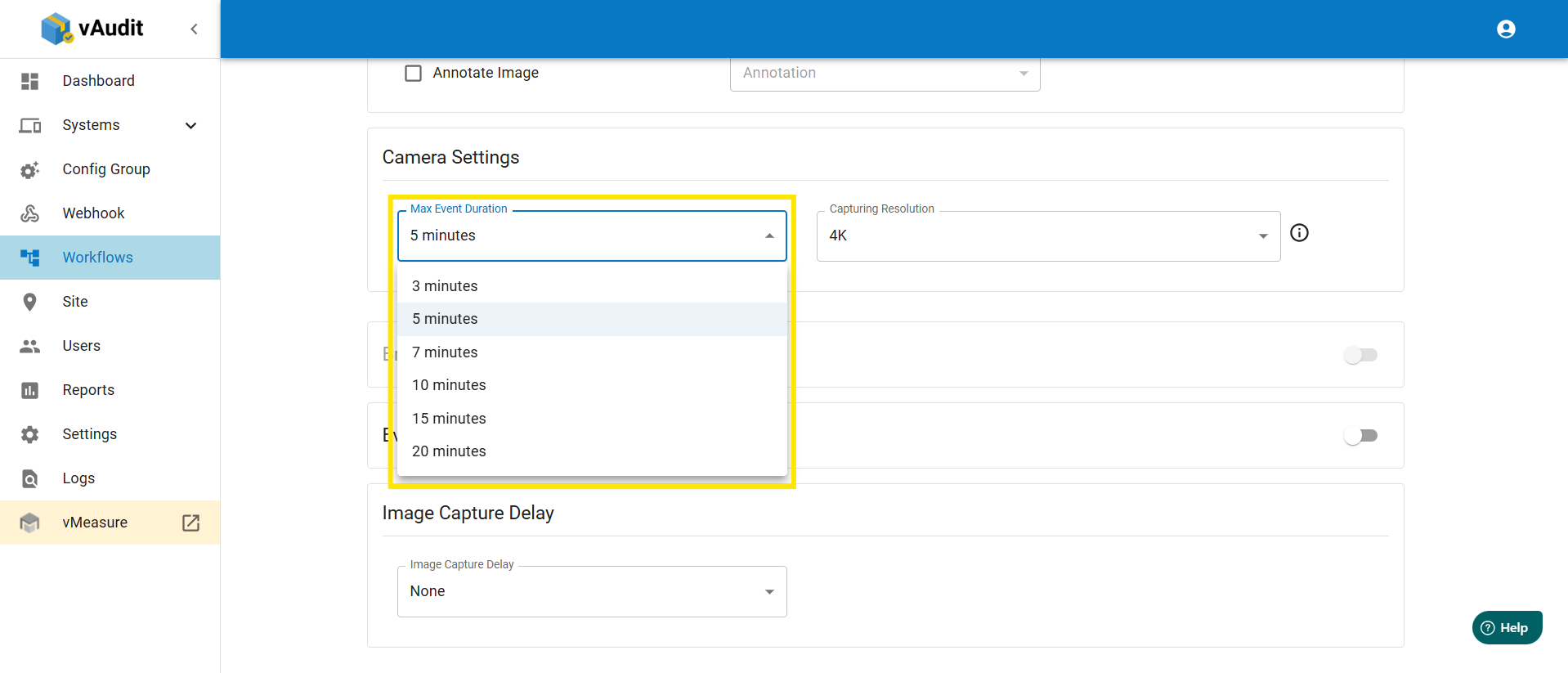
Step 4: Select the video recording duration and capture resolution.
Video recording duration: A maximum of 20 minutes and a minimum of 3 minutes.
Capture resolution: Both image and video can be set to FHD or 4K resolution.
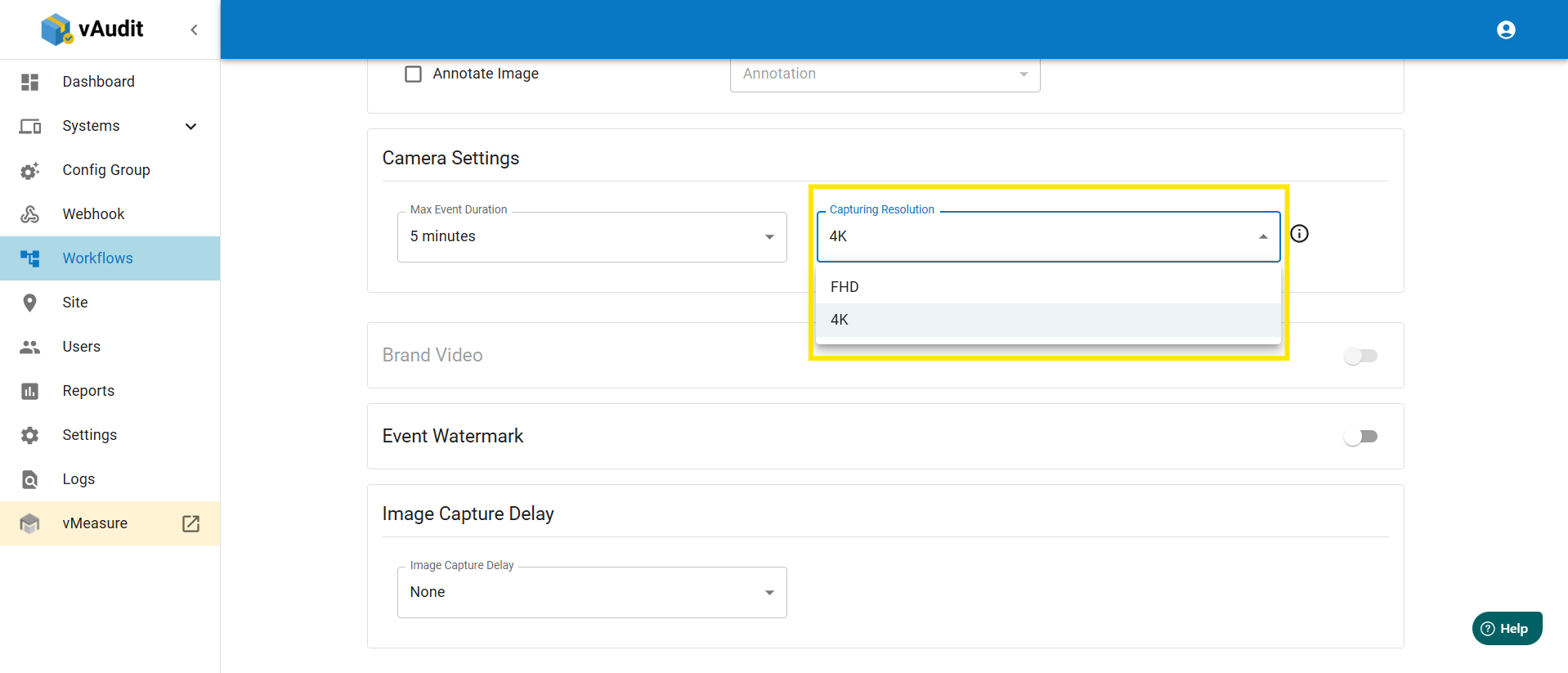
Step 5: Save the workflow, then its automatically apply the updated workflow in device.
If you need any assistance, please email vmeasure@visailabs.com
Was this article helpful?
That’s Great!
Thank you for your feedback
Sorry! We couldn't be helpful
Thank you for your feedback
Feedback sent
We appreciate your effort and will try to fix the article