Introduction
PackRight is an order verification application designed for e-commerce businesses and third-party logistics (3PL) providers using Shopify. It helps verify customer orders before shipment, ensuring the correct items are packed for every order.
In addition to order verification, PackRight can be integrated with the PackDesk Desktop App to record packing videos, providing visual proof of the packing process.
Prerequisites
Before installing PackRight, ensure you have the following:
A Shopify store with administrator access.
Permission to install applications from the Shopify App Store.
A stable internet connection.
A USB webcam (required only if you plan to use the packing video recording feature).
Step 1: Search for the PackRight App
Open the Shopify App Store.
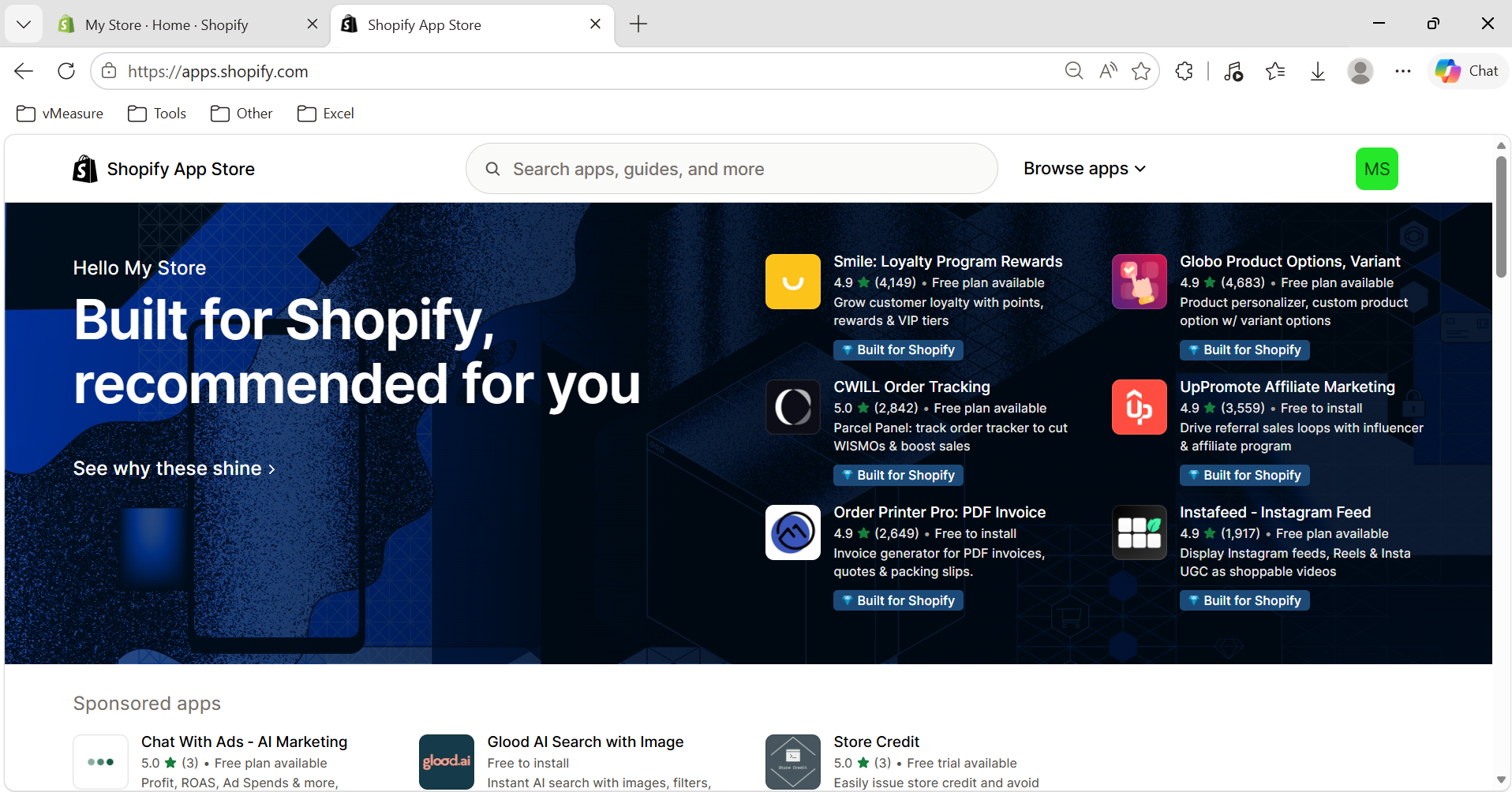
Search for PackRight.
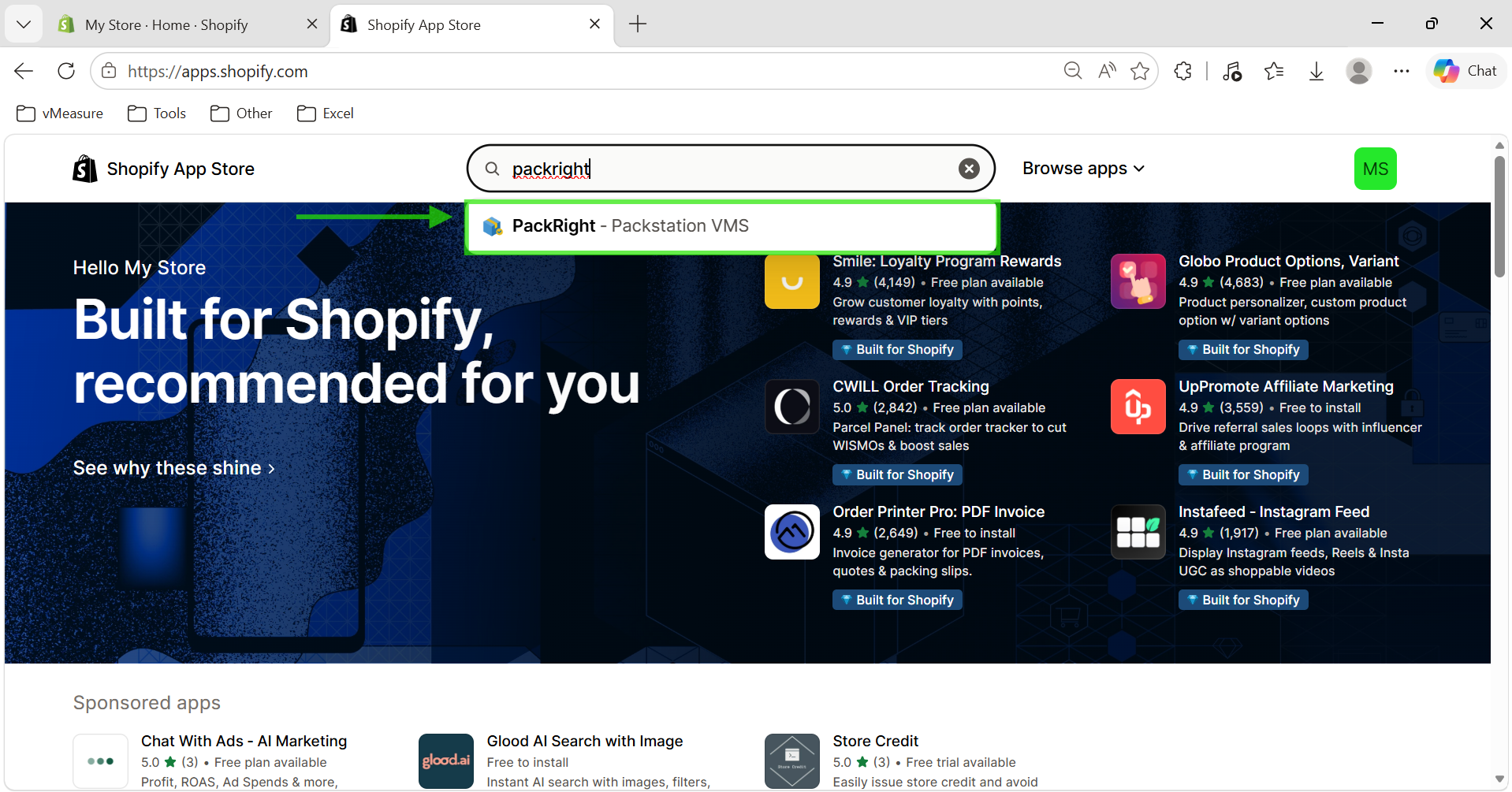
Select the PackRight application from the search results.
Step 2: Install the PackRight App
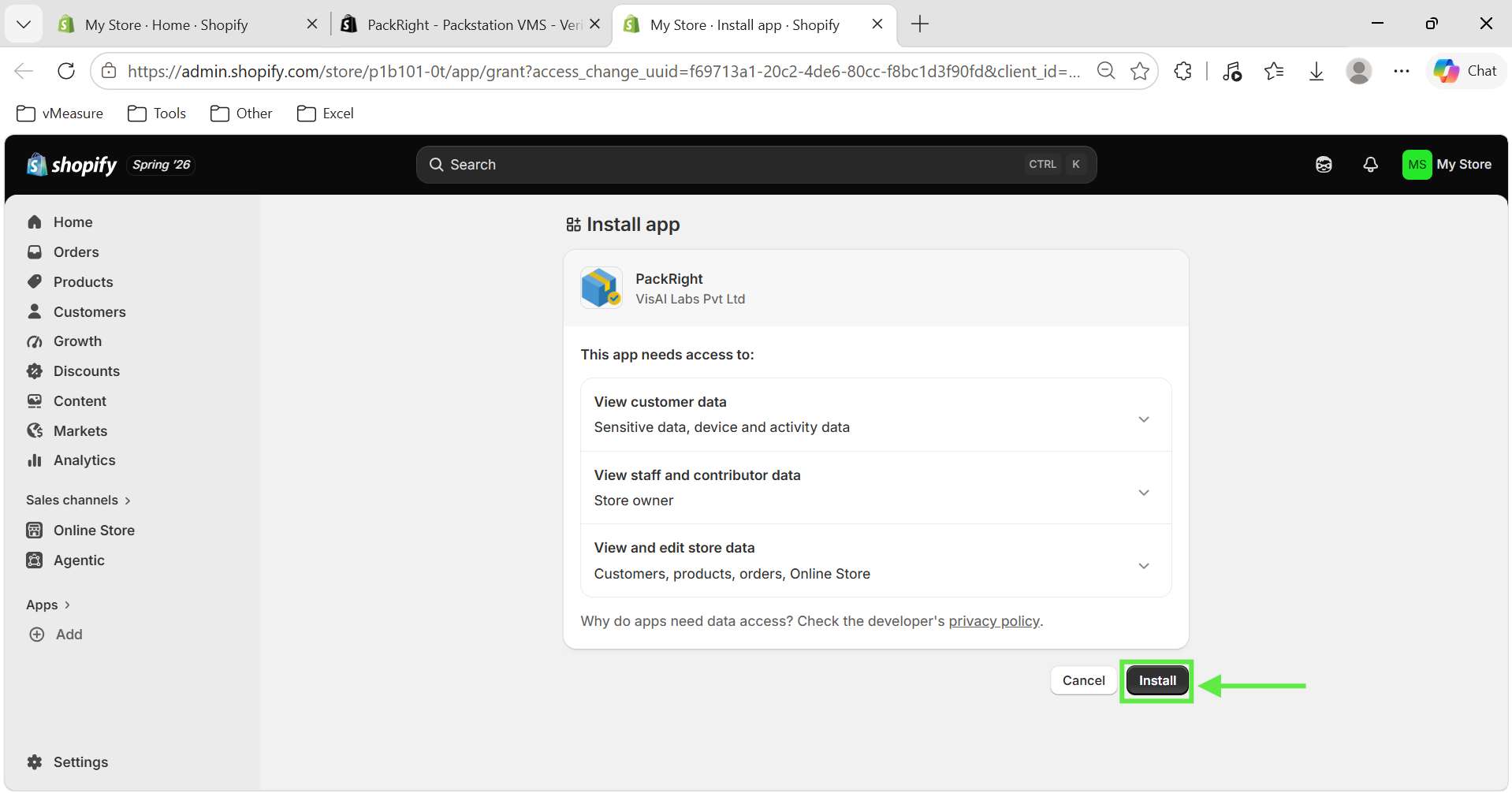
Click the Install button.
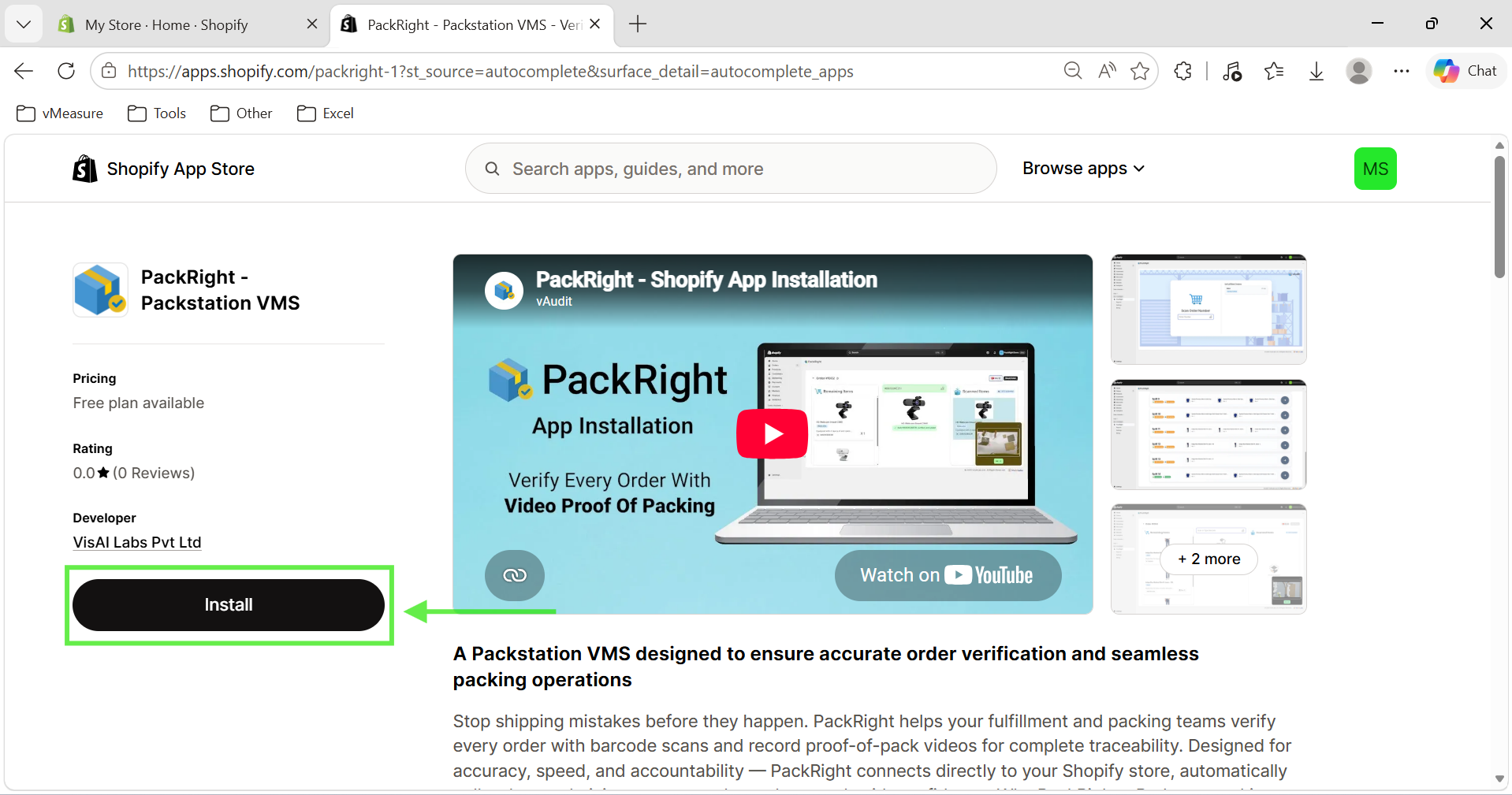
You will be redirected to your Shopify Admin page.
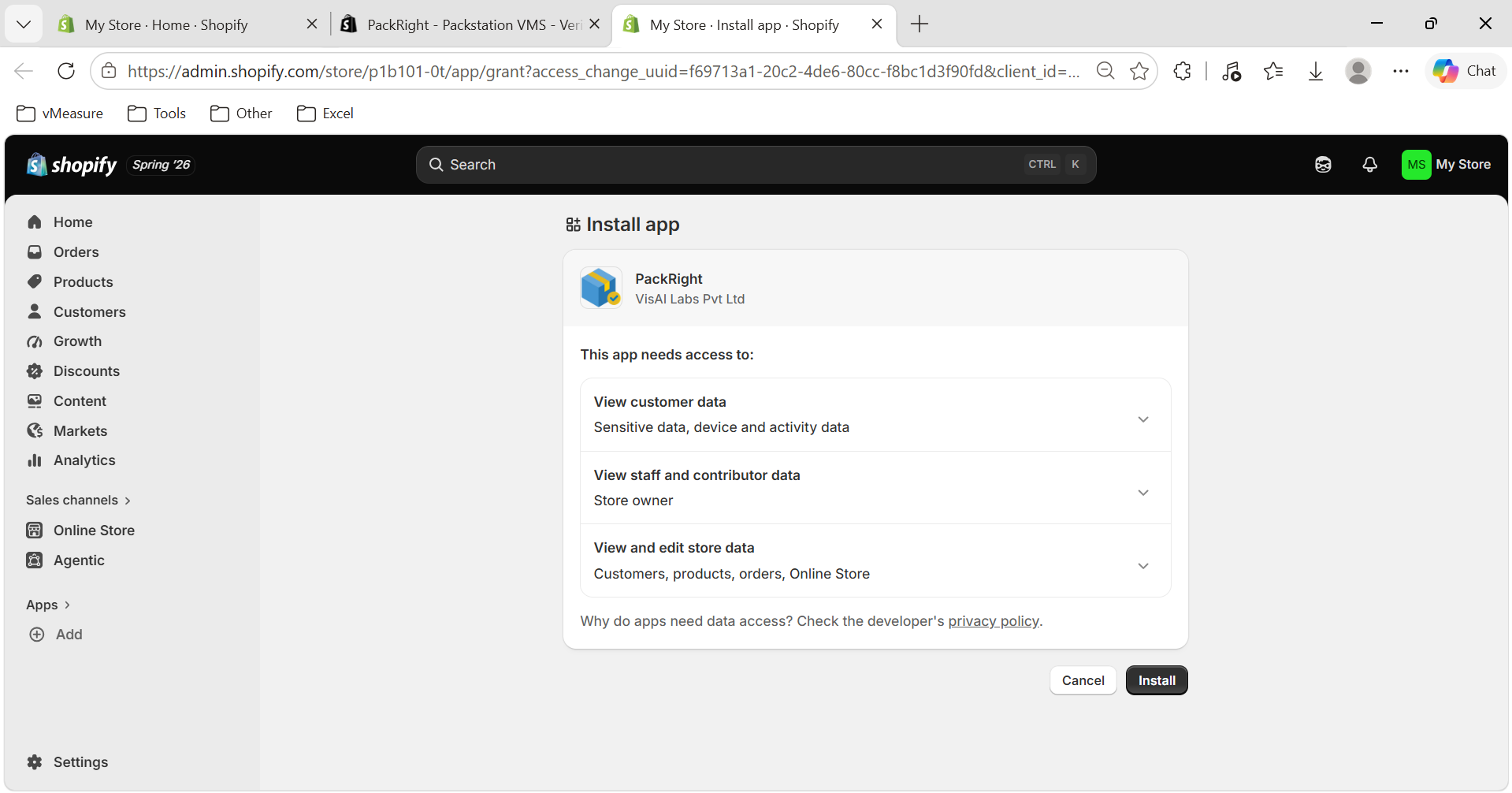
Review the requested permissions and approve the installation.
Step 3: Complete the Installation
After the installation is complete, the PackRight application will be available in your Shopify Apps list.
PackRight can now be used to verify customer orders before shipment.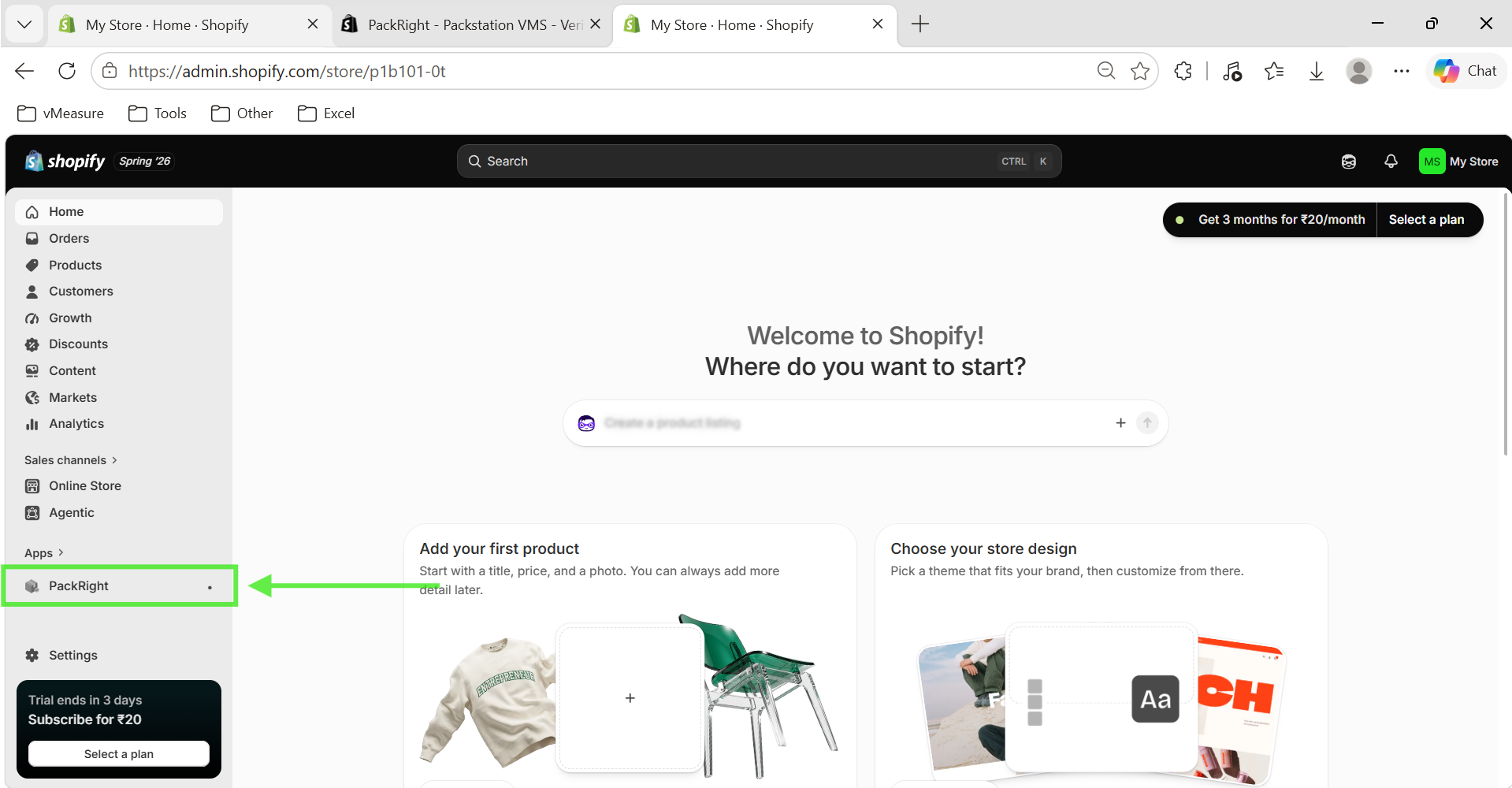
Optional: Enable Packing Video Recording
PackRight can be used independently as an order verification solution. However, if you want to record packing videos for proof of packing, you can integrate it with the PackDesk Desktop App.
To use this feature:
Install the PackDesk Desktop App.
Set up a USB webcam above the packing station.
Connect the webcam through the PackDesk Desktop App.
Step 4: Set Up the Packing Station
Install a USB webcam above the packing station so that the entire packing process can be recorded.
The camera should provide a clear view of the items being packed.
Step 5: Download the PackDesk Desktop App
Download the PackDesk Desktop App, which enables video recording during the packing process.
Step 6: Install the PackDesk Desktop App
Click Install App within PackRight.
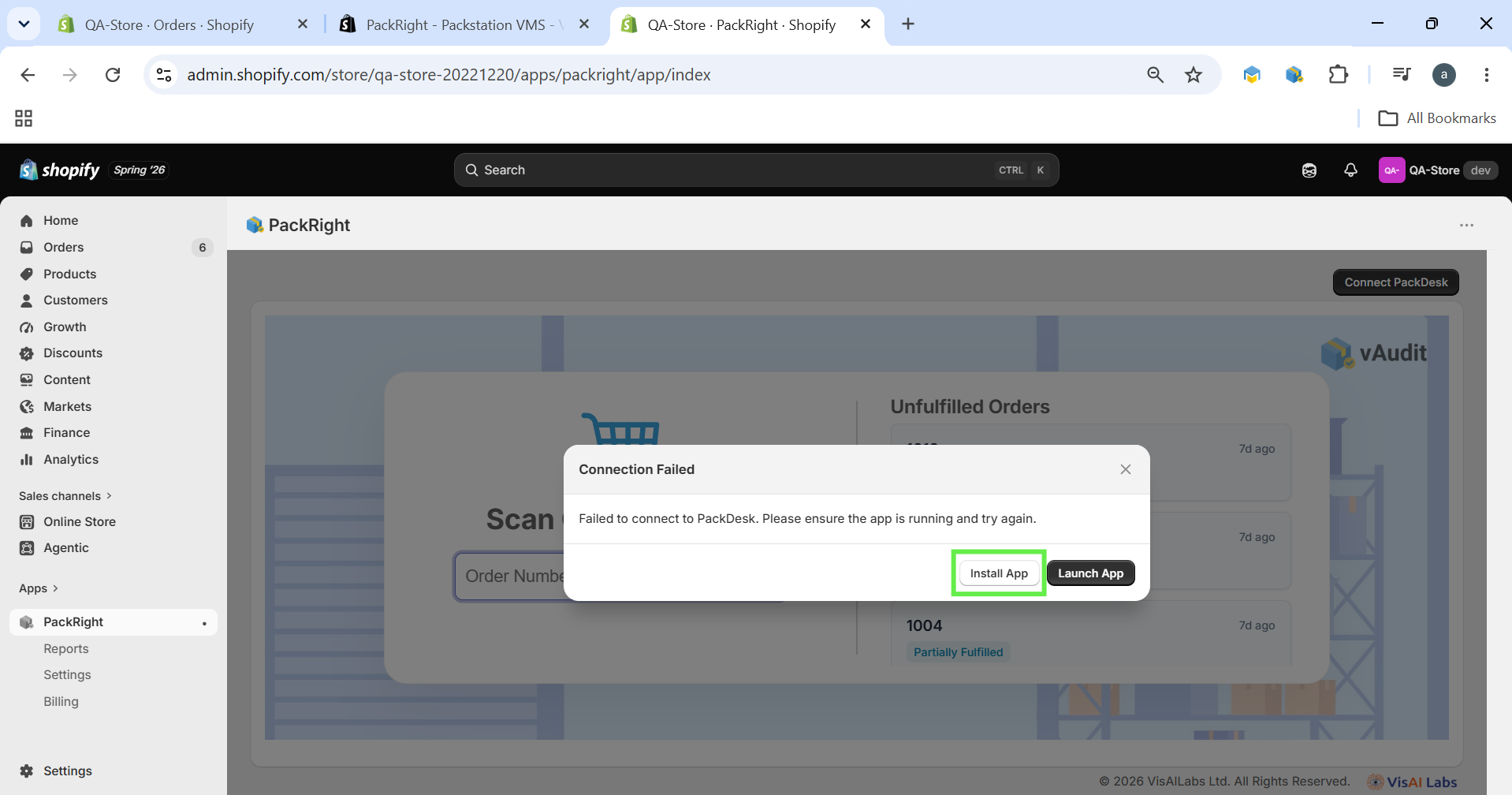
A new browser tab will open containing the download link for the PackDesk Desktop App.
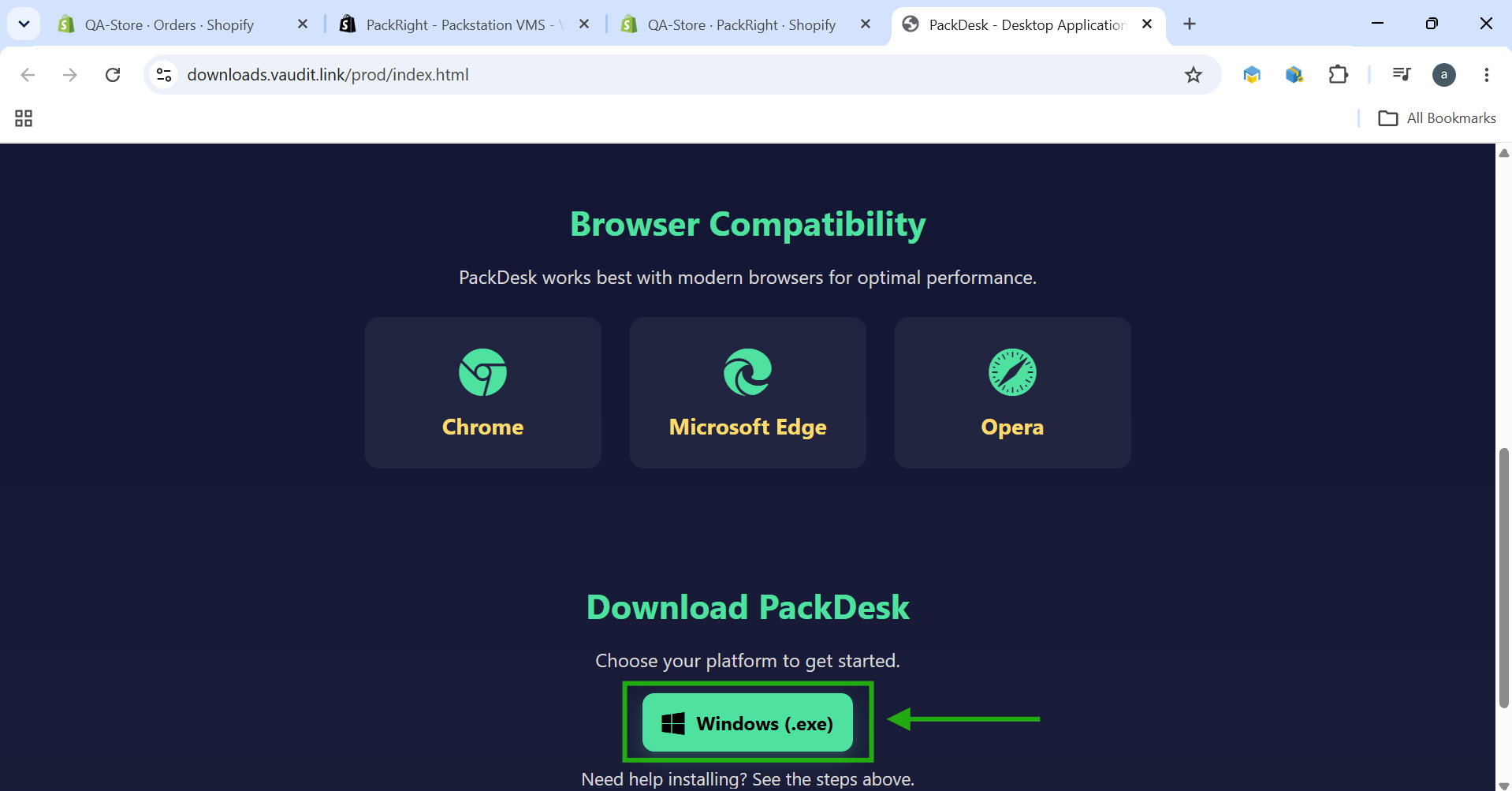
Download and install the application on your computer.
Step 7: Connect the PackDesk Desktop App
Launch the PackDesk Desktop App after installation.
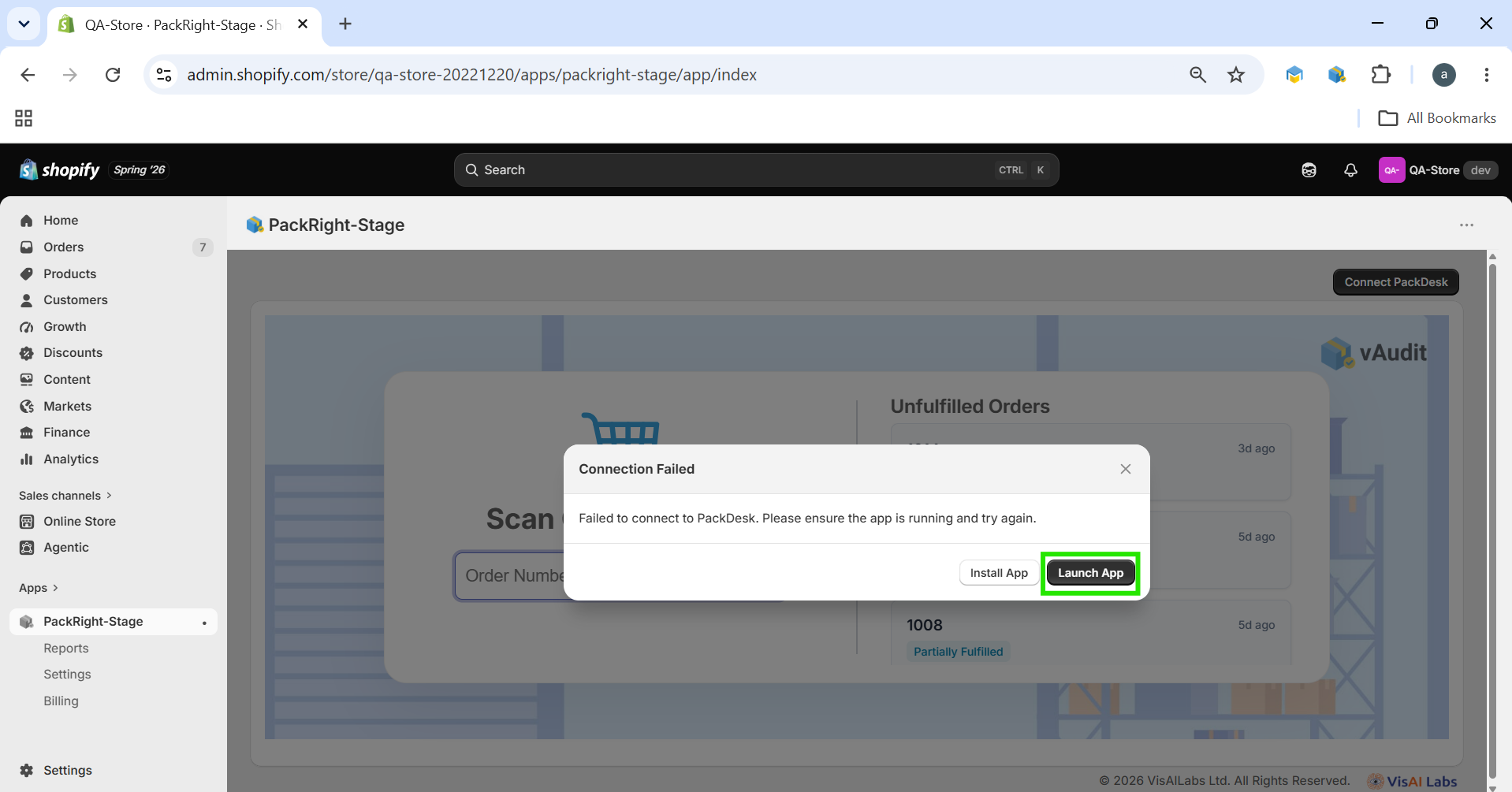
Return to the PackRight application.
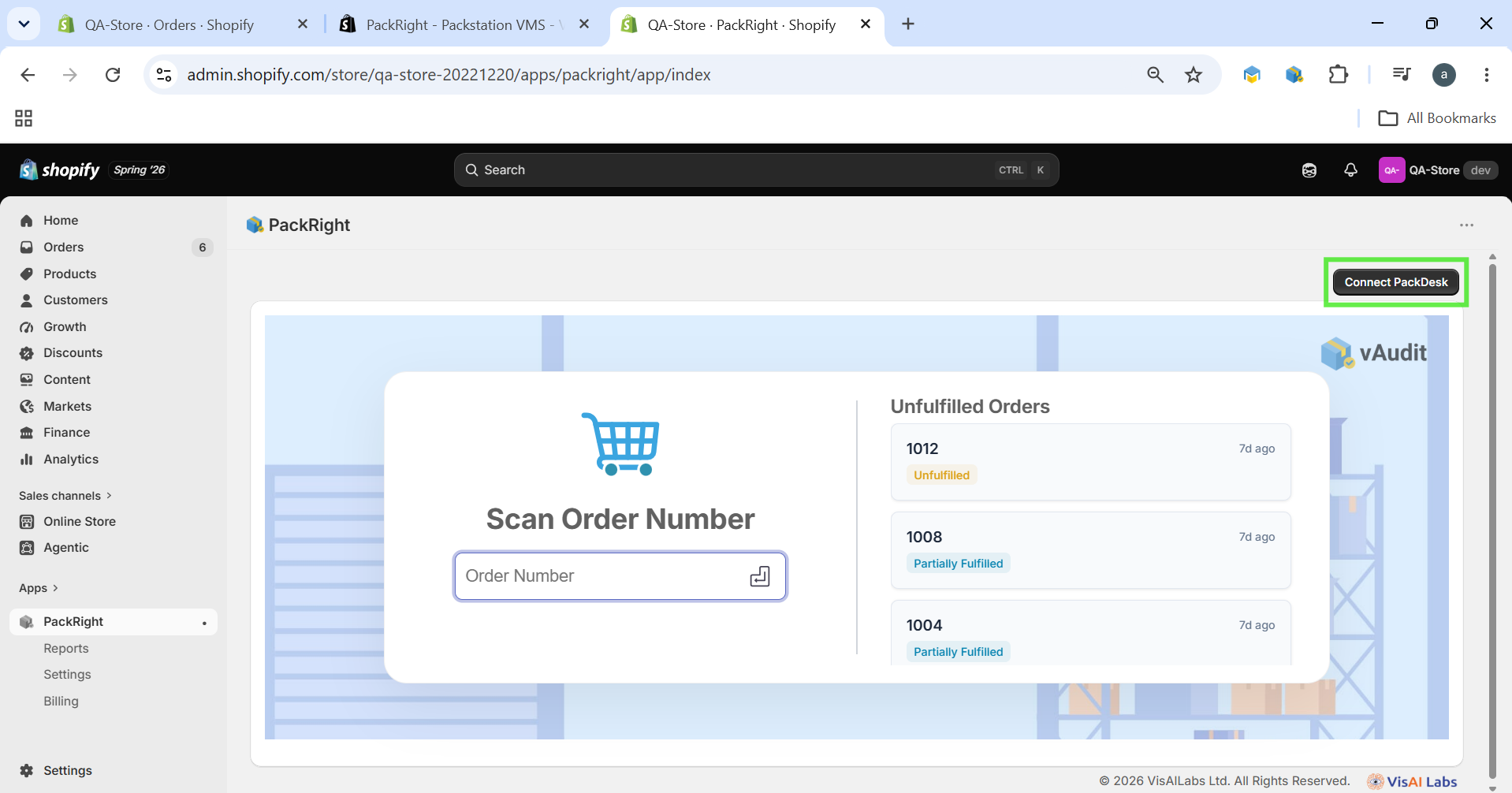
Click Connect PackDesk to establish the connection.
Step 8: Select the USB Camera
Within the PackDesk Desktop App:
Open the camera selection menu.
Choose the connected USB camera from the drop-down list.
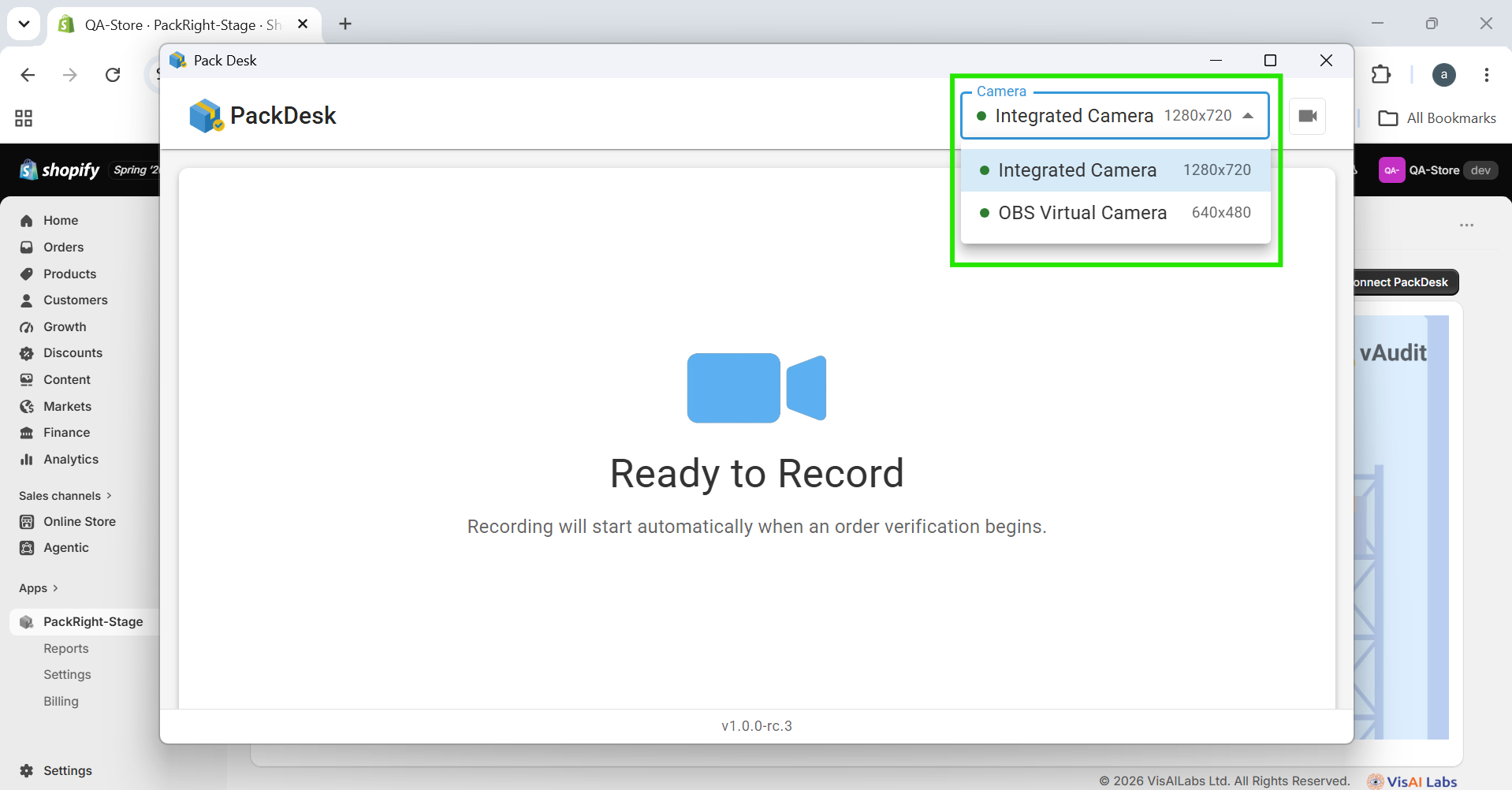
Step 9: Complete the Setup
Click Connect PackDesk to complete the integration.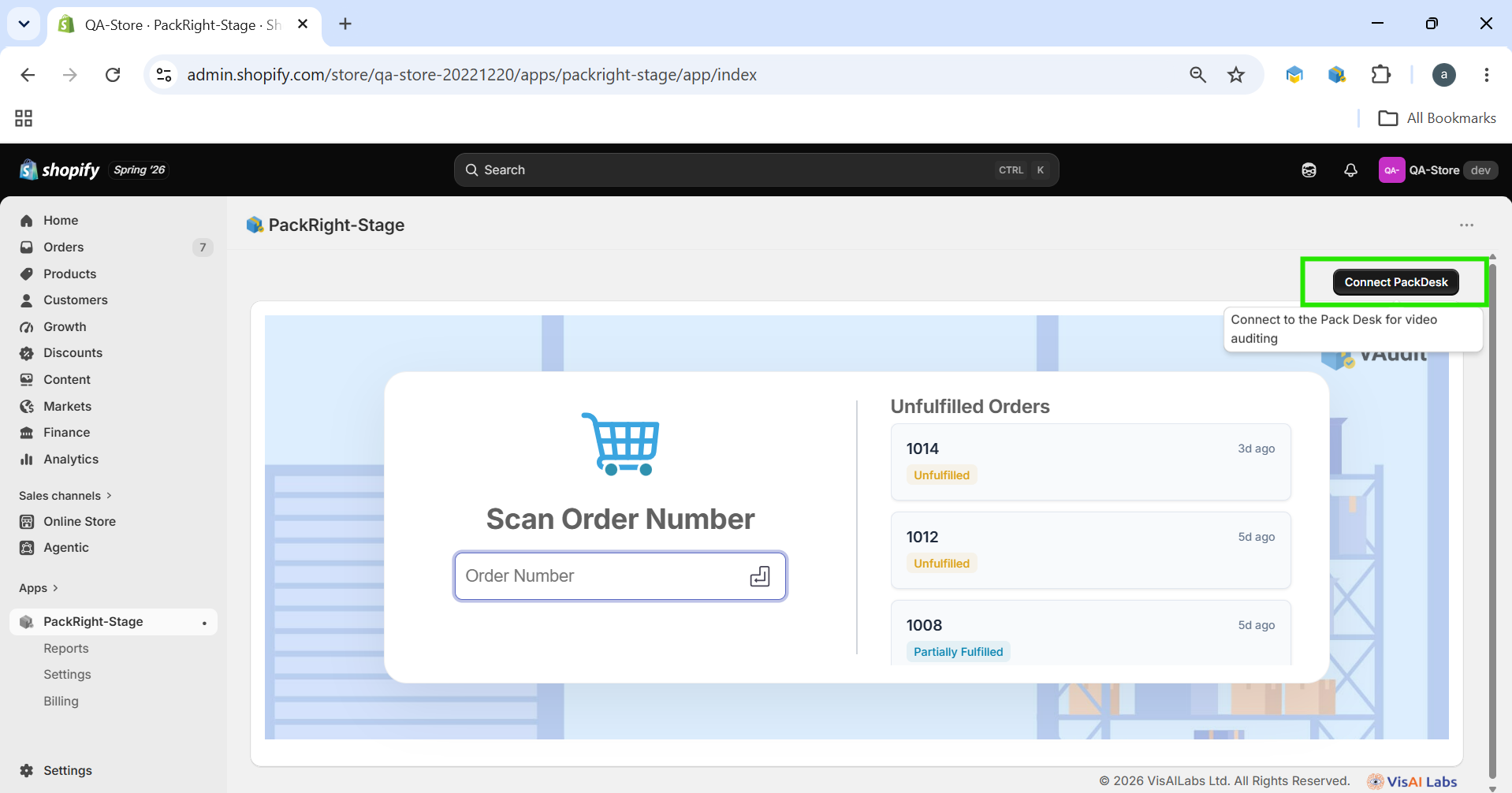
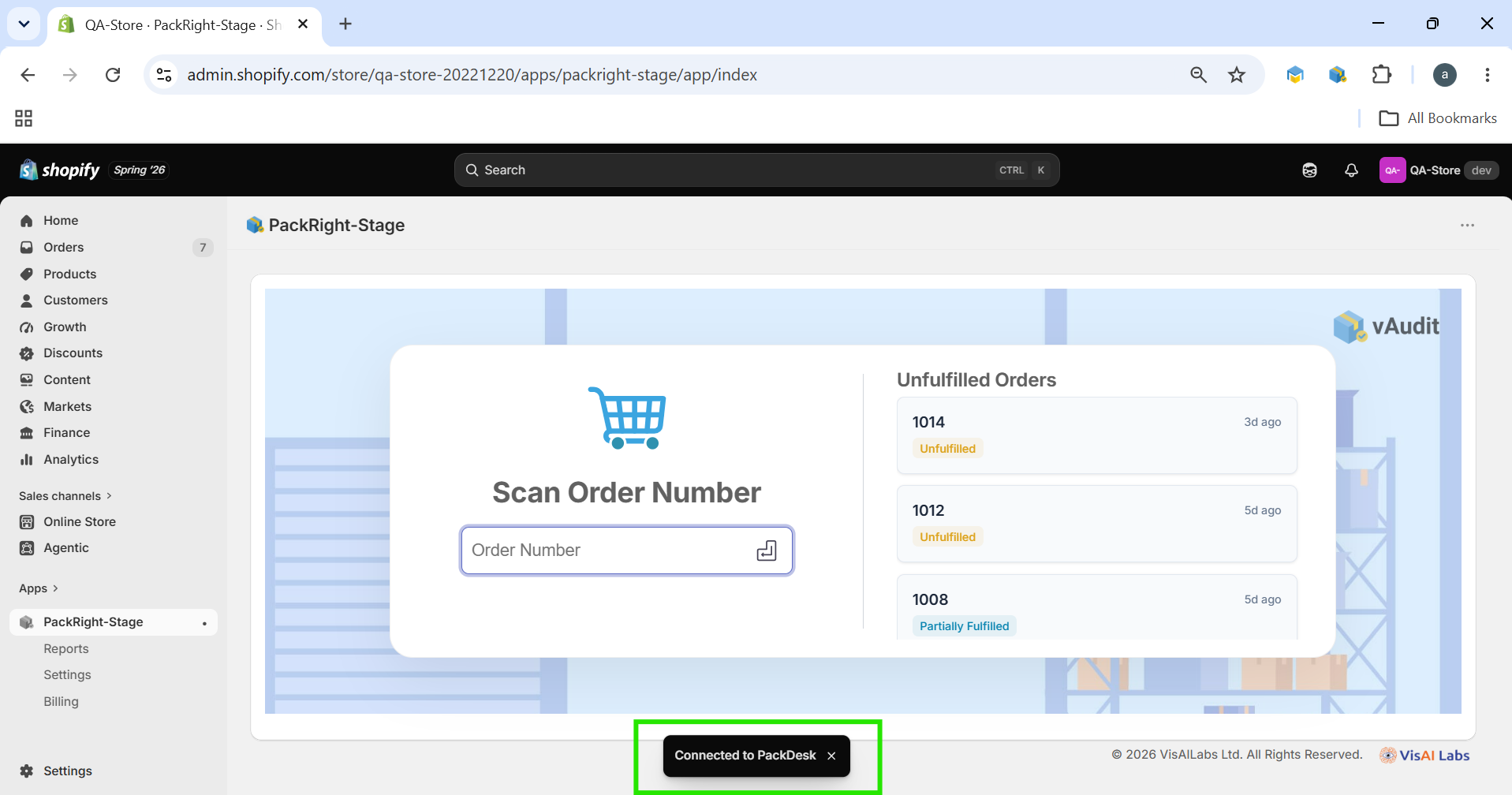
Once connected successfully, the system is ready to:
Verify customer orders.
Record packing videos.
Maintain visual proof of the packing process.
Installation Complete
The PackRight application has now been successfully installed and configured.
You can immediately begin verifying orders within your Shopify store. If the PackDesk Desktop App has also been configured, every packing session can be recorded using the connected USB webcam, providing additional verification and proof of packing.
If you need any support , please drop a mail to vmeasure@visailabs.com or Click here to Submit a Ticket.
Was this article helpful?
That’s Great!
Thank you for your feedback
Sorry! We couldn't be helpful
Thank you for your feedback
Feedback sent
We appreciate your effort and will try to fix the article
