Step 1: Go to the “Config Group” section and click on “+ Add Config Group”.
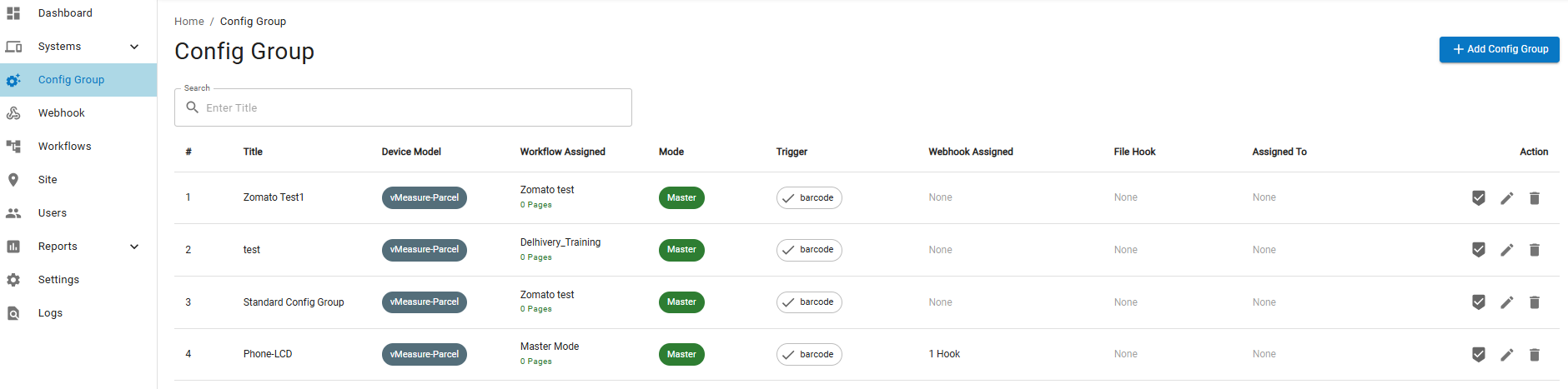
Step 2: Enter the Title and select the appropriate Device Model from the dropdown.
Step 3: Choose the relevant Workflow from the dropdown list.
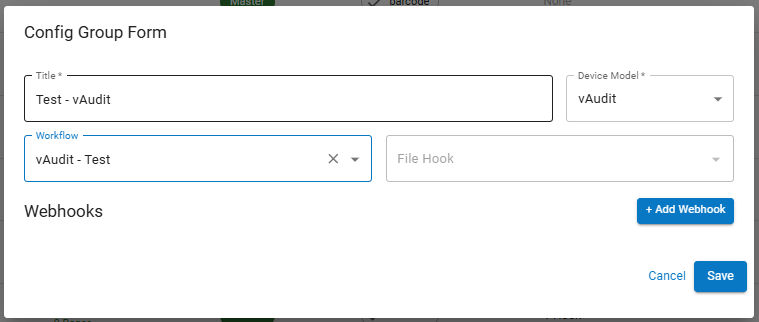
Step 4: Click “Save” to complete the Config Group setup.
Note: Once the Config Group has been created need to assign to the respective device.
If you need any support , please drop a mail to vmeasure@visailabs.com or Click here to Submit a Ticket.
Was this article helpful?
That’s Great!
Thank you for your feedback
Sorry! We couldn't be helpful
Thank you for your feedback
Feedback sent
We appreciate your effort and will try to fix the article