- Display Model : FayTech
- Cable Type : USB A (PHU) to USB B (Display)
Reconnect Below Mentioned USB A (PHU) to USB B (Display) cable in vMeasure Device :
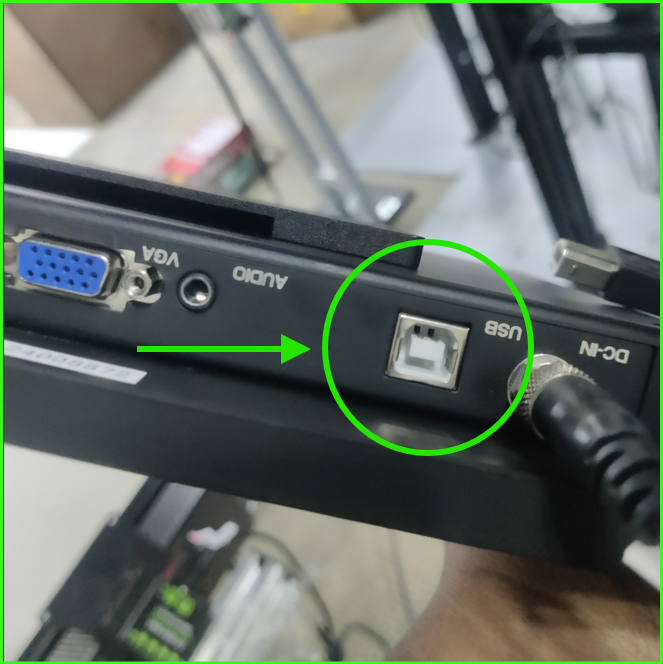
1. In Display Unit
Cable Type : USB B
A. Remove the USB B cable from display unit.
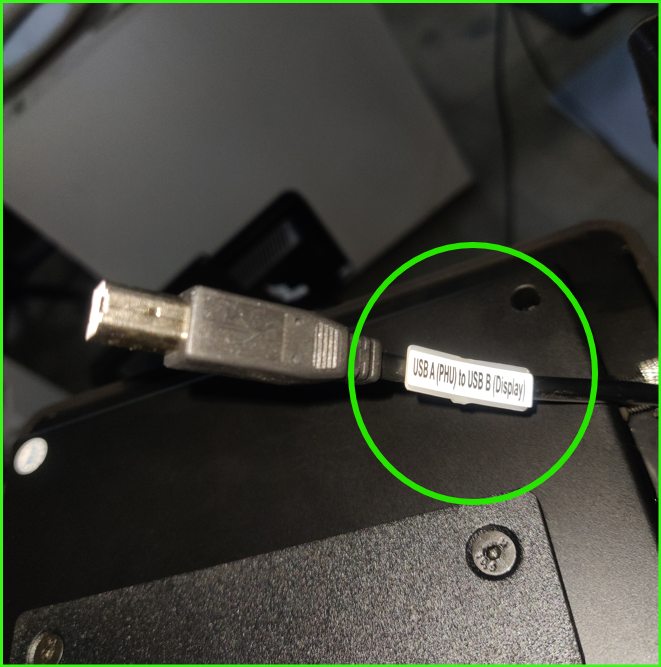
B. Reconnect the USB B cable in USB B port in display unit.
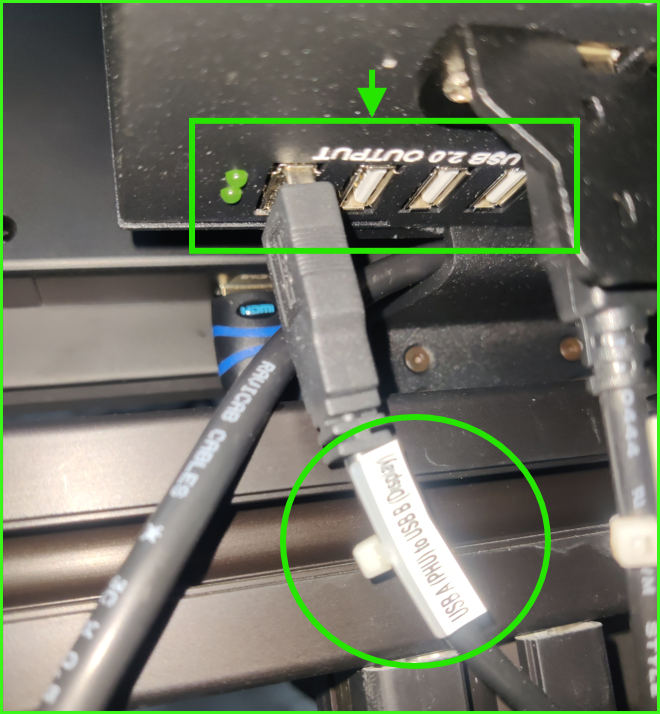
2. In PHU (Power Hub Unit) – Behind the Display Unit
Cable Type : USB A
A. Remove the USB A cable from PHU (Power Hub Unit).
B. Reconnect in any one of the USB 2.0 output.
Was this article helpful?
That’s Great!
Thank you for your feedback
Sorry! We couldn't be helpful
Thank you for your feedback
Feedback sent
We appreciate your effort and will try to fix the article