Voltage Verification Process :
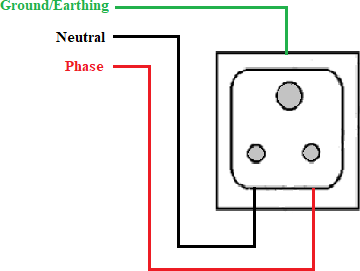
Step 1: Electrical Power Socket Connection Diagram is illustrated in Figure 1.
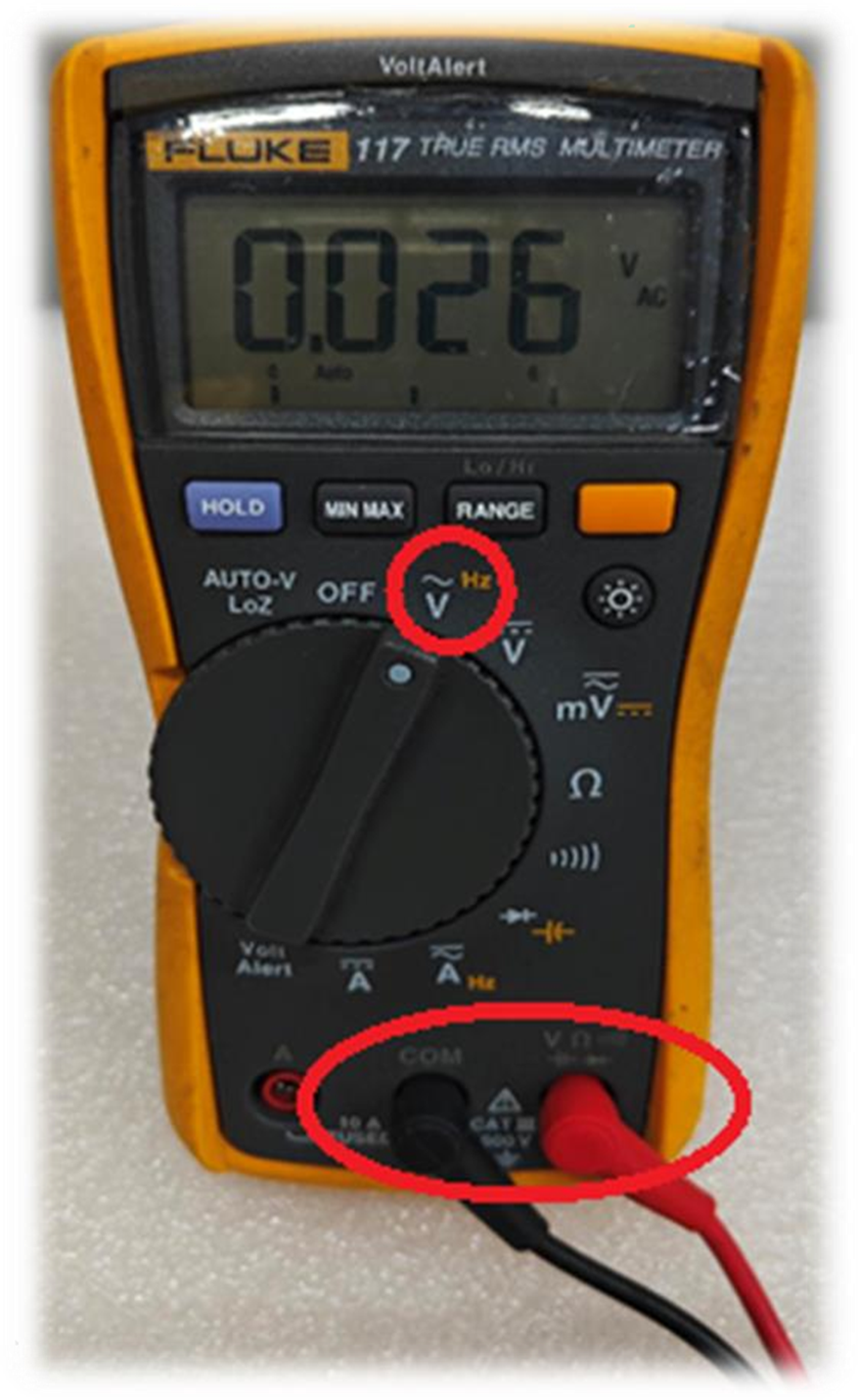
Step 2 : Connect the black probe to COM and the red probe to the Voltage terminal. Then, turn on the multi-meter and set it to Voltage mode to check the AC voltage, as illustrated in Figure 2.
Step 3 : Check the Voltage Between Phase & Neutral using a multi-meter as shown in Figure 3.

Step 4 : Check the Voltage Between Phase & Earth using a multi-meter. as shown in Figure 4.

Step 5 : Check the Voltage Between Neutral & Earth using a multi-meter. as shown in Figure 5.

Note : Please verify the voltage ranges in Steps 3, 4, and 5. If any deviations are identified, correct the issue, and have an electrical technician ensure the voltage is within the proper range. Only then should you turn on the vMeasure Ultima product.
If you need any support , please drop a mail to vmeasure@visailabs.com or Click here to Submit a Ticket.
Was this article helpful?
That’s Great!
Thank you for your feedback
Sorry! We couldn't be helpful
Thank you for your feedback
Feedback sent
We appreciate your effort and will try to fix the article