Follow the Steps below to change system Units:
Step -1: Navigate to "Configuration".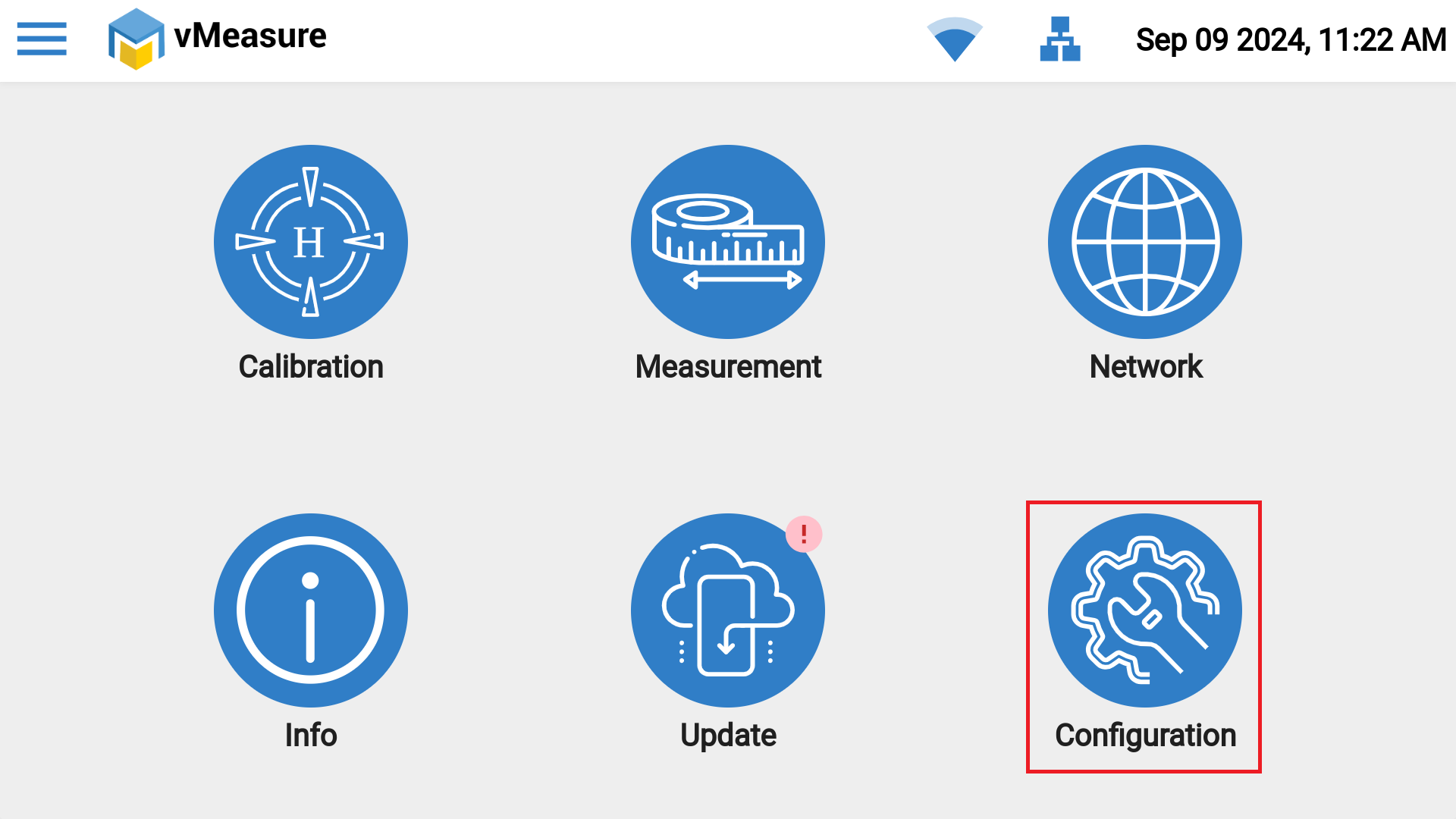
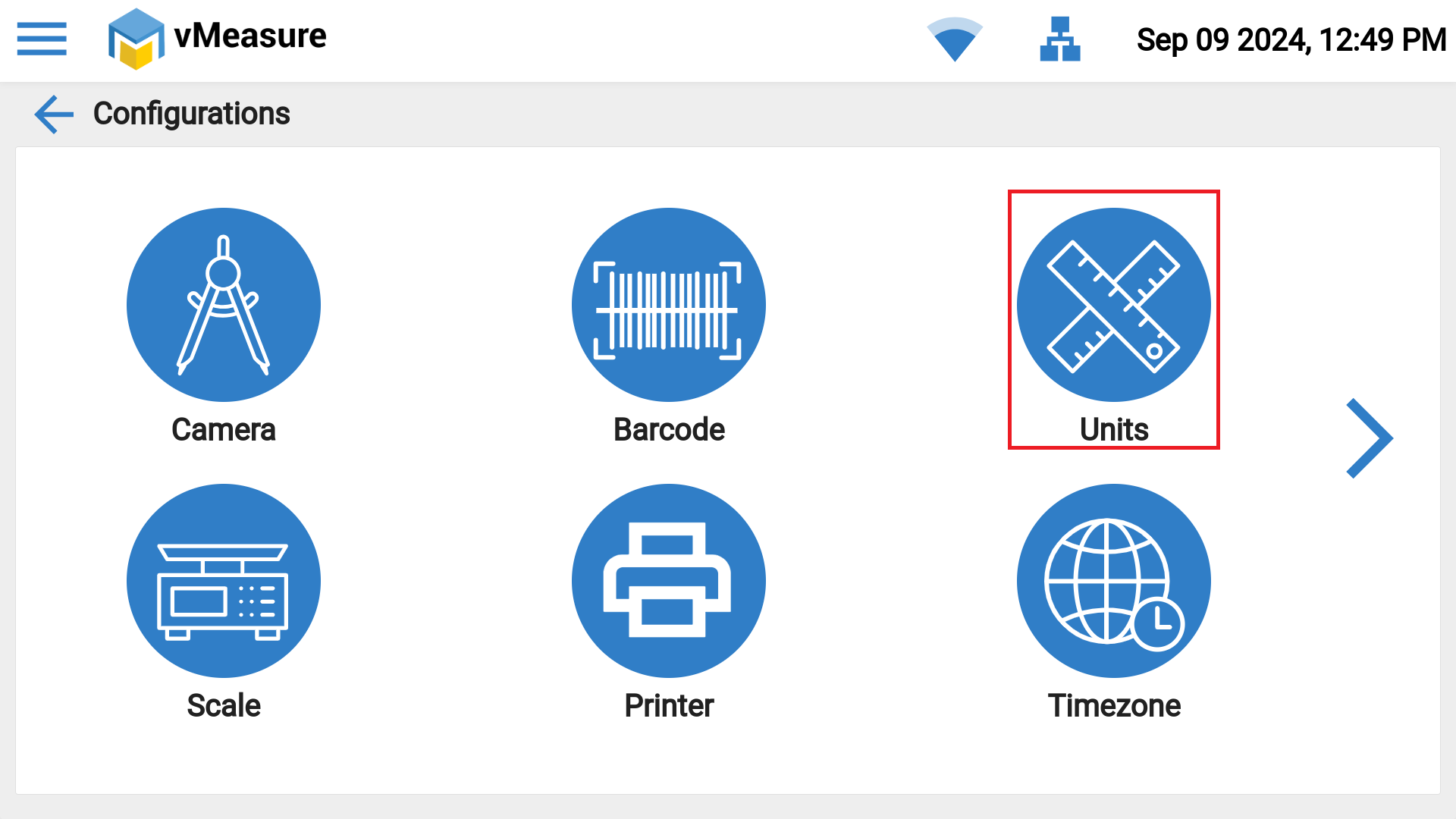
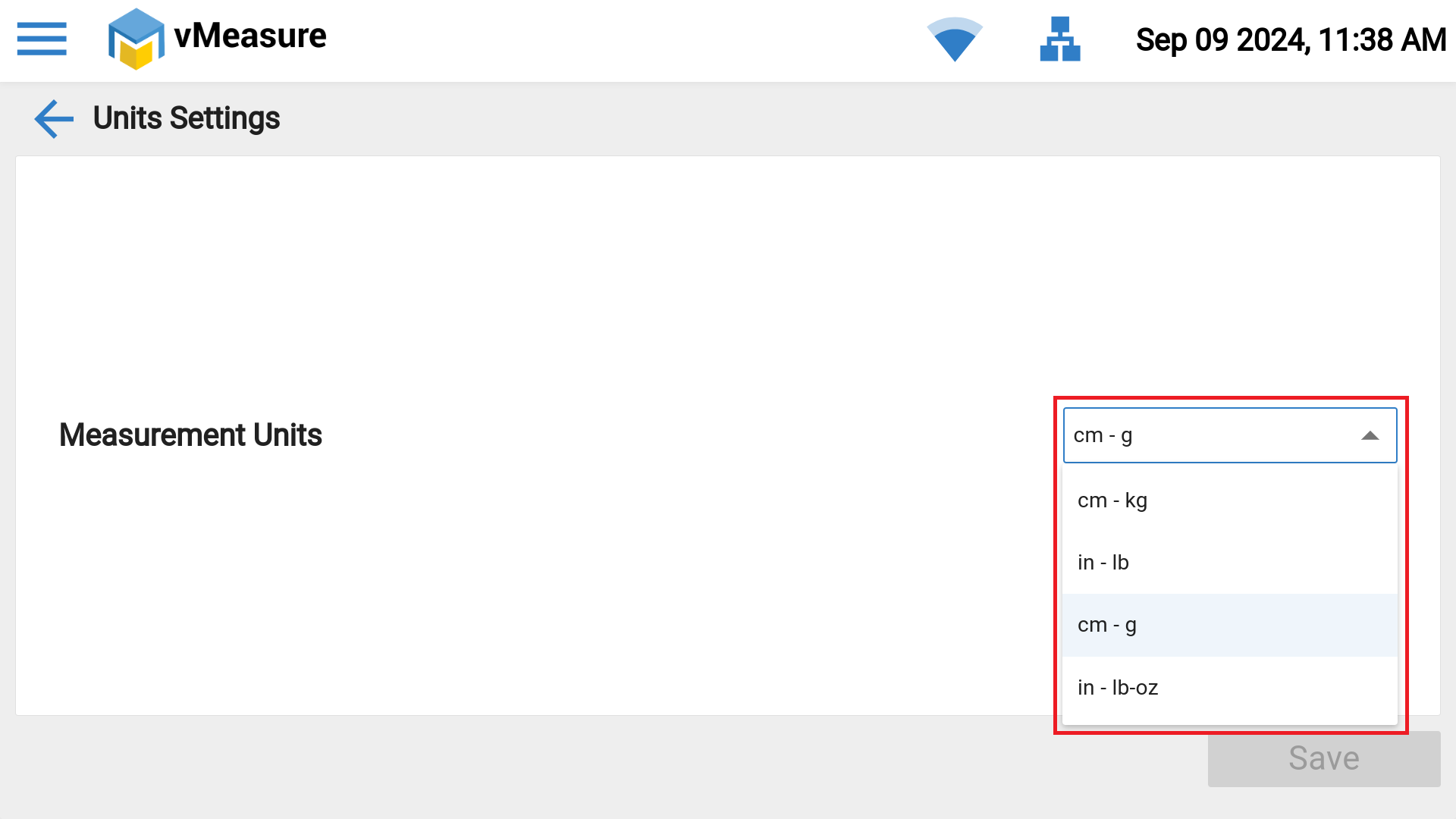
Step -2: Click on "Units", select the preferred units from the dropdown.
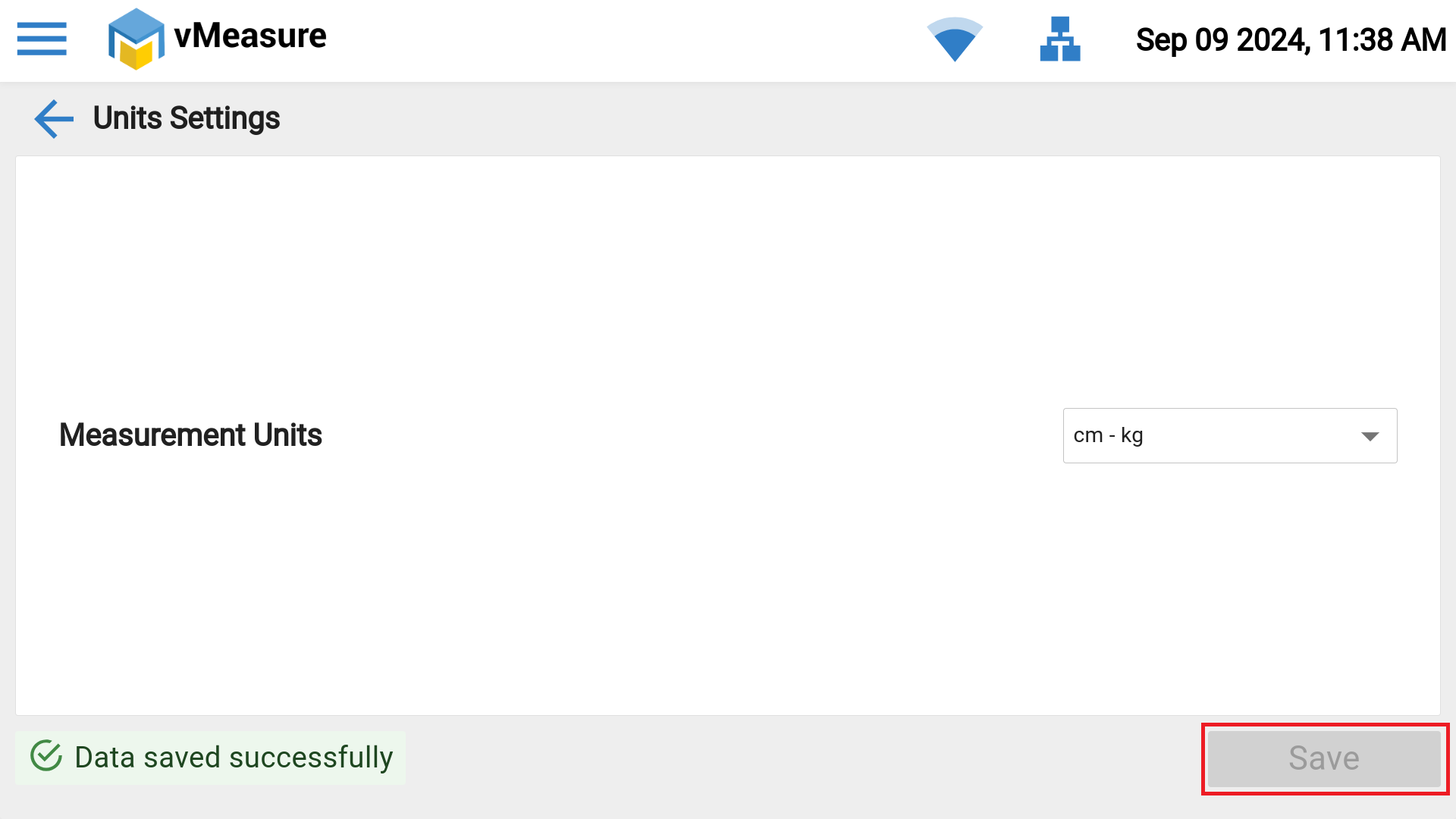
Step -3: Click on "Save", selected units will be saved & hence forth measurements will be captured in selected units.
If you need any support , please drop a mail to vmeasure@visailabs.com or Click here to Submit a Ticket.
Was this article helpful?
That’s Great!
Thank you for your feedback
Sorry! We couldn't be helpful
Thank you for your feedback
Feedback sent
We appreciate your effort and will try to fix the article