The first step in initializing your system is to specify your site details in the application.
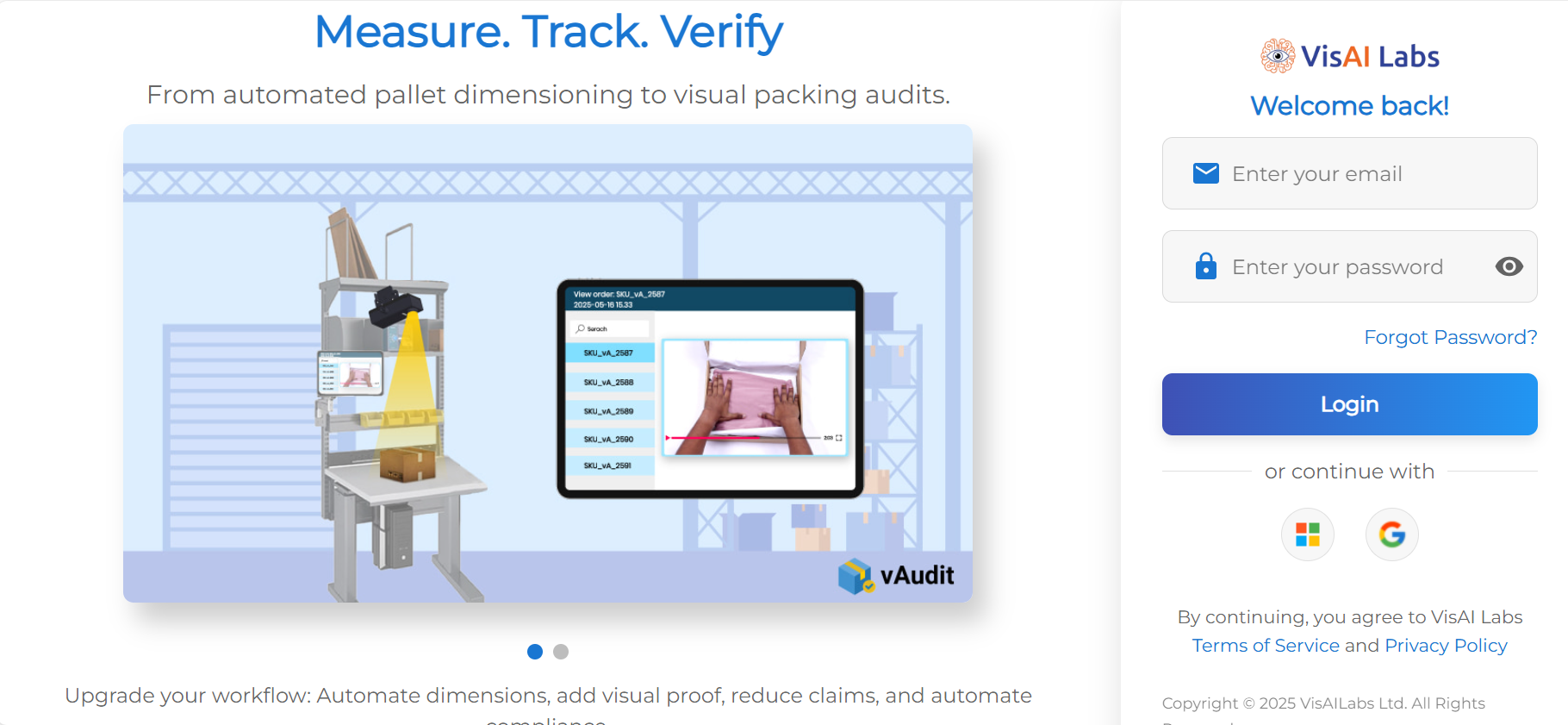
Step 1: Log in to the application at: https://forge.vmeasure.ai/login
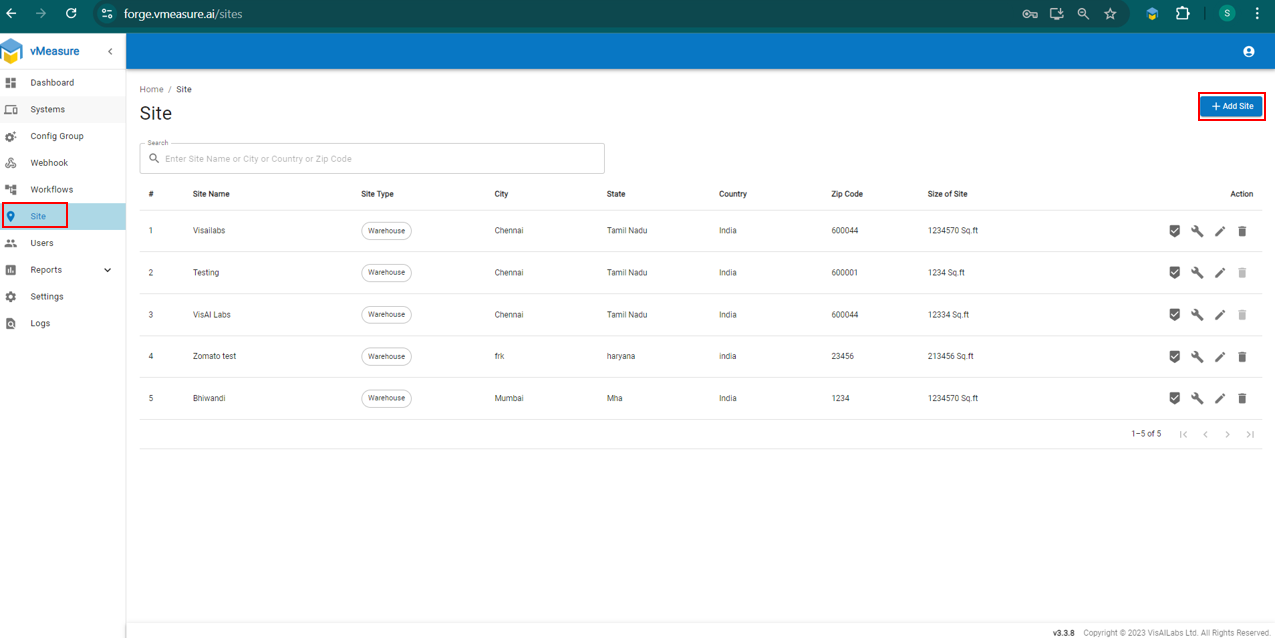
Step 2: Navigate to the "Site" section and click on "Add Site"
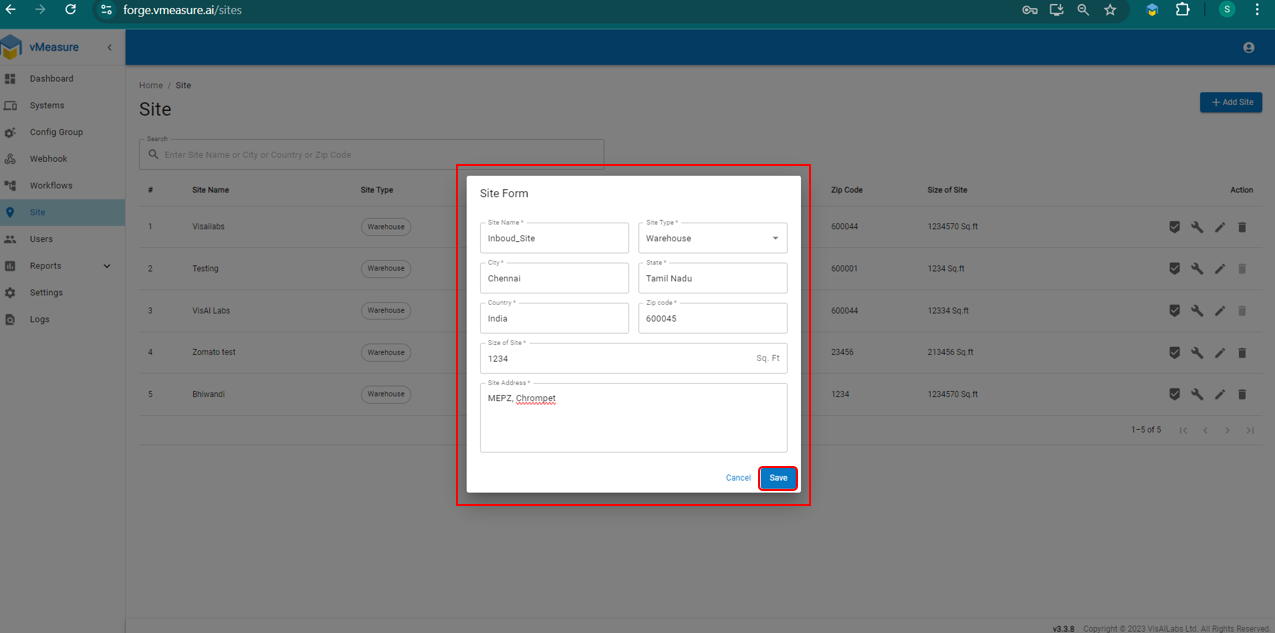
Step 3: A "Site Form" will pop up. Fill in the required details and click "Save"
Note: Once the site is created, you will need to assign site to system.
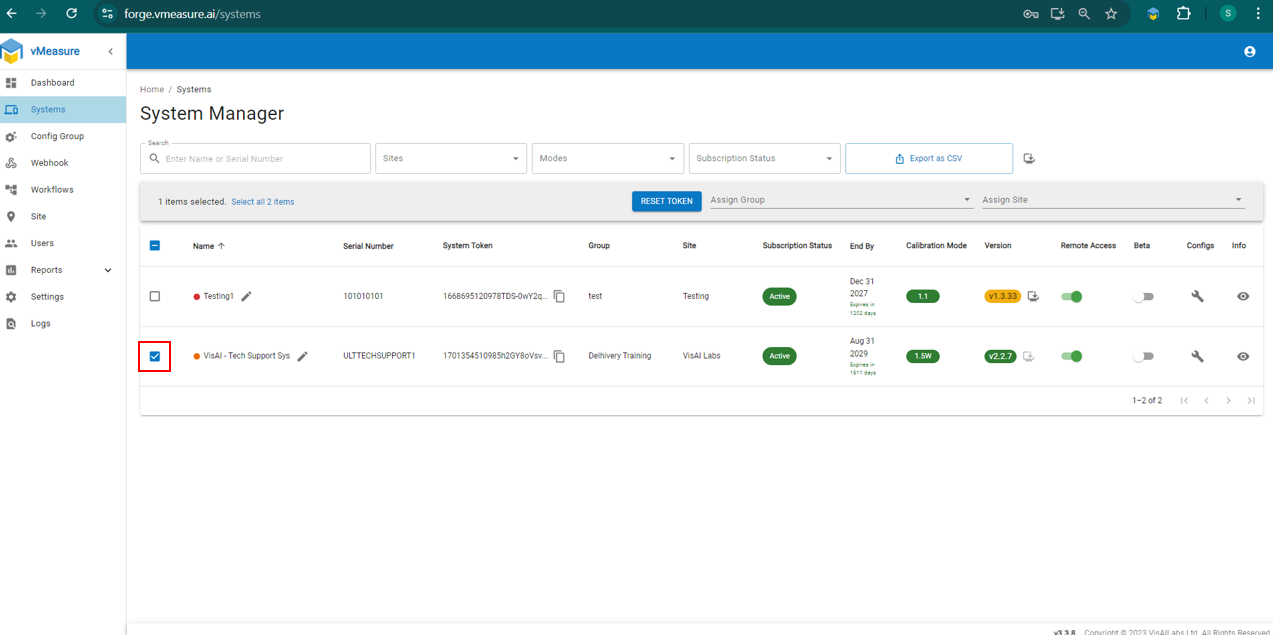
Step 4: Go to the "System" section, check the box for the desired system.
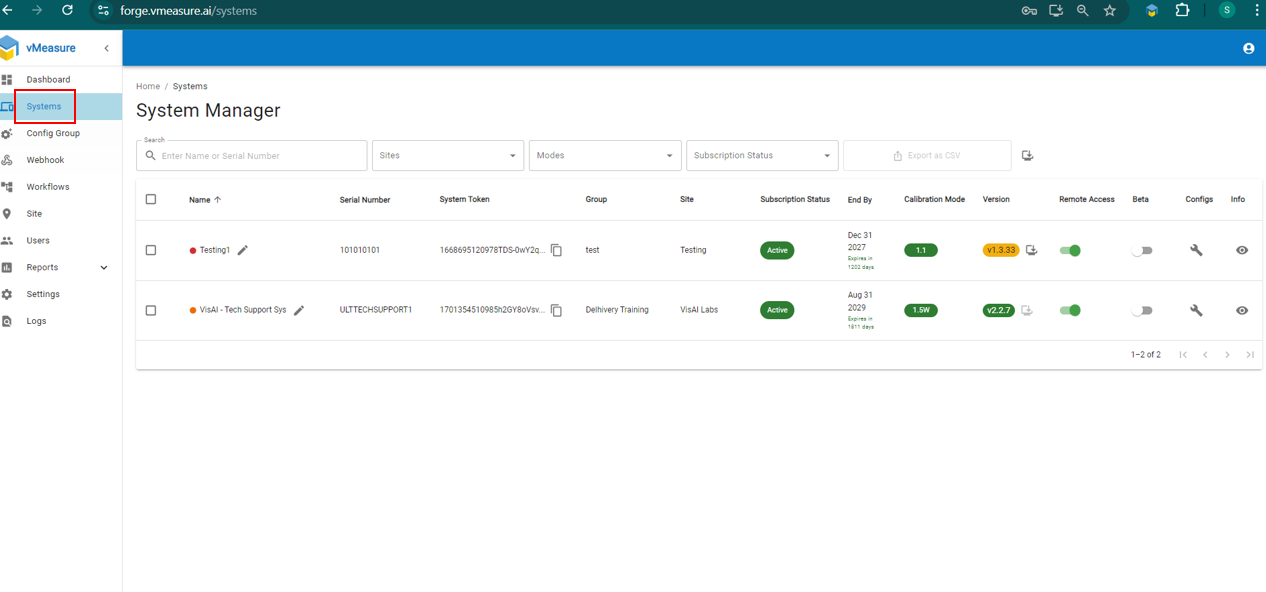
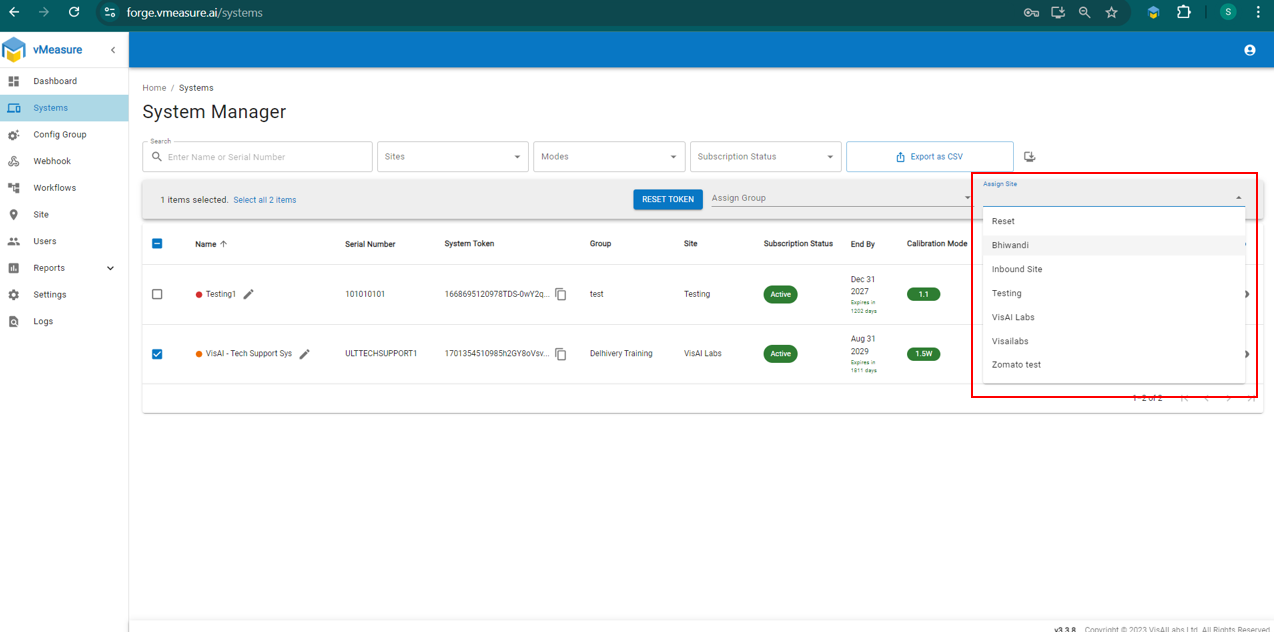
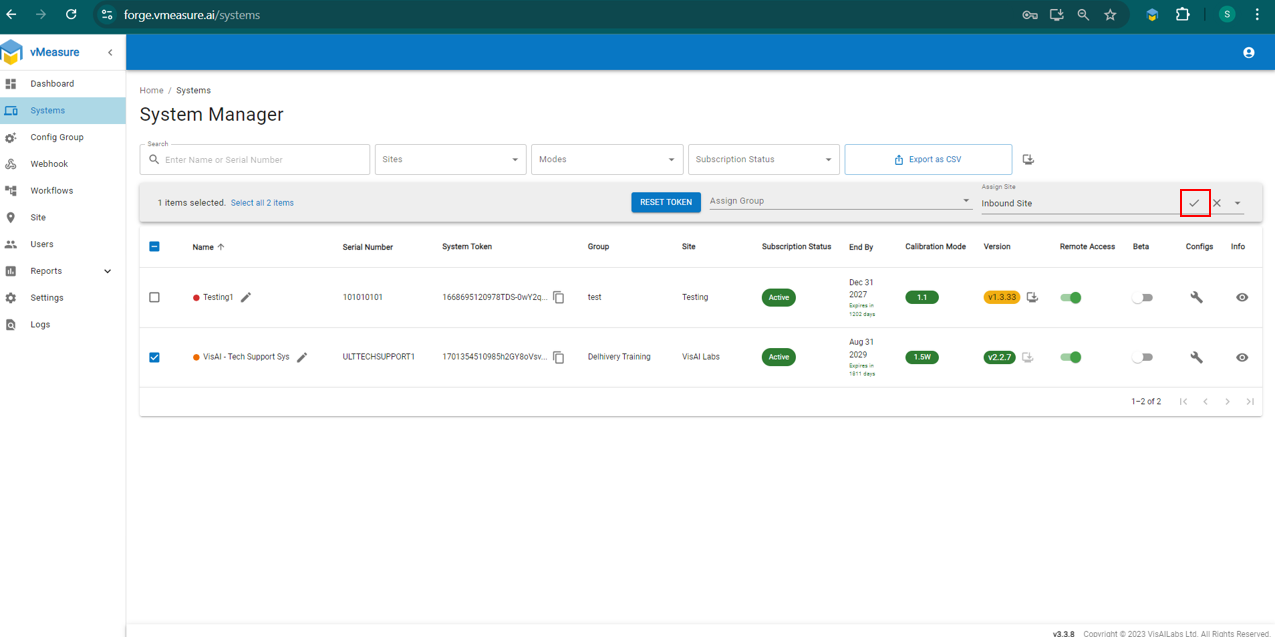
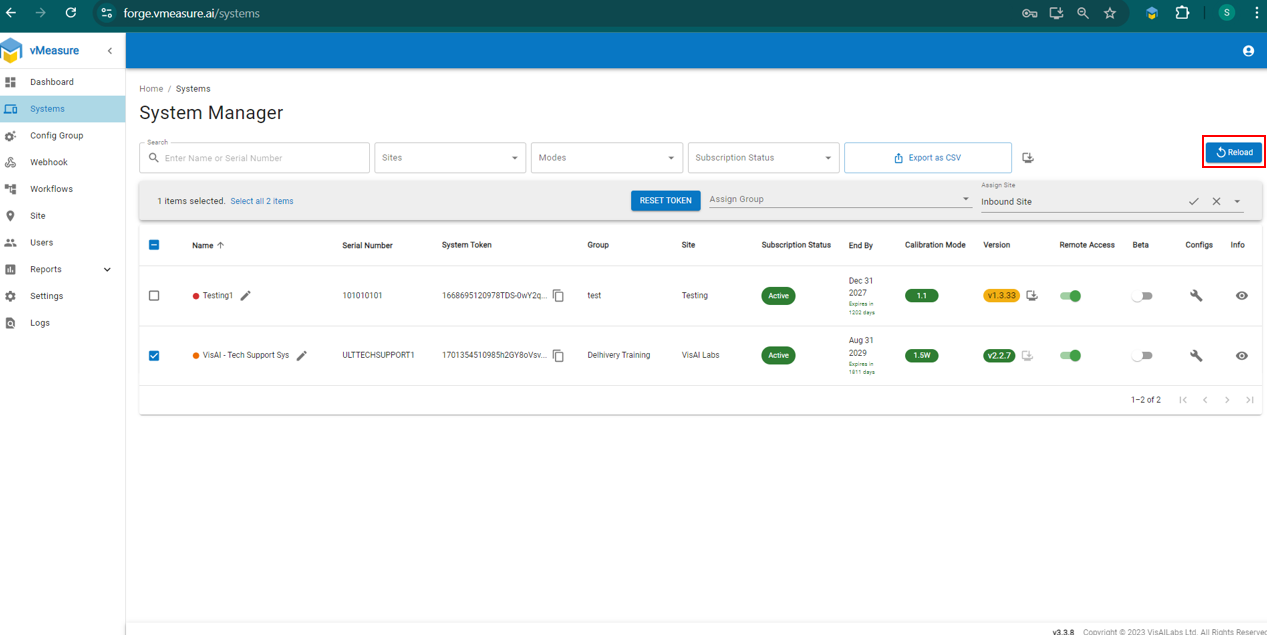
Step 5: From the drop-down menu, select the "Assign Site", then click on "Tick Mark" and "Reload"
Video Link for reference : How to create "Site" and assign system to site in Forge.
If you need any support , please drop a mail to vmeasure@visailabs.com
Was this article helpful?
That’s Great!
Thank you for your feedback
Sorry! We couldn't be helpful
Thank you for your feedback
Feedback sent
We appreciate your effort and will try to fix the article