If the vMeasure device is not powering ON, follow these steps to check for a FUSE issue:
FUSE Description : FUSE GLASS 2A 250VAC 5X20MM
- Disconnect all cables from the SMPS unit.
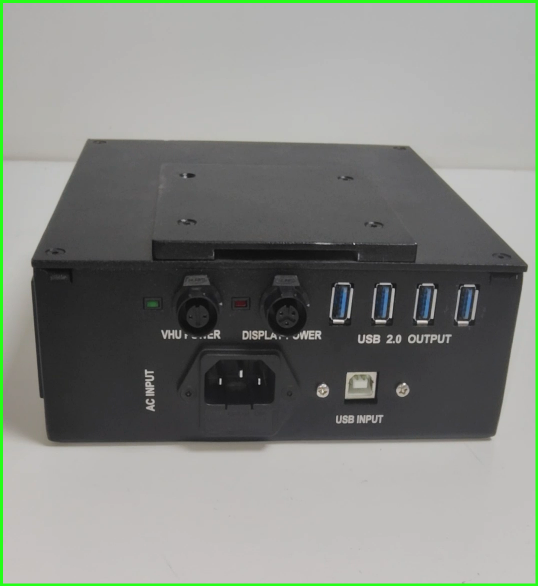
- Locate the POWER PORT at the back of the SMPS unit.
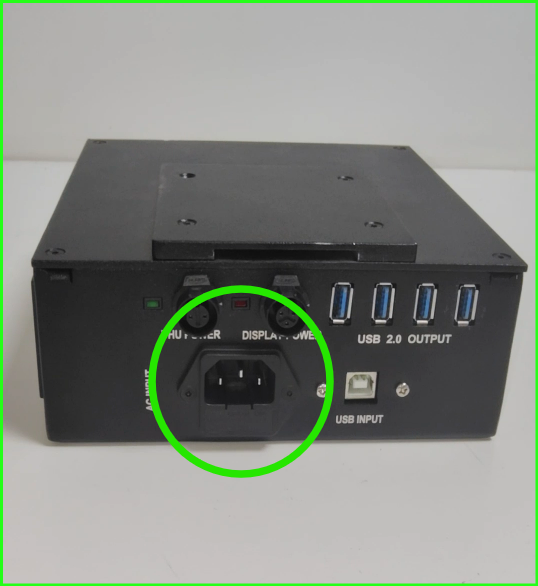
- Carefully remove the POWER PORT panel using a small screwdriver.
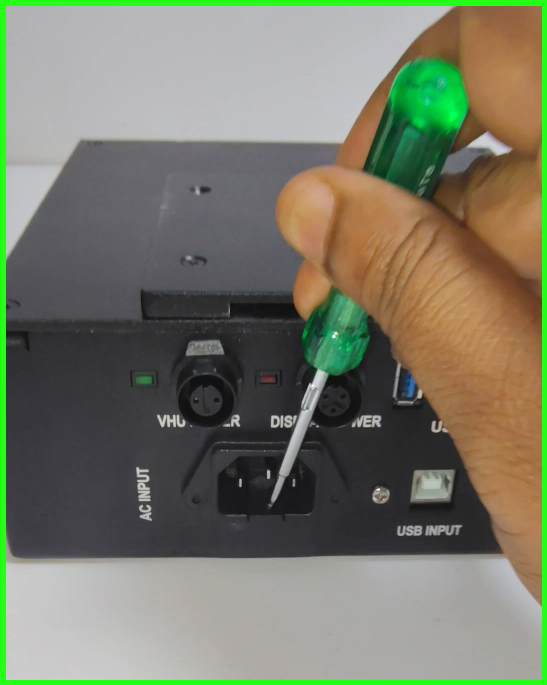
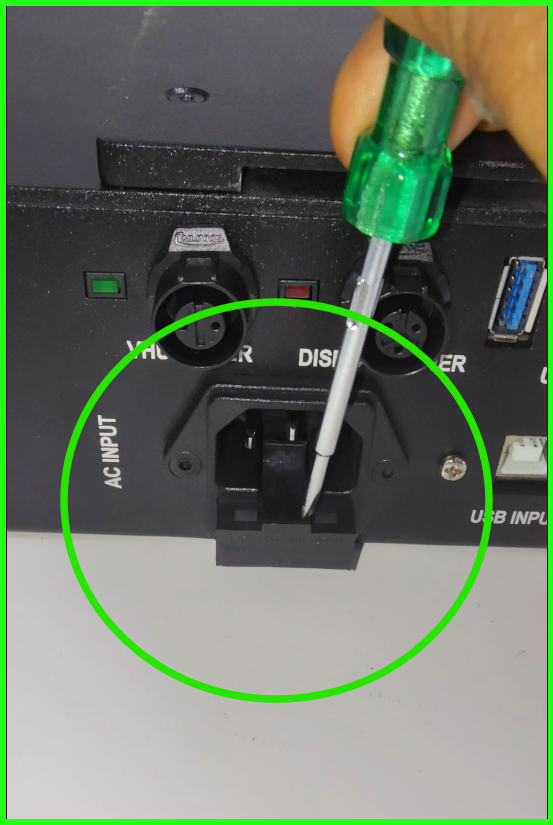
- Rotate the SMPS unit and remove the FUSE from the power panel’s fuse tray.
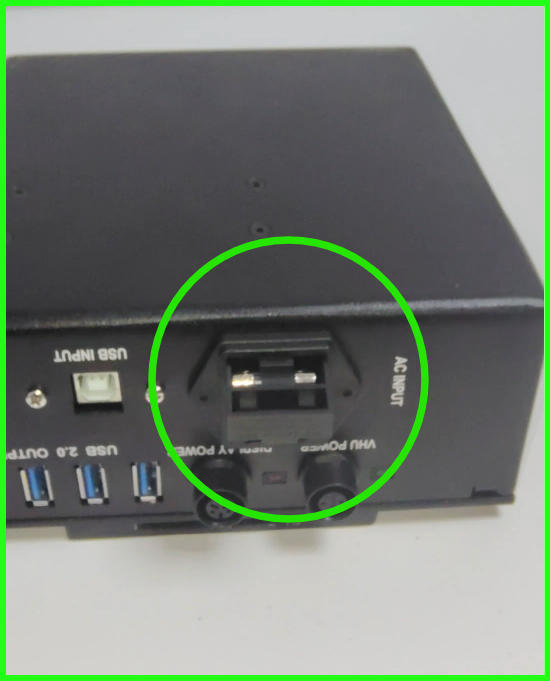
- Inspect the fuse (refer to the image) to check if it is burned or if the wire inside is broken.
Burned FUSE: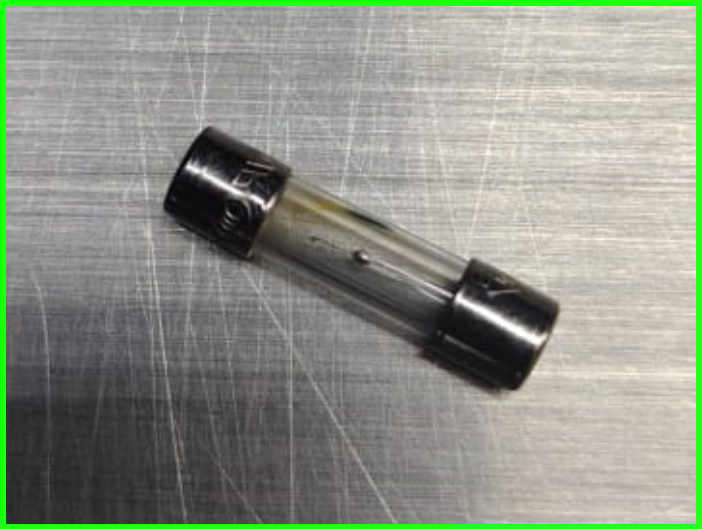
Wire Damaged FUSE: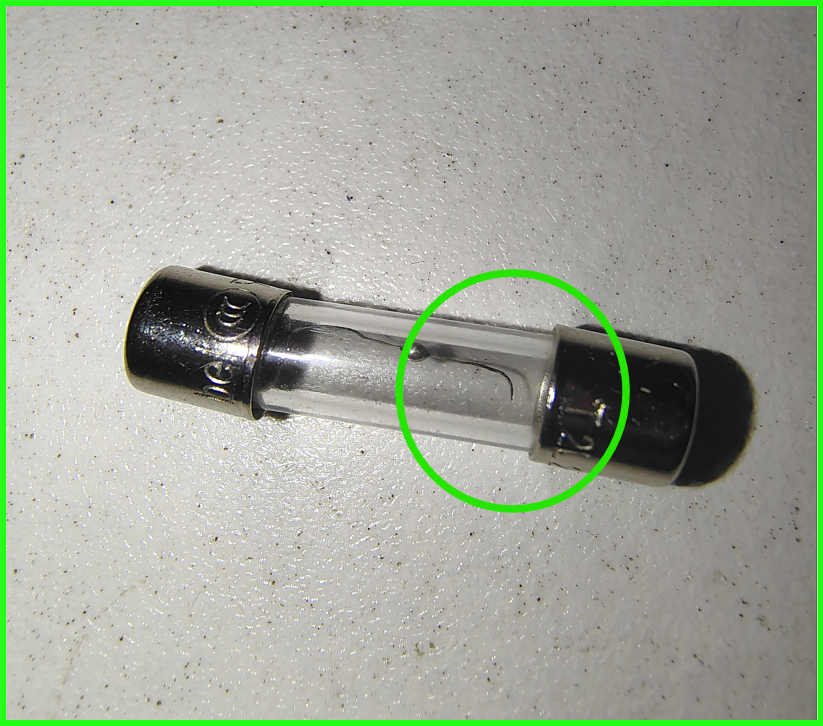
For better clarity, please refer to the attached video.
If you need any support , please drop a mail to vmeasure@visailabs.com or Click here to Submit a Ticket.
Was this article helpful?
That’s Great!
Thank you for your feedback
Sorry! We couldn't be helpful
Thank you for your feedback
Feedback sent
We appreciate your effort and will try to fix the article