Follow the steps below to disable the measurement trigger:
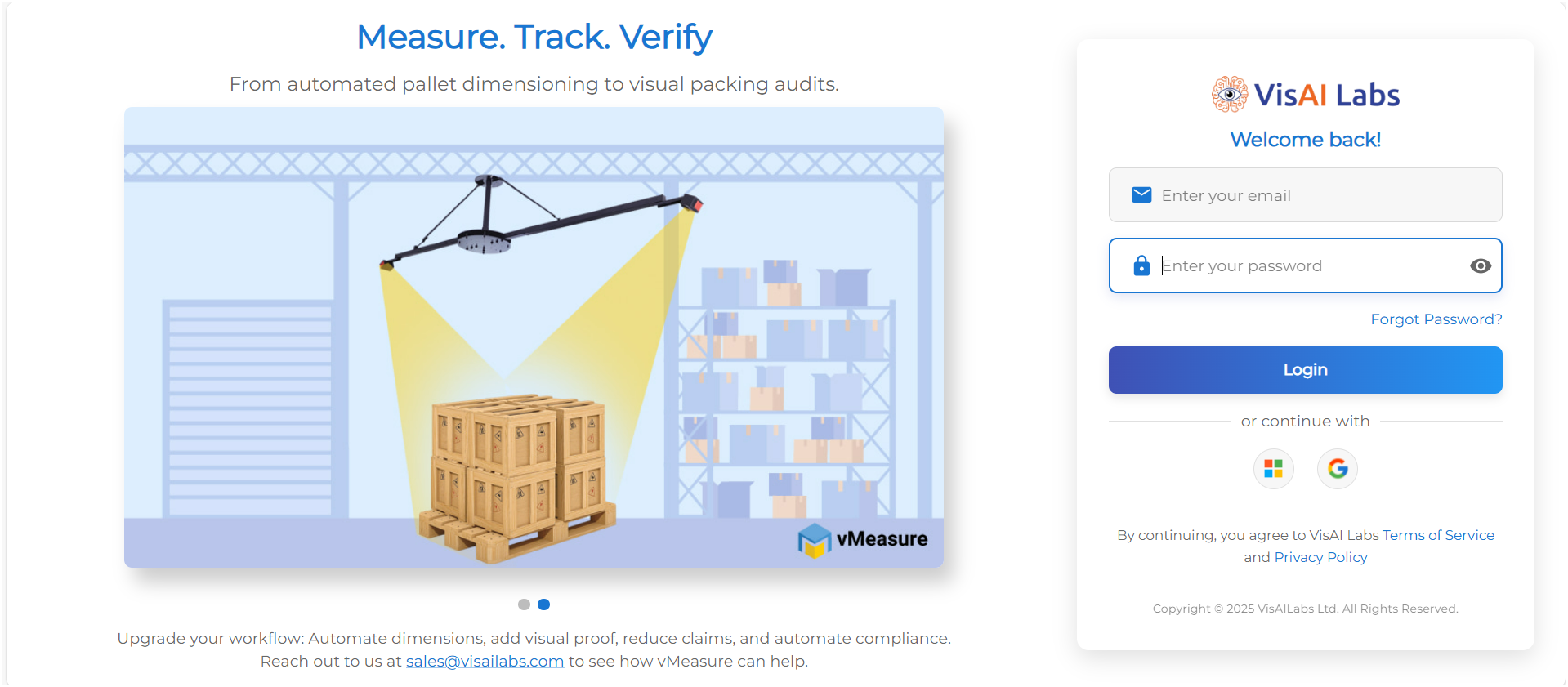
Step 1: Log in to the Forge portal at https://forge.vmeasure.ai
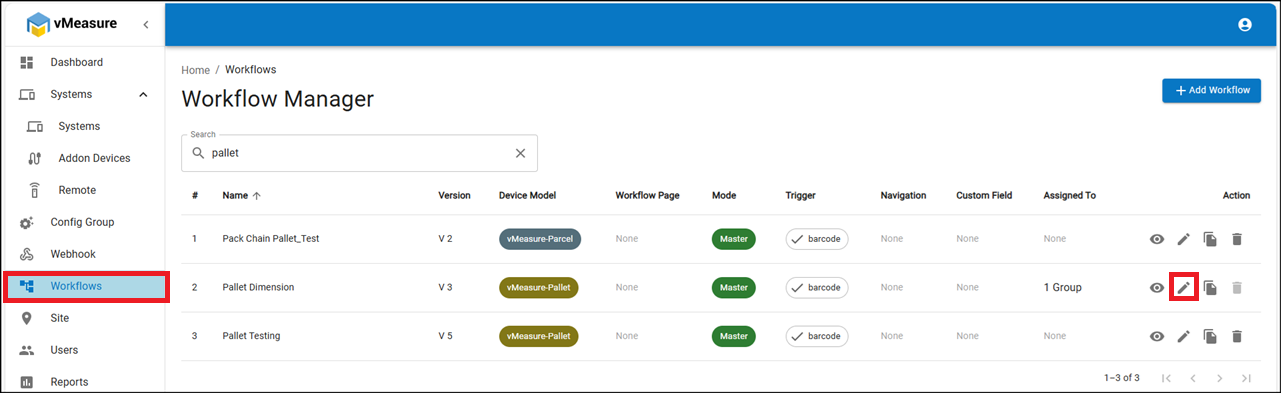
Step - 2: Go to the Workflows section and edit the desired existing workflow.
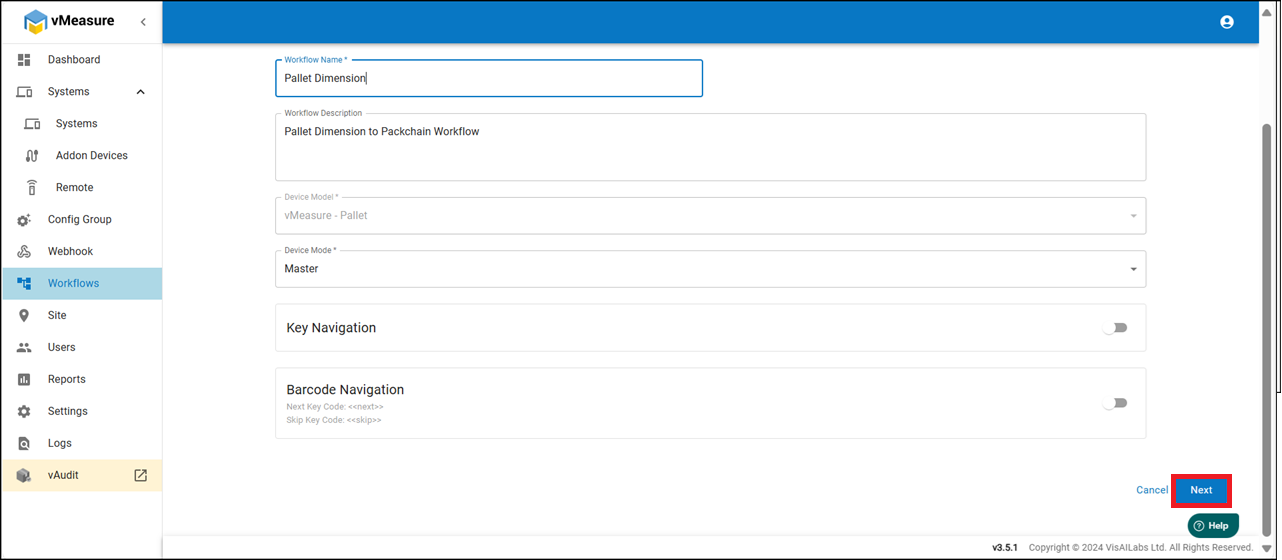
Step - 3: Scroll down and click the Next button to proceed.
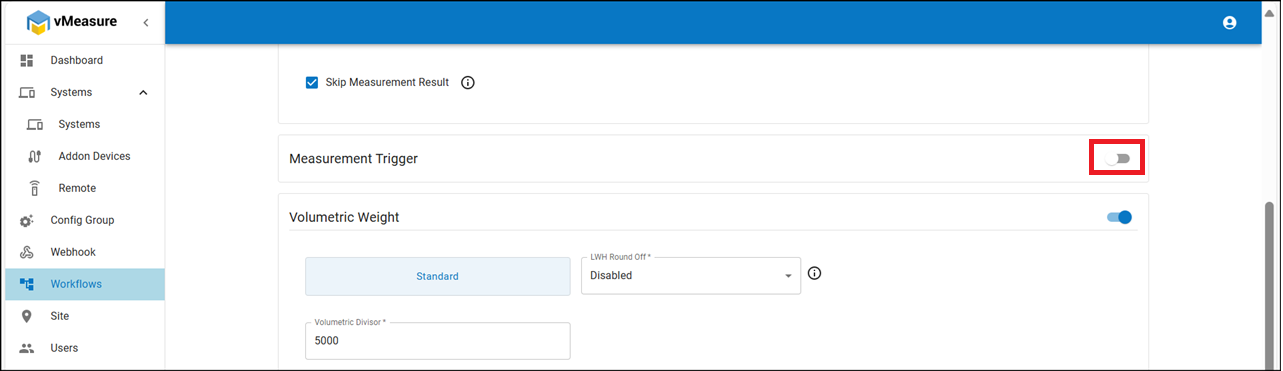
Step - 4: In the Measurement Trigger section, disable the toggle and save the workflow.
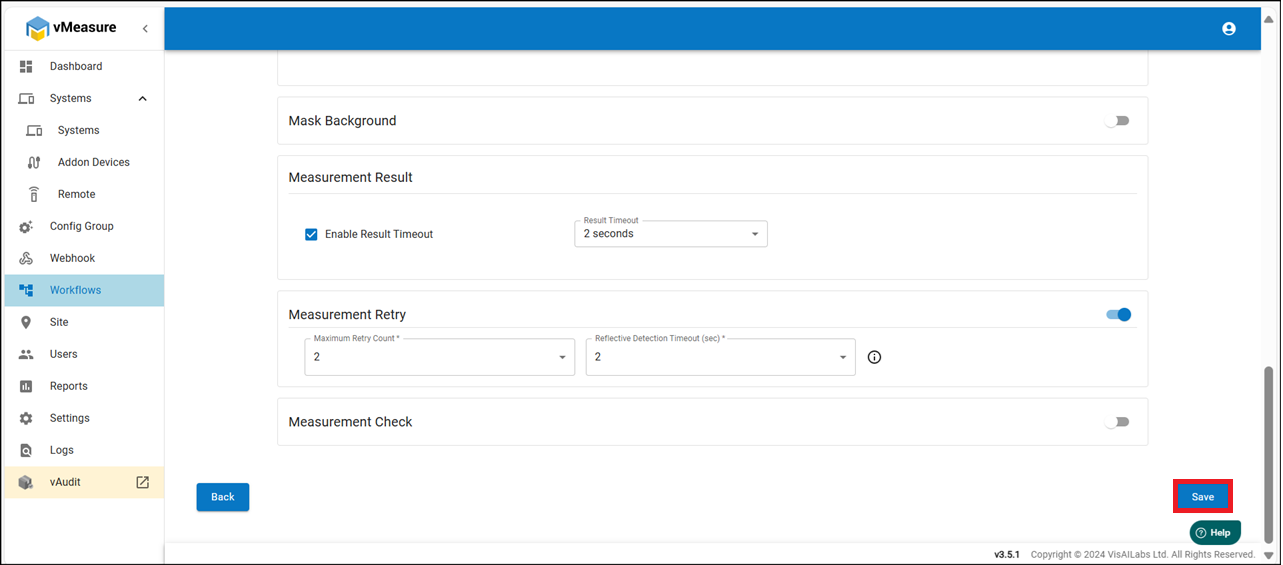
Step - 5: The updated workflow will be applied to your Pallet device.
You can now manually enter the barcode using a keyboard and click the Measure button to initiate measurement.
If you need any support , please drop a mail to vmeasure@visailabs.com or Click here to Submit a Ticket.
Was this article helpful?
That’s Great!
Thank you for your feedback
Sorry! We couldn't be helpful
Thank you for your feedback
Feedback sent
We appreciate your effort and will try to fix the article