1. Login to vMeasue Forge. Link : vMeasure
2. Navigate to the Workflows page as shown below
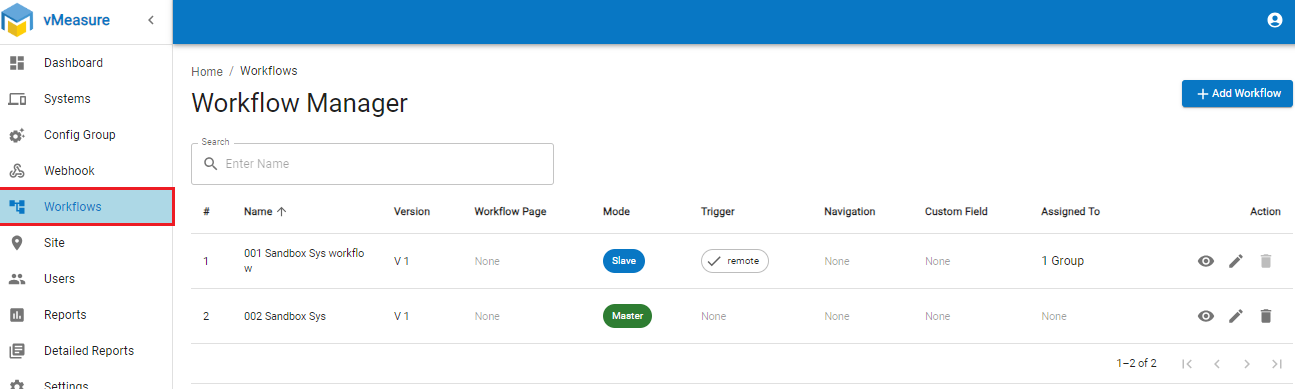
3. Edit the desired workflow
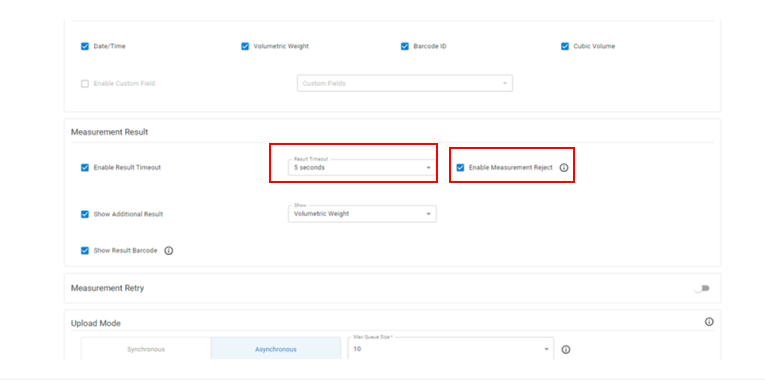
4. Navigate to the "Measurement Result" and ensure the Result Timeout is 5 Seconds and Enable the "Measurement Reject" as shown.
5. Click on the Next button and Save the workflow.
6. On the vMeasure system, re-login for the workflow changes to be downloaded.
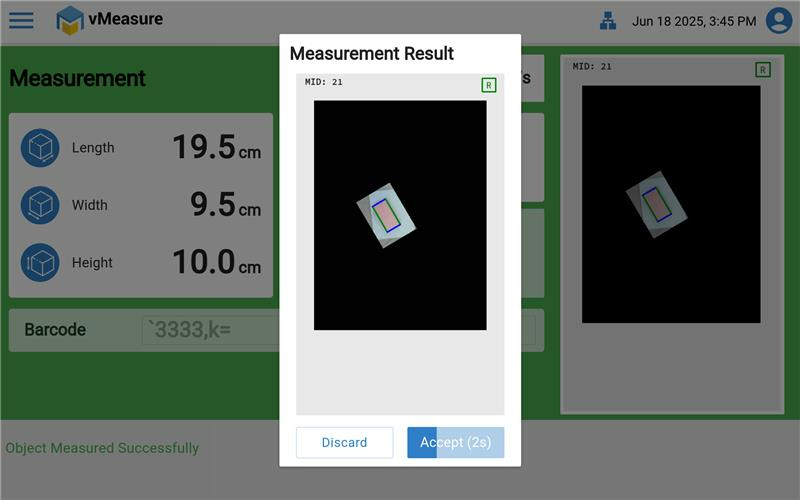
On vMeasure device output will be same as below image.
Was this article helpful?
That’s Great!
Thank you for your feedback
Sorry! We couldn't be helpful
Thank you for your feedback
Feedback sent
We appreciate your effort and will try to fix the article