Follow the steps below to create Webhook & enable Measurement Report URL feature.
How to enable Measurement Report URL - Click here
How to Create Webhook - Click here
Follow the steps below to enable Measurement Report URL in webhook.
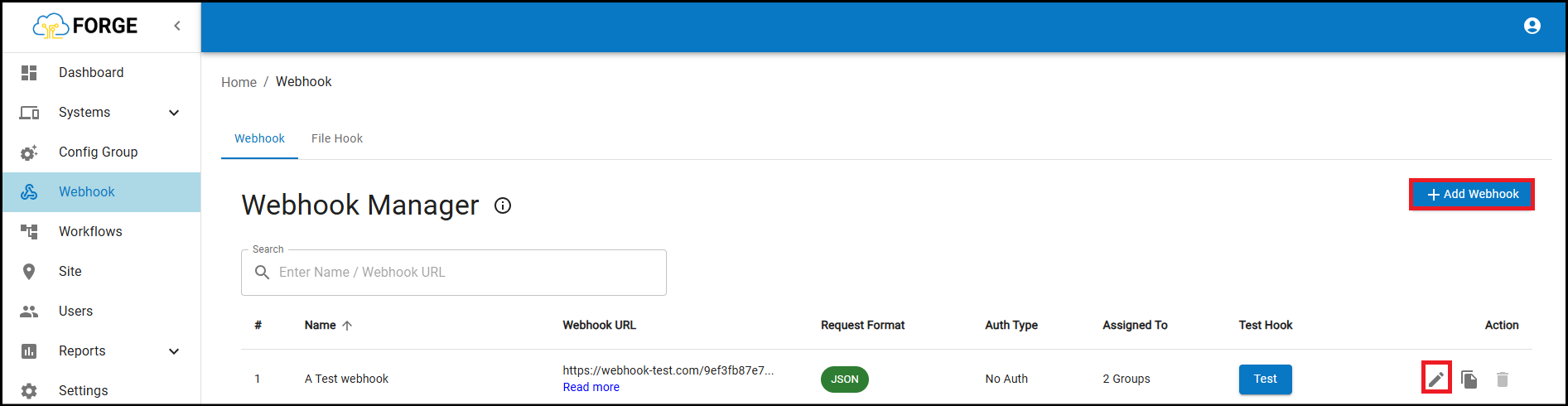
Step-1: Edit the existing webhook or create a new webhook.
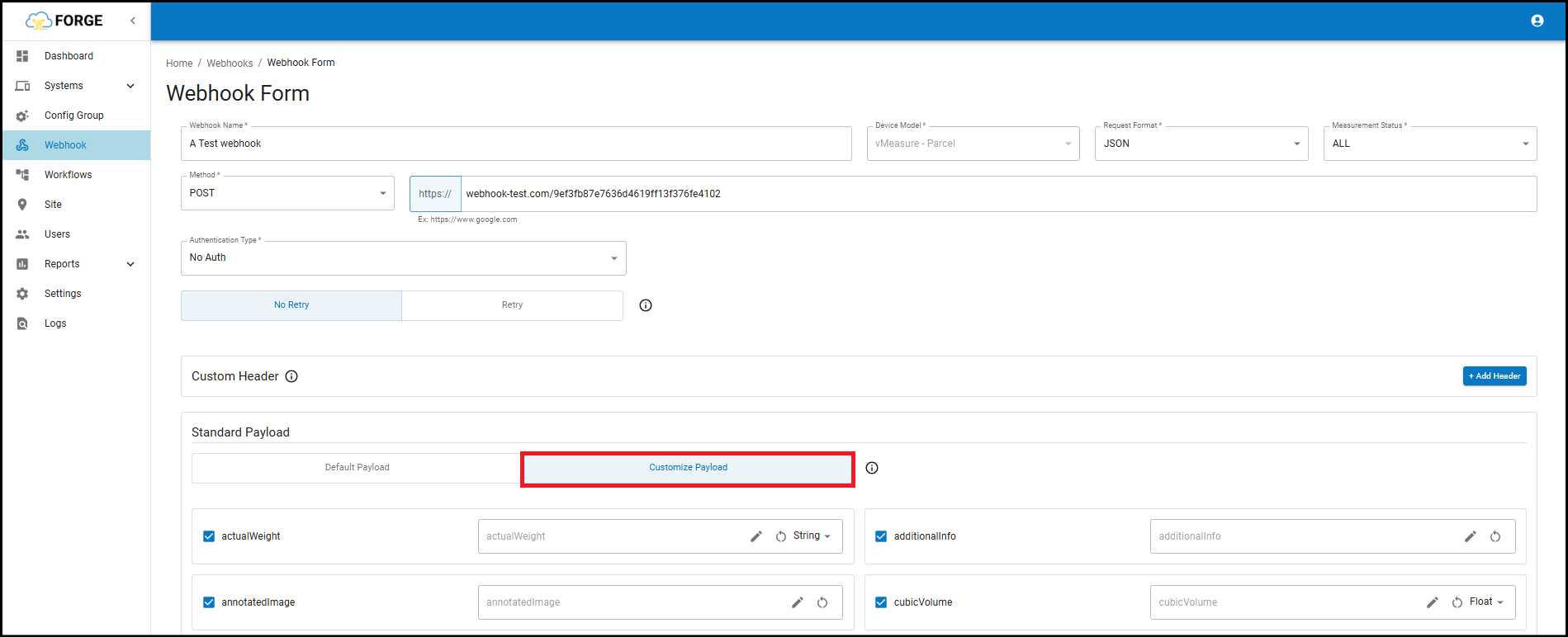
Step-2: Navigate to "Standard Payload" & switch to "Customize Payload".
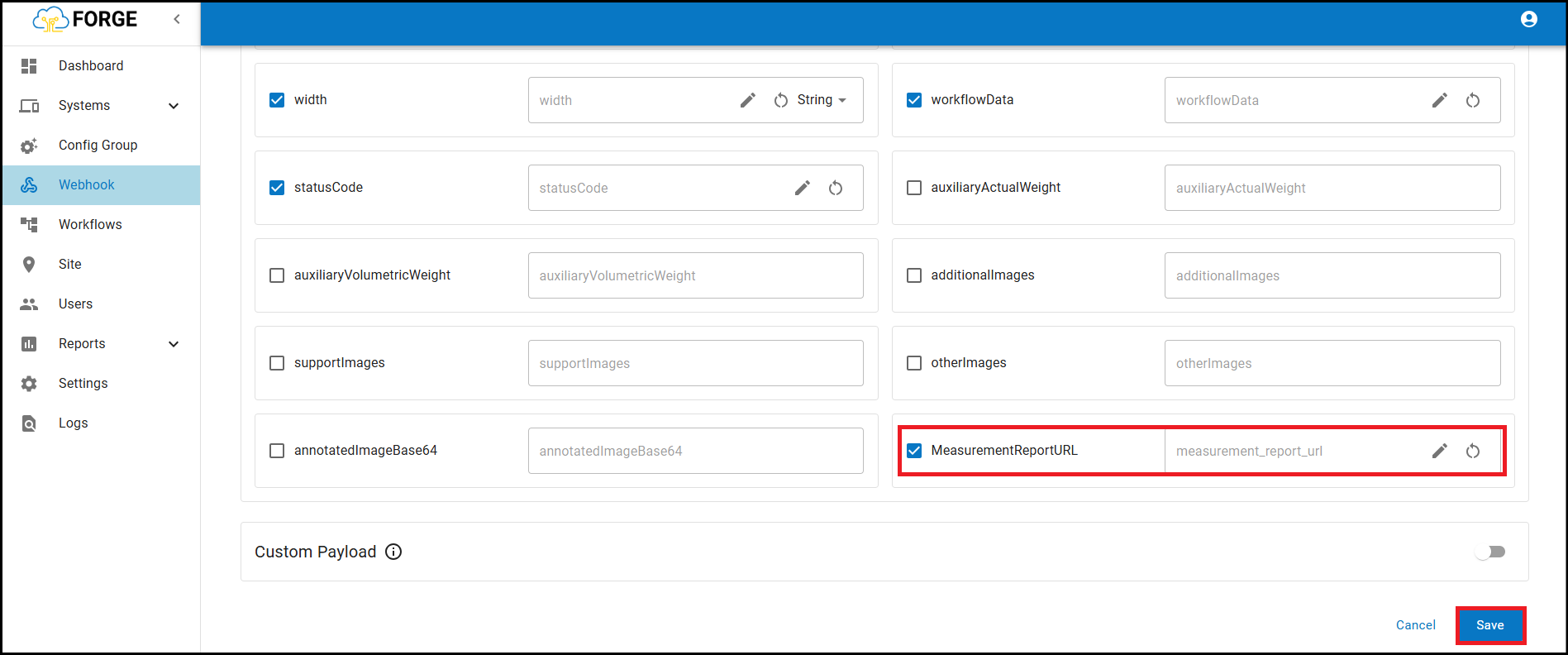
Step-3: Enable the the checkbox of "MeasurementReportURL" & Save the changes.
If you need any support , please drop a mail to vmeasure@visailabs.com or Click here to Submit a Ticket.
Was this article helpful?
That’s Great!
Thank you for your feedback
Sorry! We couldn't be helpful
Thank you for your feedback
Feedback sent
We appreciate your effort and will try to fix the article