Loosen the two screws on the display arm pole as shown in the image below, and adjust the pole height as per your requirement.
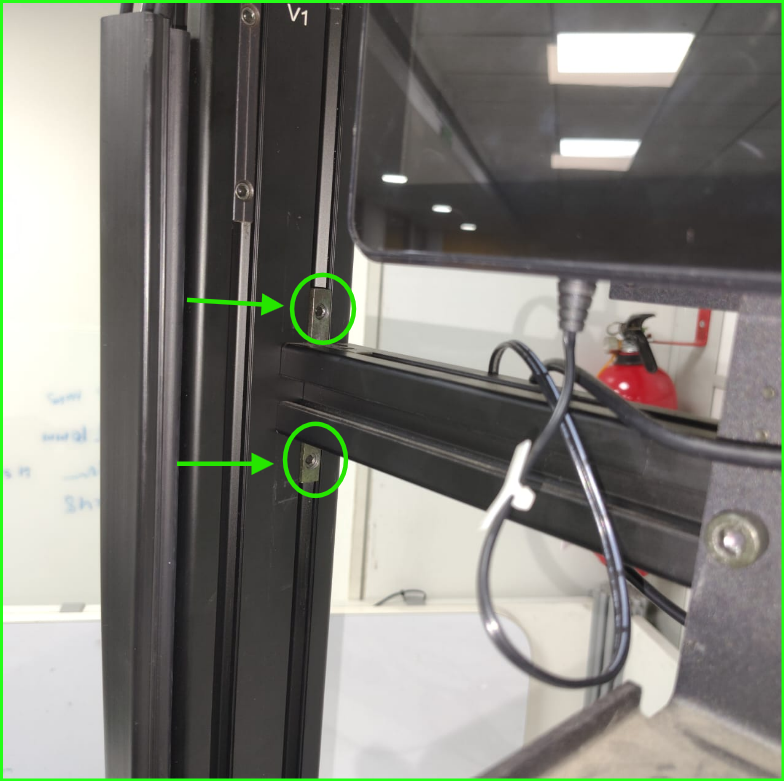
Please click the attached video to view a demonstration of the display arm pole height adjustment for better understanding.
If you need any support , please drop a mail to vmeasure@visailabs.com or Click here to Submit a Ticket.
Was this article helpful?
That’s Great!
Thank you for your feedback
Sorry! We couldn't be helpful
Thank you for your feedback
Feedback sent
We appreciate your effort and will try to fix the article