How to Reduce the Display Height
Step 1: Switch off the device.
Step 2: Disconnect all cables from the PHU and the display.
Step 3: Remove the PHU and display components from the setup.
Step 4: Loosen the two bolts (as shown in the image) and remove the horizontal base supporting pole. Then, detach the display clamp from the horizontal support pole.
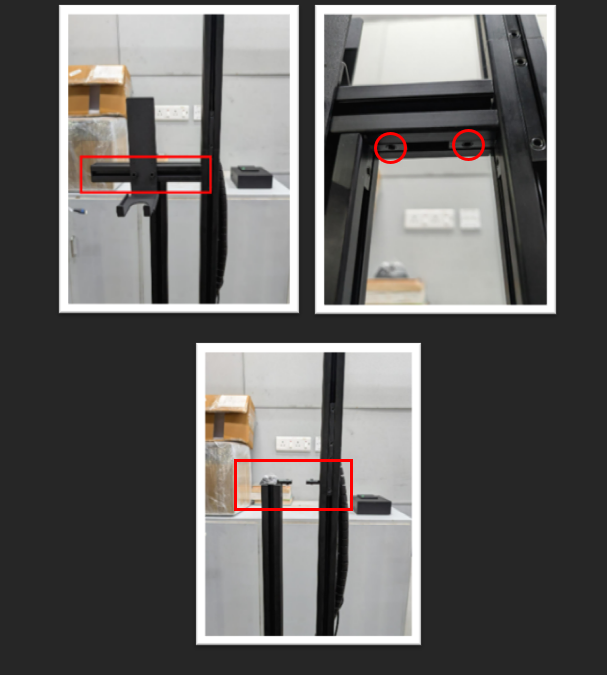
Step 5: Insert the second support bar (Display Orientation Rod) to the required height, as shown in the attached image.
Note: Ensure the cables can comfortably reach both the PHU and the display.
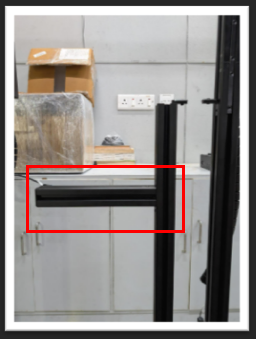
Step 6: Reinsert the horizontal base supporting pole. Ensure there is no gap in the setup and that all components are properly aligned.
Step 7: Attach the display clamp to the second support bar, mount the display and PHU, reconnect all cables, and switch on the device.
Final Image: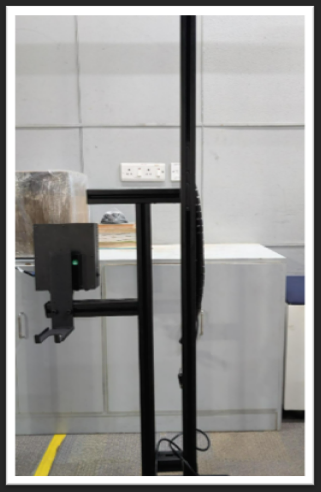
Was this article helpful?
That’s Great!
Thank you for your feedback
Sorry! We couldn't be helpful
Thank you for your feedback
Feedback sent
We appreciate your effort and will try to fix the article