Introduction
The Restrict Forge Users feature allows an Admin to control which Forge users are displayed on the vMeasure device login screen.
This feature is useful when you want to:
- Prevent Admin, Sub-Admin, or Supervised accounts from appearing on the vMeasure device login page.
- Restrict specific users from logging into the vMeasure system while still retaining their Forge account.
Note: This setting can only be configured by a user with Admin access.
Prerequisites
Before proceeding, ensure that:
- You have Admin access to vMeasure Forge.
- The user you want to restrict already exists in Forge.
Restricting a Forge User from the System
Follow the steps below to restrict a Forge user from appearing on the vMeasure device.
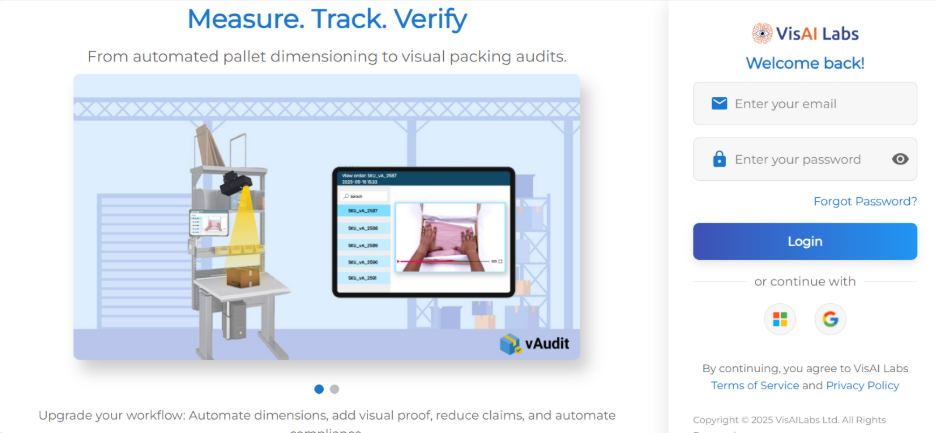
Step 1: Log in to vMeasure Forge : https://forge.vmeasure.ai
Log in to your vMeasure Forge account using an Admin account.
Step 2: Open the Users Page
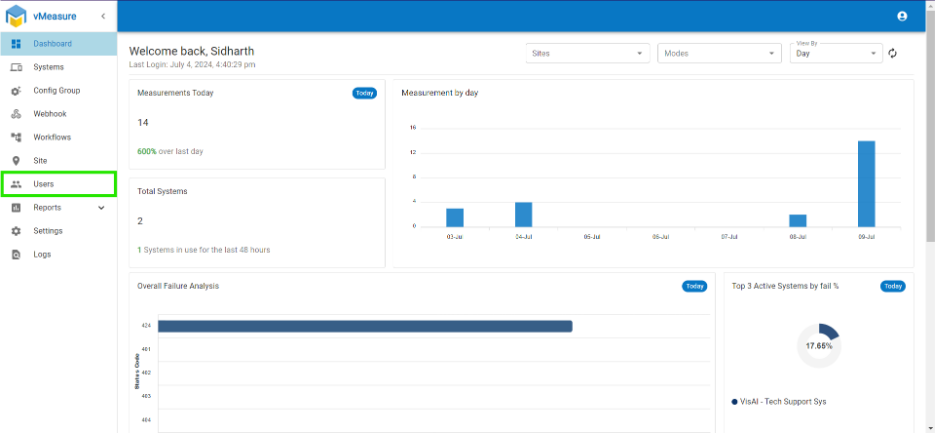
From the left navigation menu, click Users.
Step 3: Search for the User
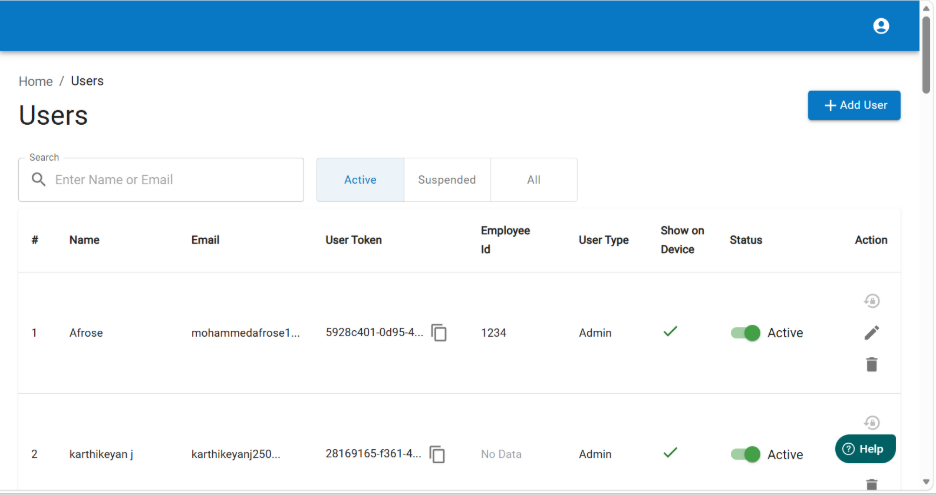
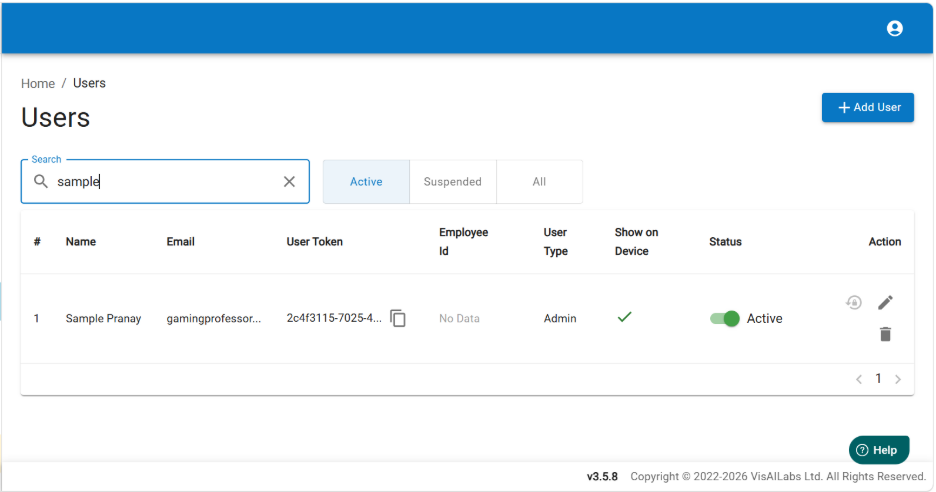
Search for the user whose access you want to restrict from the system.
Step 4: Edit User Permissions
Under the Actions column, click the Edit (Pencil) icon for the selected user.
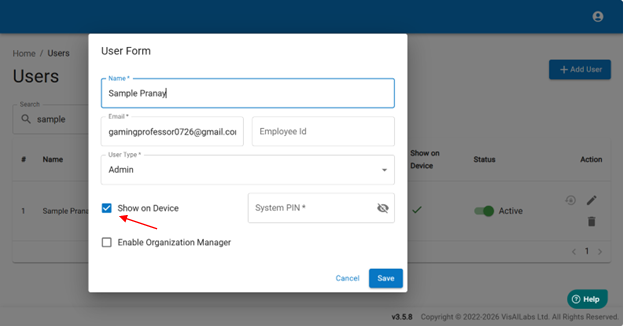
Step 5: Disable Device Visibility
Locate the Show on Device option.
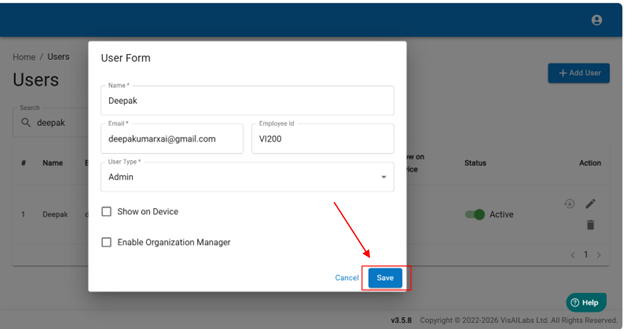
- Uncheck the Show on Device checkbox.
- Click Save to apply the changes.
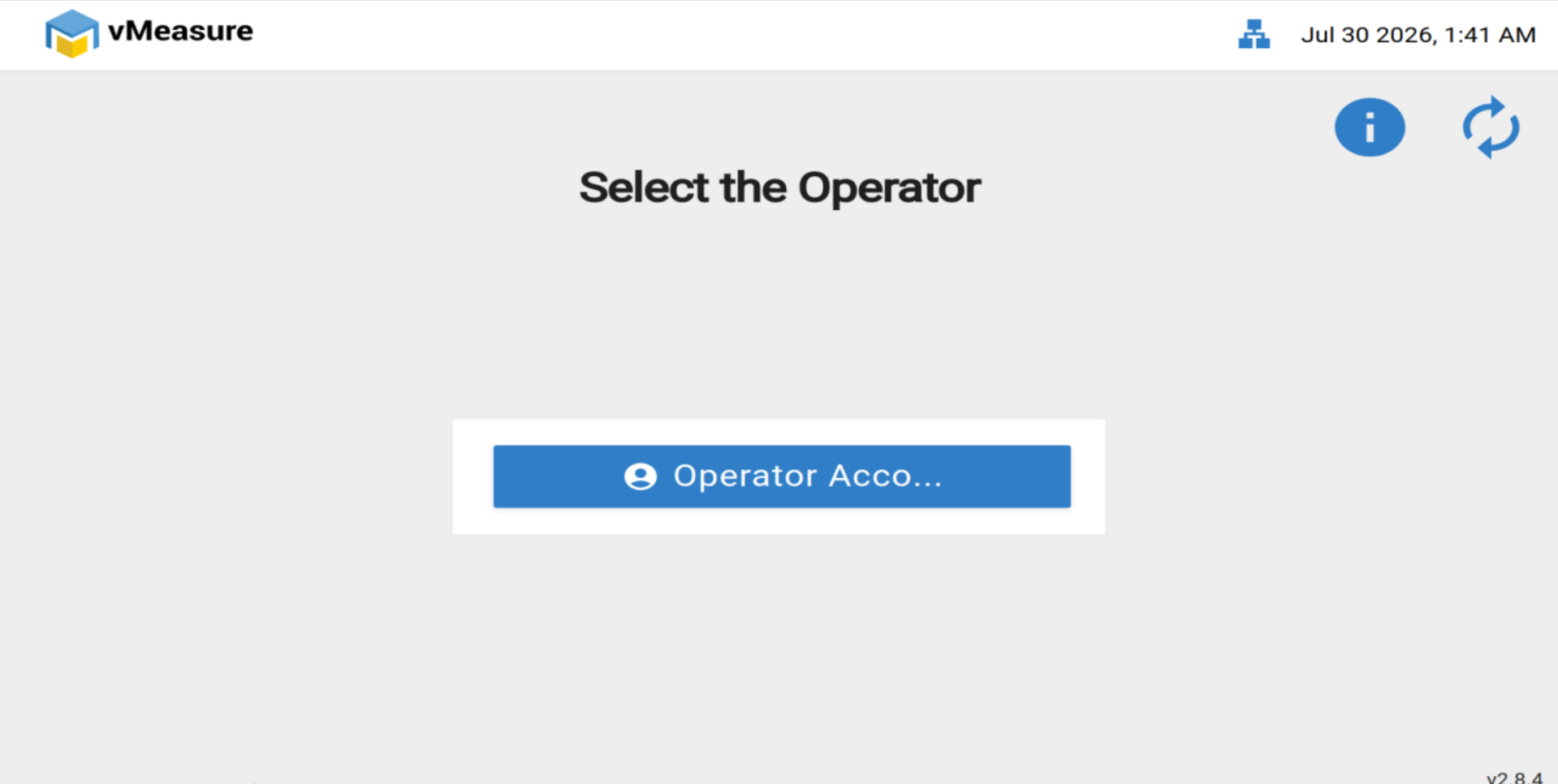
Step 6: Refresh the User List on the Device
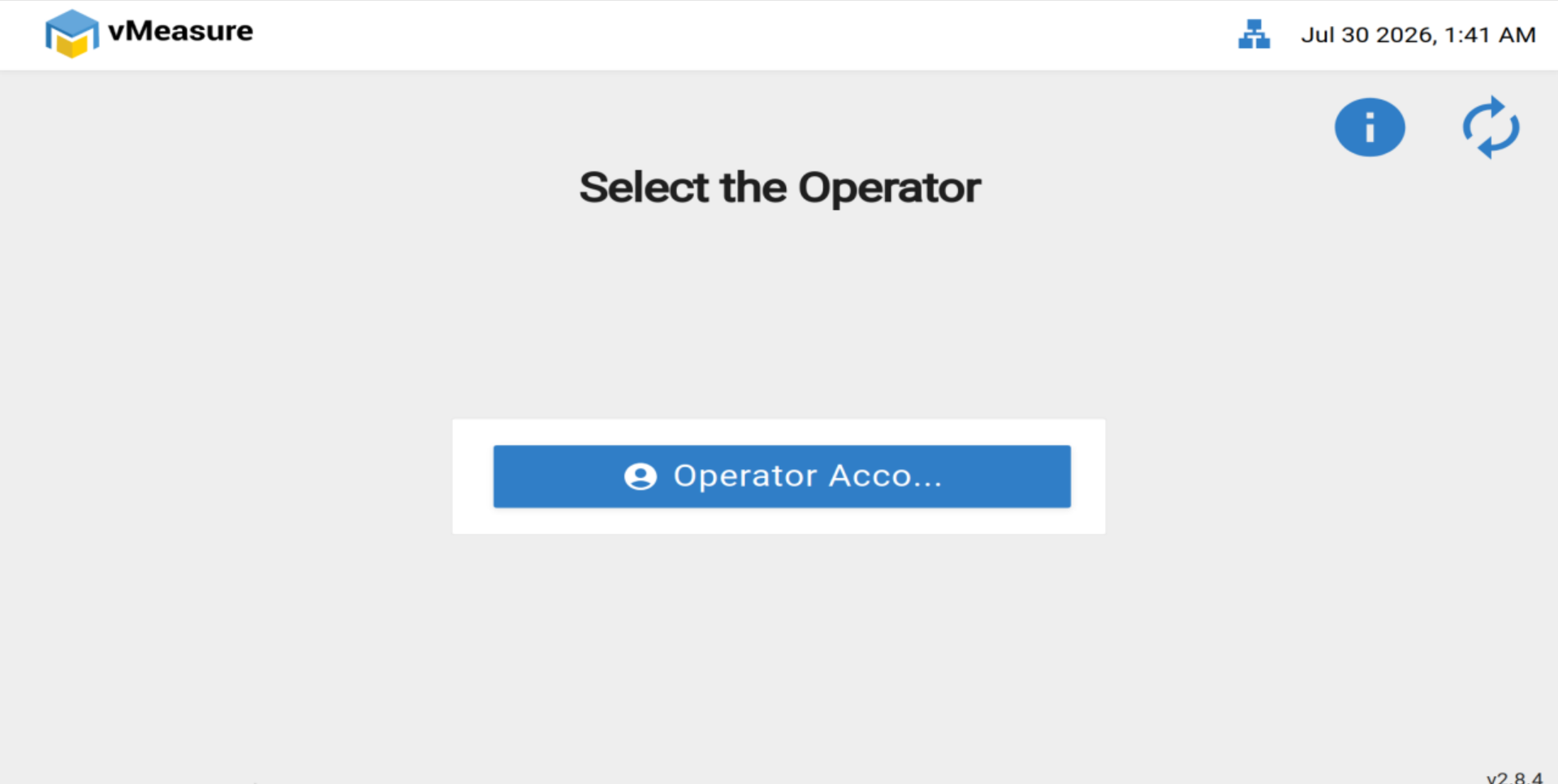
On the vMeasure device login page:
- Click the Refresh button located in the top-right corner.
- The device will synchronize the latest user list from Forge.
Step 7: Verify the Changes
After refreshing, the user list will be updated, and the restricted user will no longer appear on the vMeasure device login screen.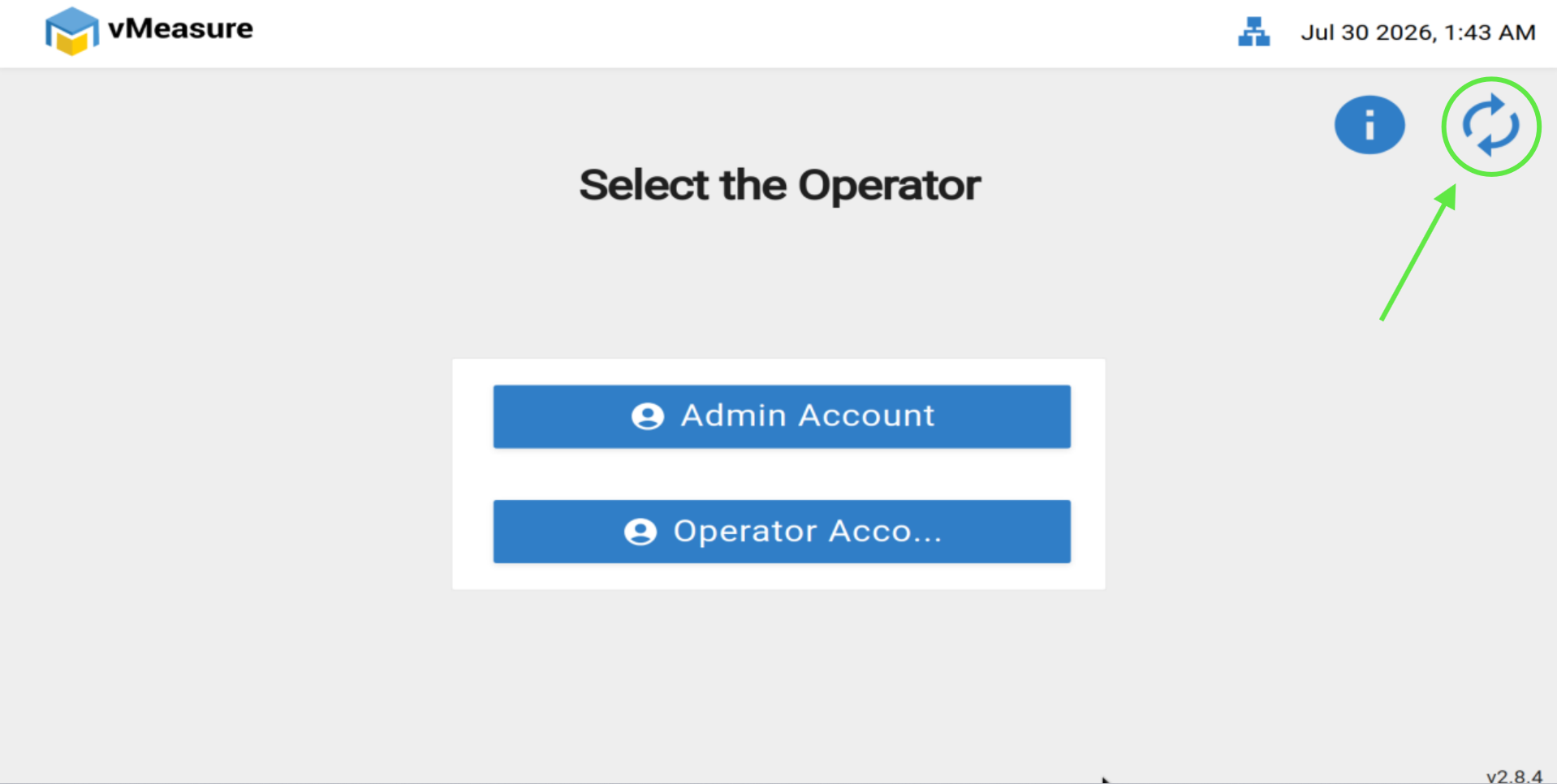
Granting Device Access Again
To allow the user to appear on the device login screen again:
- Log in to vMeasure Forge as an Admin.
- Navigate to Users.
- Edit the required user.
- Enable the Show on Device option.
- Save the changes.
- Refresh the user list on the vMeasure device.
The user will once again be available for login on the device.
Notes
- Only users with Admin privileges can modify the Show on Device setting.
- Disabling Show on Device only removes the user from the vMeasure device login screen. It does not delete the user account or revoke their Forge login access.
- After making any changes, refresh the user list on the device to apply the updated permissions.
If you need any support , please drop a mail to vmeasure@visailabs.com or Click here to Submit a Ticket.
Was this article helpful?
That’s Great!
Thank you for your feedback
Sorry! We couldn't be helpful
Thank you for your feedback
Feedback sent
We appreciate your effort and will try to fix the article