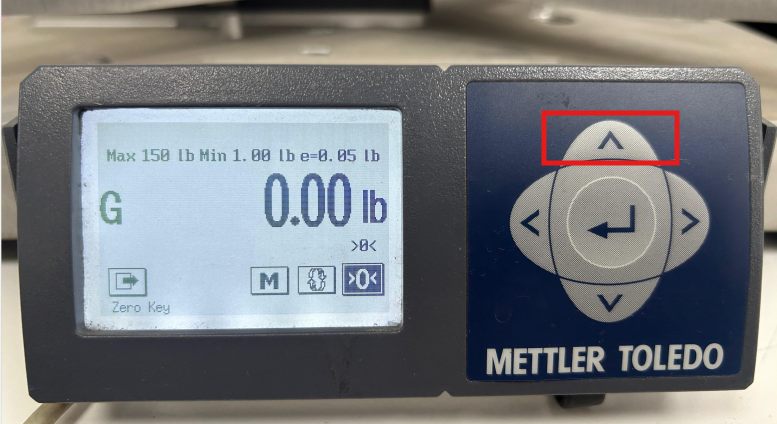
Step 1: Press & hold the (^) UP arrow for a few seconds.
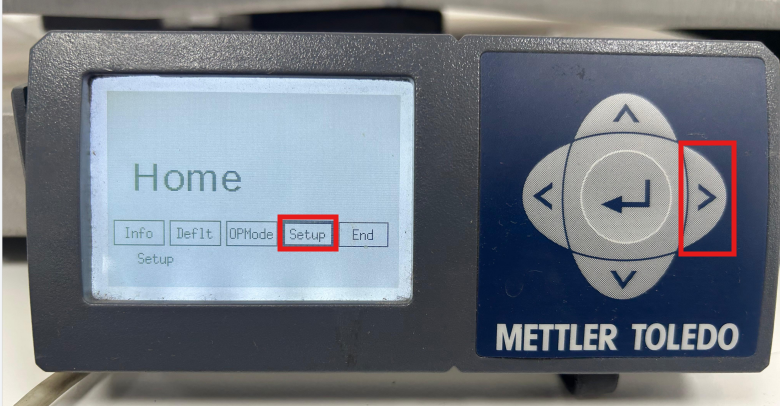
Step 2: By using the Left Arrow navigate to Setup.
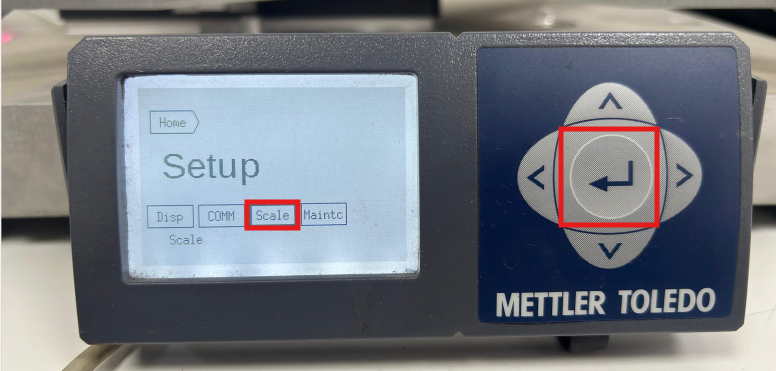
Step 3: In Setup-> Scale, it will prompt to press the Cal button.
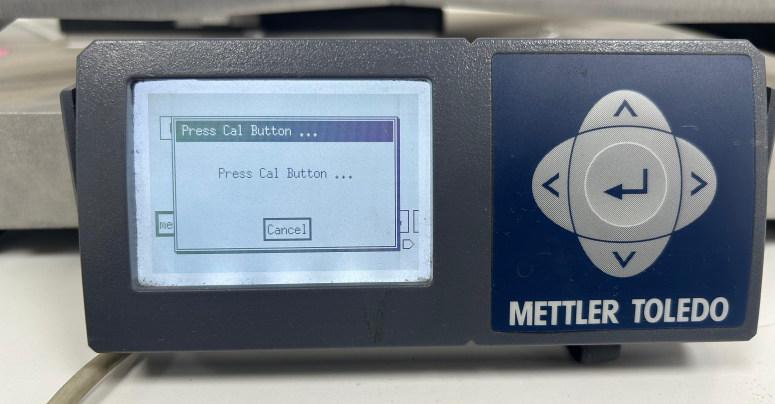
Step 4: The Cal button is present inside the weighing scale and to click on it remove the Top-base plate.
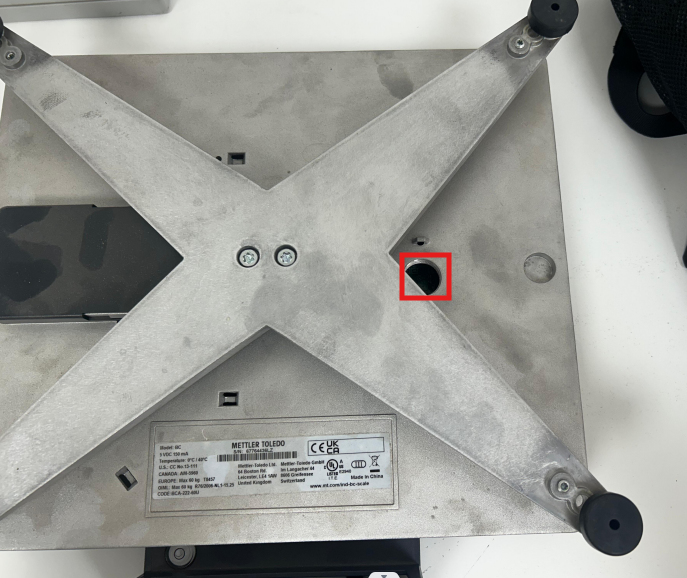
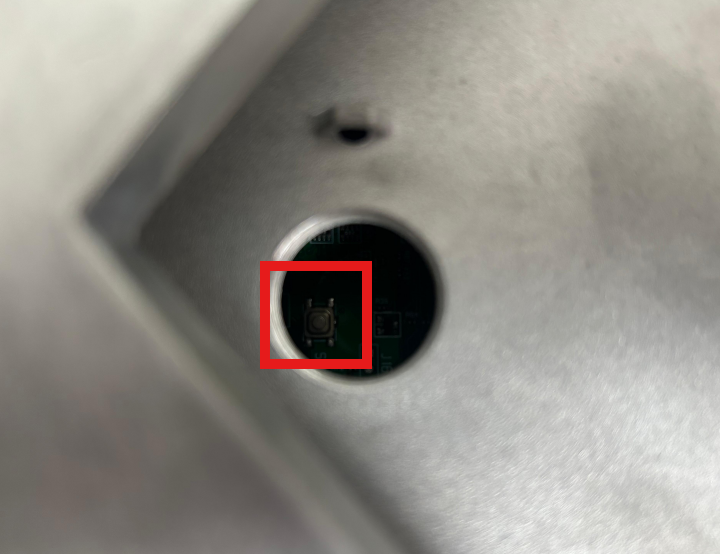
Step 5: Once the Cal button is pressed then Select CapInc and Enter.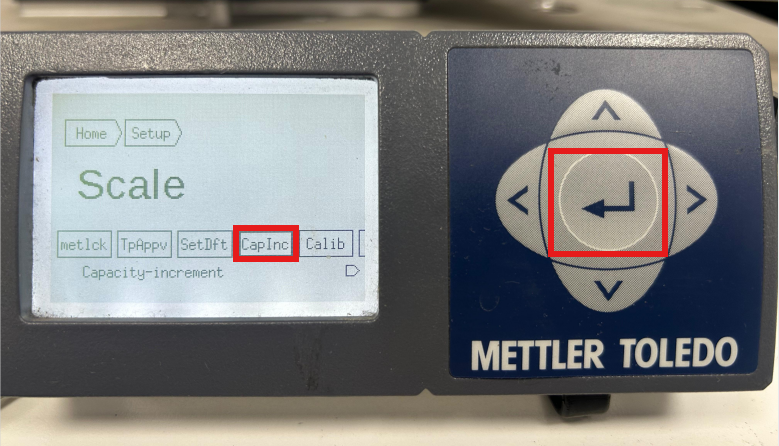
Step 6: Select the either you need to change for Primary or Secondary and Enter. Then Select MinWgt
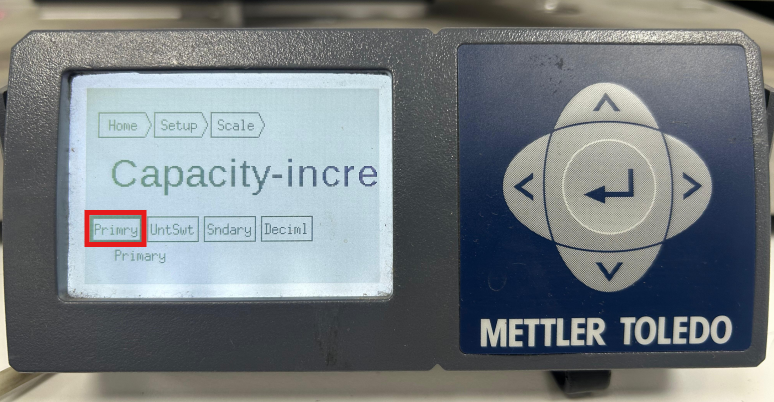
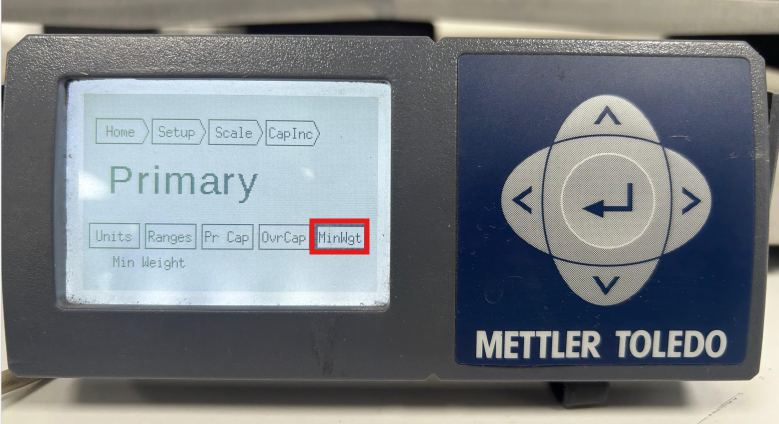
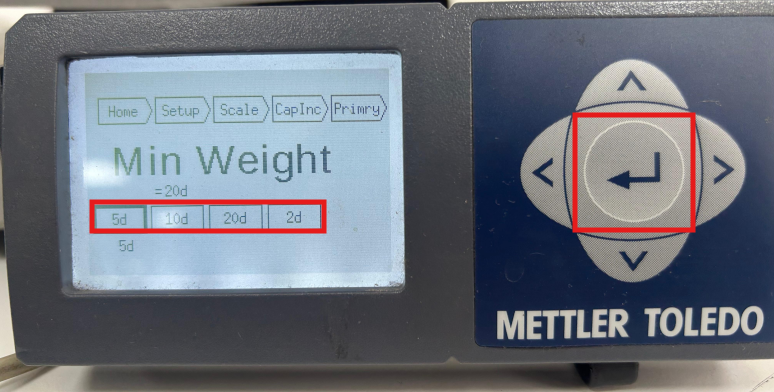
Step 7: Select the desired value and click Enter.
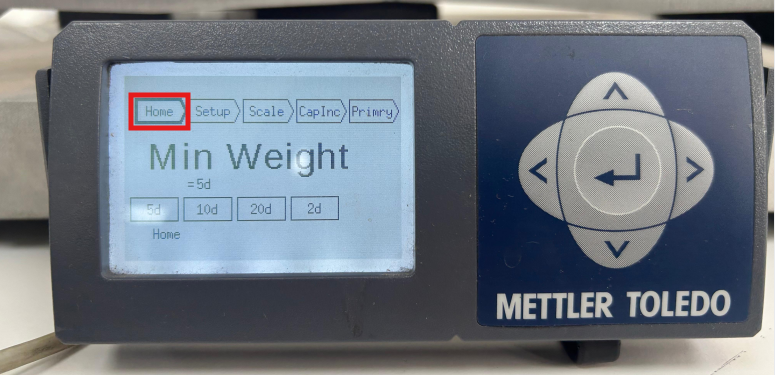
Step 8: Then navigate to Home using the directional arrow keys and click Enter.
Step 9: On Home, click End-> Save (Hold).
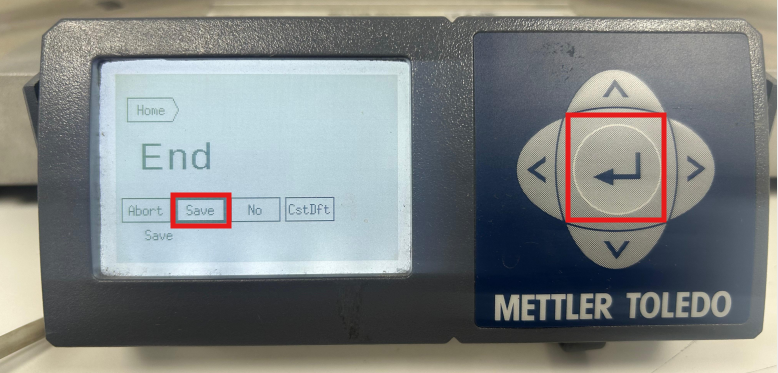
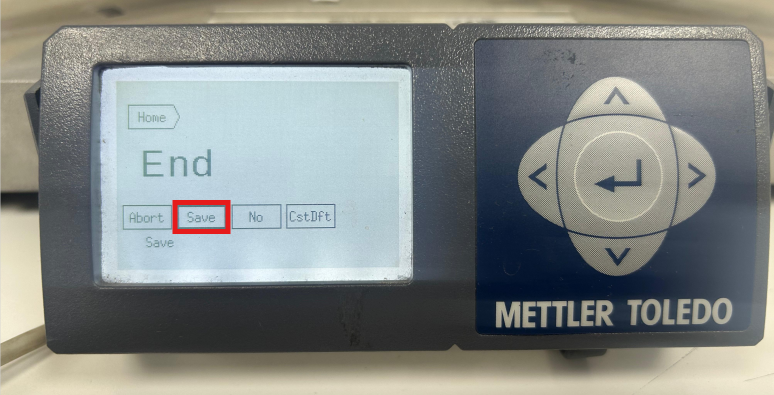
Then the scale would Reboot Once.
Up Arrow (3 Sec) -> Setup-> Scale-> (Cal) CapInc-> Primry-> MinWgt (Select Weight)-> Home-> End -> Save (Exit)
If you need any support, please drop a mail to vmeasure@visailabs.com or click here to Submit a Ticket.
Was this article helpful?
That’s Great!
Thank you for your feedback
Sorry! We couldn't be helpful
Thank you for your feedback
Feedback sent
We appreciate your effort and will try to fix the article