Step 1: Login into the device.
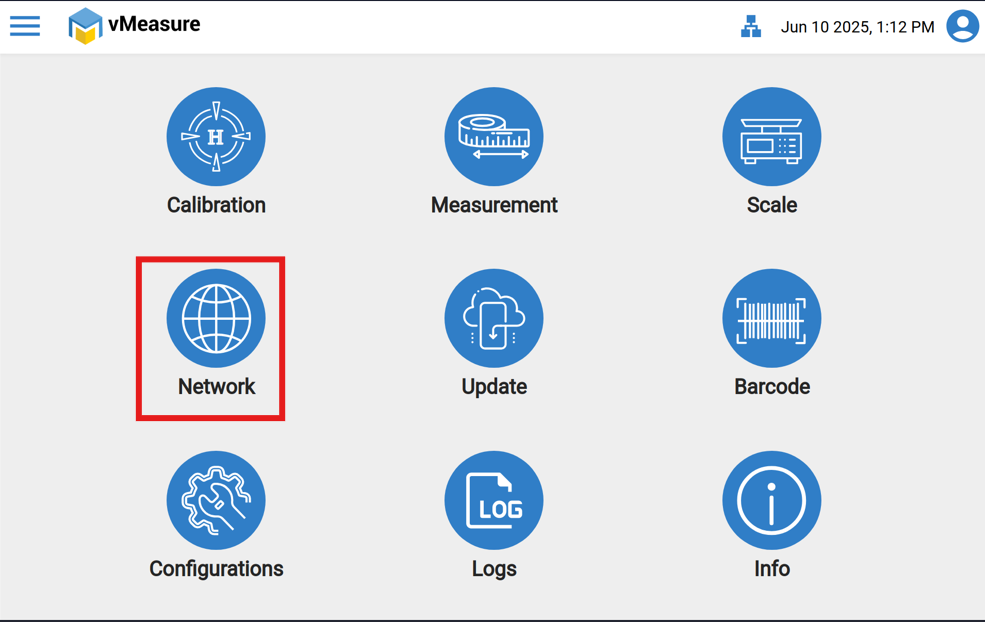
Step 2: Click the "Network" icon.
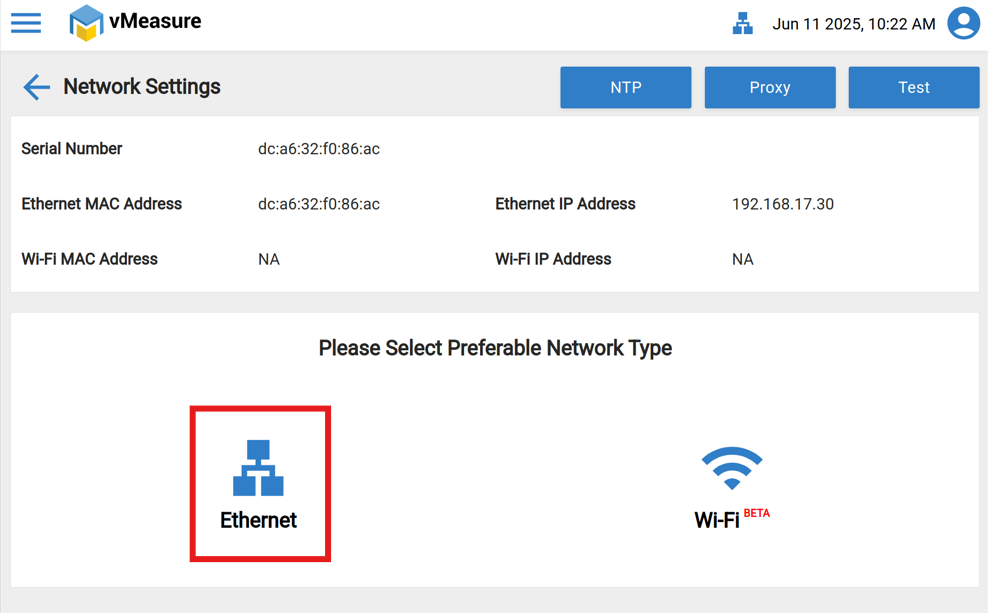
Step 3: Navigate to the "Ethernet or Wi-Fi" through which you are planning to connect the device.
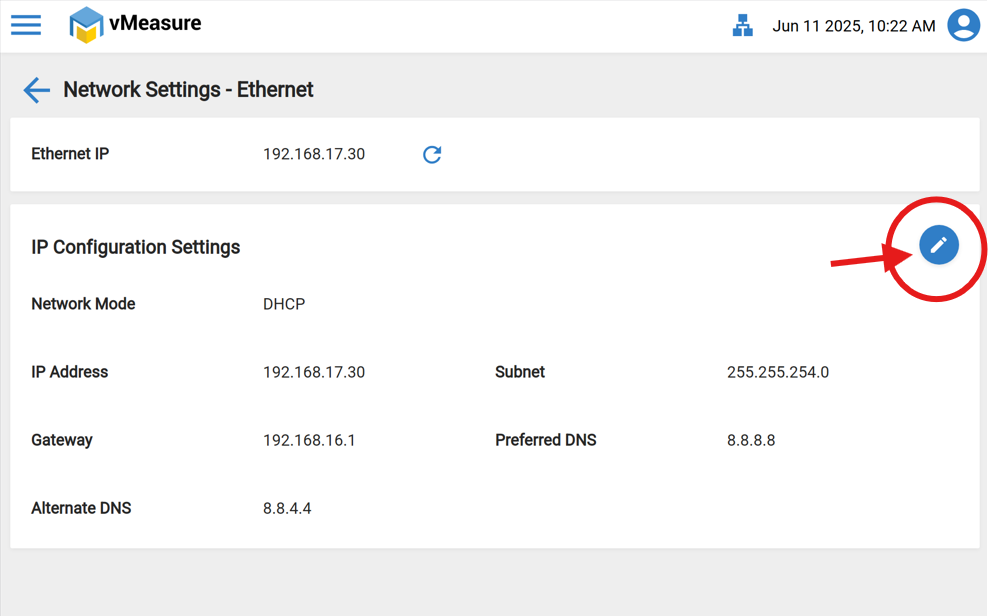
Step 4: if you are choosing "Ethernet" then click on the "Edit" option (Attached link of How to connect to W-iFi).
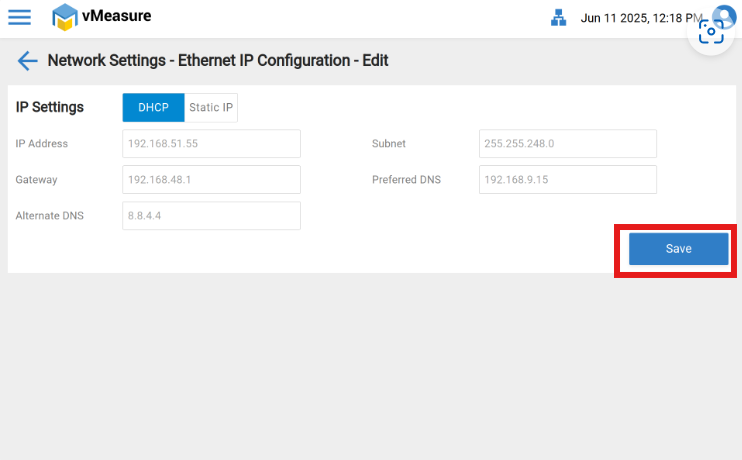
Step 5: Switch "DHCP" to "Static IP" in the Ethernet IP Configuration.
Step 6: Edit the "Static IP" and "Save" the settings.
If you need any support, please drop a mail to vmeasure@visailabs.com or click here to Submit a Ticket.
Was this article helpful?
That’s Great!
Thank you for your feedback
Sorry! We couldn't be helpful
Thank you for your feedback
Feedback sent
We appreciate your effort and will try to fix the article