Kindly follow the instructions below to change the Mettler Toledo scale to "Virtual Mode":
Video Link: Virtual mode setup video tutorial
Step 1: Press & hold up the arrow.
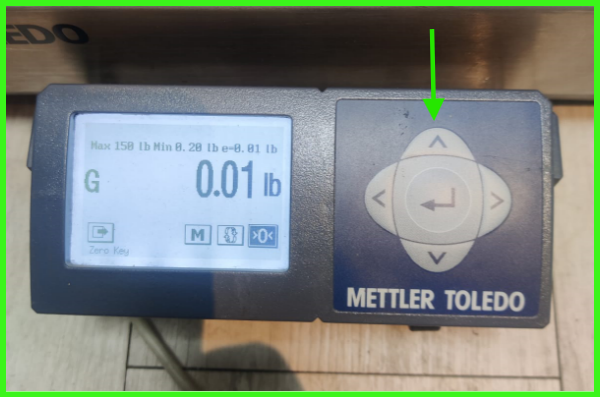
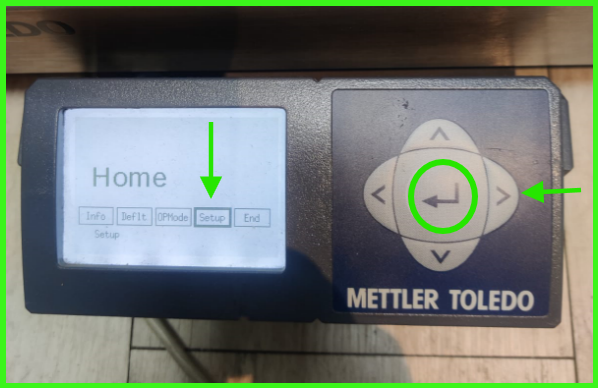
Step 2: Navigate to Setup option using right arrow & select it using center button.
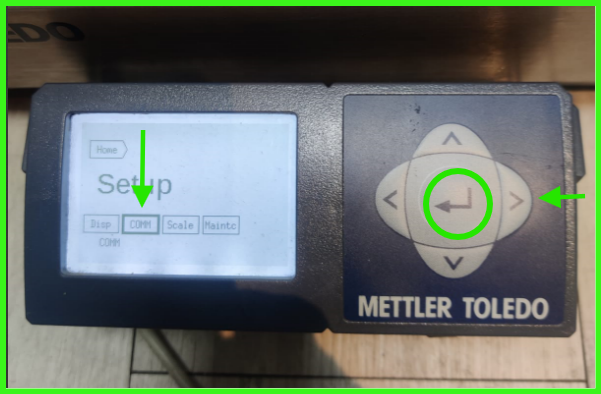
Step 3: Go to COMM using right arrow & select it using center button.
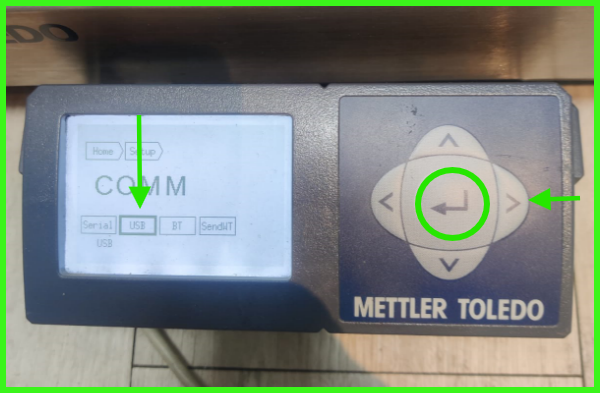
Step 4: Navigate to USB option using right arrow & select it using center button.
Step 5: Select Virtual mode using right arrow & select it using center button.
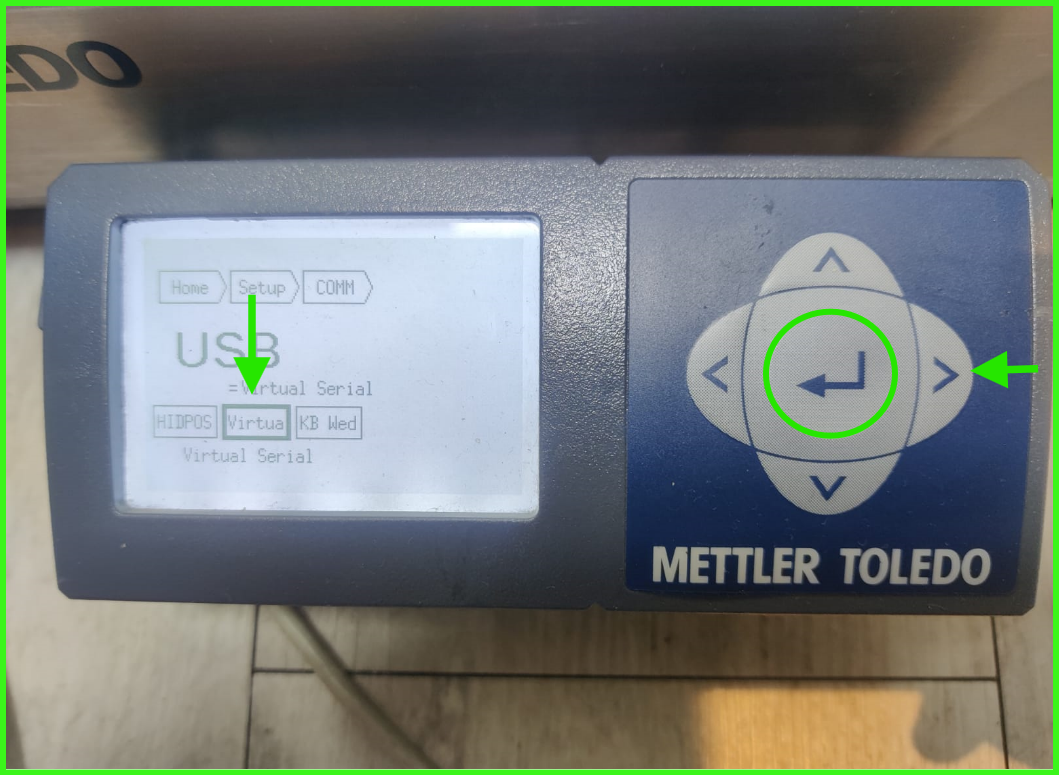
Step 6: Press & hold the center button for few seconds and press Save.
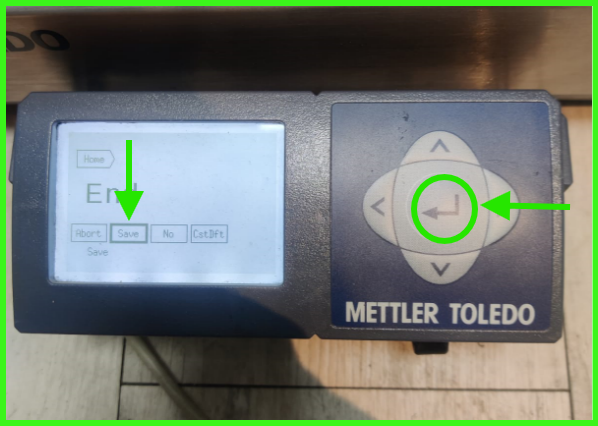
Step 7: Finally, select Exit to save the changes. The Mettler scale will automatically restart.
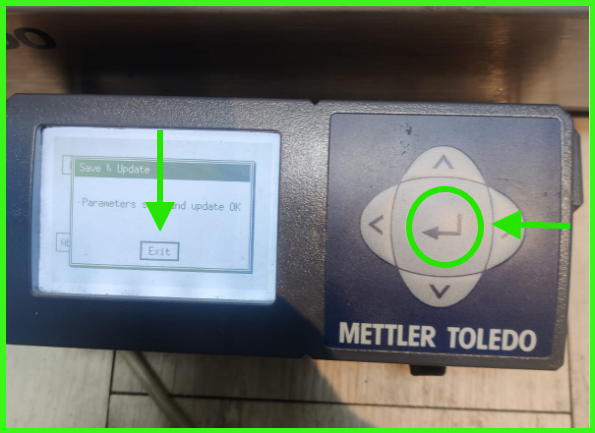
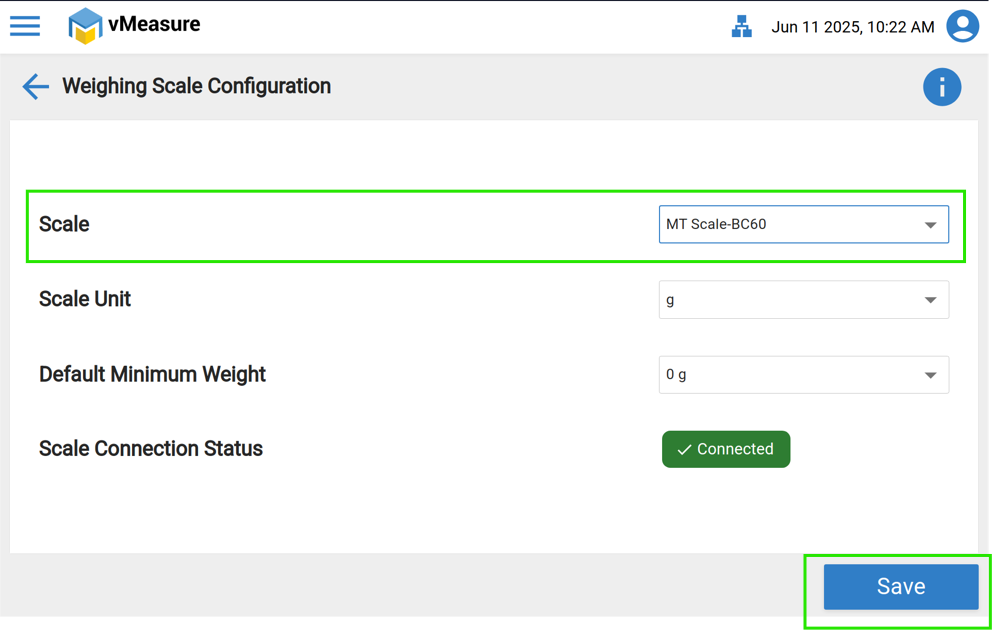
Once these settings are completed on the Mettler Toledo scale, please follow the steps below on the "vMeasure device" to select and save the Mettler Toledo scale.
Step 1: Click the Scale option.
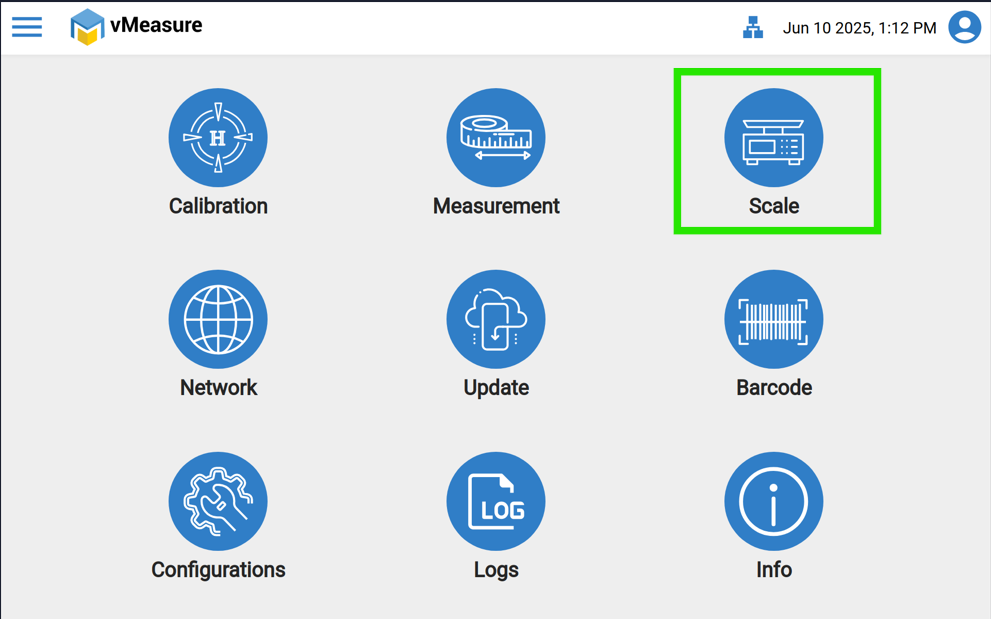
Step 2: In Scale, please select MT Scale BC60 & finally Save the settings.
If you need any support, please drop a mail to vmeasure@visailabs.com.
Was this article helpful?
That’s Great!
Thank you for your feedback
Sorry! We couldn't be helpful
Thank you for your feedback
Feedback sent
We appreciate your effort and will try to fix the article