Purpose
To configure and save the weighing scale settings in the Turbo application and verify successful connection.
Steps to Save Weighing Scale Settings
Open the Turbo application.
Click on Settings.
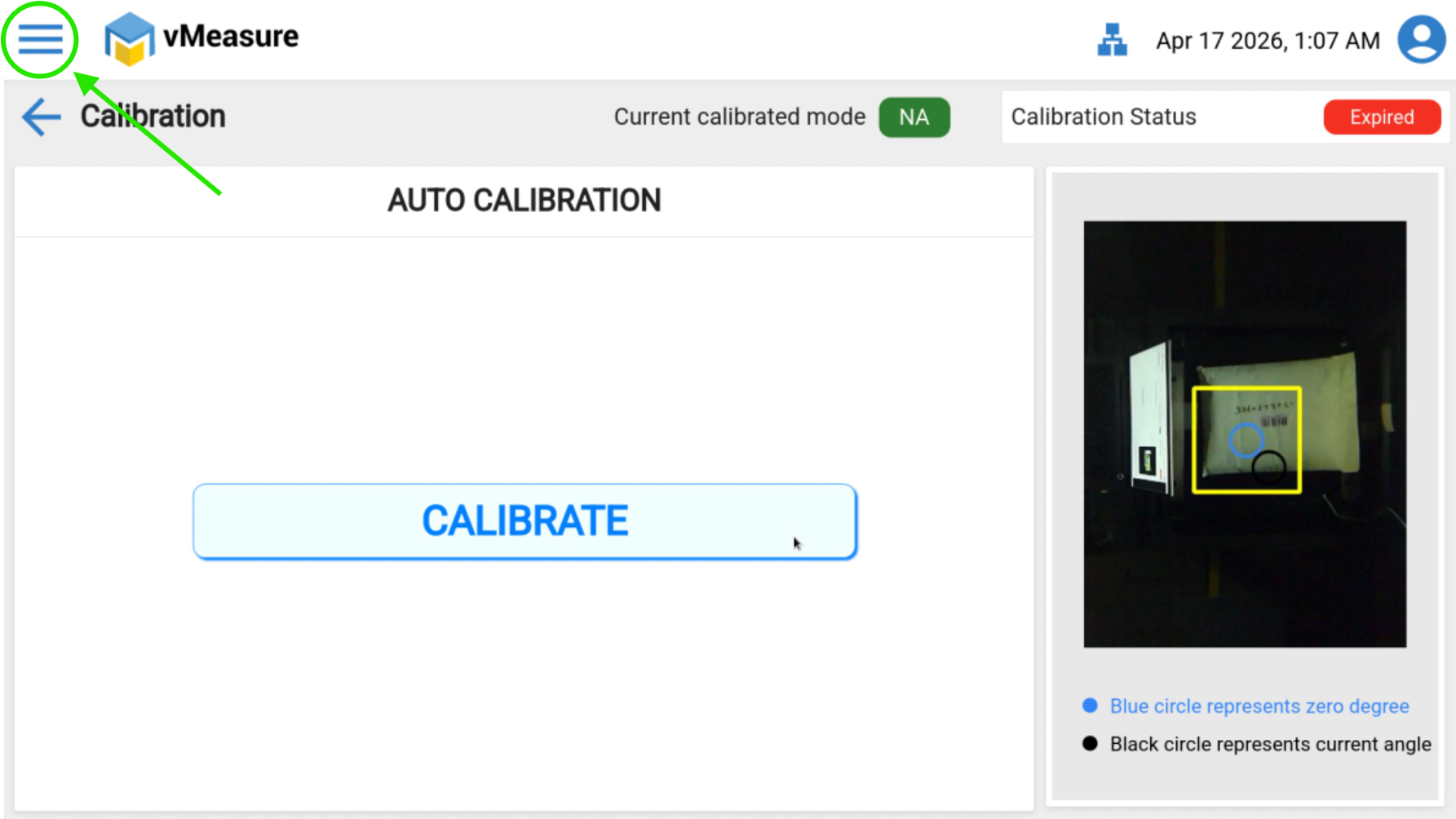
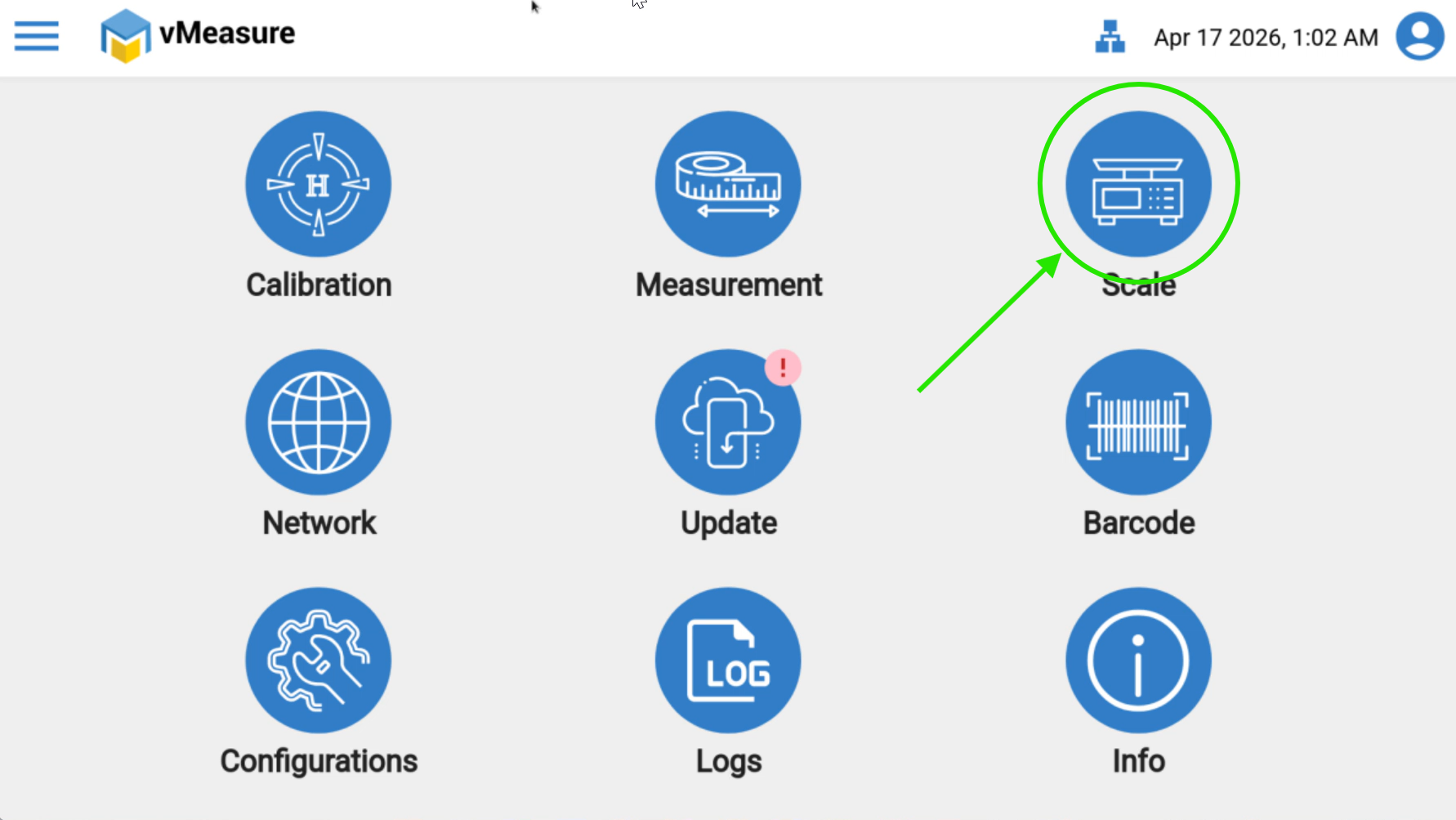
Navigate to the Scale section.
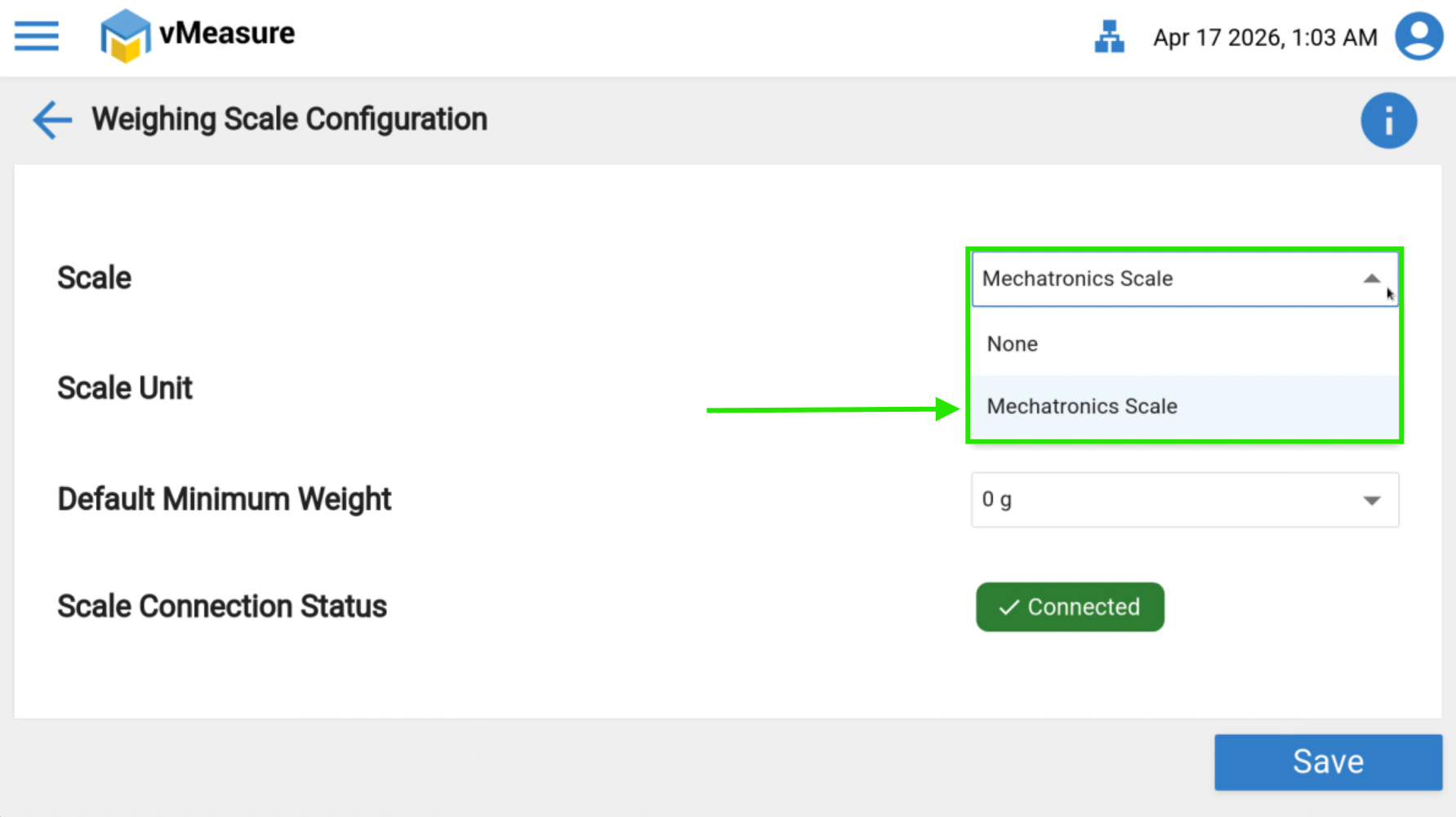
From the Scale List dropdown, select the appropriate weighing scale.
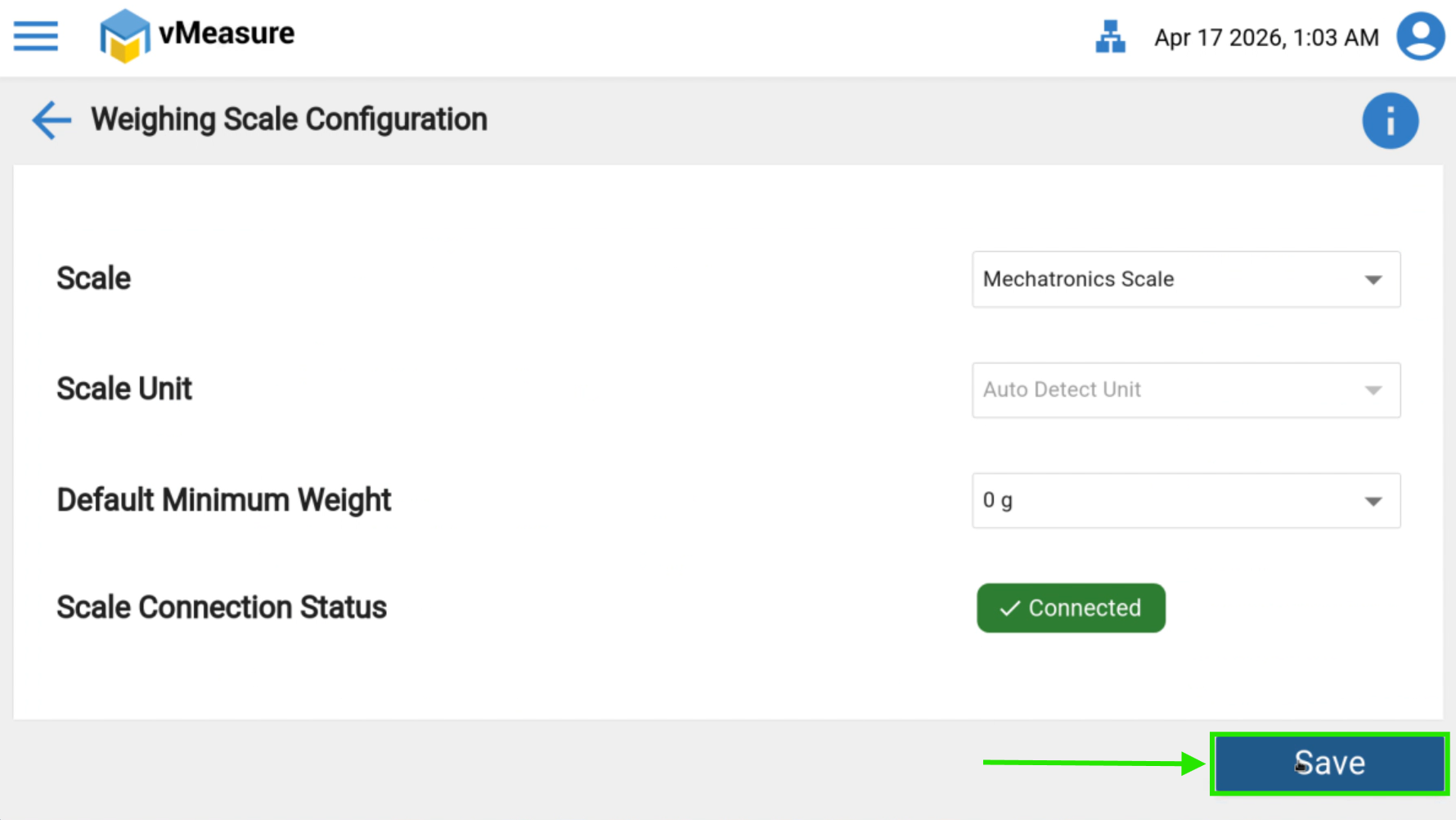
Click on Save.
Verification
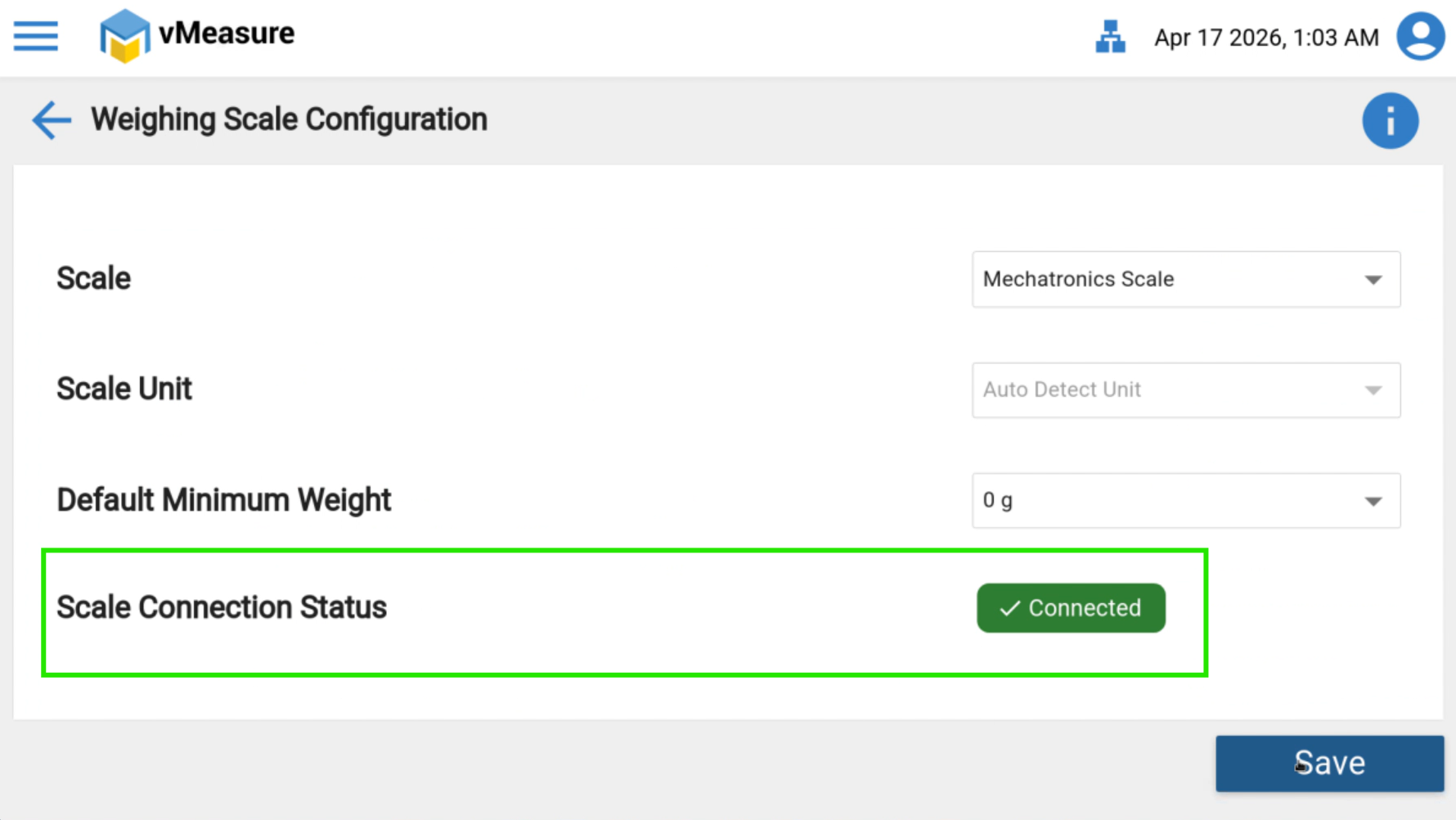
After saving, check the Scale Connection Status.
The status should display Connected, confirming the scale is configured successfully.
Troubleshooting
If the Scale Connection Status shows Disconnected or does not update:
Ensure the weighing scale is powered ON.
Verify the physical connection (USB / COM port / network cable).
Confirm the correct scale model is selected from the dropdown.
Restart the Turbo application and recheck the status.
If required, log out and log in to the system and try again.
Notes
Always save the settings after selecting the scale.
Do not disconnect the scale while saving the configuration.
Was this article helpful?
That’s Great!
Thank you for your feedback
Sorry! We couldn't be helpful
Thank you for your feedback
Feedback sent
We appreciate your effort and will try to fix the article