Steps to Change the Time Zone
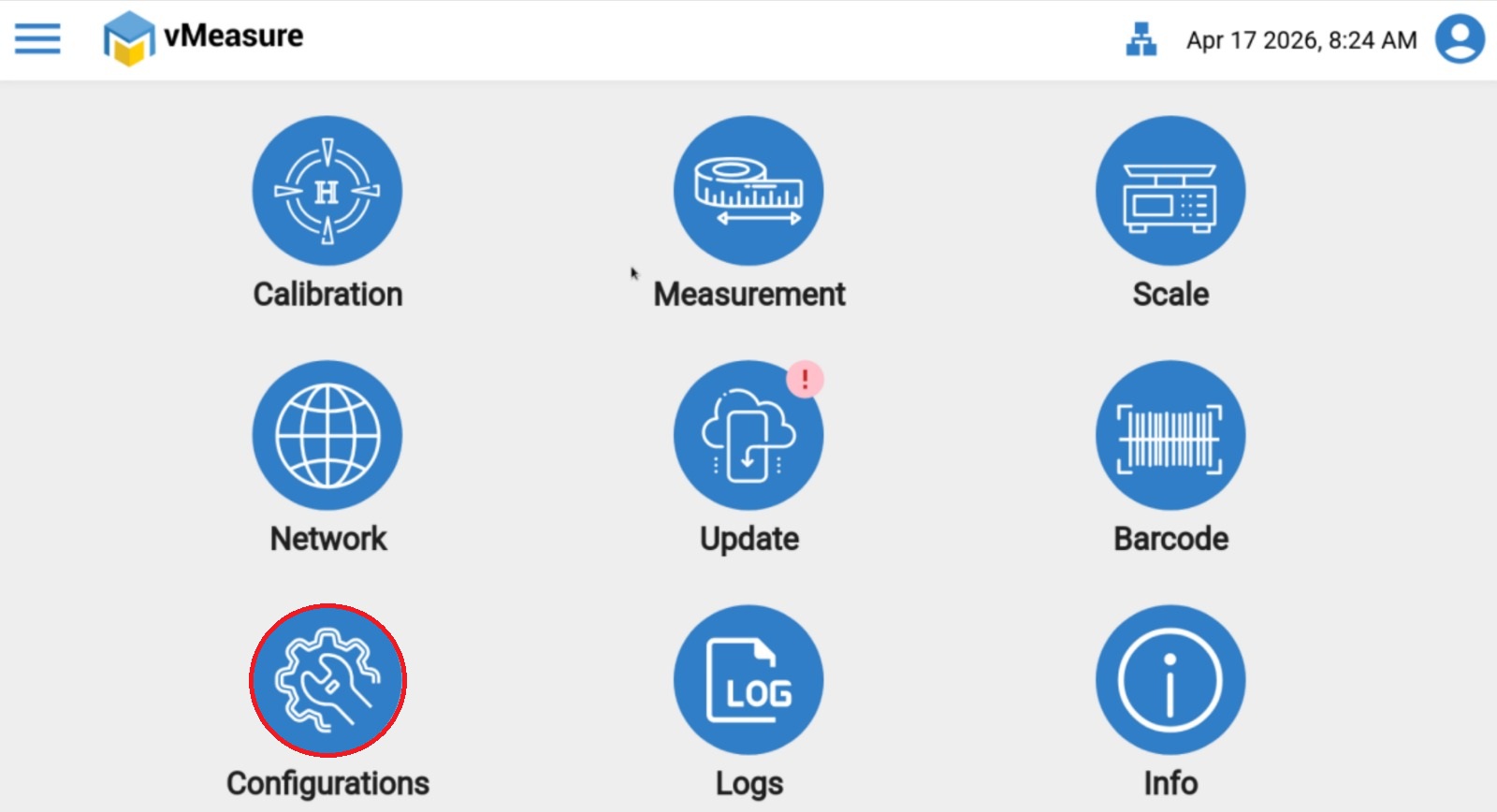
1. Once logged into the device and on the Main menu page, go select the "Configurations" icon.
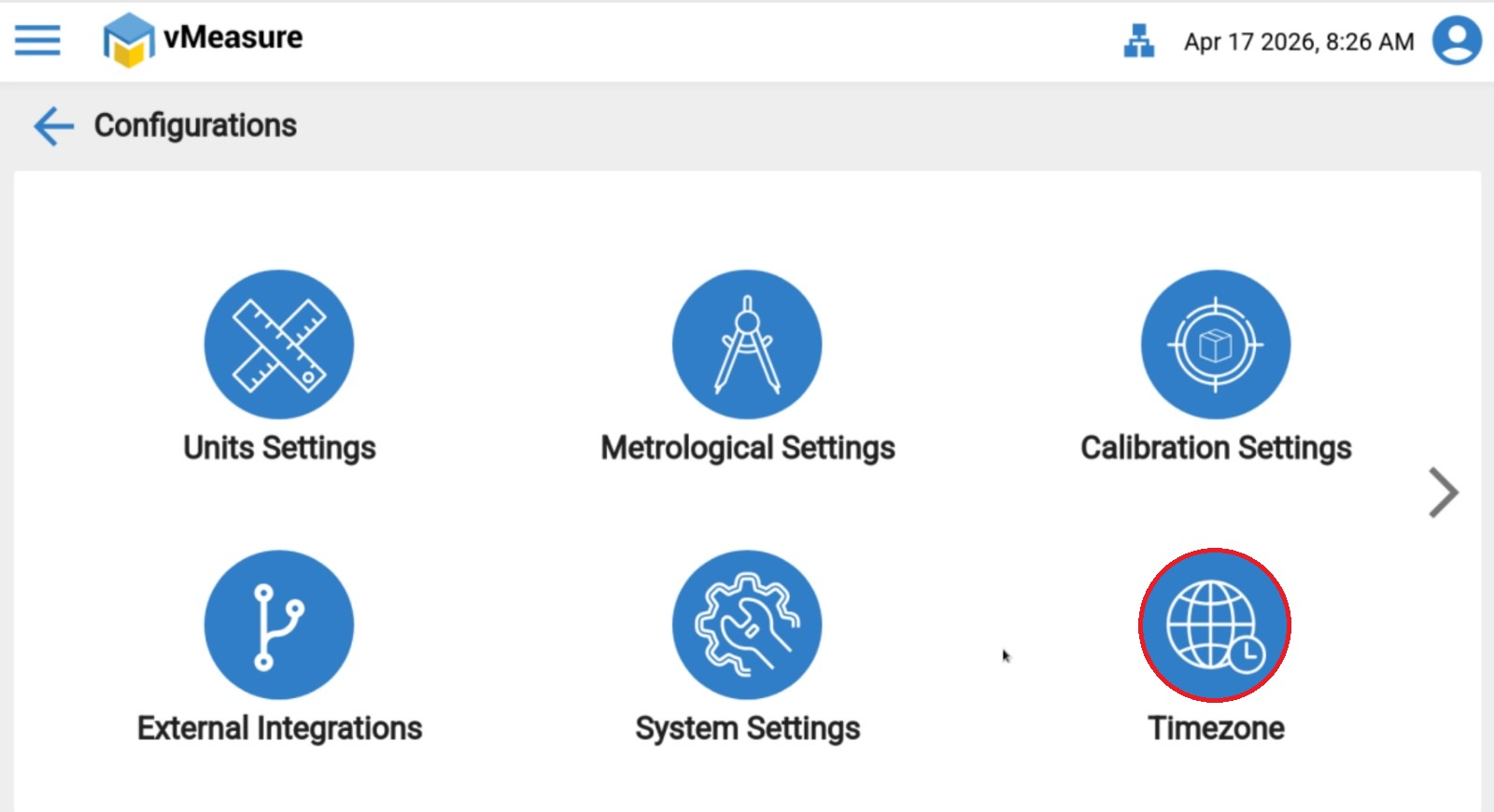
2. Once on the ‘Configurations’ page, go select the "Time zone" icon.
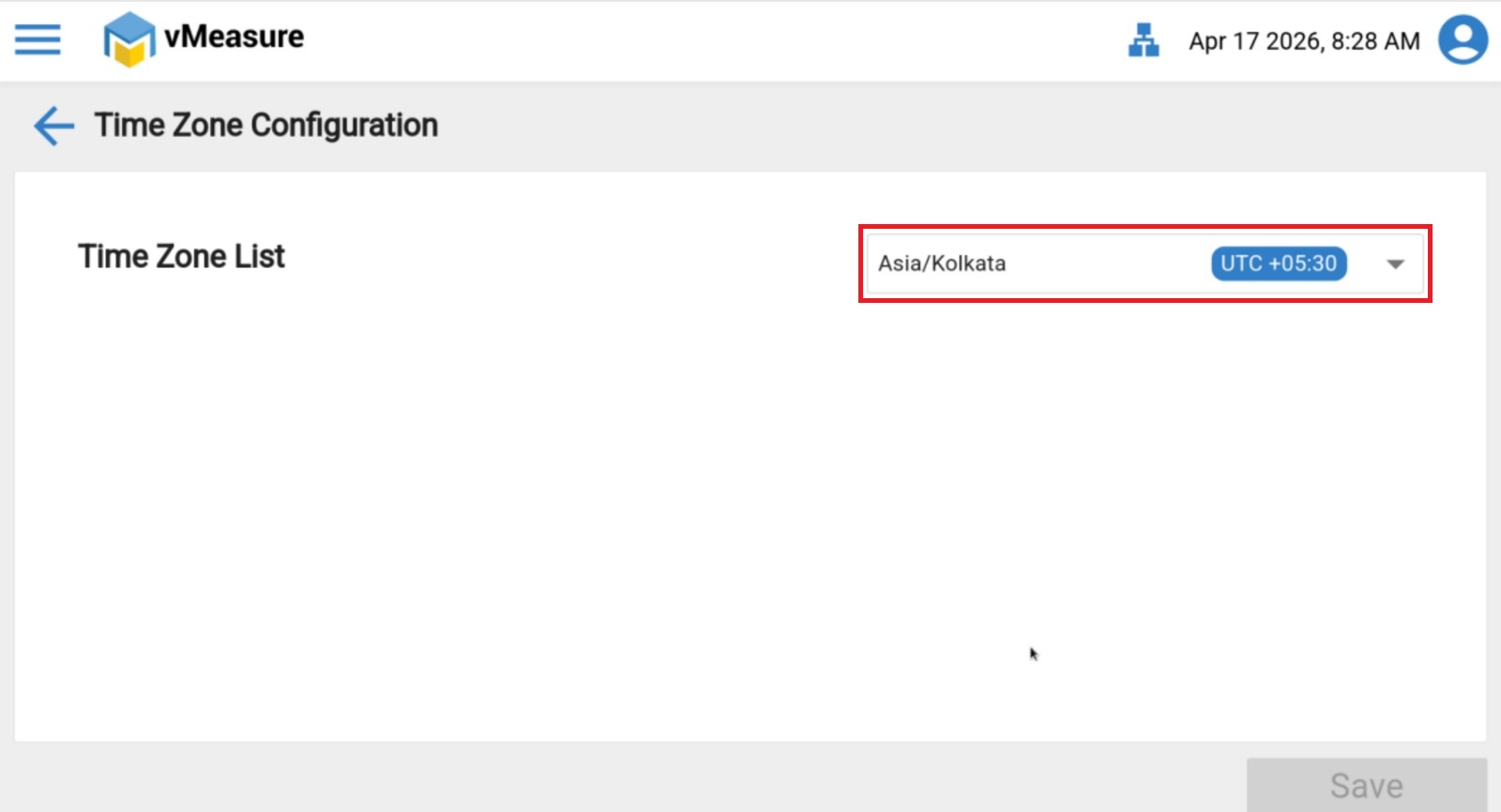
3. Select the preferable time zone from the "Time Zone List" options.
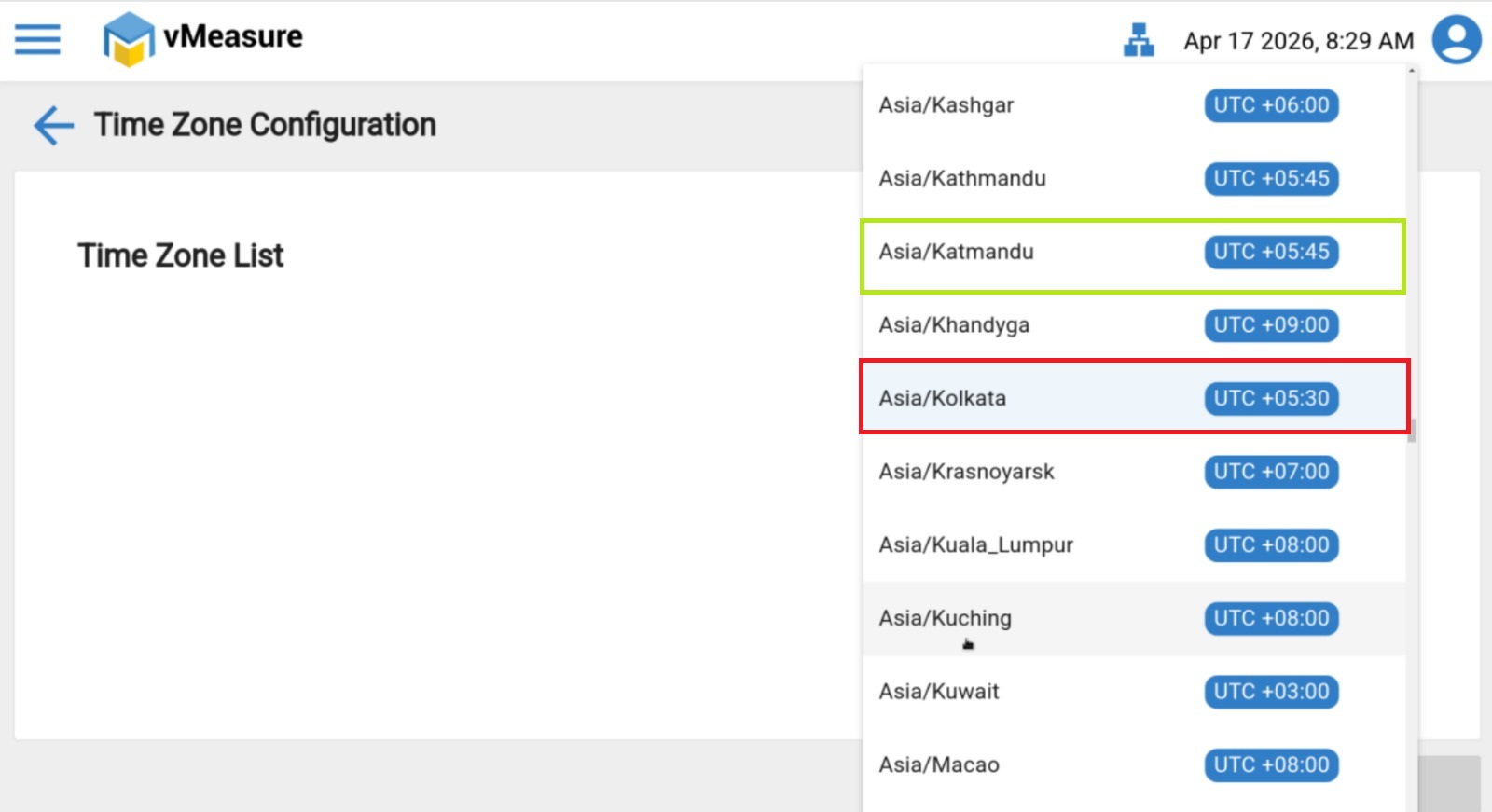
4. The Asia/Kolkata time zone corresponds to Indian Standard Time (IST), which is UTC+05:30 and is used throughout India. "You can select this option for the entire country" or choose another suitable time zone from the list based on your preference, for instance Asia/Kathmandu (UTC+05:45).
5. Click on Save.
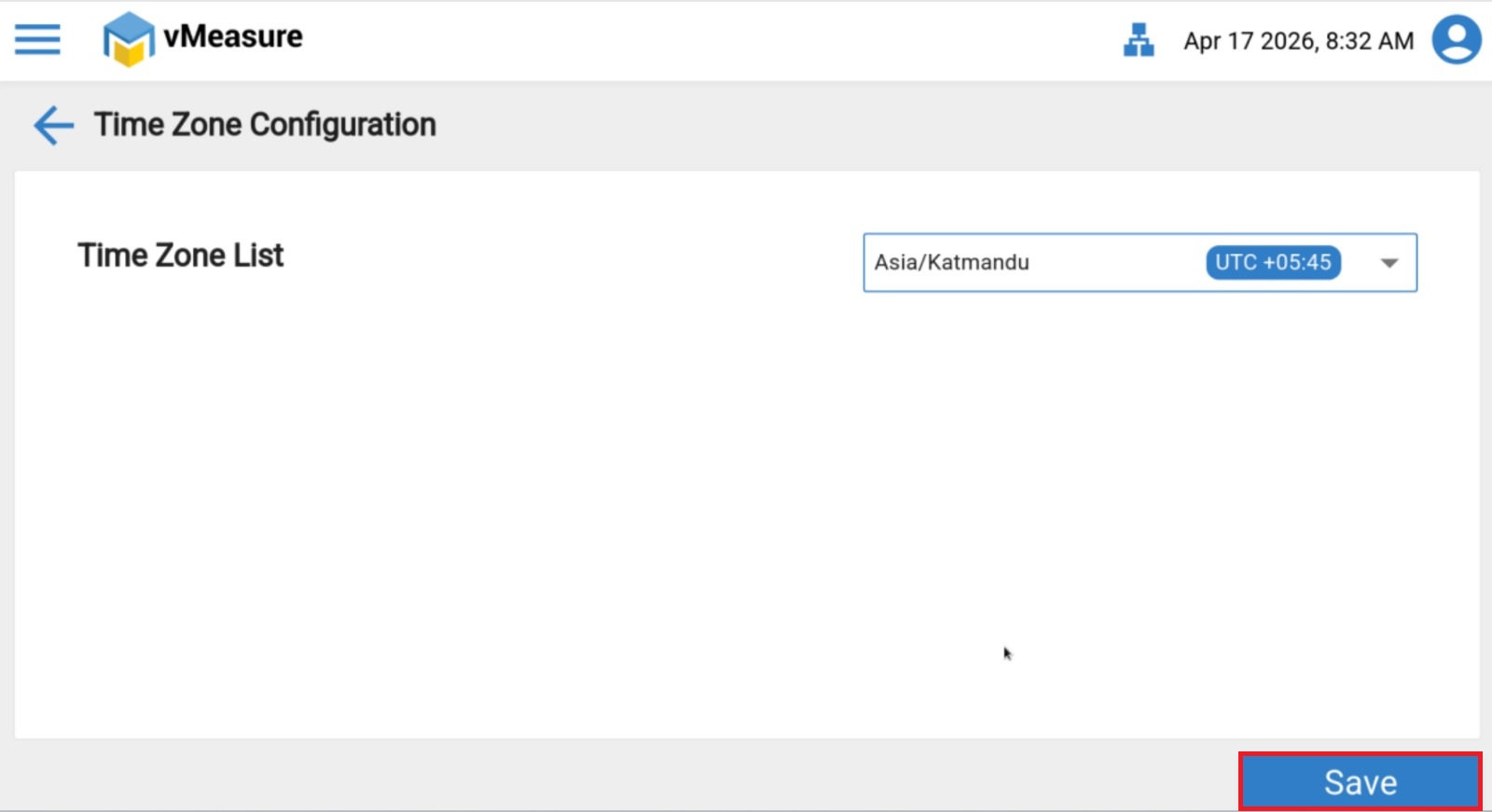
NOTE: When you change from one time zone to another using the drop-down list, the device will prompt you to reboot.
Was this article helpful?
That’s Great!
Thank you for your feedback
Sorry! We couldn't be helpful
Thank you for your feedback
Feedback sent
We appreciate your effort and will try to fix the article