Who is operating my vMeasure device at certain time?
Step 1: Login to your Forge account.
Forge login link : Click Here
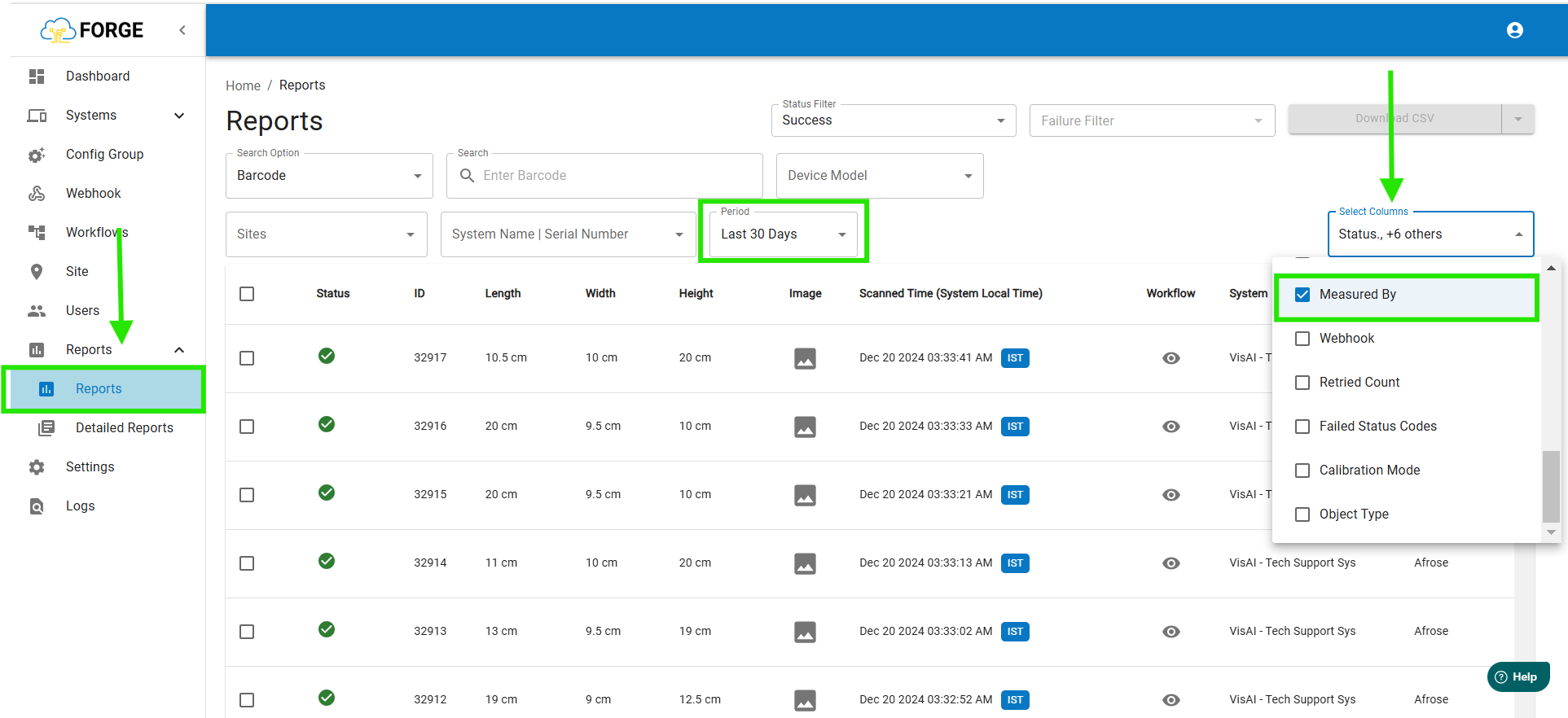
Step 2: Once you logged, Go to "Reports" Page.
Select the Report, Period, Select Column - In that list select Measured By.
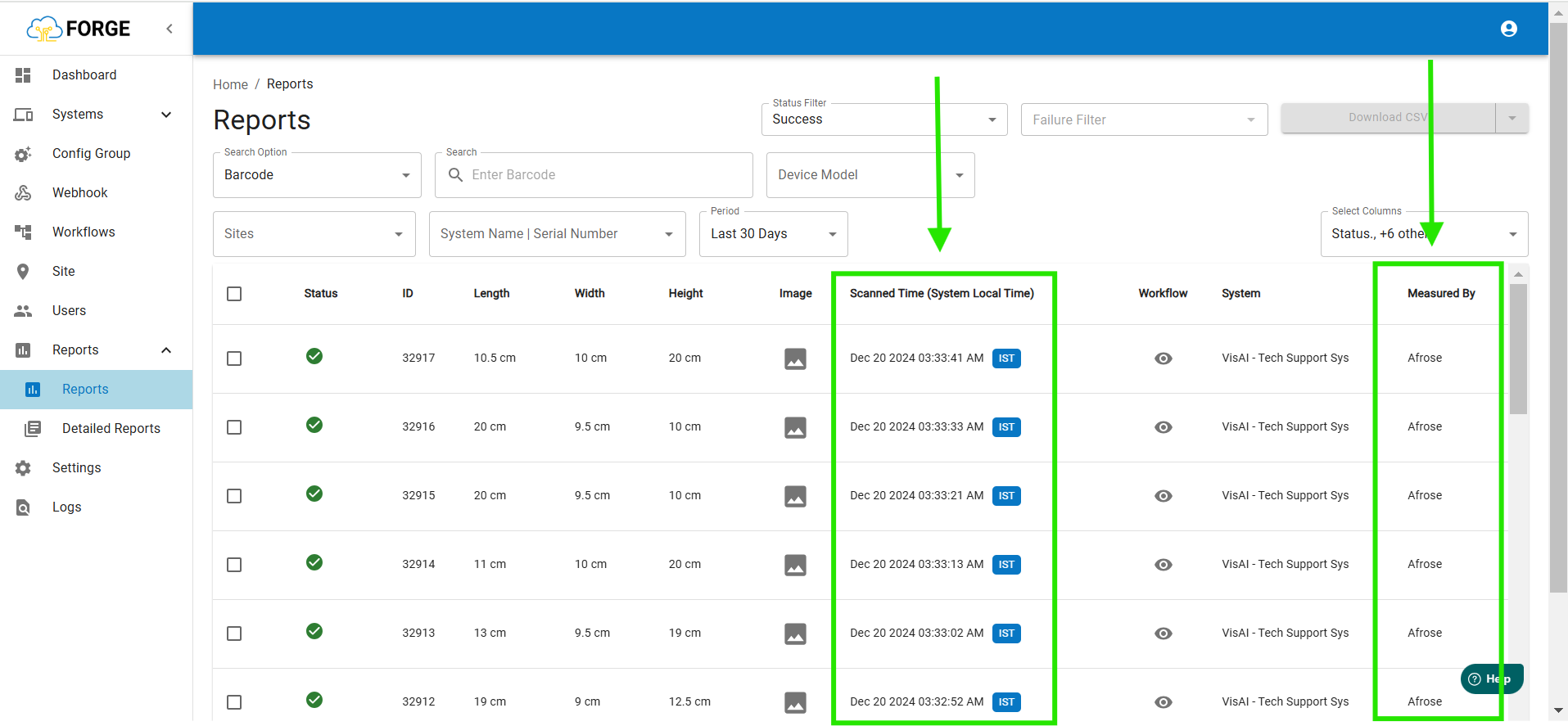
Step 3: Then you can see who is operating in certain time - Scanned Time(System Local Time).
If you need any support, please drop a mail to Click Here Or Click Here to Summit a Ticket.
Was this article helpful?
That’s Great!
Thank you for your feedback
Sorry! We couldn't be helpful
Thank you for your feedback
Feedback sent
We appreciate your effort and will try to fix the article