How to configure the Barcode Reader,
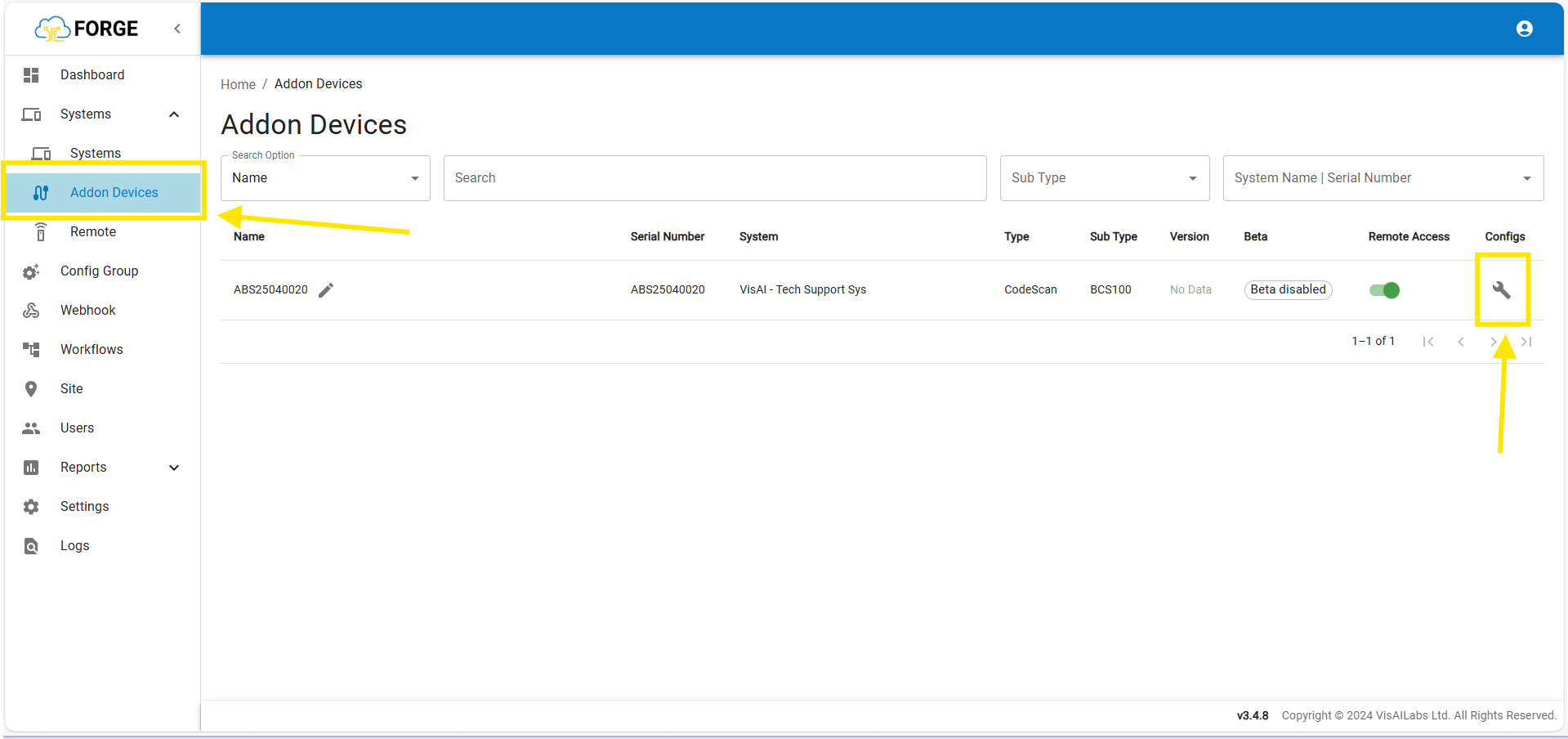
Step 3: Then Click the "Configs" icon.
Step 4: Then Click the "Barcode Reader Configuration" Check Box,
You got 2 options, They are Remember Frame Count and Maximum Barcode Per Frame.
Step 5: For the Remember Frame Count, you can assign up to 10 count, it will helps you to avoid the same barcode scanned for multiple times (as per you configure times in Remember Frame Count column).
Step 6: For the Maximum Barcode Per Frame, you can assign as per your need to scan the multiple barcode in same shipment.
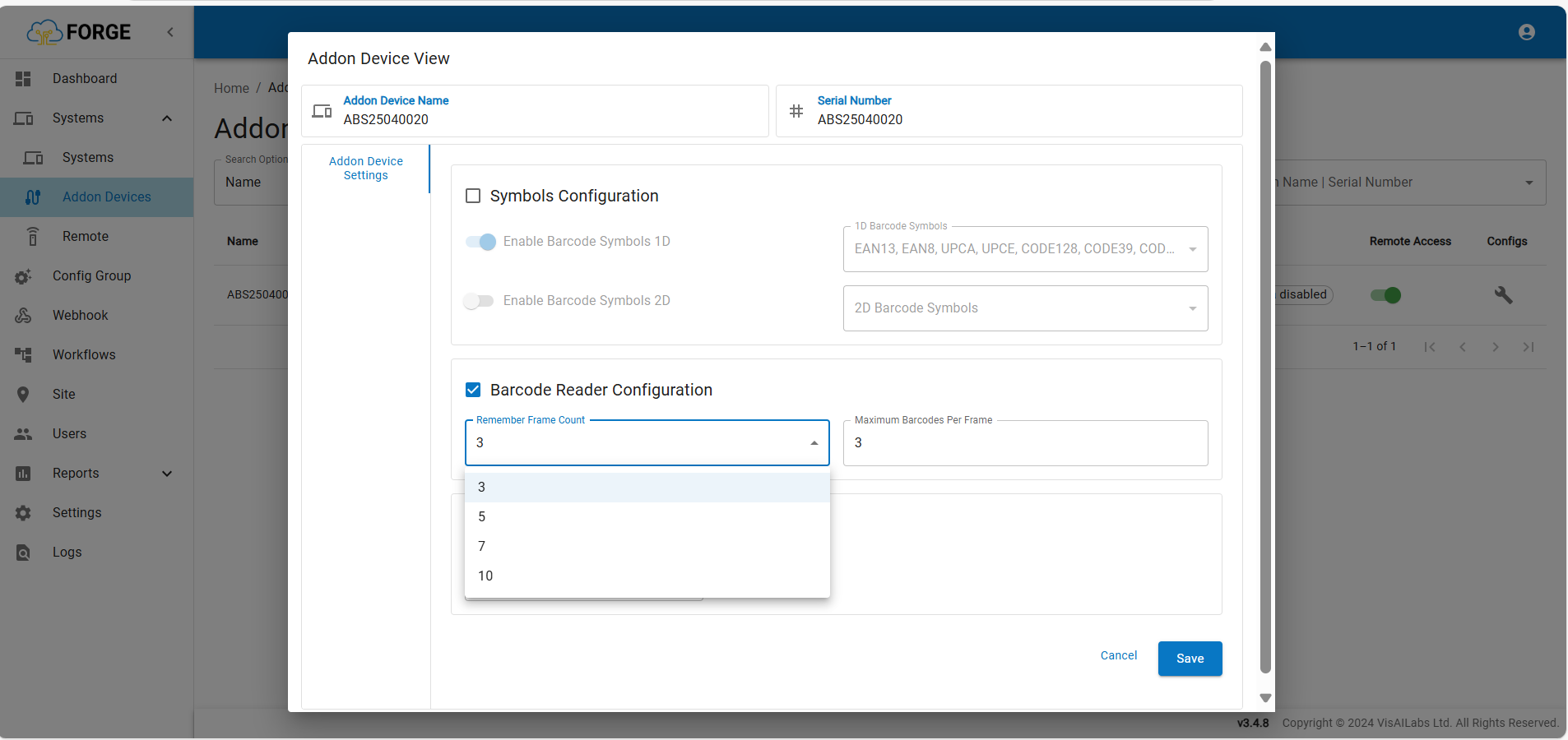
Step 7: Then Click "Save" button to save the changes.
If you need any support , please drop a mail to vmeasure@visailabs.com or Click Here to Summit a Ticket.
Was this article helpful?
That’s Great!
Thank you for your feedback
Sorry! We couldn't be helpful
Thank you for your feedback
Feedback sent
We appreciate your effort and will try to fix the article