How to view the streaming view of the Automated Barcode,
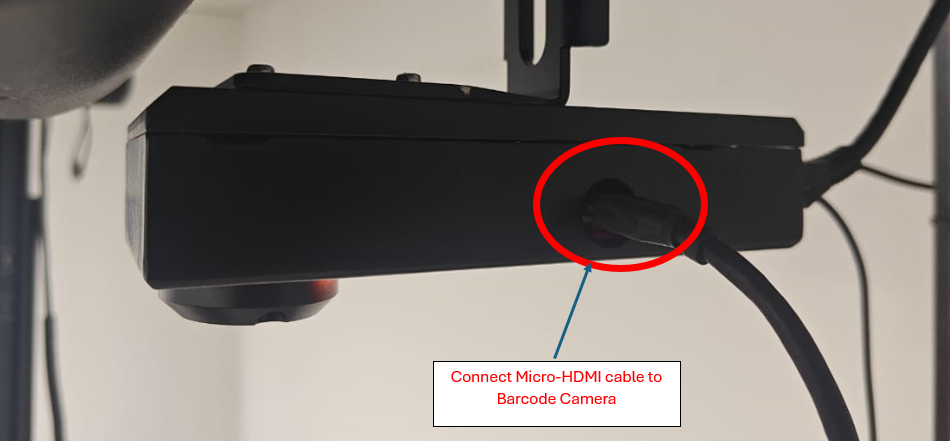
Step1: Connect an HDMI cable to a display and attach the other end (Micro HDMI) to the barcode reader.
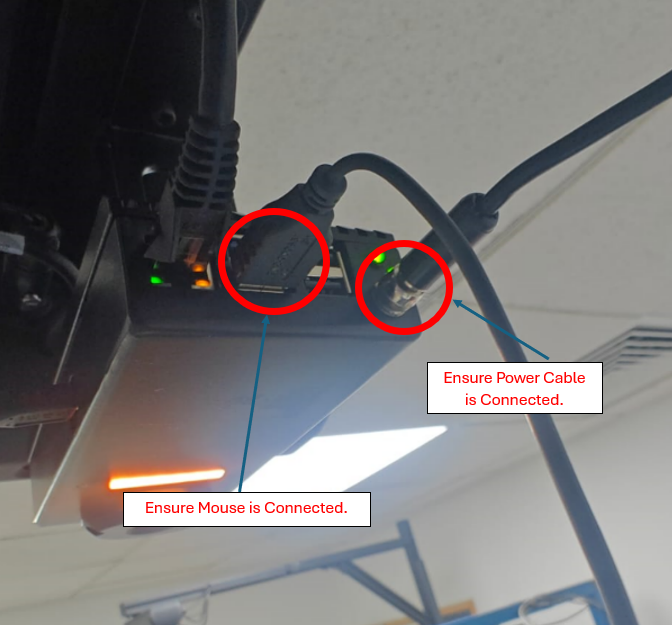
Step 2: Power on the device.
Important: Before turning on the device, ensure that Power cable and USB Mouse are properly connected.
Step 3: Once the device boots up, it will enter the configuration page.
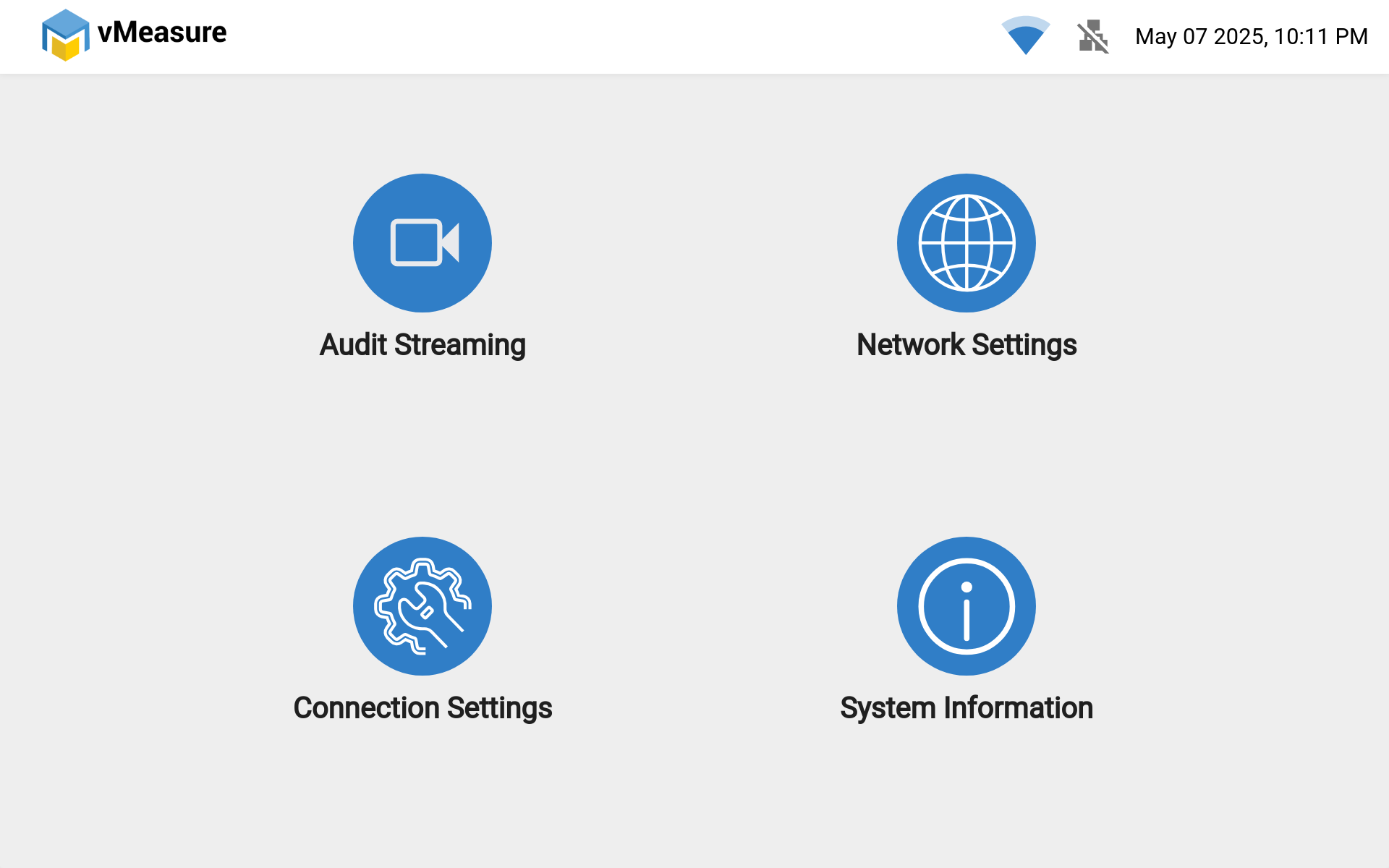
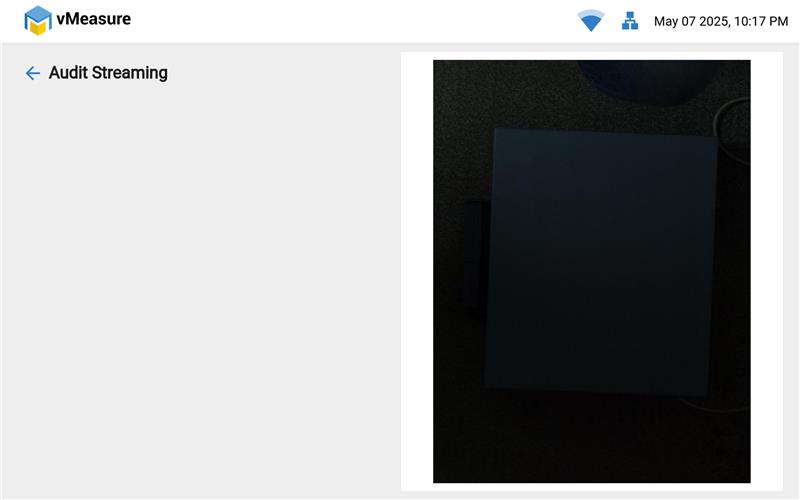
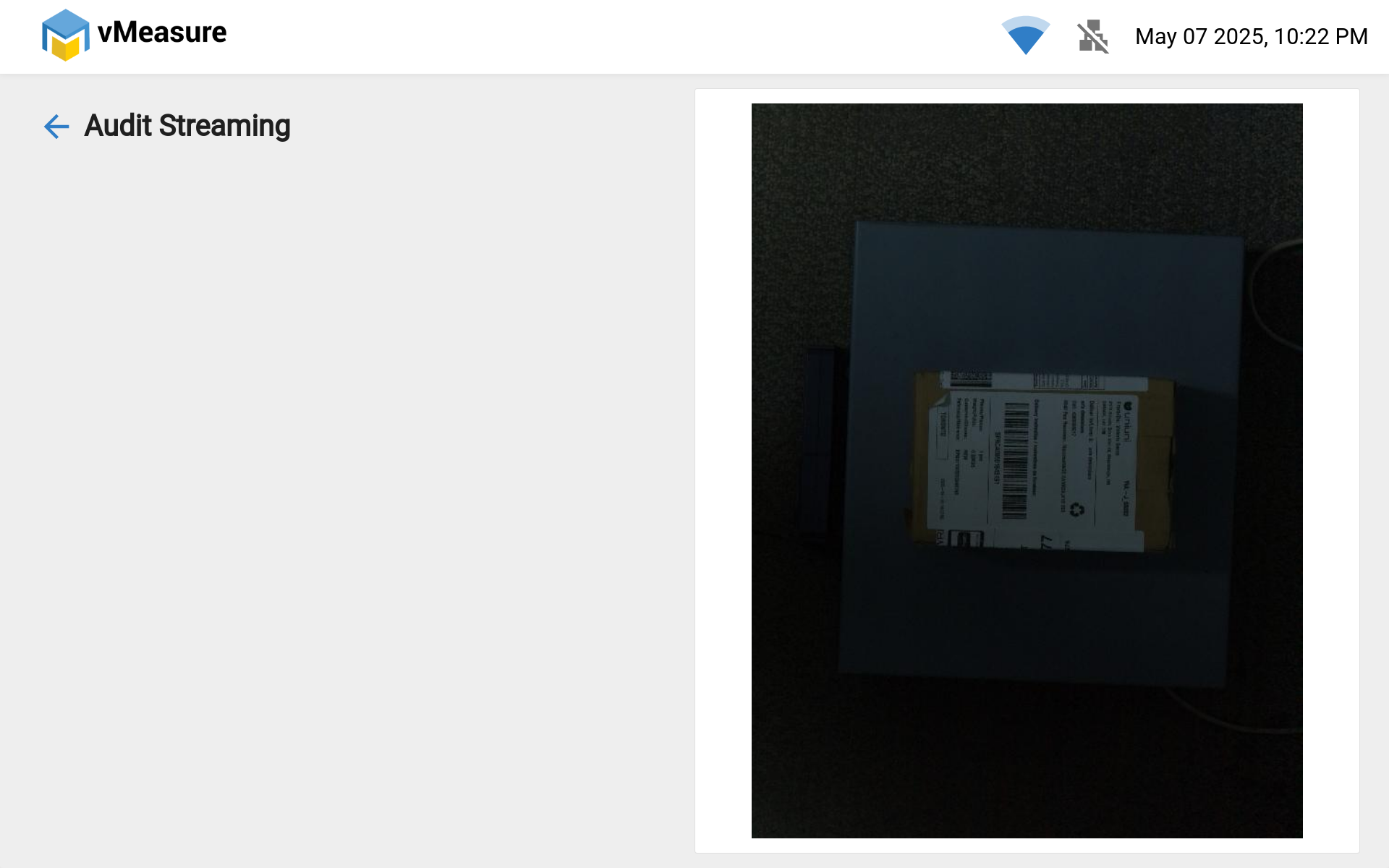
Step 4: Navigate to Audit Streaming, then you can view the video preview.
If you need any support , please drop a mail to vmeasure@visailabs.com or Click Here to Summit a Ticket.
Was this article helpful?
That’s Great!
Thank you for your feedback
Sorry! We couldn't be helpful
Thank you for your feedback
Feedback sent
We appreciate your effort and will try to fix the article