Step 1: Go to the "Menu" page on the device.
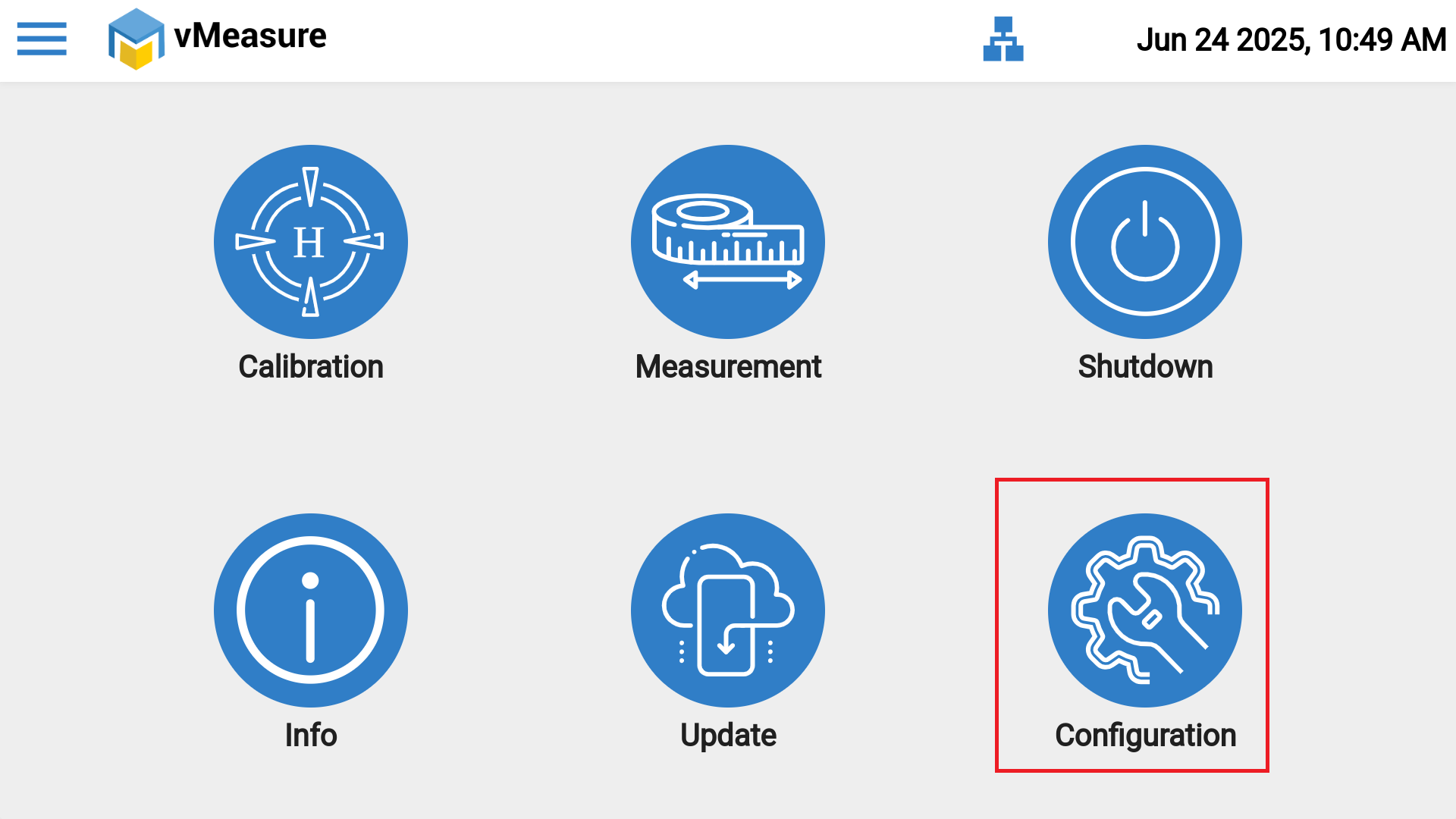
Step 2: Navigate to the "Configuration" icon.
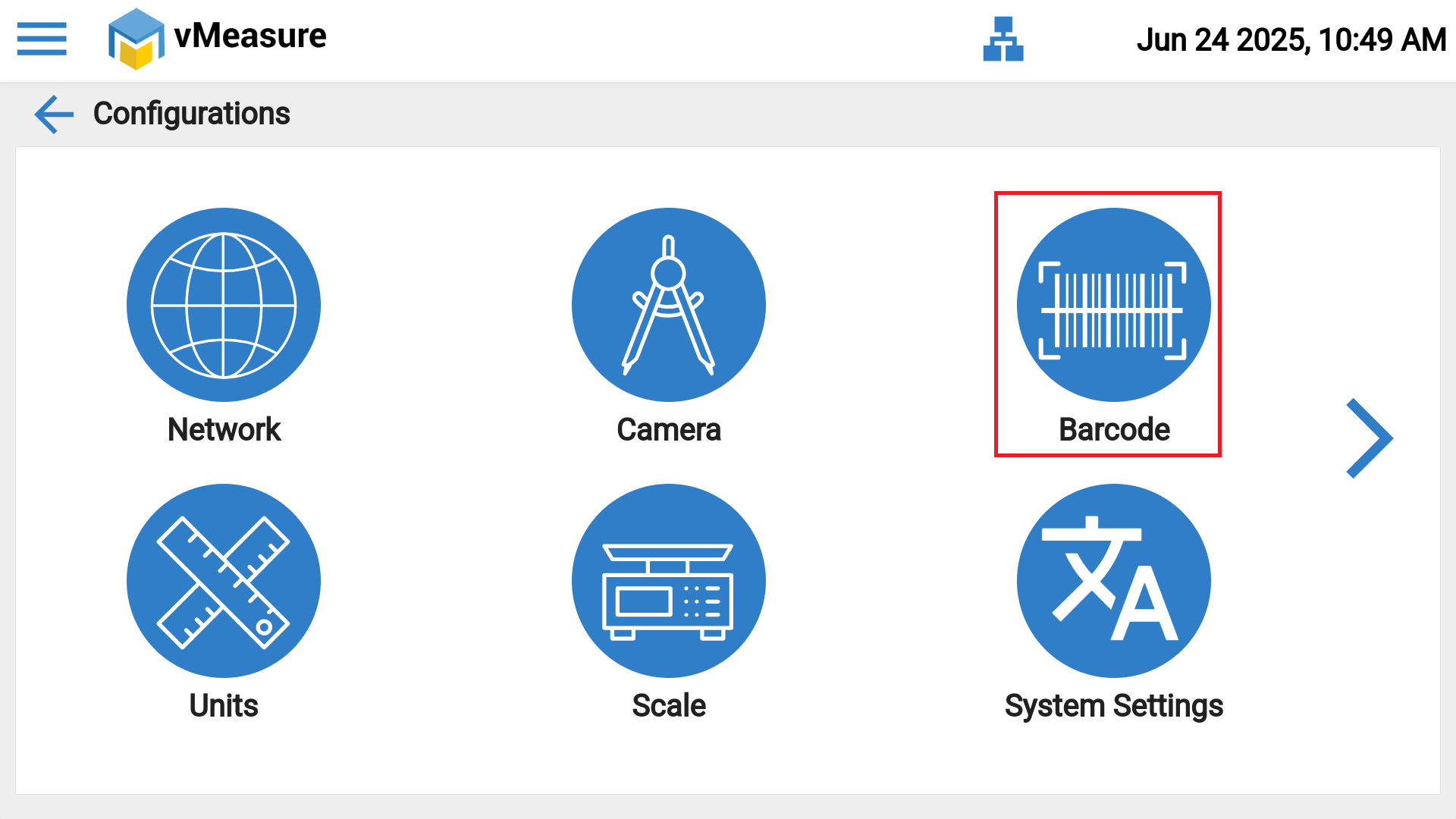
Step 3: On the Configuration page, select the "Barcode" icon.
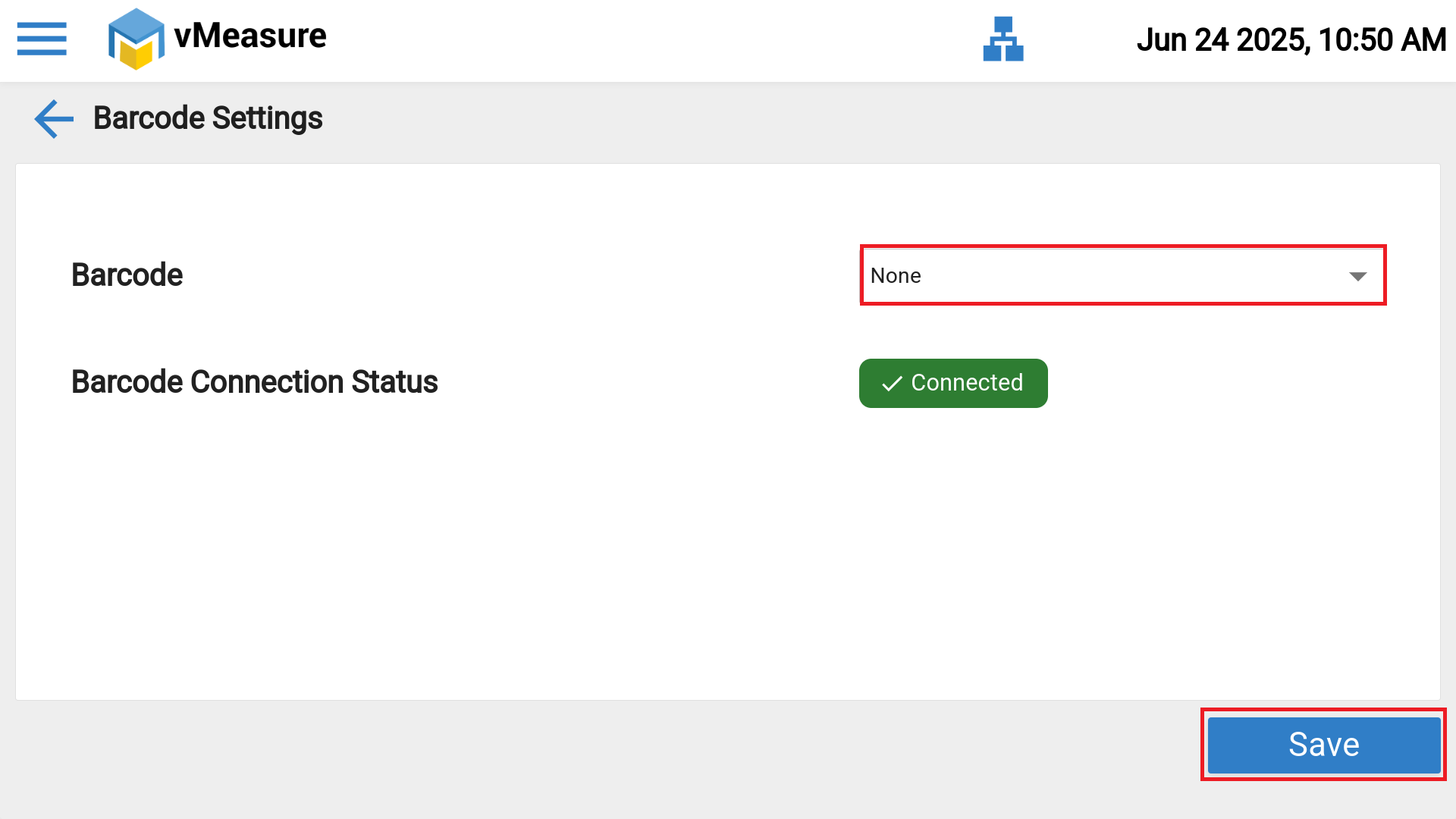
Step 4: In the Barcode settings, open the dropdown menu under the "Barcode" option and select "None".
Step 5: After selecting "None", click "SAVE" to apply and complete the configuration.
If you need any support , please drop a mail to vmeasure@visailabs.com.
Was this article helpful?
That’s Great!
Thank you for your feedback
Sorry! We couldn't be helpful
Thank you for your feedback
Feedback sent
We appreciate your effort and will try to fix the article