This document provides guidance to resolve the issue where the vMeasure Chrome extension continues to display the message “Measurement In-Progress” even after the measurement has been completed. The steps below help reset the extension state and restore normal operation.
Troubleshooting Steps
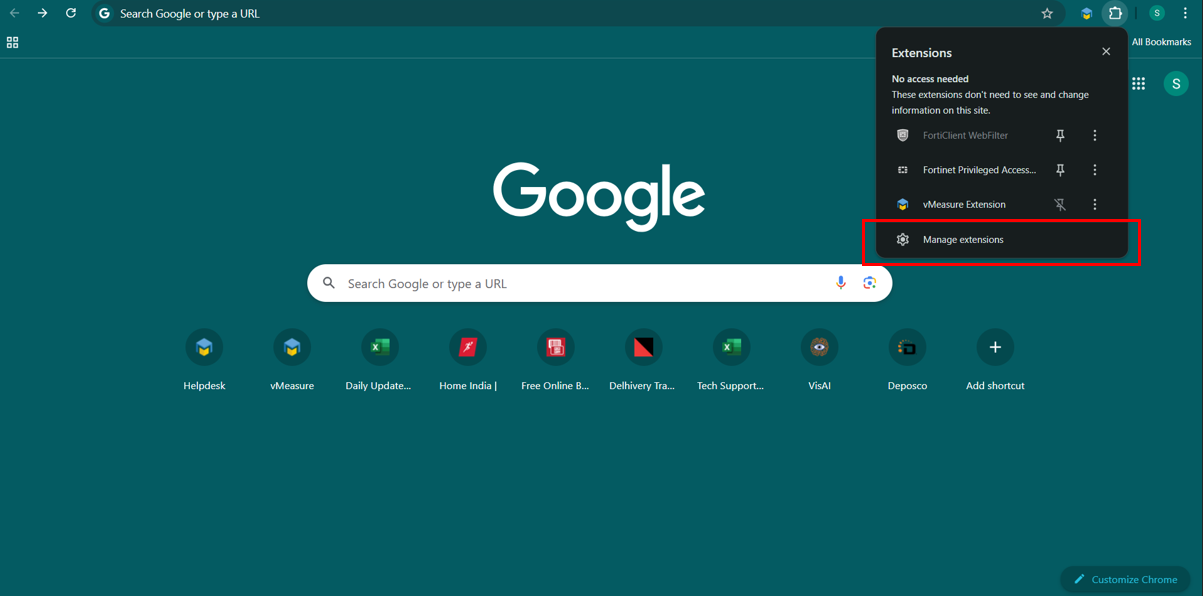
Open Manage Extensions in Chrome.
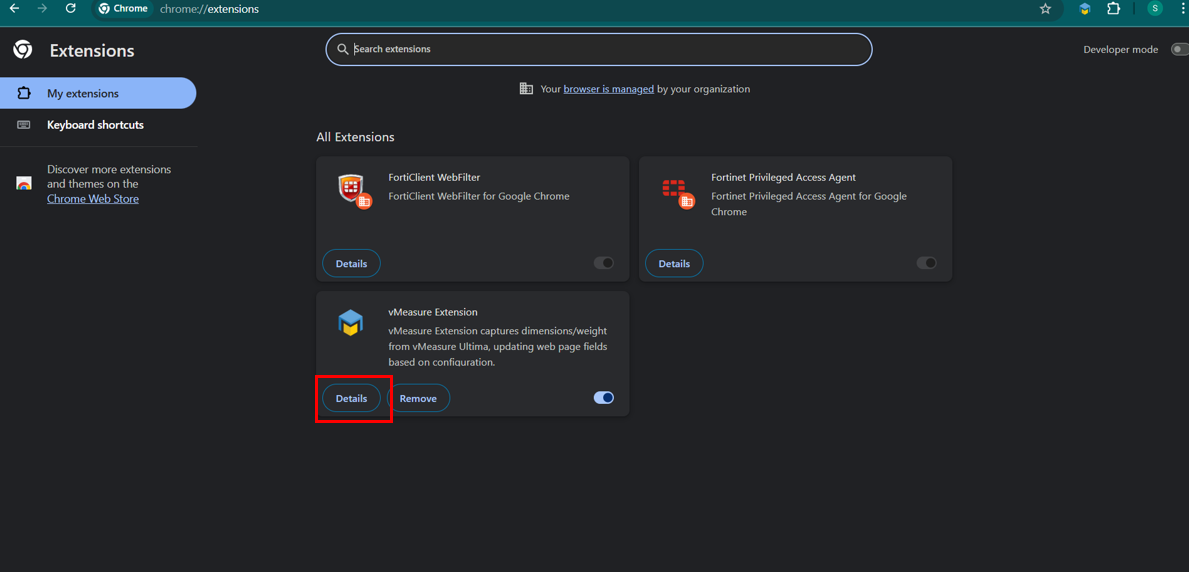
Click Details for the vMeasure Extension.
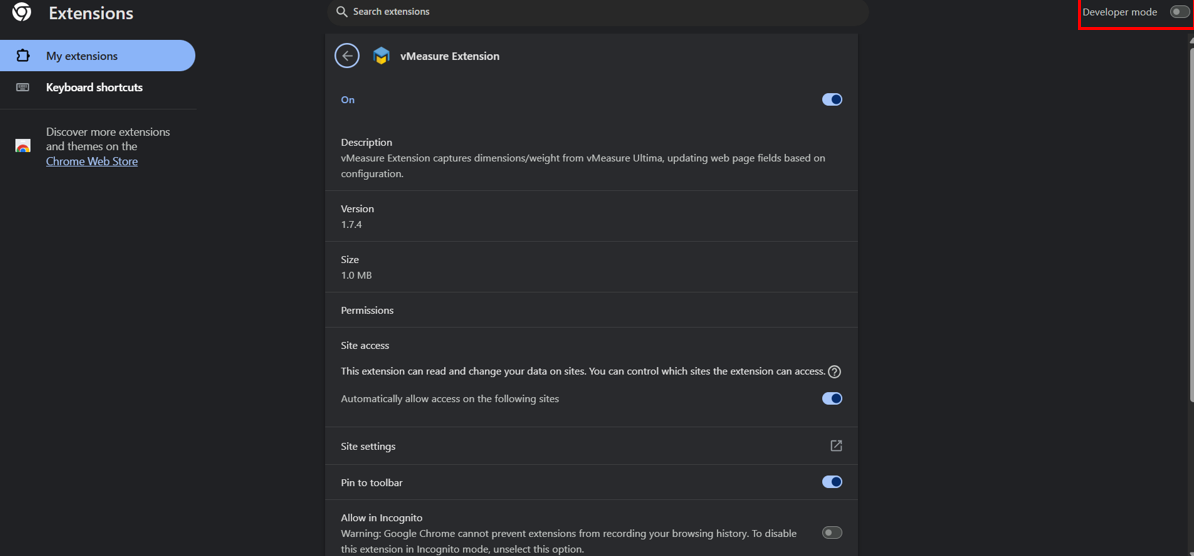
Turn on Developer Mode.
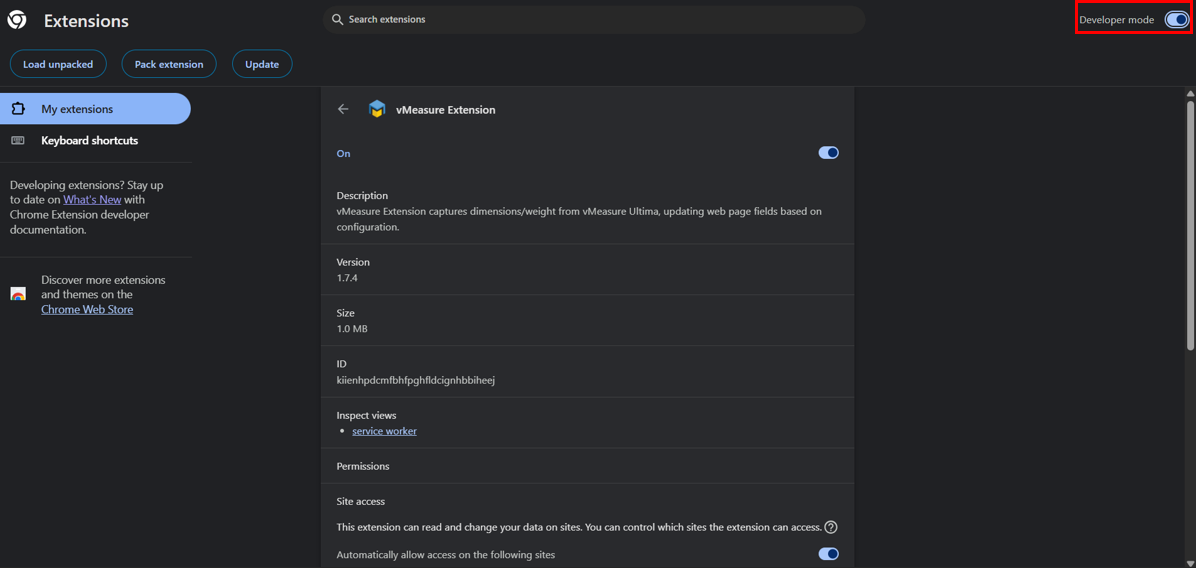
Click Update.
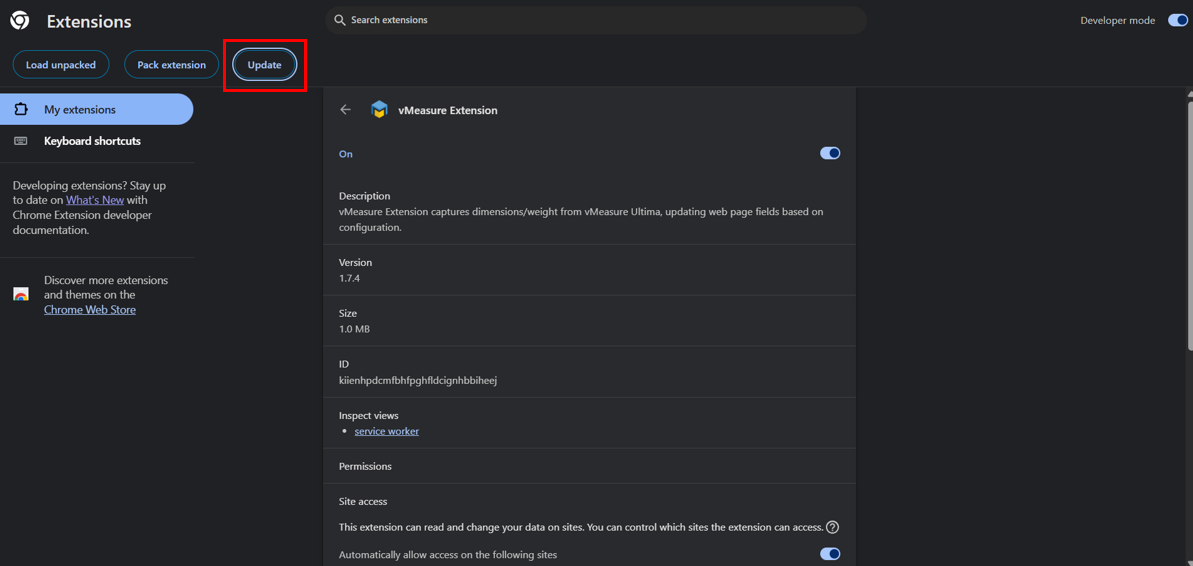
Performing these steps will reset the extension to its default state and resolve the issue.
Was this article helpful?
That’s Great!
Thank you for your feedback
Sorry! We couldn't be helpful
Thank you for your feedback
Feedback sent
We appreciate your effort and will try to fix the article