Export Process
1. Open the Browser
Open the browser.
2. Open Extension Settings
Click on the vMeasure Extension and open the Settings.
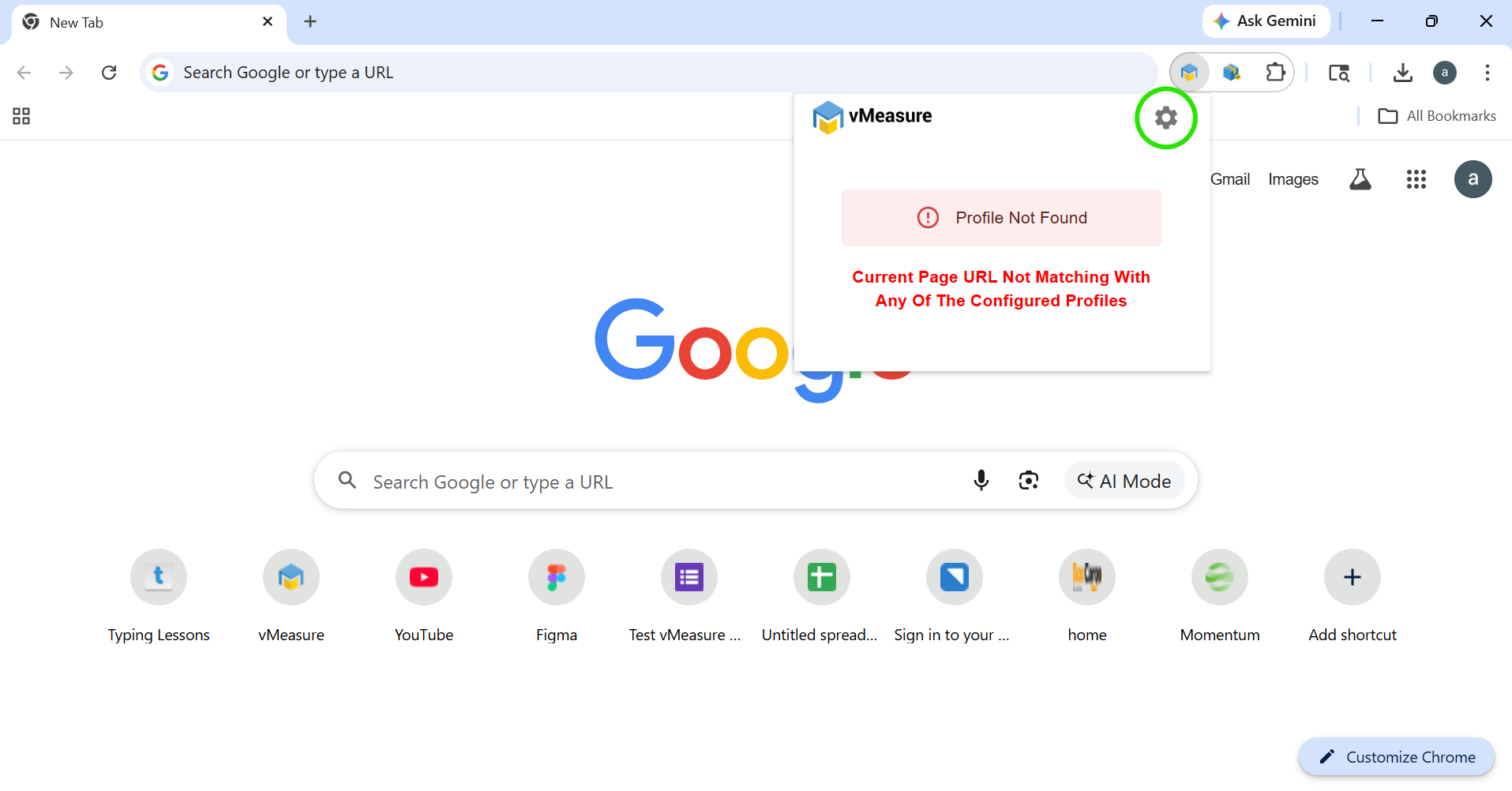
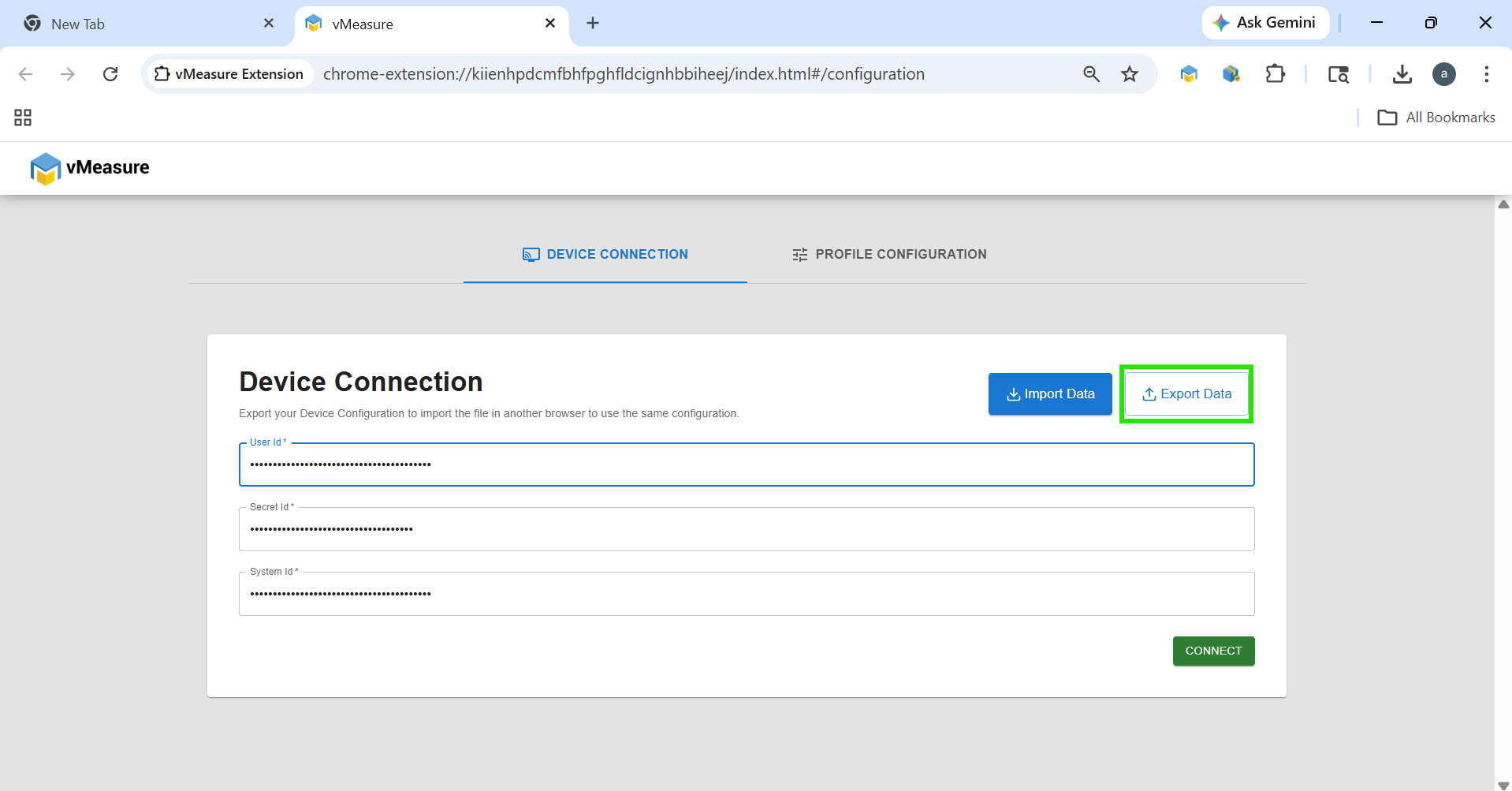
3. Export Device Connection
Under Device Connection, click the “Export” button.
Your device configuration will be exported.
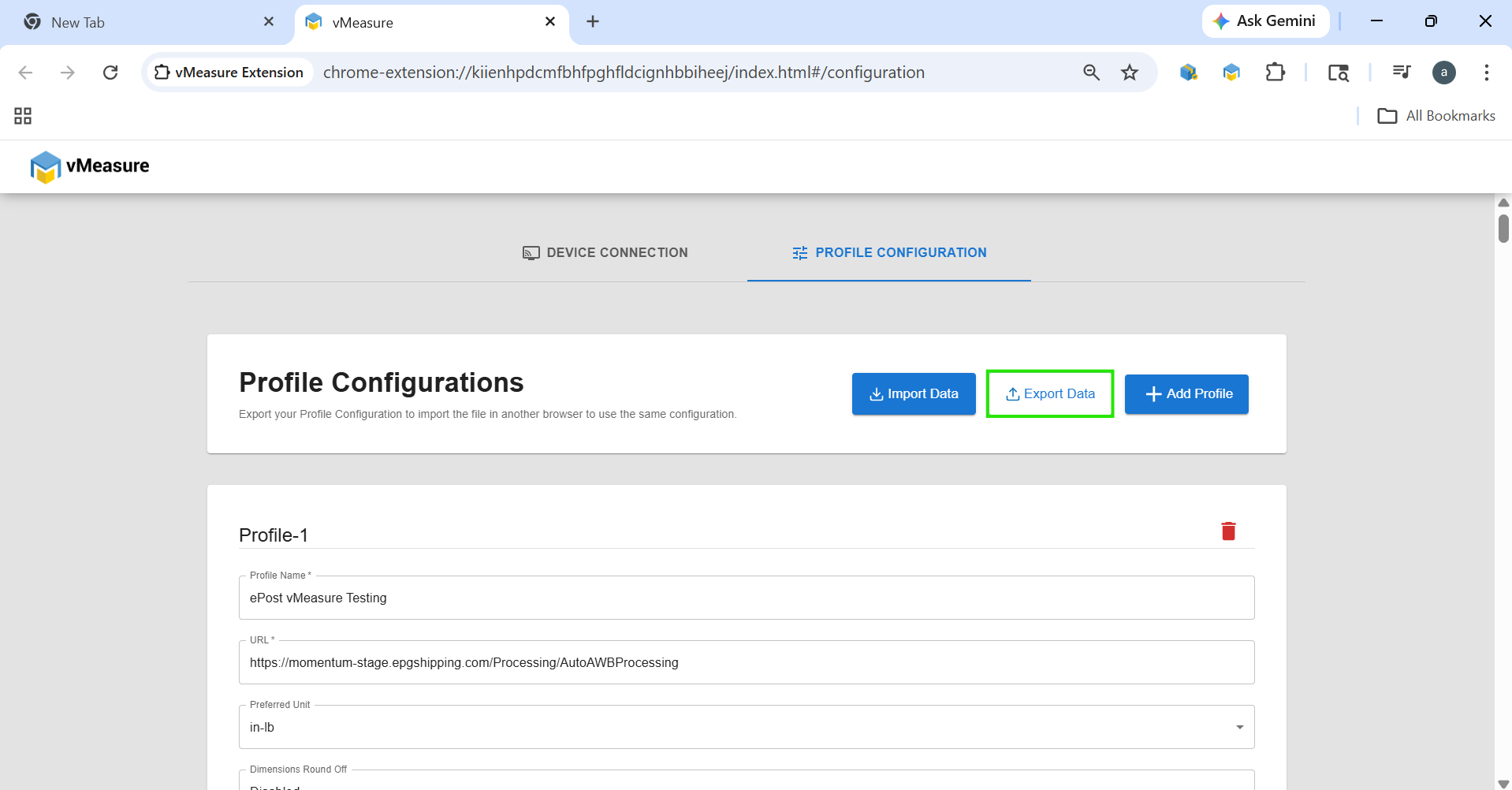
4. Export Profile Configuration
Under Profile Configuration, click the “Export” button.
Your profile configuration will be exported.
Import Process
1. Open the Browser
Open the browser.
2. Open Extension Settings
Click on the vMeasure Extension and open the Settings.
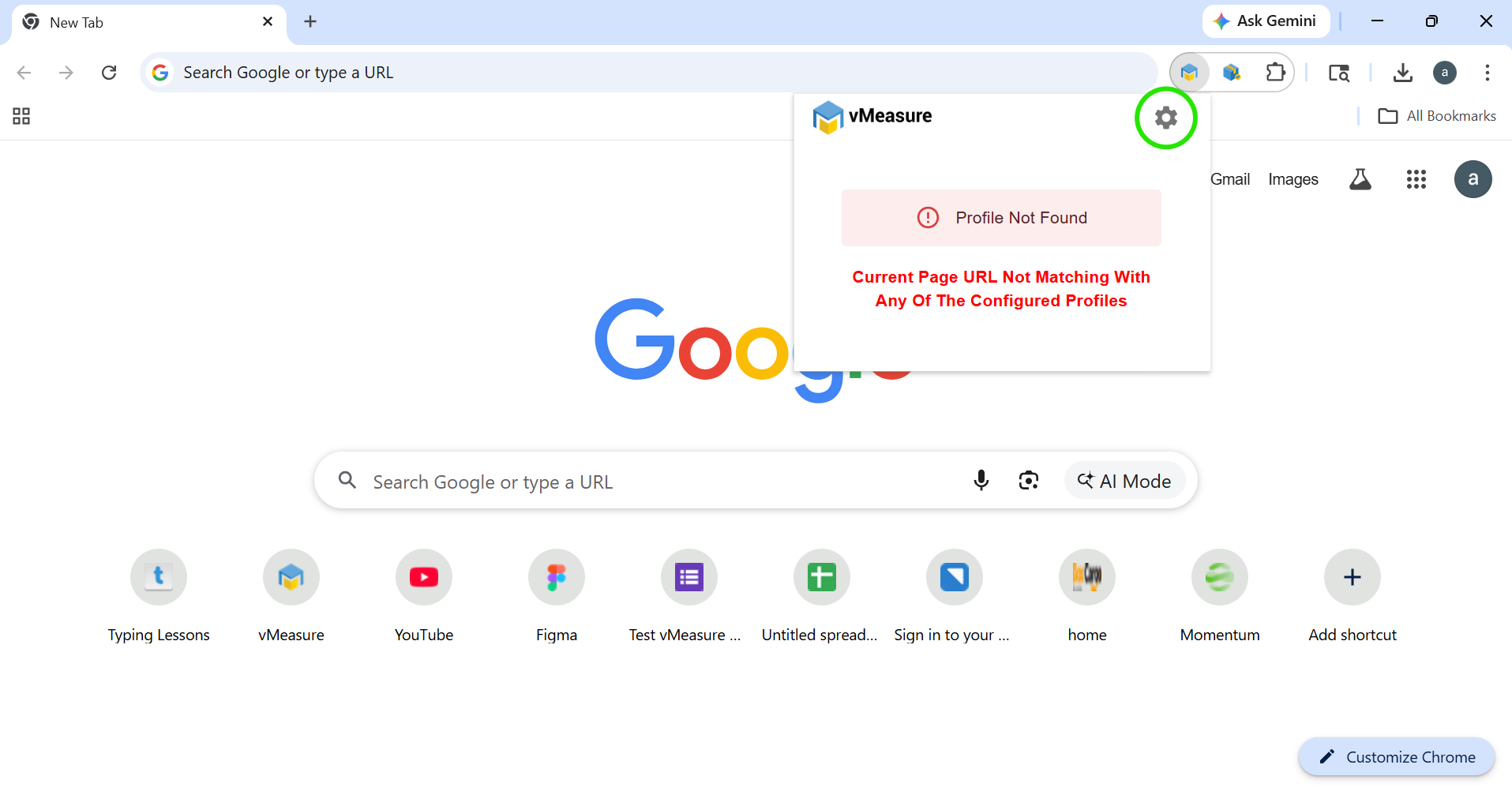
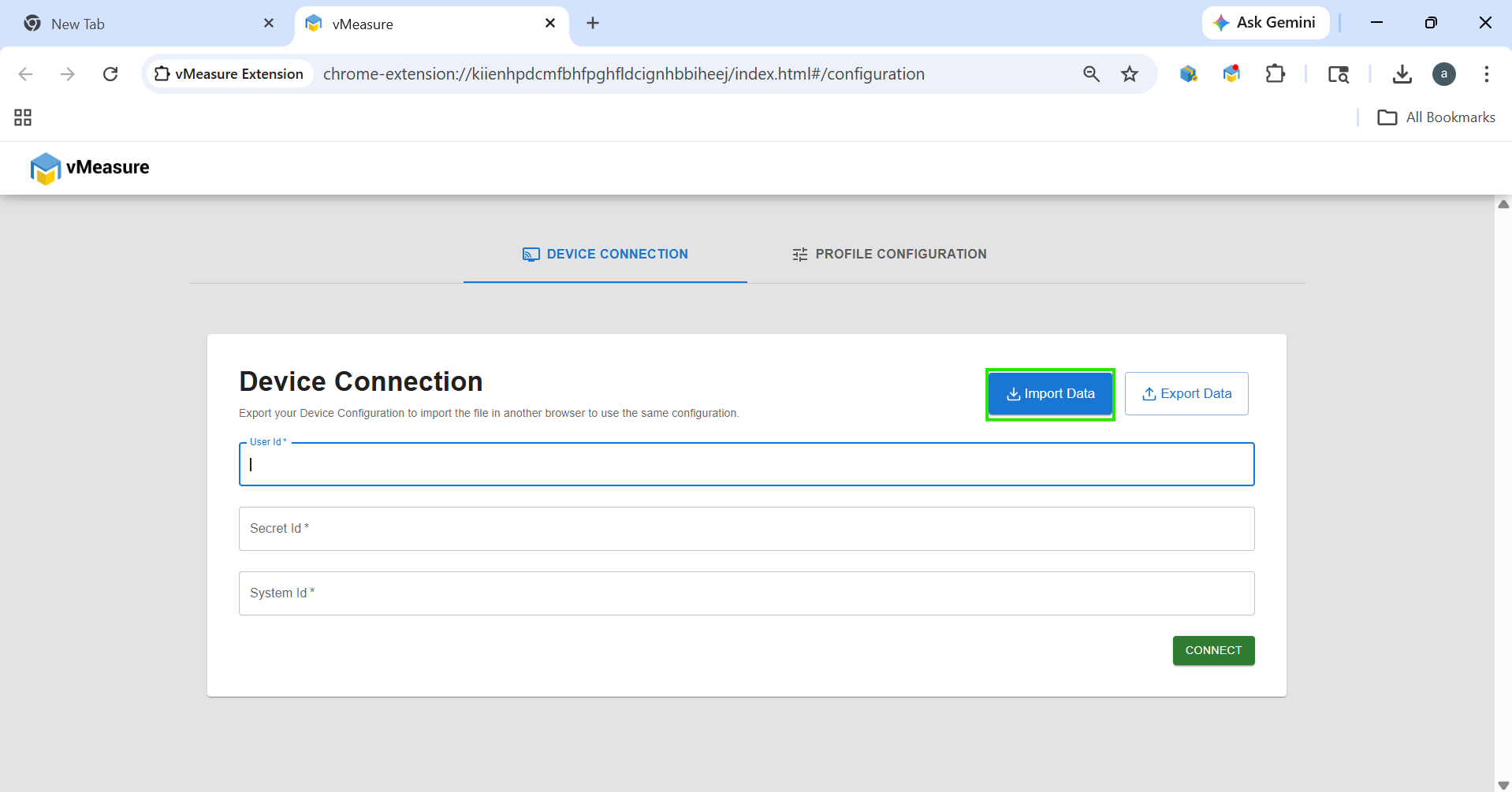
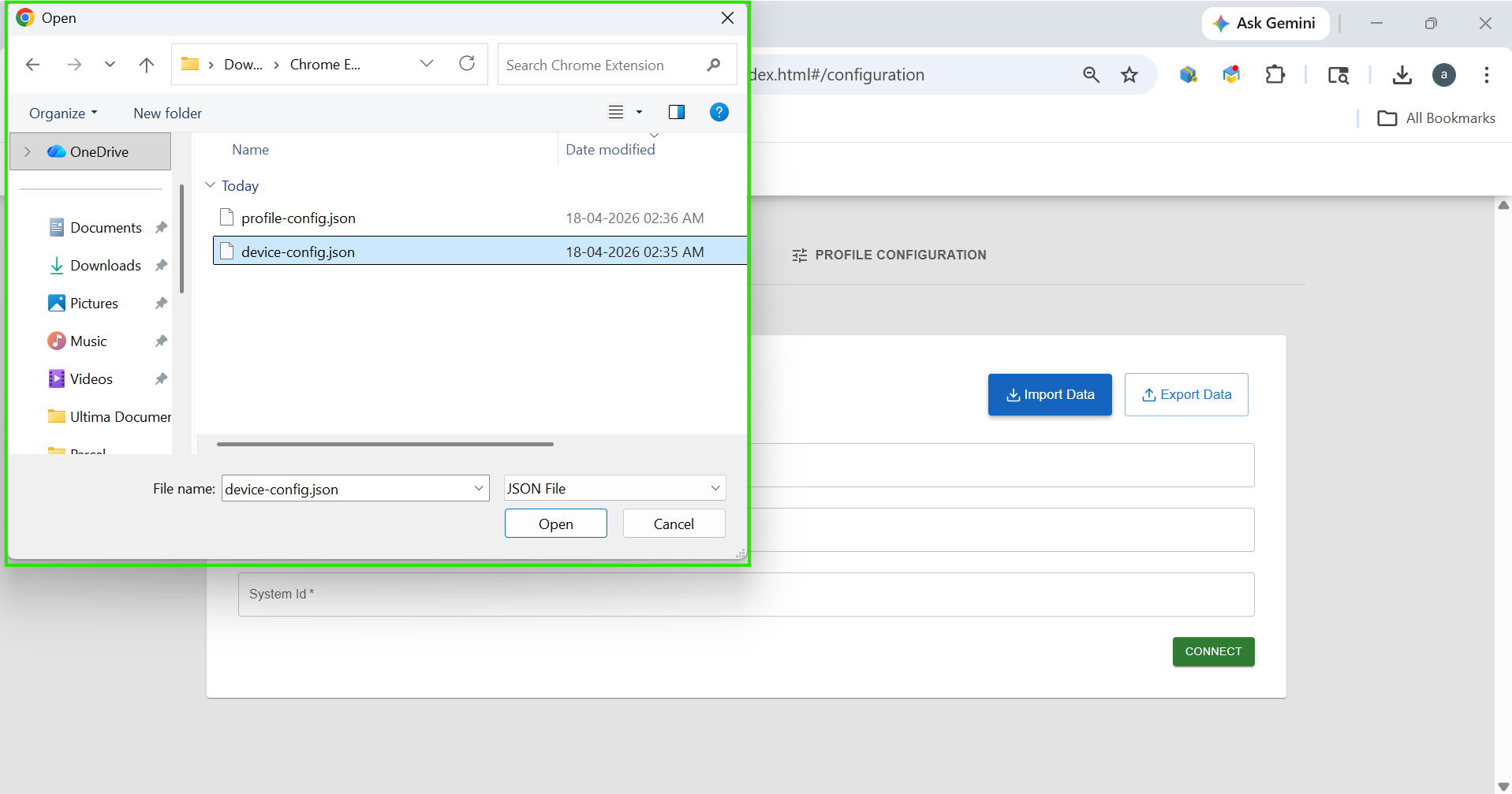
3. Import Device Connection
Under Device Connection, click the “Import Data” button.
 Upload the device configuration file from your system.
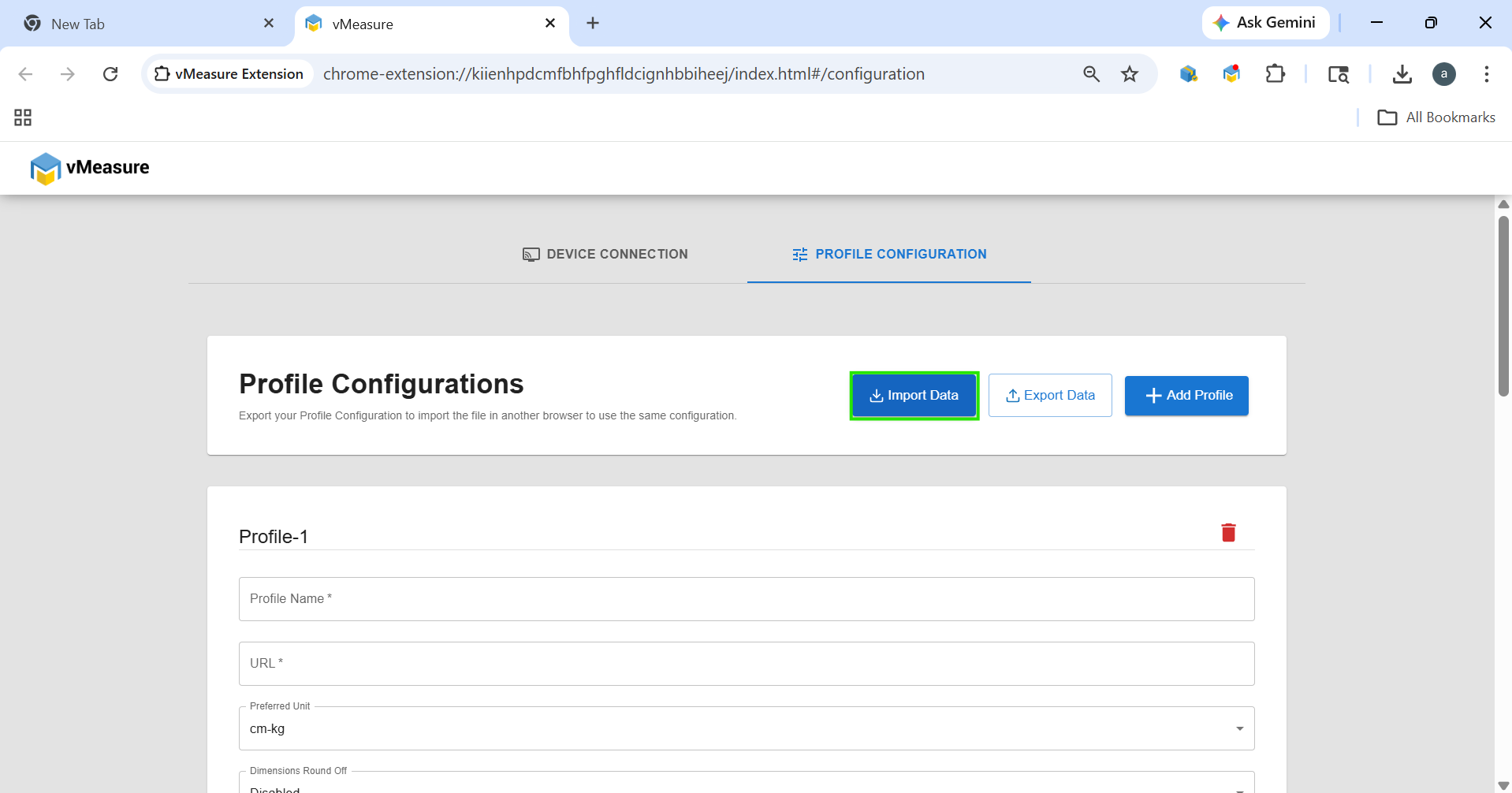
4. Import Profile Configuration
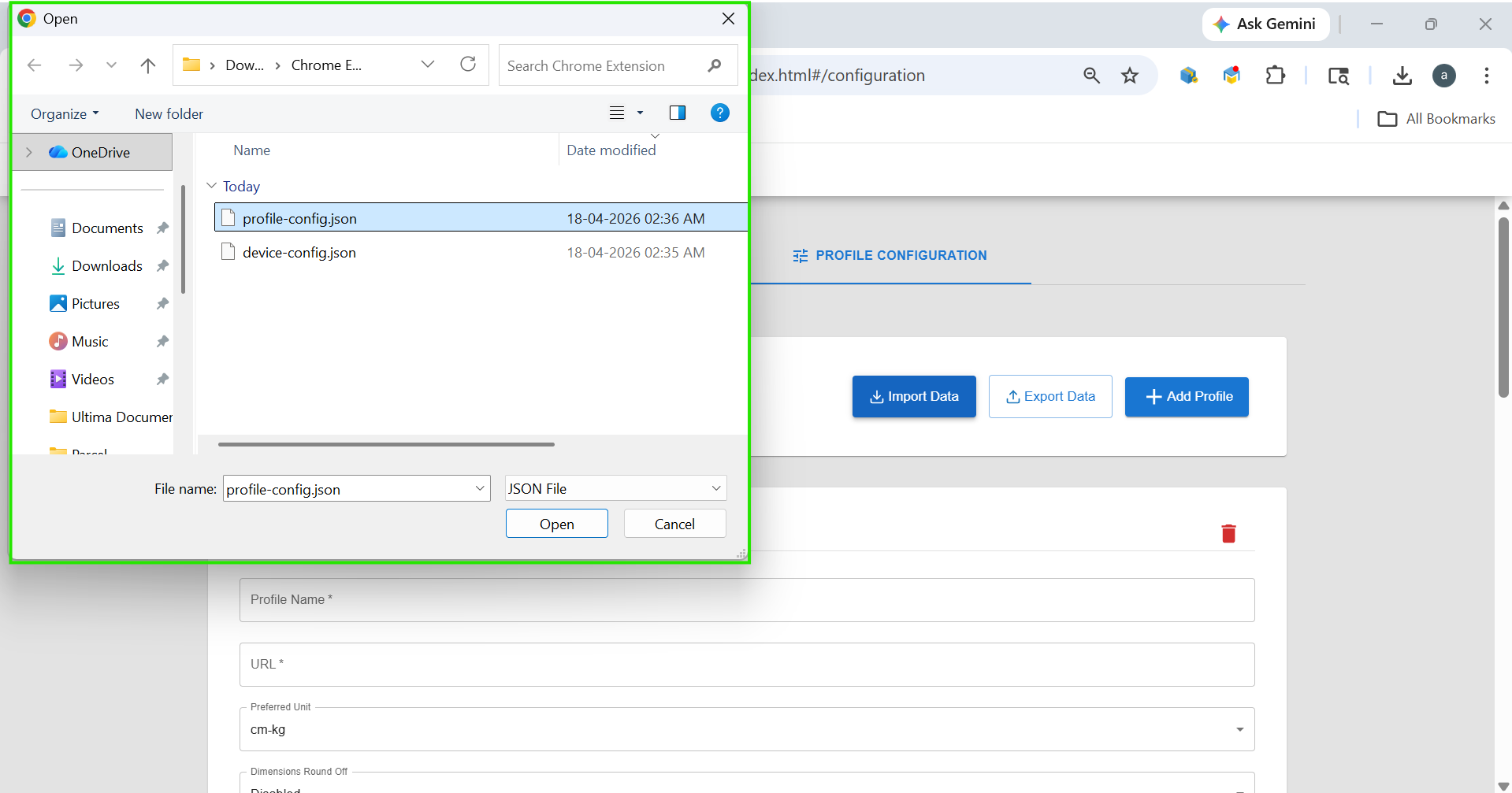
Under Profile Configuration, click the “Import Data” button.
 Upload the profile configuration file from your system.
Was this article helpful?
That’s Great!
Thank you for your feedback
Sorry! We couldn't be helpful
Thank you for your feedback
Feedback sent
We appreciate your effort and will try to fix the article