Steps to Enable / Disable SSO Mandate
Step 1: Log in to Forge
Navigate to the Forge login page and sign in using your login credentials.

Step 2: Open My Account
After logging in:
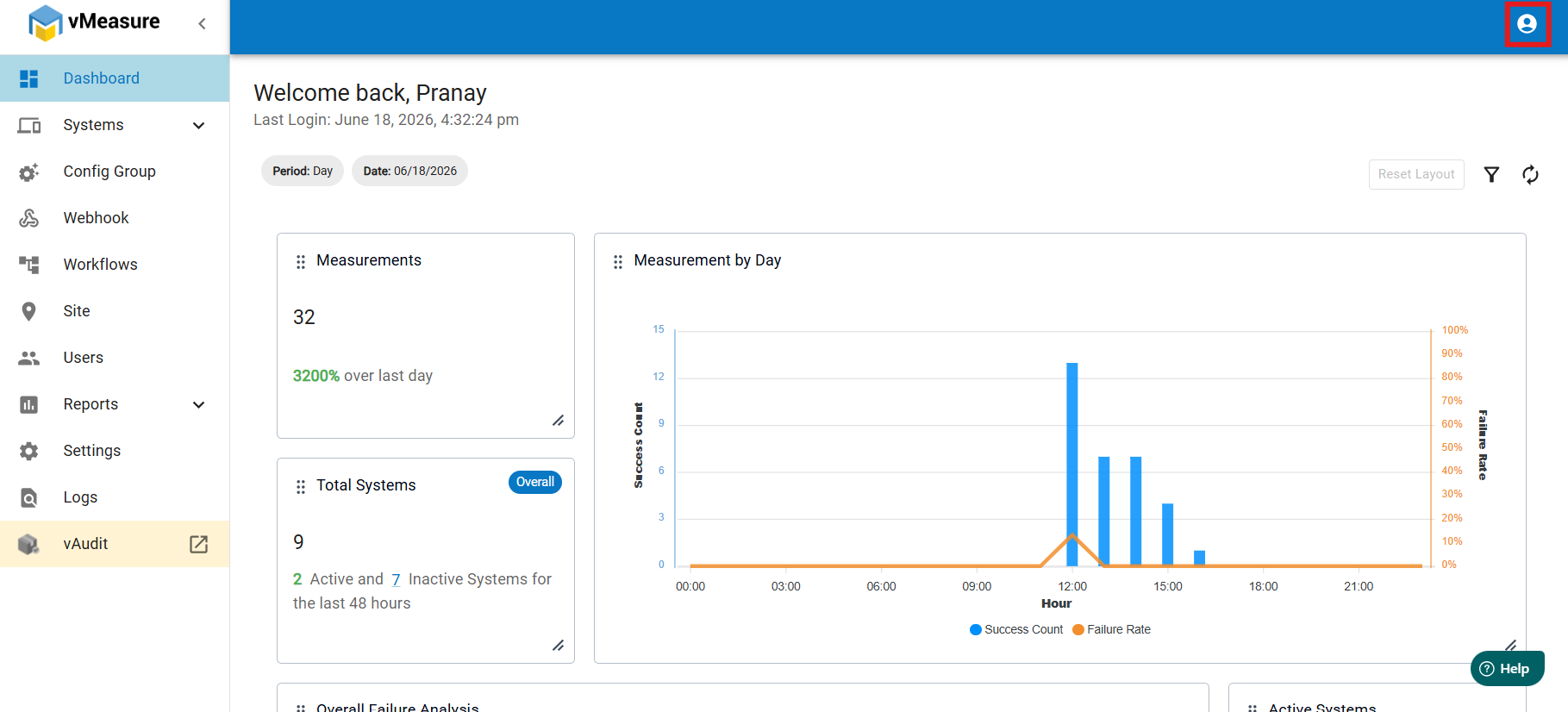
- Navigate to the top-right corner of the application.
- Click the Profile/User icon.
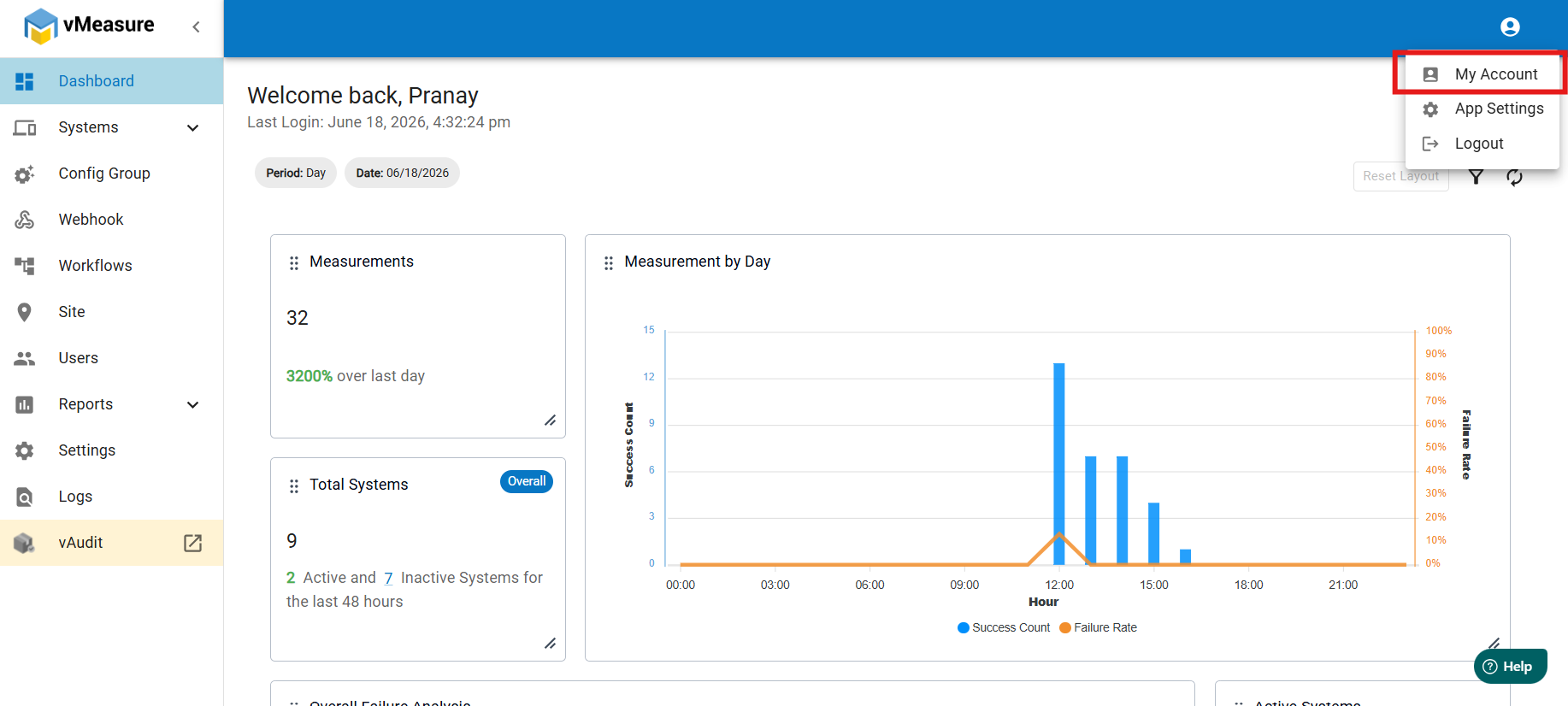
Step 3: Locate My Account
- Select My Account from the dropdown menu.
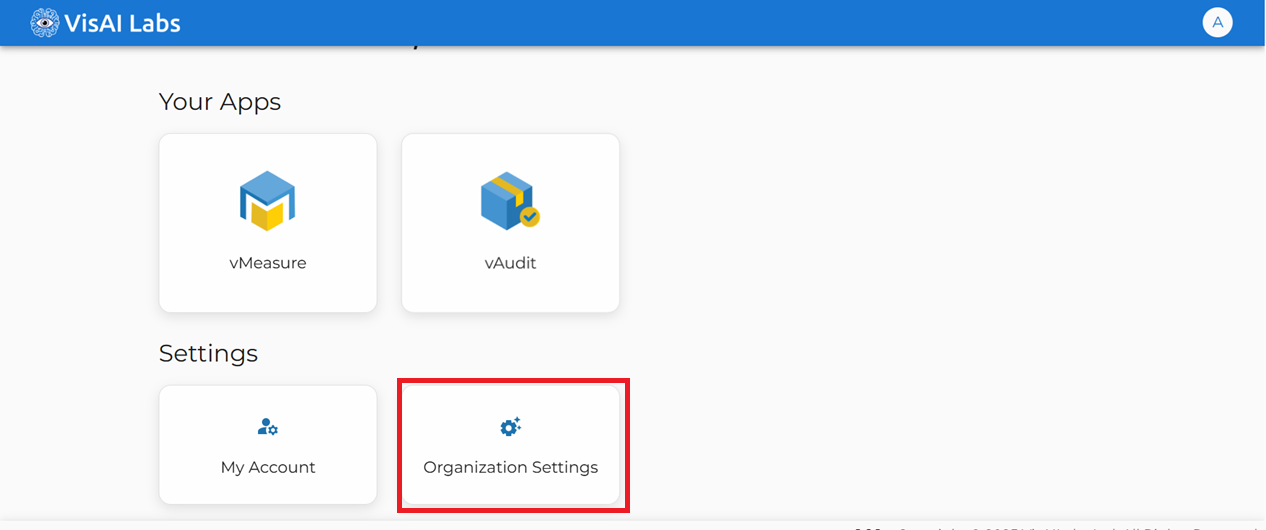
Step 4: Locate Organization Setting
- Locate the Organization Settings tile under the Settings section.
- Click Organization Settings.
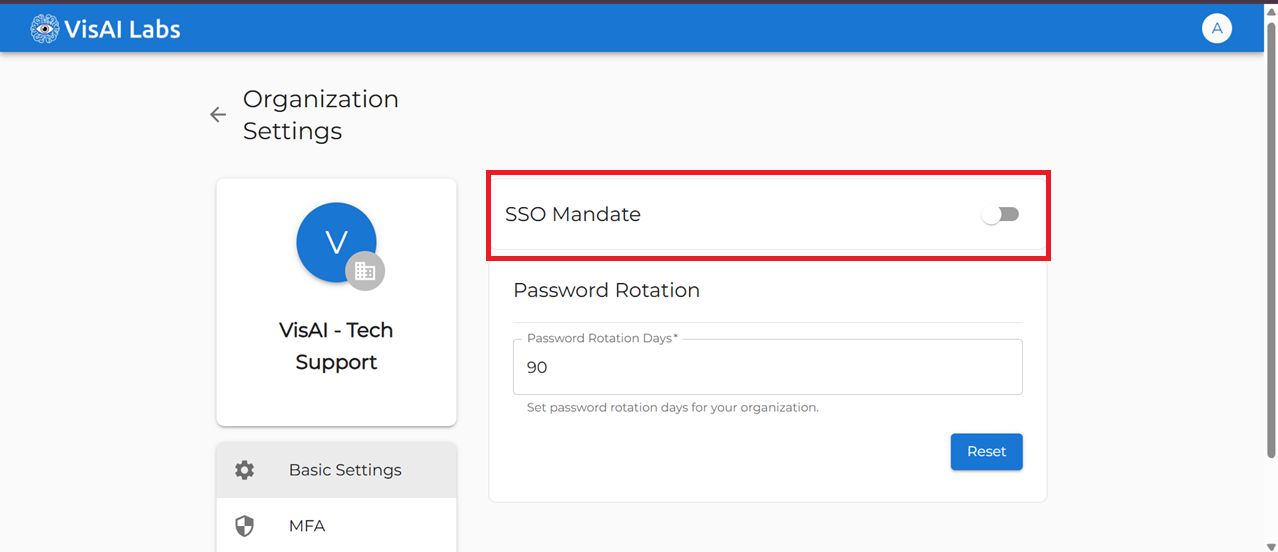
Step 5: Enable or Disable SSO Mandate
To Enable/Disable SSO Mandate
- Locate the SSO Mandate toggle switch.
- Move the toggle to the ON/OFF position.
- The change is saved automatically.
If you still need any support raise the support ticket: https://support.visailabs.com
Was this article helpful?
That’s Great!
Thank you for your feedback
Sorry! We couldn't be helpful
Thank you for your feedback
Feedback sent
We appreciate your effort and will try to fix the article