Error Message: You don't have permissions to change the settings
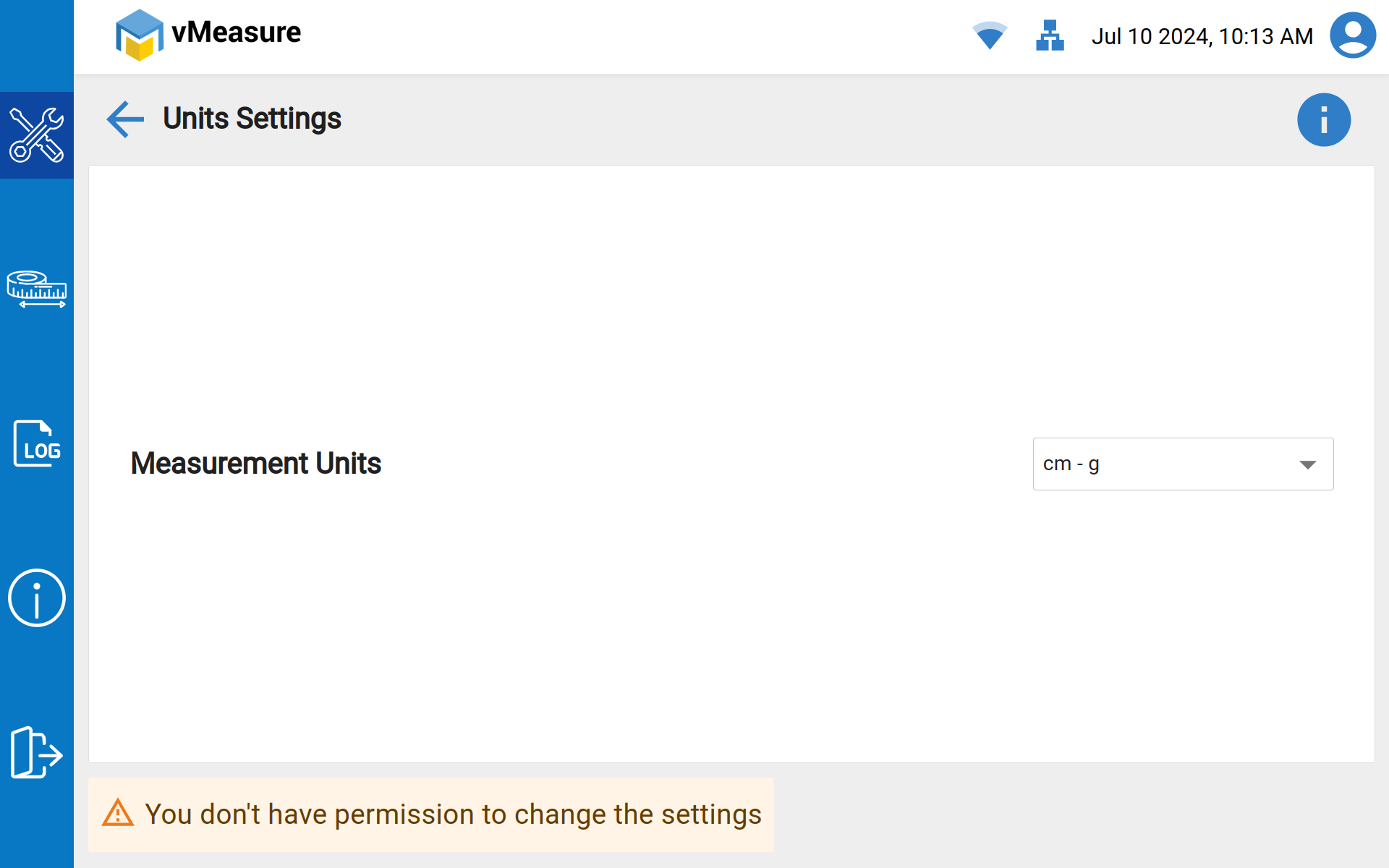
There are Two possible ways to encounter the above error.
- Device Access Configuration might have been disabled.
- Mandate system settings have been selected from system settings.
Follow the Troubleshooting steps below to check "Device Access Configuration":
Step-1: Login to vMeasure Forge.
Step-2: Navigate to the "Settings" page as shown below.
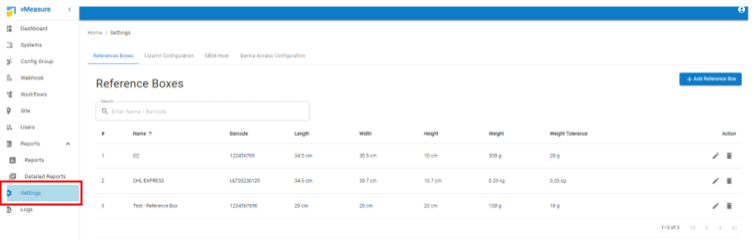
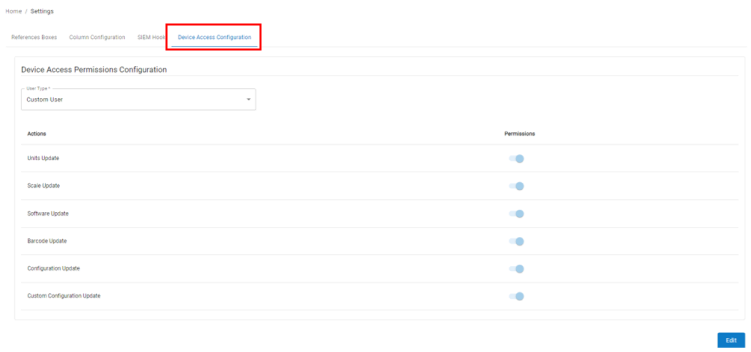
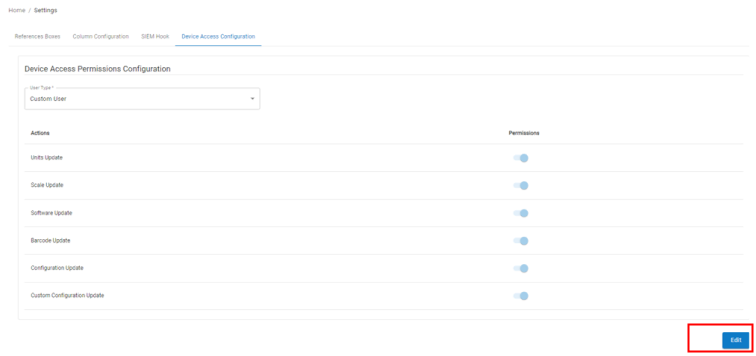
Step-3: Navigate to "Device Access Configuration".
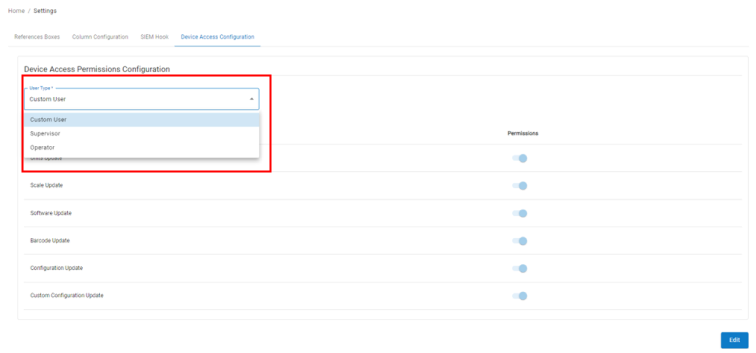
Step-4: Select "User Type" from the drop-down, through which you are logged-in in vMeasure touch screen.
Step-5: Click on "Edit", and you will have can enable and disable the permissions.
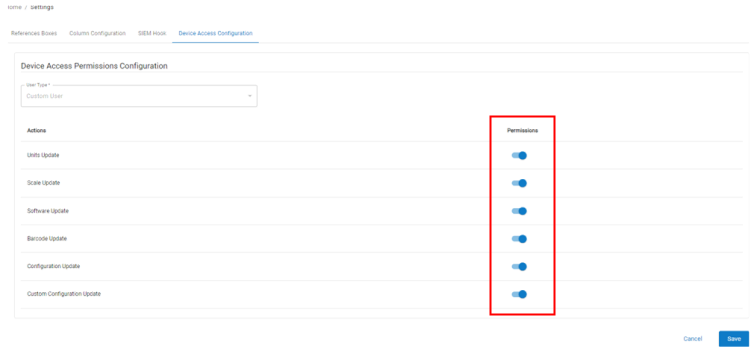
Step-6: Once you have permission, click “Save”.
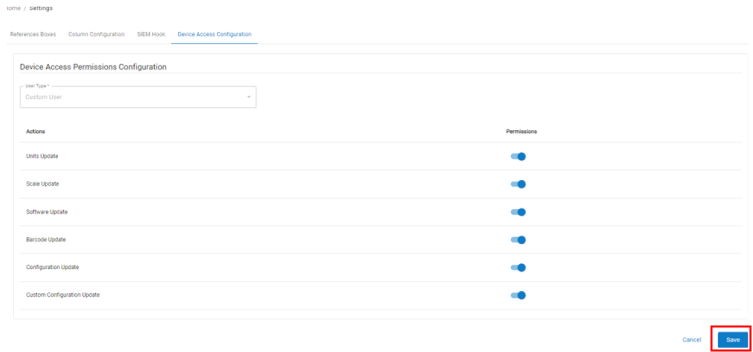
Step-7: Once the configuration is saved, Log-out and log-in into the vMeasure system for the latest workflow changes to be reflected in system.
These features are already enabled, still you are encountering the same error?
Follow the Troubleshooting steps below to check "Mandate System Settings":
Step-1: Login to vMeasure Forge.
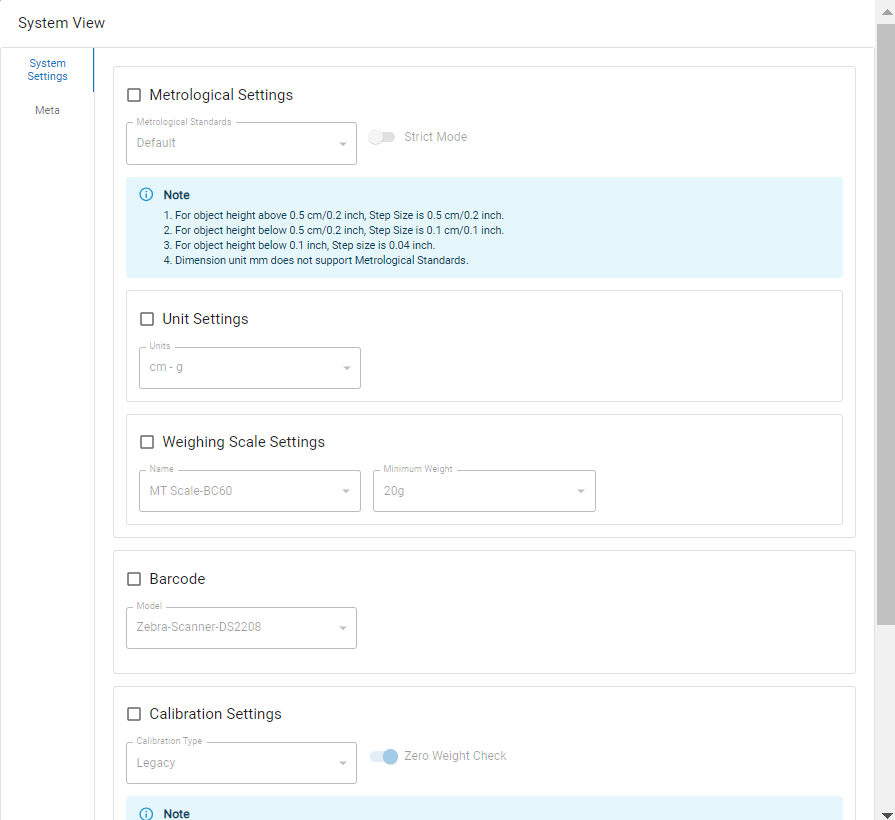
Step-2: Navigate to "Systems" tab, Click on "Configs" (spanner icon) of desired system.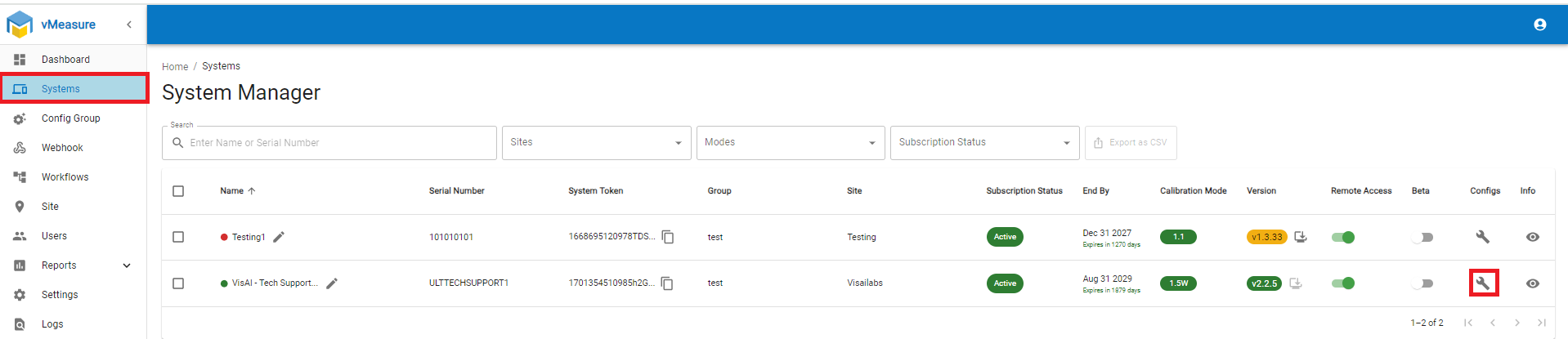
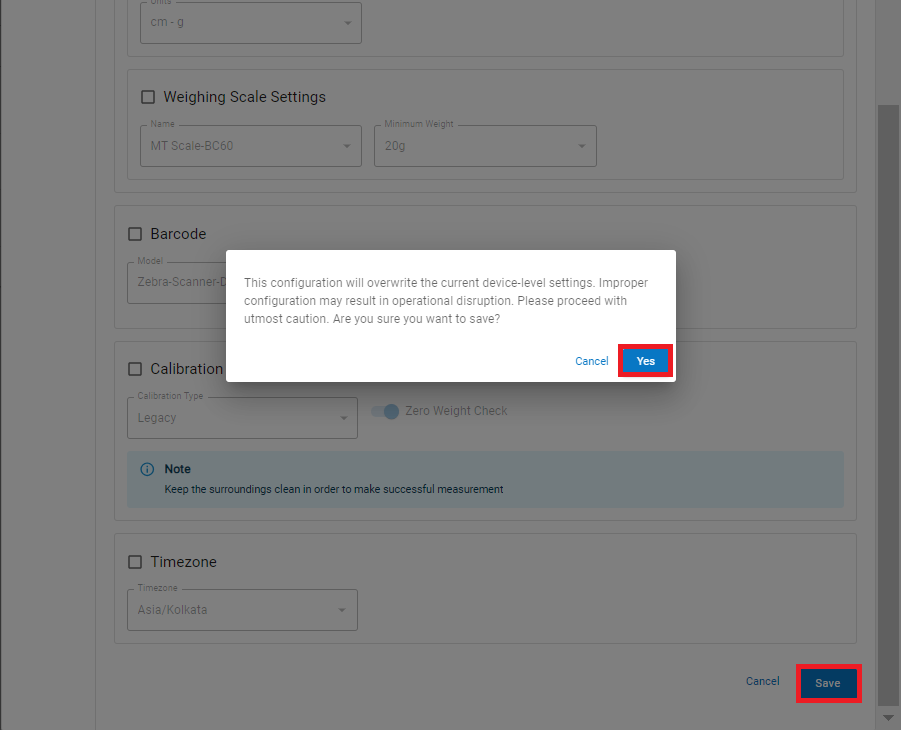
Step-3: Make sure that "System Settings" are disabled/un-checked then click on Save, a pop-up appears click on Yes, to make changes in the system. Now check the device settings, user should access the settings now.
(or)
You can use this "System Settings" and update the system via Forge in a centralized manner, enable your respective settings and then click Save, a pop-up appears click on Yes, to make changes in the system. On next reboot all the selected system settings applied to the device.
If you need any support , please drop a mail to vmeasure@visailabs.com or Click here to Submit a Ticket.
Was this article helpful?
That’s Great!
Thank you for your feedback
Sorry! We couldn't be helpful
Thank you for your feedback
Feedback sent
We appreciate your effort and will try to fix the article