To troubleshoot and rectify Wi-Fi network issues, follow these steps:
Basic Checks:
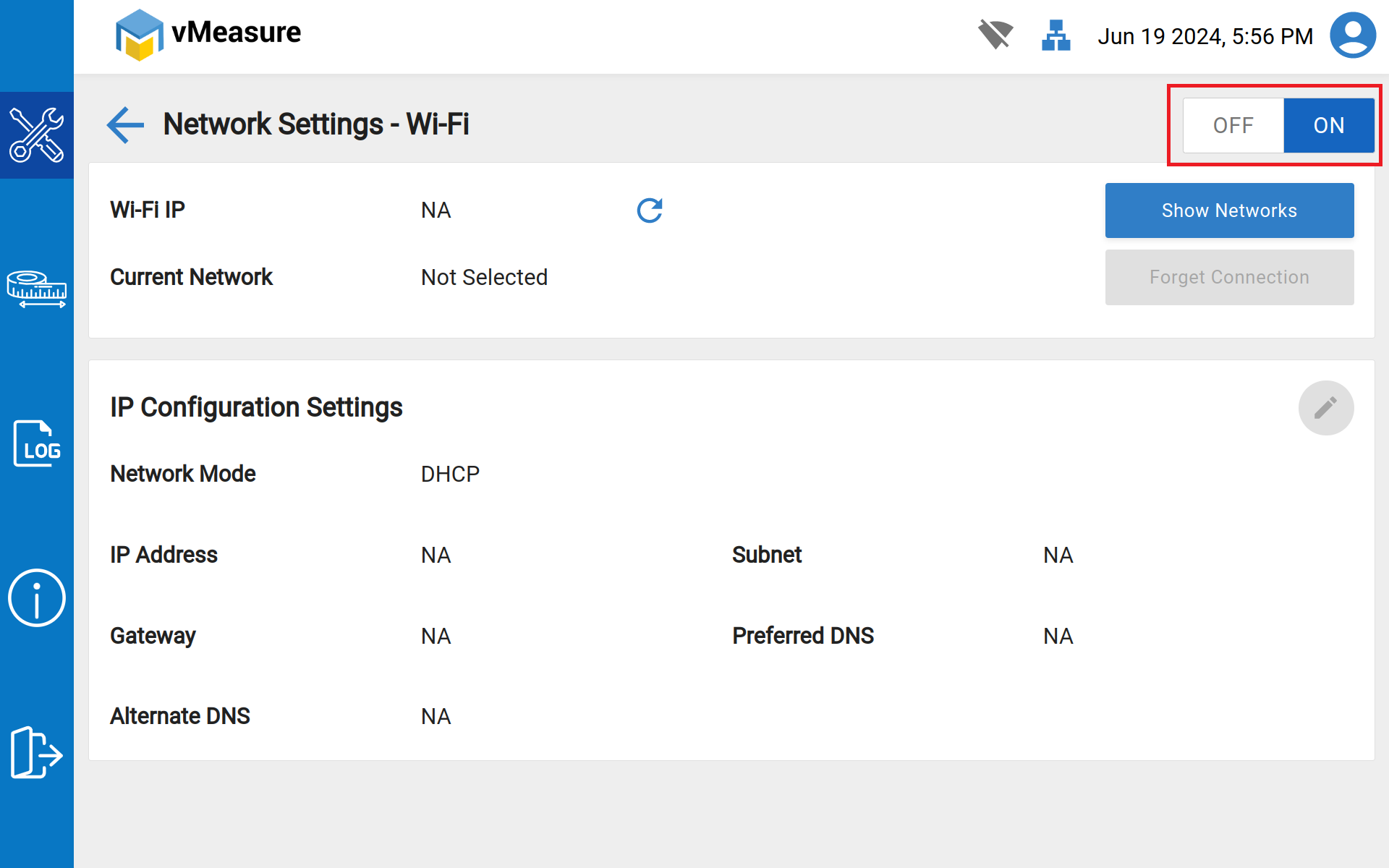
Check Wi-Fi Adaptor:
- Ensure the Wi-Fi adaptor is connected to the vMeasure Device and it is turned "ON".
Restart Devices:
- Restart vMeasure device.
- Plug out the Wi-Fi adaptor for about 30 seconds and then plug them back in.
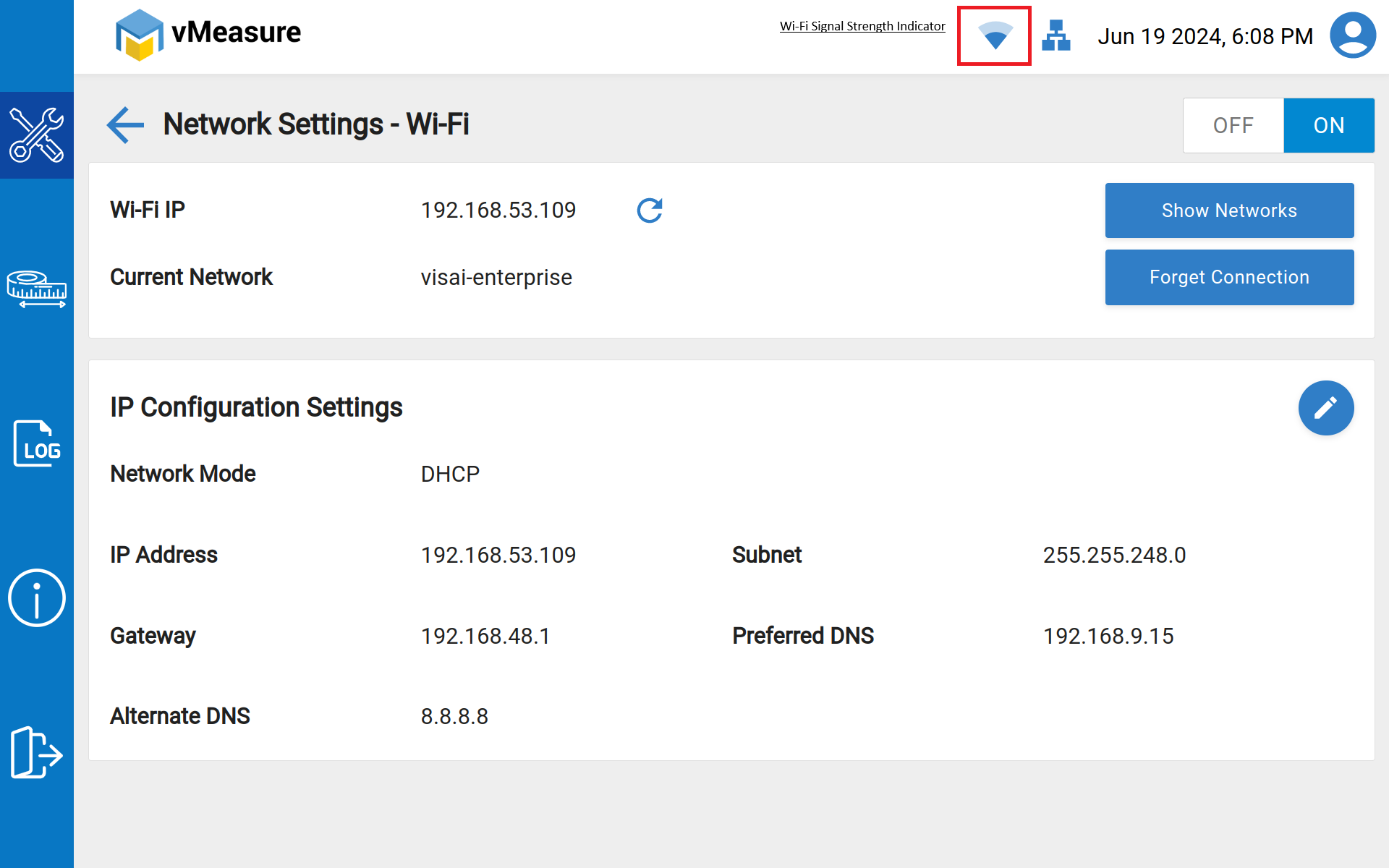
Check Wi-Fi Signal:
- Move closer to the router to ensure the issue is not due to weak signal strength.
- Check for physical obstructions or interference from other electronic devices (microwaves, cordless phones, etc.).
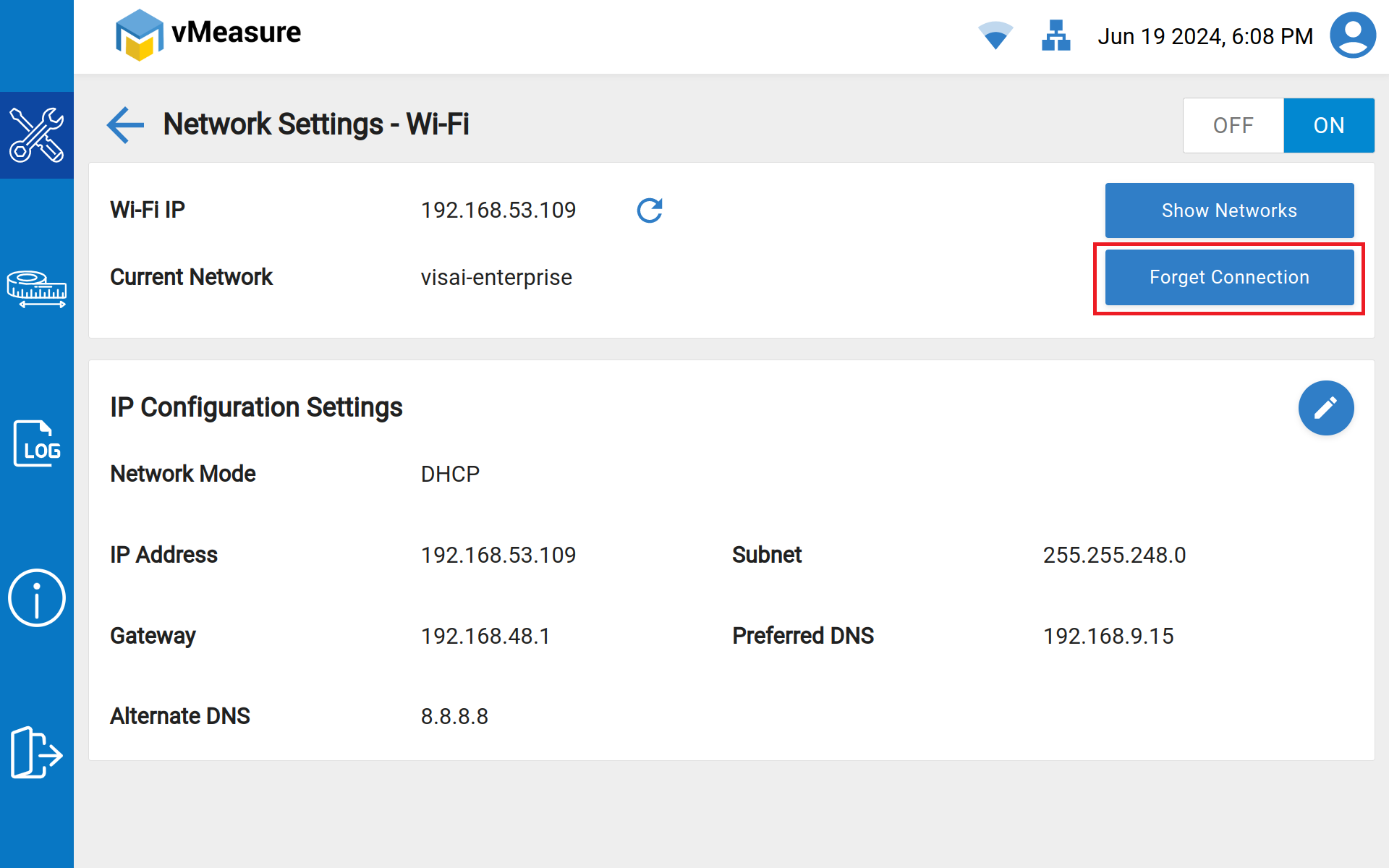
Forget and Reconnect to the Network:
- On your vMeasure device, forget the Wi-Fi network and then reconnect by entering the password again.
Test with Another Device:
- Try connecting another device to the Wi-Fi network to see if it experiences the same issues. This helps determine if the problem is with your device or the network.
By following these steps, you can systematically identify and resolve most Wi-Fi network issues.
Was this article helpful?
That’s Great!
Thank you for your feedback
Sorry! We couldn't be helpful
Thank you for your feedback
Feedback sent
We appreciate your effort and will try to fix the article