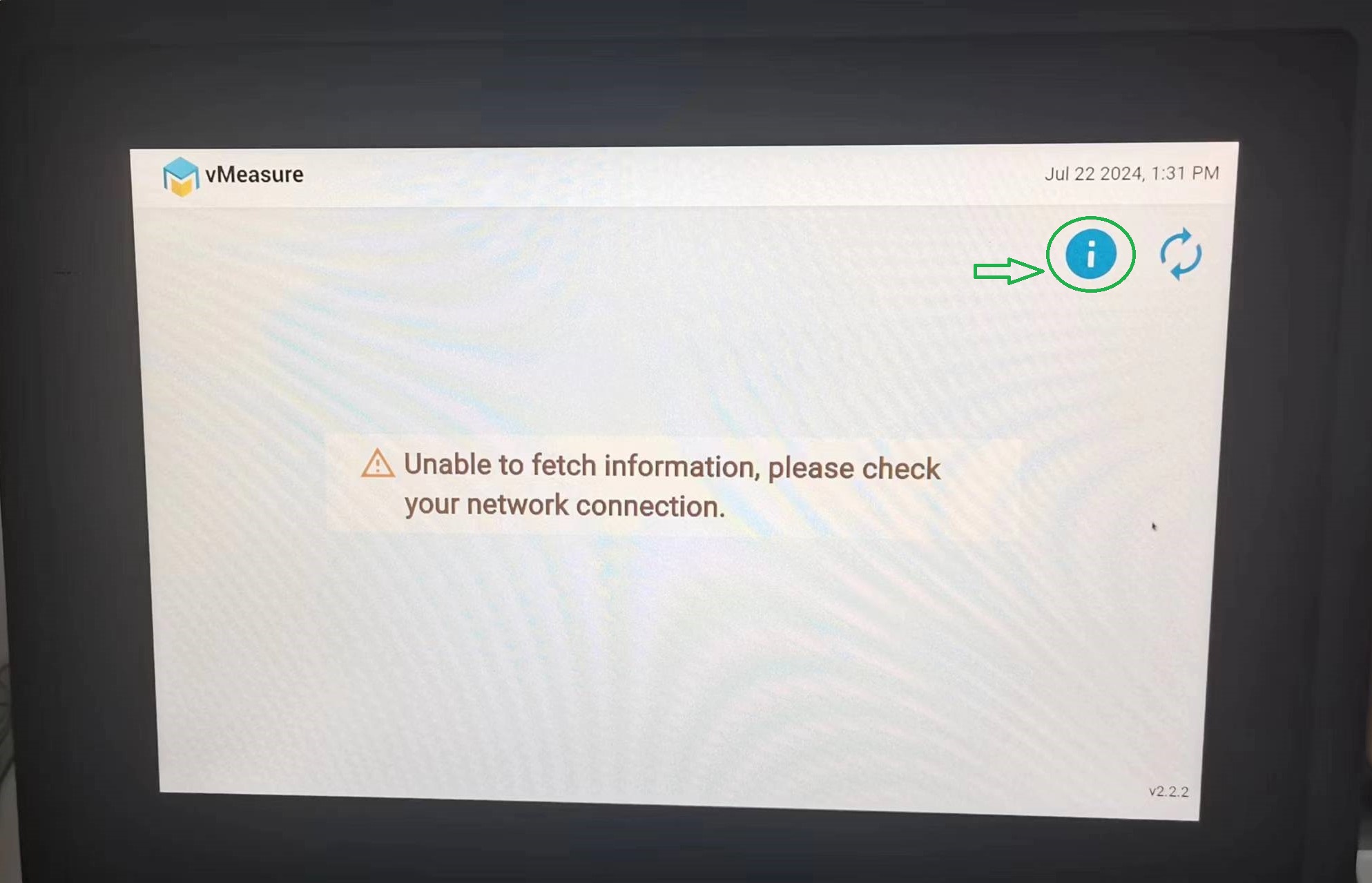
Step 1: Click on the "i" button.
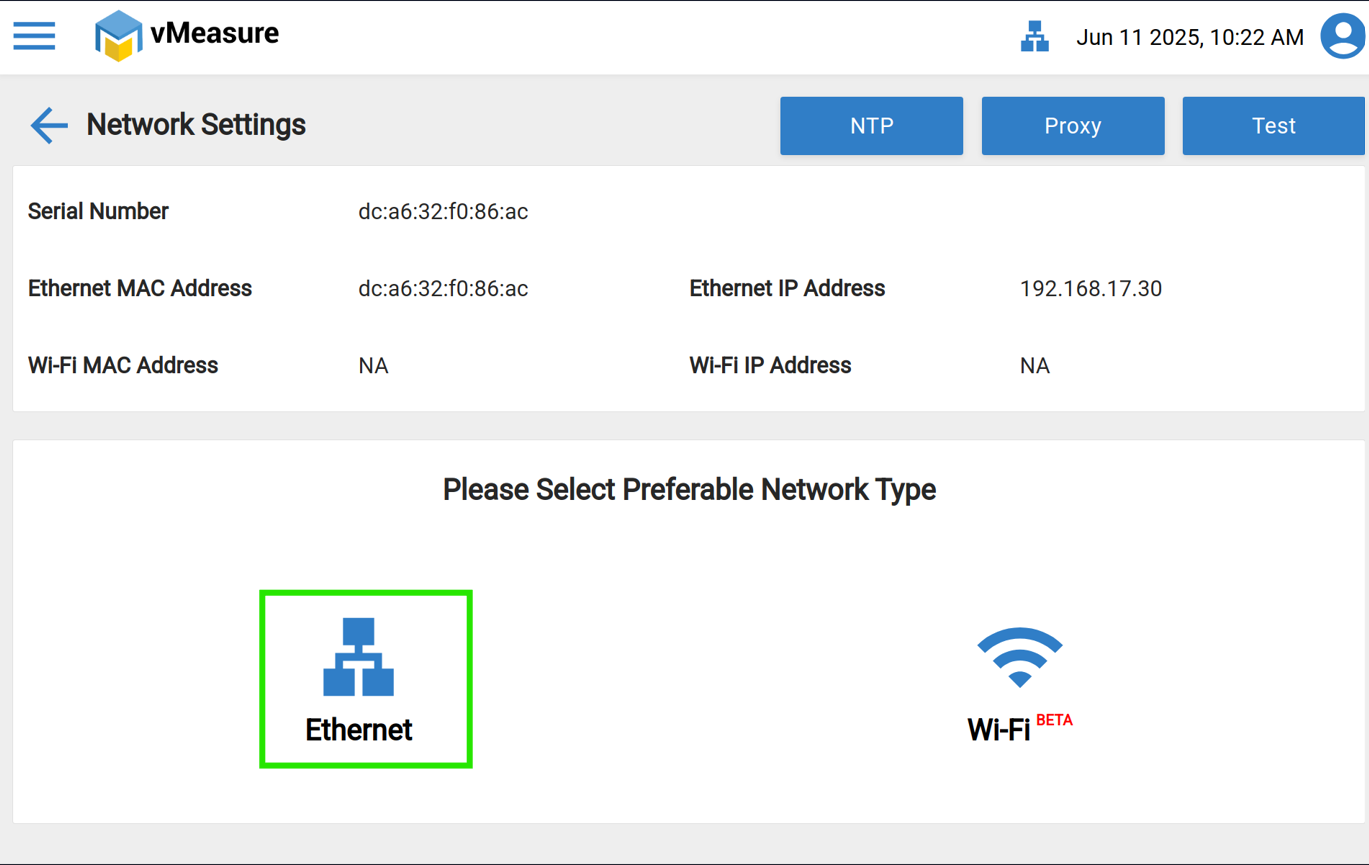
Step 2: Navigate to the "Ethernet or Wi-Fi" settings through which your vMeasure device is connected.
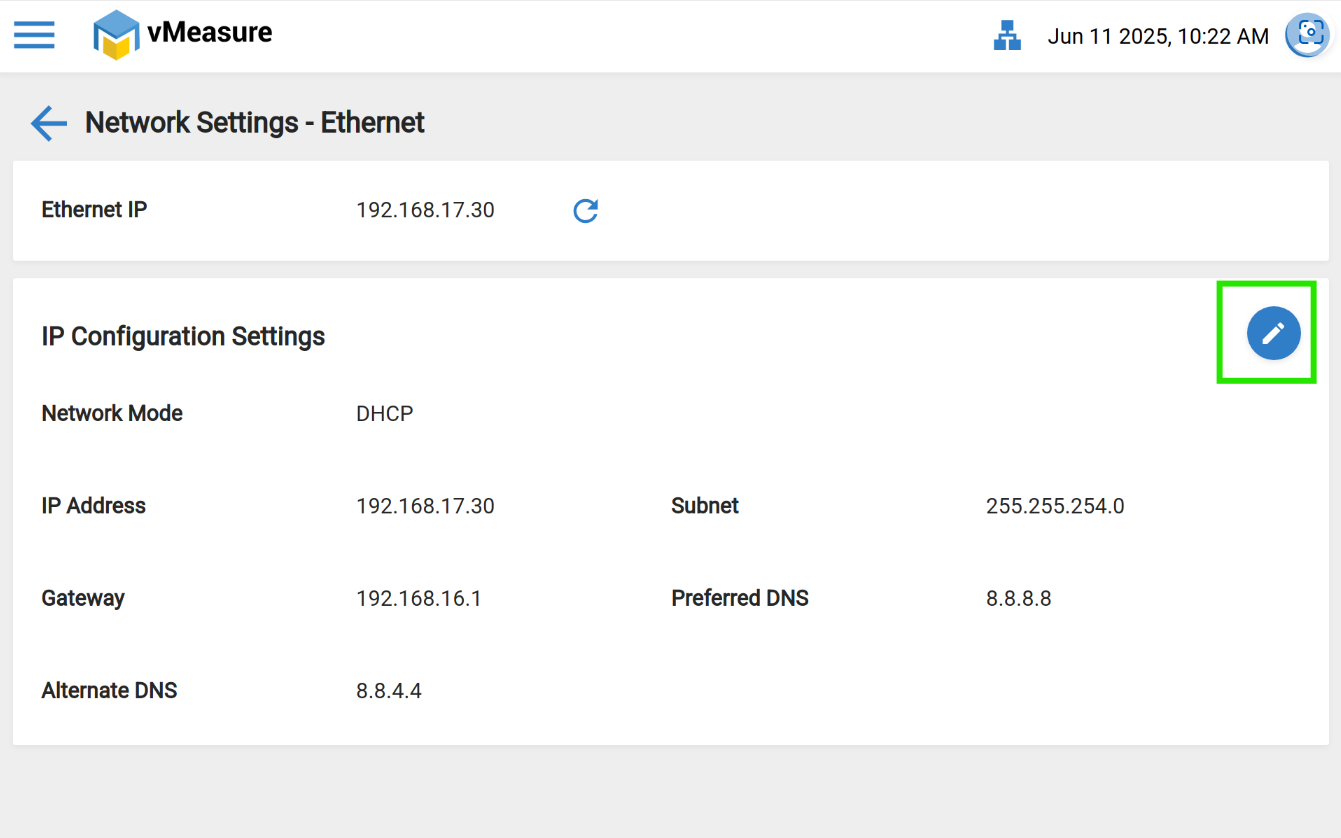
Step 3: Click on the "Edit" option.
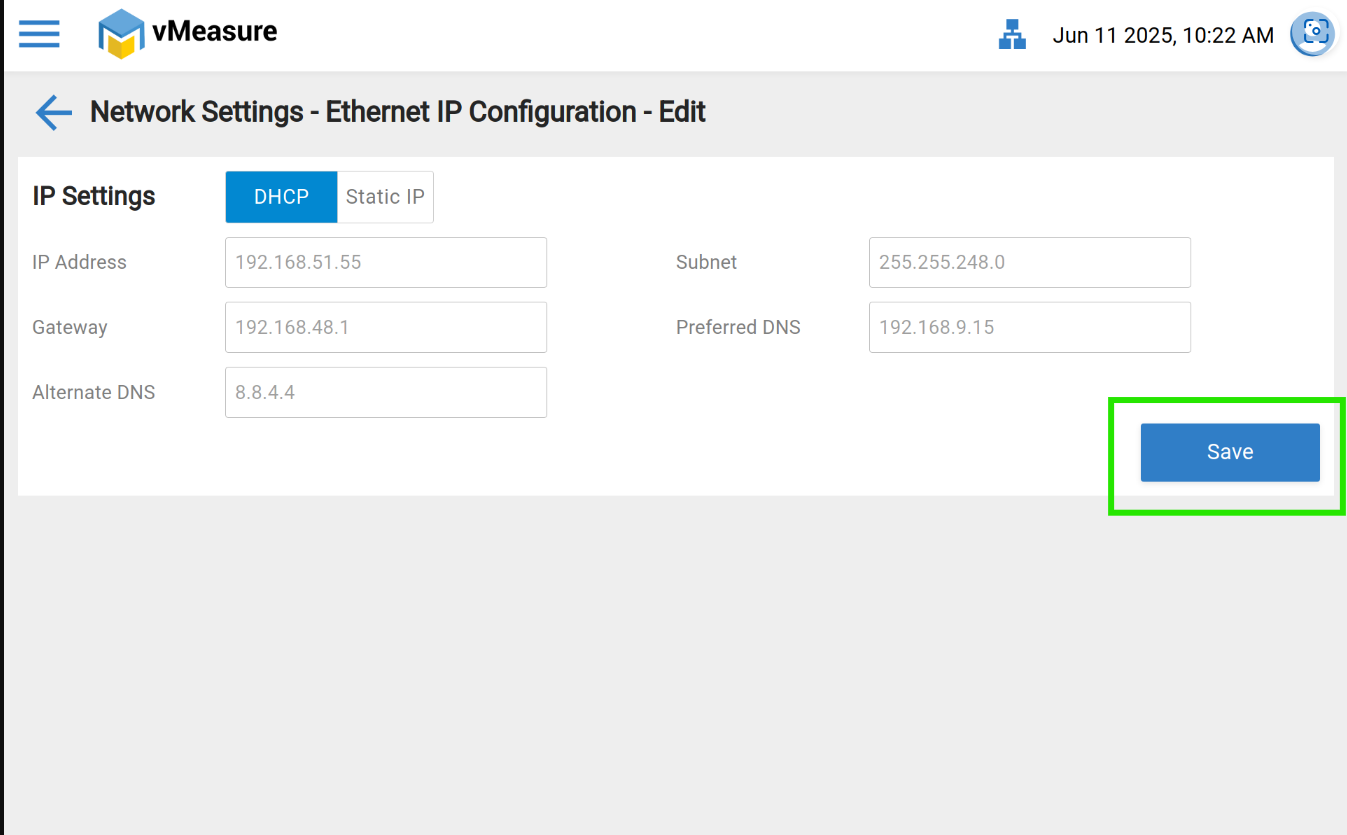
Step 4: Click On the "Save" option to update the Network configuration.
Step 5: Then Navigate back to the login page & refresh the login page.
Still, encountering the issue??
If yes, then please ensure that Forge URLs & ports are whitelisting on your Network firewall, Click here for Forge URLc.
If you need any support, please drop a mail to vmeasure@visailabs.com or Click here to Submit a Ticket.
Was this article helpful?
That’s Great!
Thank you for your feedback
Sorry! We couldn't be helpful
Thank you for your feedback
Feedback sent
We appreciate your effort and will try to fix the article