Resolution :
Make sure the barcode scanner USB cable is properly connected to the hub.
Swap & Check with the different USB slots in HUB.
Make sure the RJ45 to USB-A cable is securely connected at both ends.
Make sure the HUB power cable(5v) is properly connected & red LED is glowing.
Connect the barcode scanner directly to the VHU USB slot & check whether it is turning on.
Make sure that the system is calibrated & Navigated the touch screen to the Measurement page. (The barcode scanner will be turned on only if you are on the measurement screen).
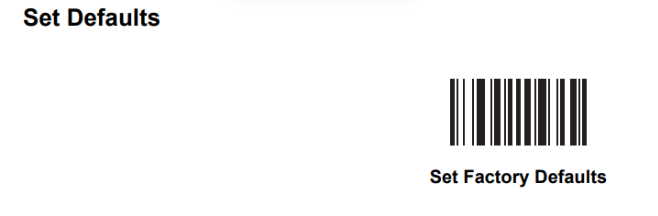
Reset the barcode scanner to its Factory Defaults by scanning the specific reset barcode provided below.
| If you need any support , please drop a mail to vmeasure@visailabs.com or Click here to Submit a Ticket. |
Was this article helpful?
That’s Great!
Thank you for your feedback
Sorry! We couldn't be helpful
Thank you for your feedback
Feedback sent
We appreciate your effort and will try to fix the article