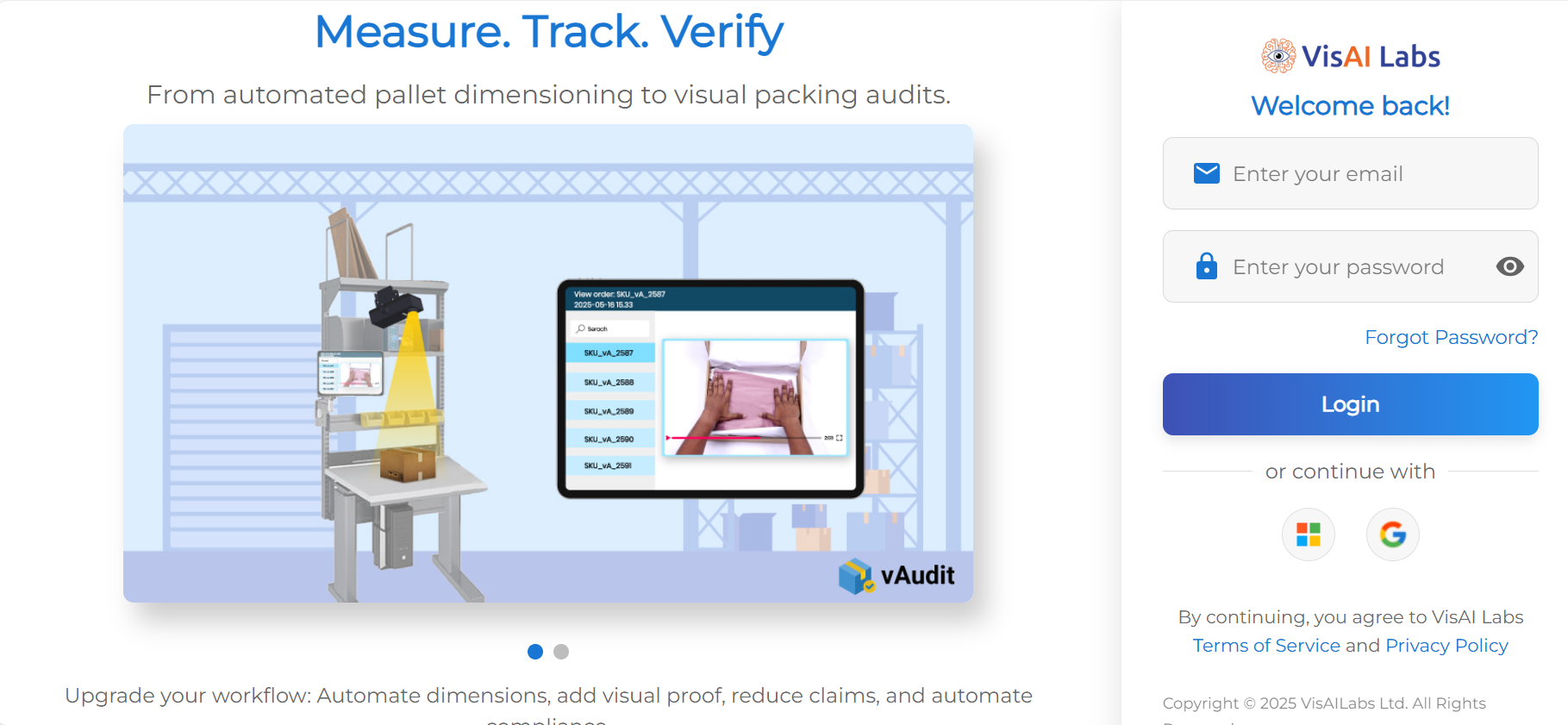
Step 1: Login to vMeasure
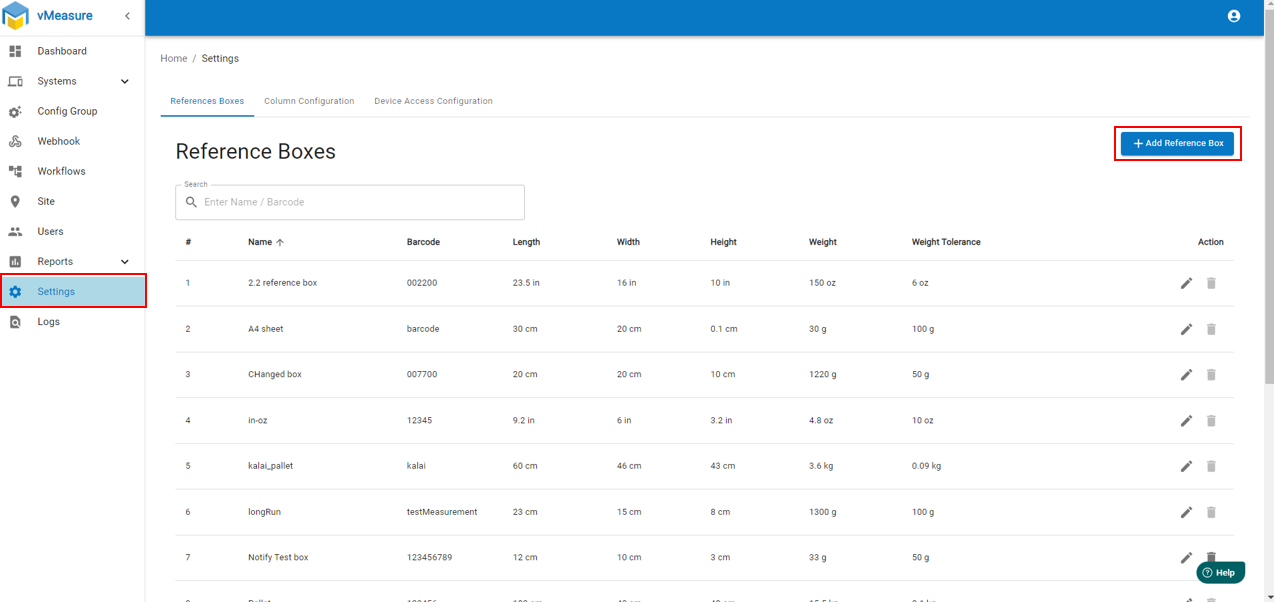
Step 2: Navigate to "Setting" and Click on "+ Add Reference Box"
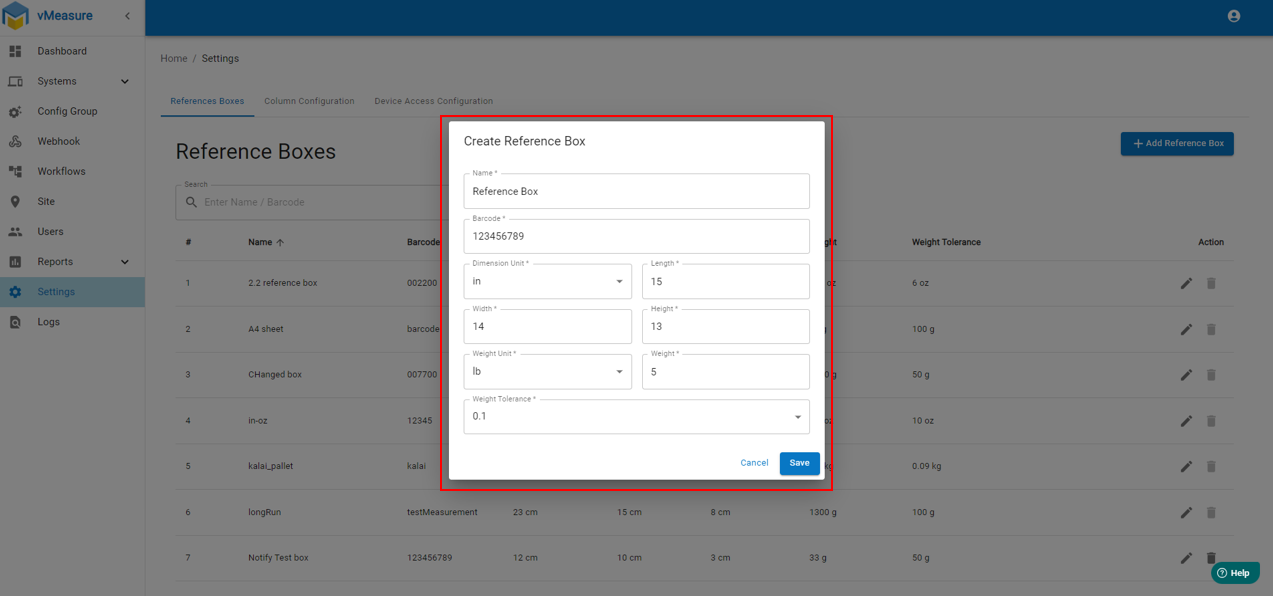
Step 3: Fill the required details as per standard box / reference box and "Save" the configuration.
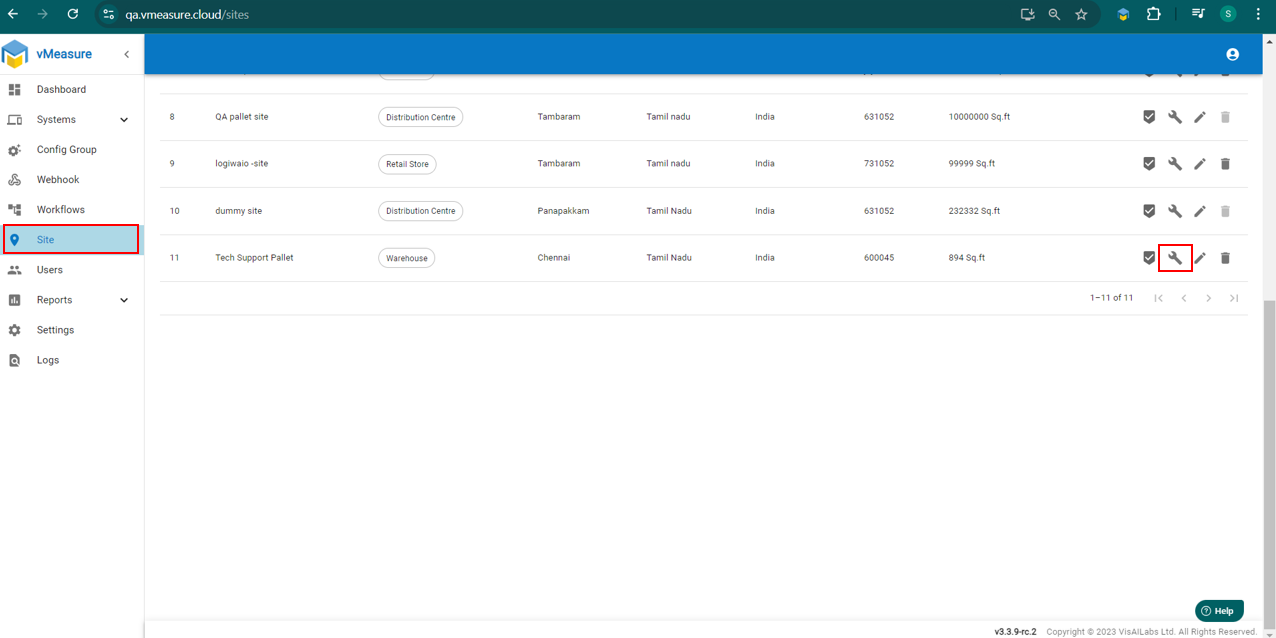
Step 4: Navigate to "Site" and click on Configuration Icon shown in Image.
Step 5: Click on "Reference Box" and Select "Reference Box" from drop-Down and click "+Add"
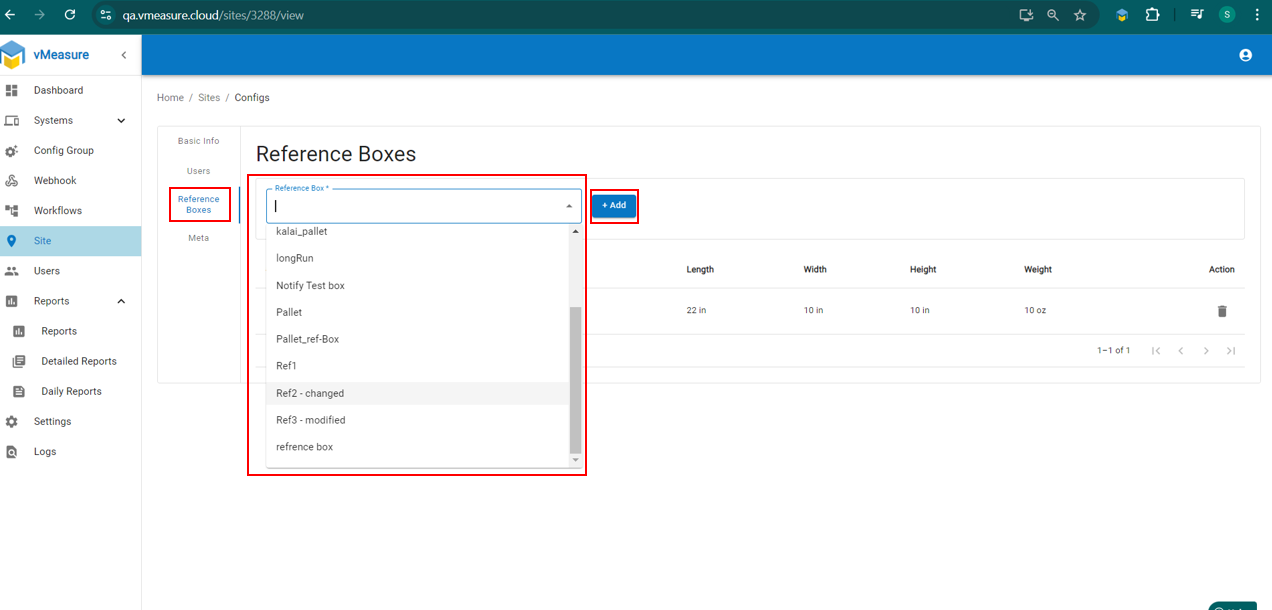
Note: 1. You will able to view once you add the reference box drop-down.
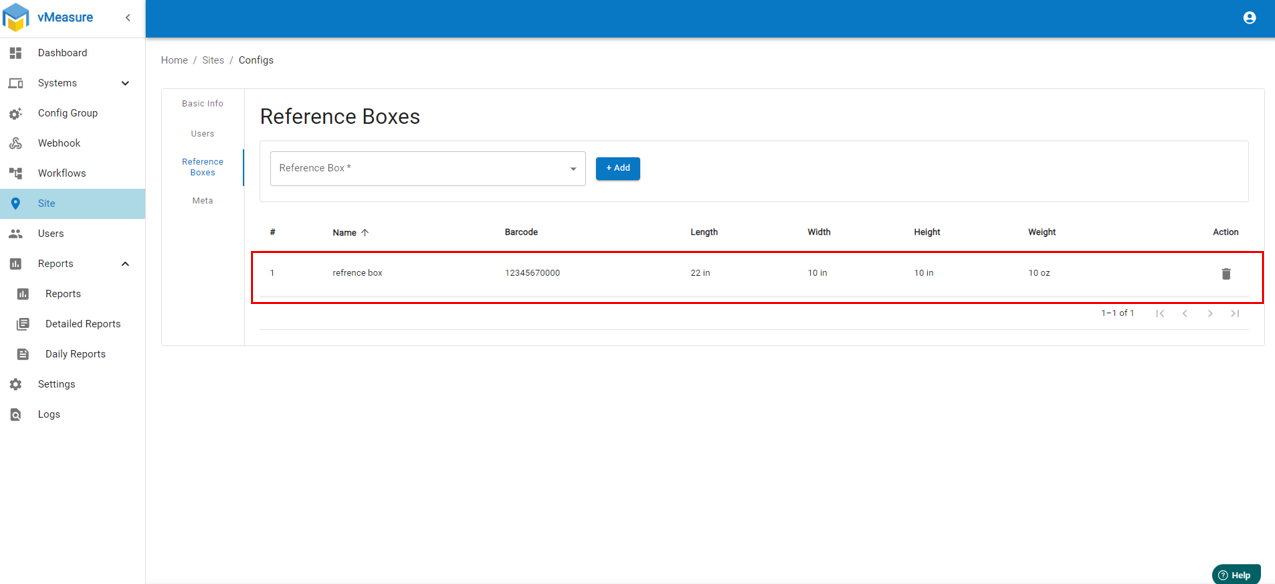
2. You can add multiple reference boxes, but make sure they have a different barcode.
3. You can delete the reference box previously created, by pressing the icon under the "Action" column.
How to enable reference box / Measurement check : How to enable measurement check in Forge.
If you need any support , please drop a mail to vmeasure@visailabs.com
Was this article helpful?
That’s Great!
Thank you for your feedback
Sorry! We couldn't be helpful
Thank you for your feedback
Feedback sent
We appreciate your effort and will try to fix the article