Follow the steps below to update the NTP (Network time protocol) manually in vMeasure device:
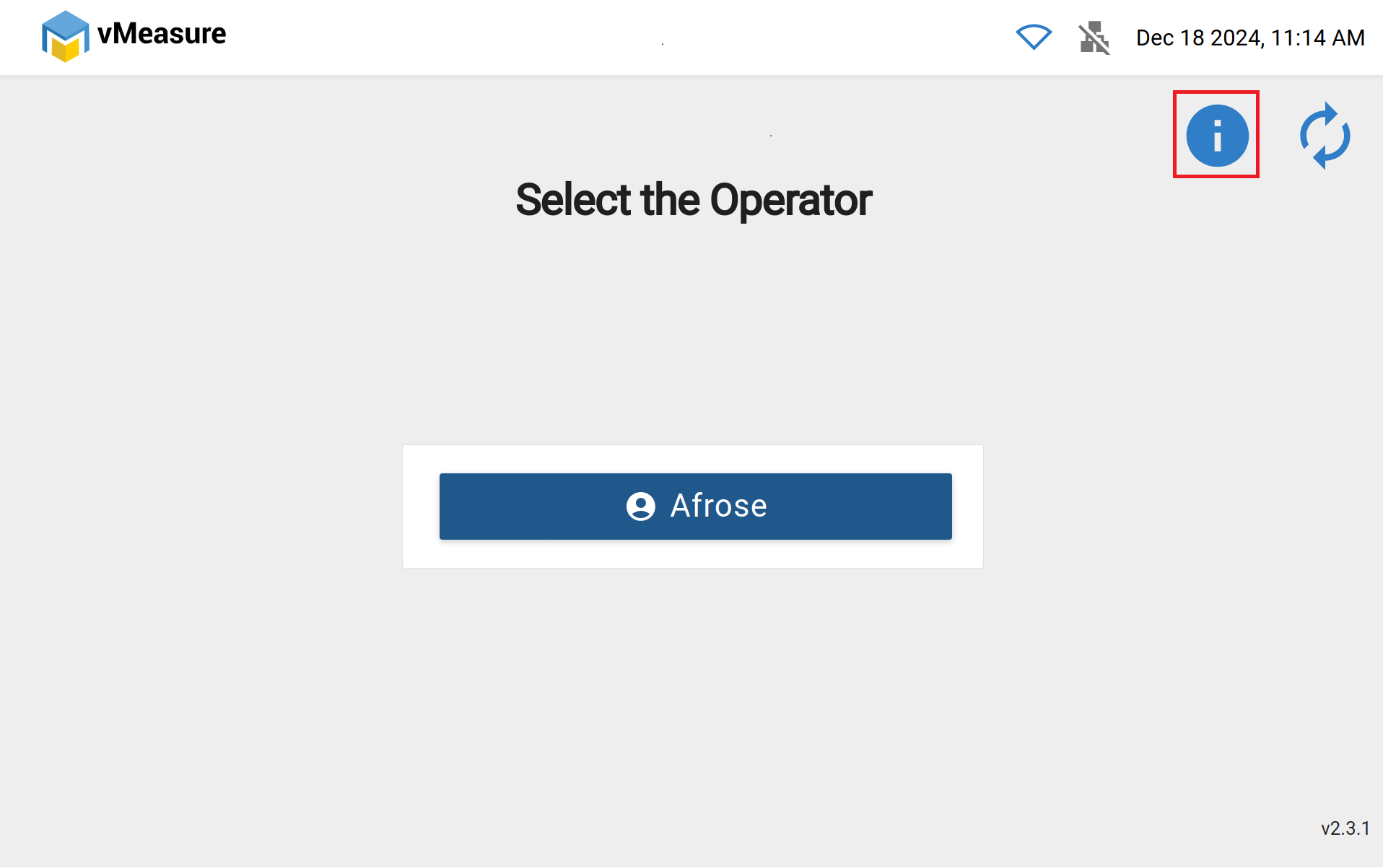
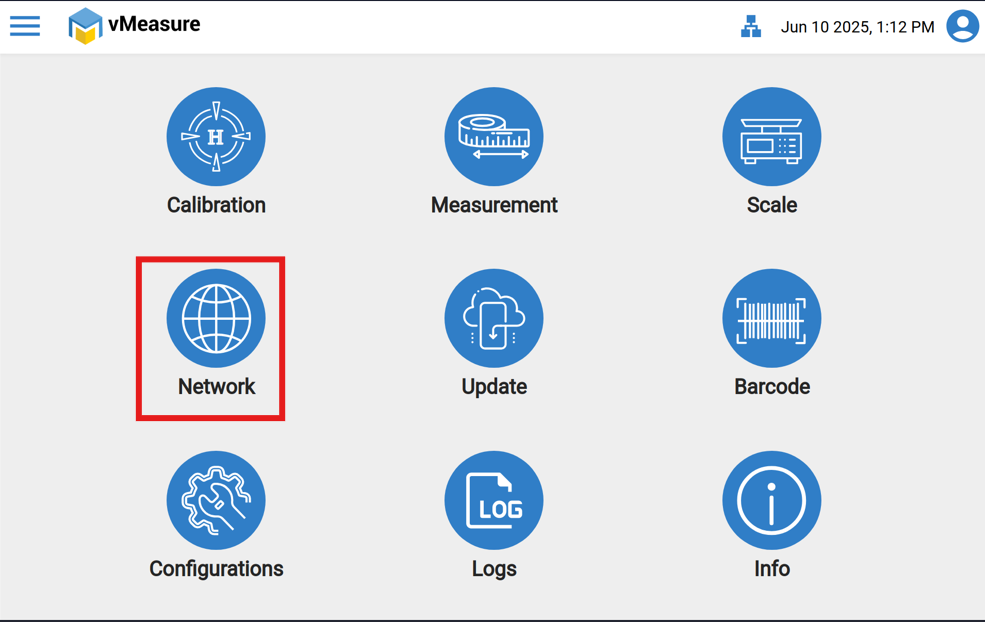
Step-1: Click on " i " Icon (information icon) or Click on network Button.
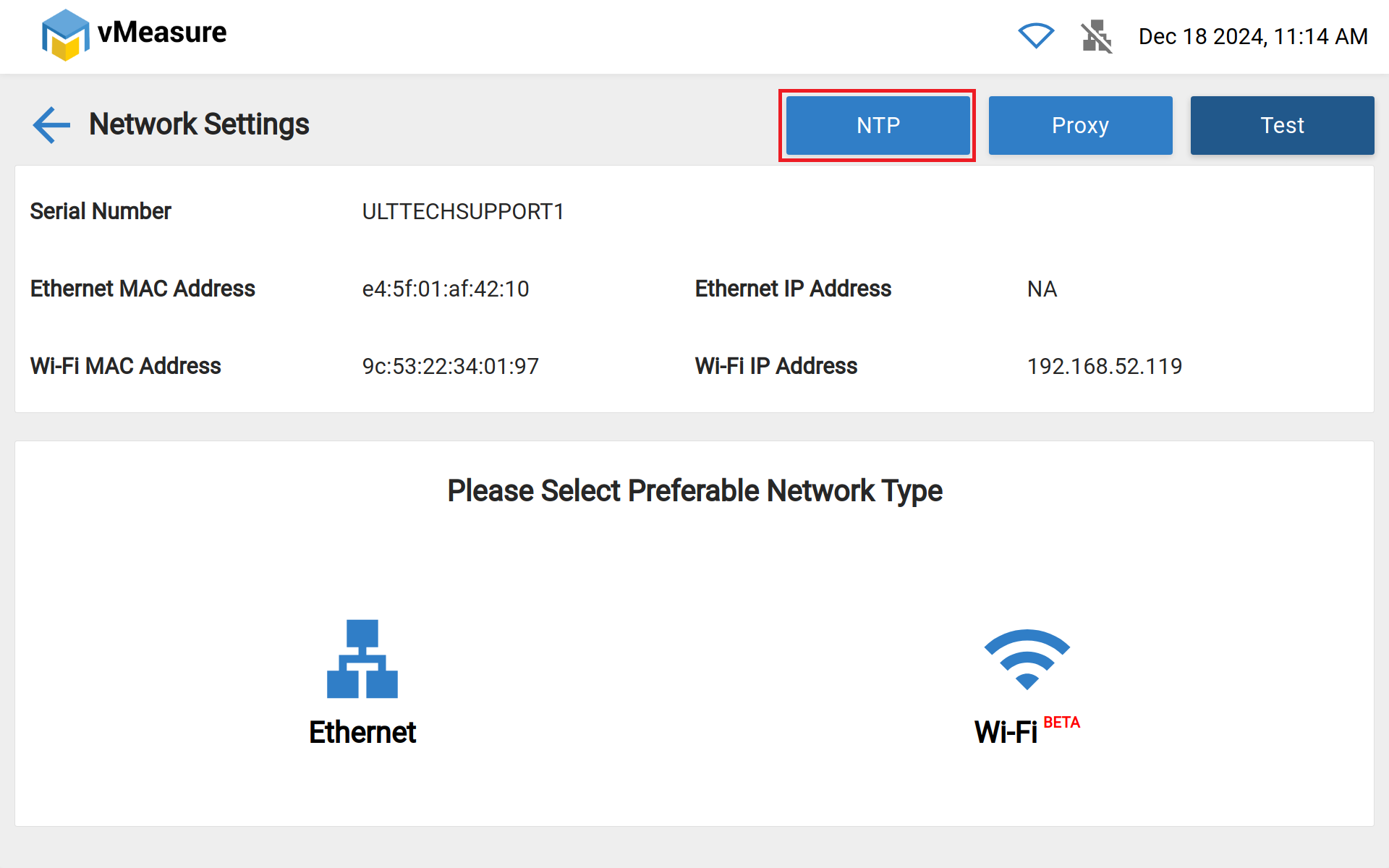
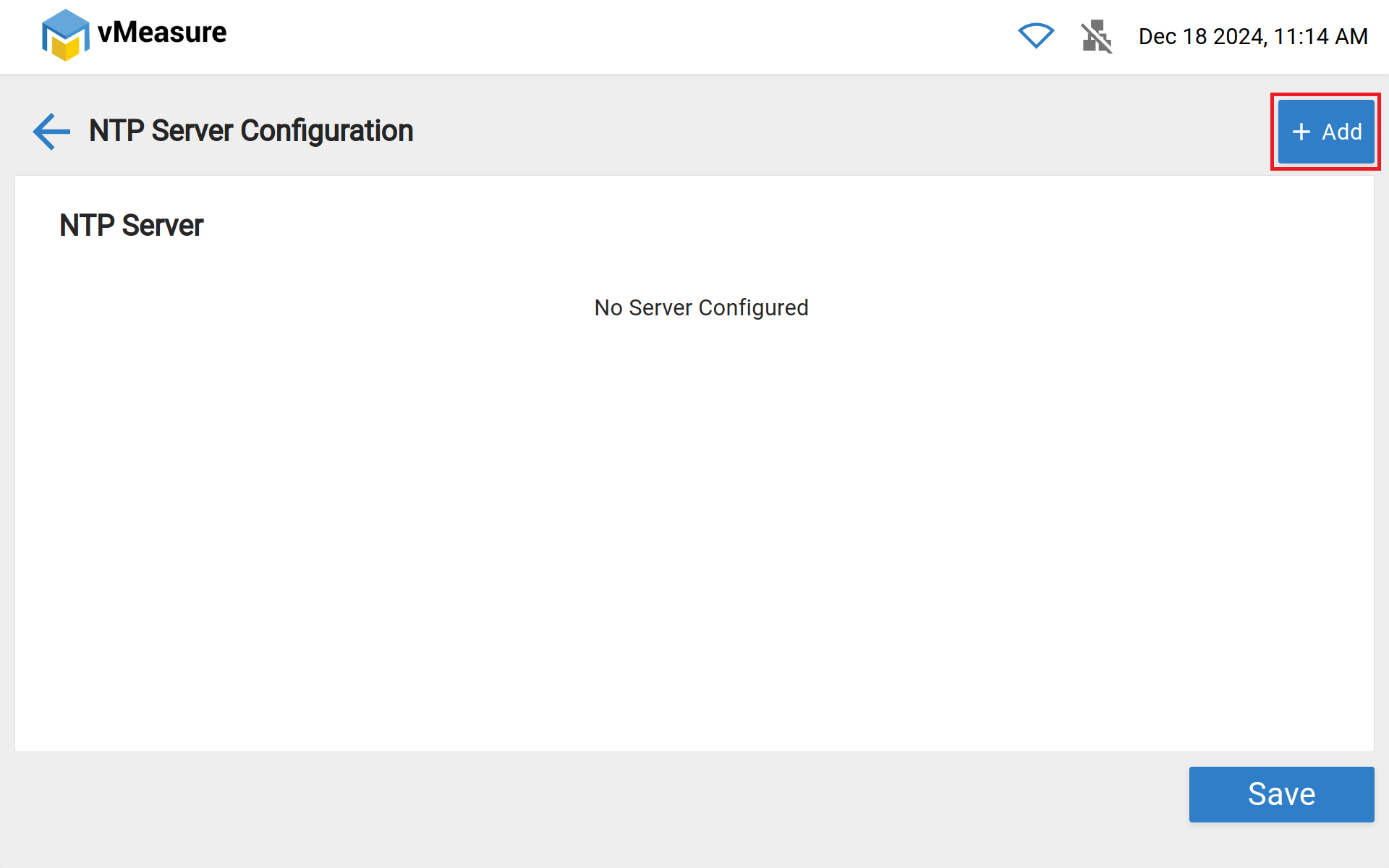
Step-2: Click on NTP and click on "Add" to enter your NTP.
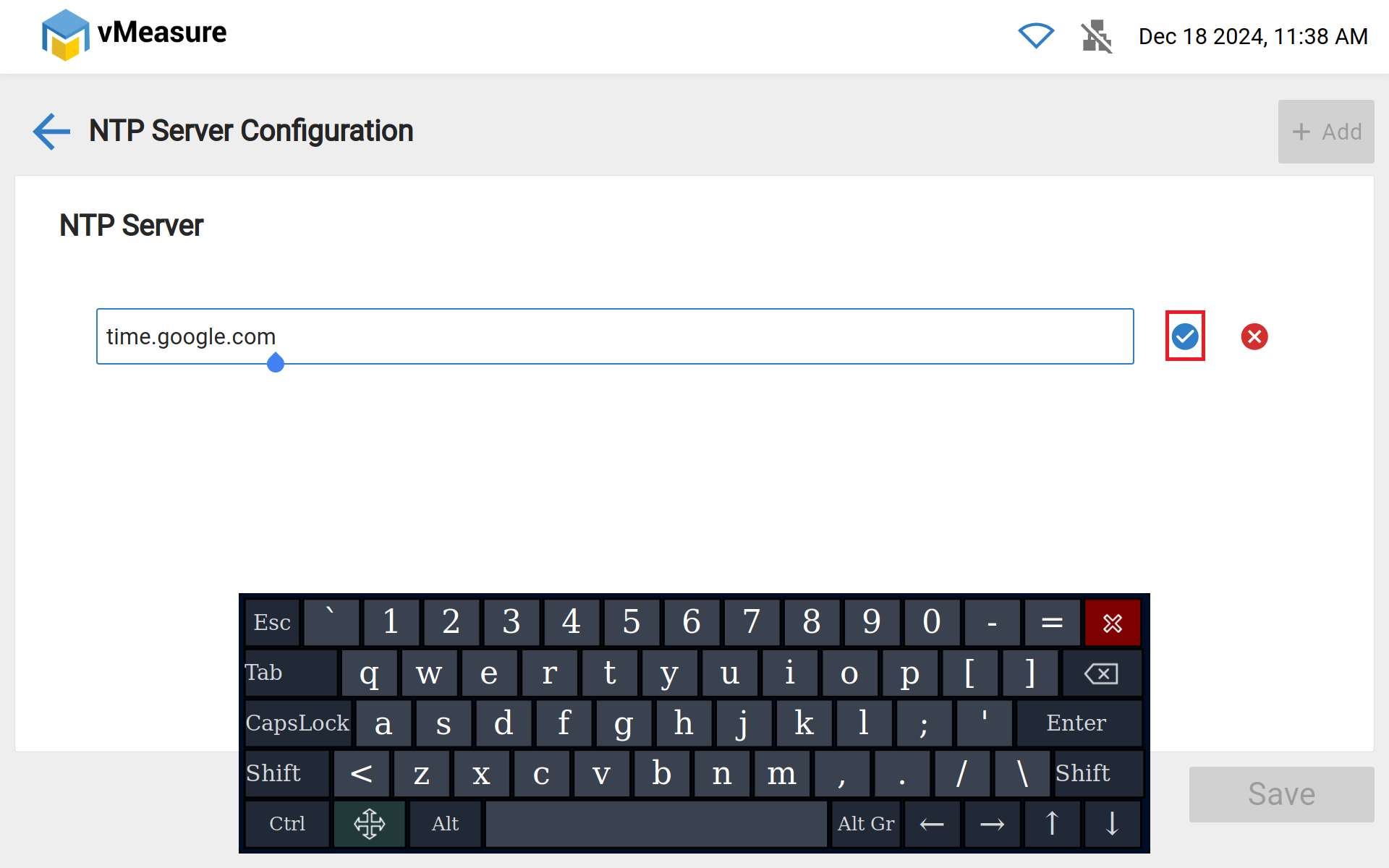
Step-3: Enter your desired NTP url and click on the tick mark.
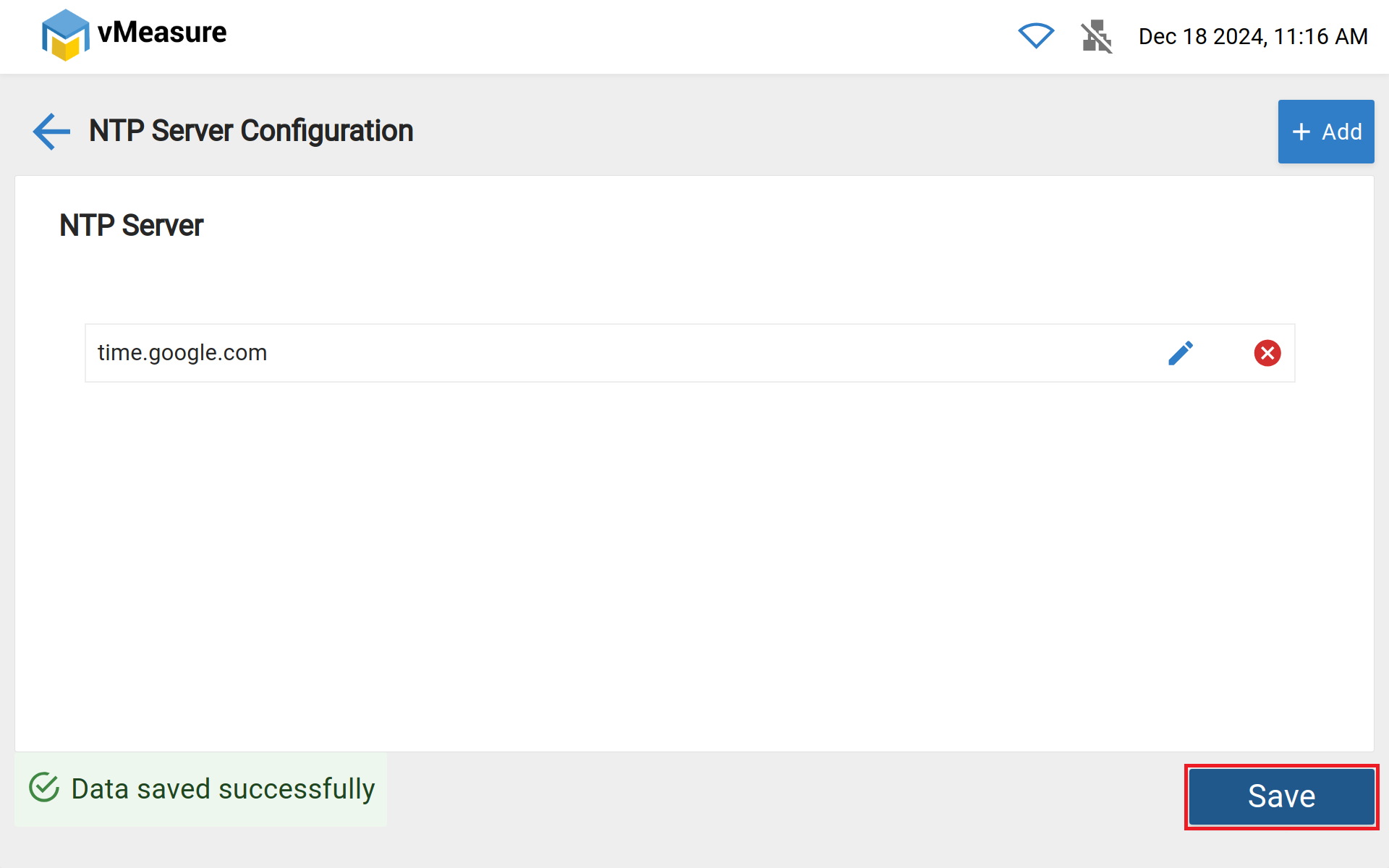
Step-4: Click on Save to make the changes, NTP is successfully changed.
Was this article helpful?
That’s Great!
Thank you for your feedback
Sorry! We couldn't be helpful
Thank you for your feedback
Feedback sent
We appreciate your effort and will try to fix the article