How to view the scans completed in a single day?
Step 1: Login to your Forge account.
Forge login link : Click Here
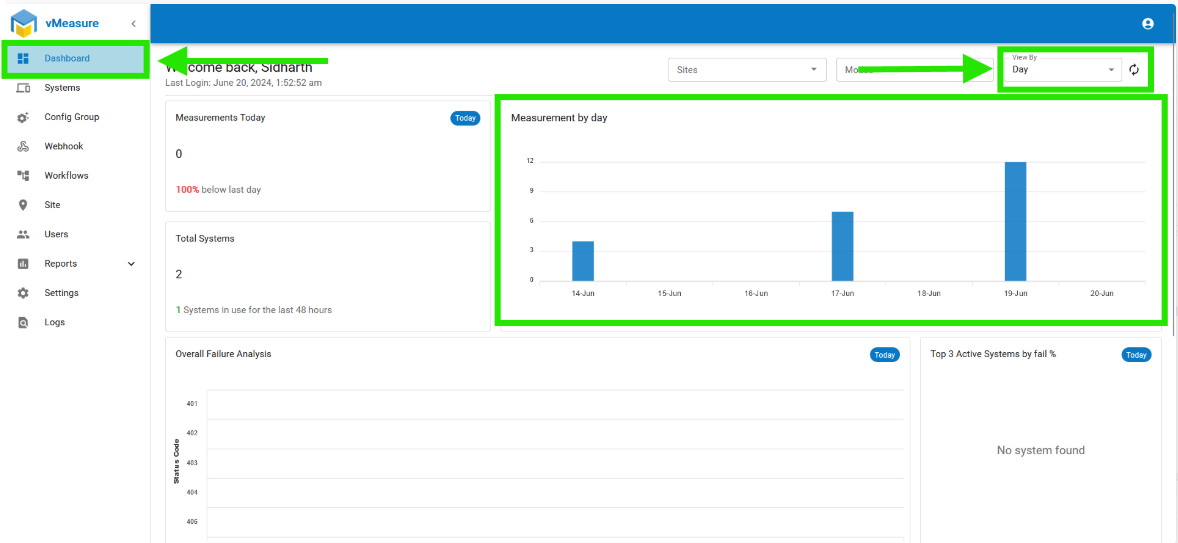
Step 2: After that, it navigates to the "Dashboard" page, where you may view the measurements made during the day.
If you need any support, please drop a mail to Click Here or Click Here to Summit a Ticket.
Was this article helpful?
That’s Great!
Thank you for your feedback
Sorry! We couldn't be helpful
Thank you for your feedback
Feedback sent
We appreciate your effort and will try to fix the article