Step 1:
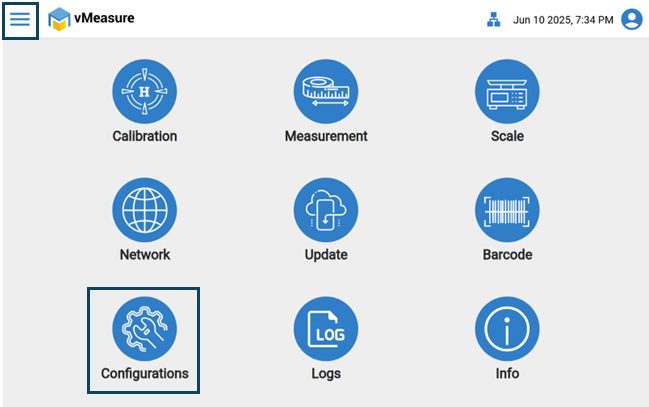
- Log in the vMeasure Device.
- Click on " Configurations " icon.
Step 2:
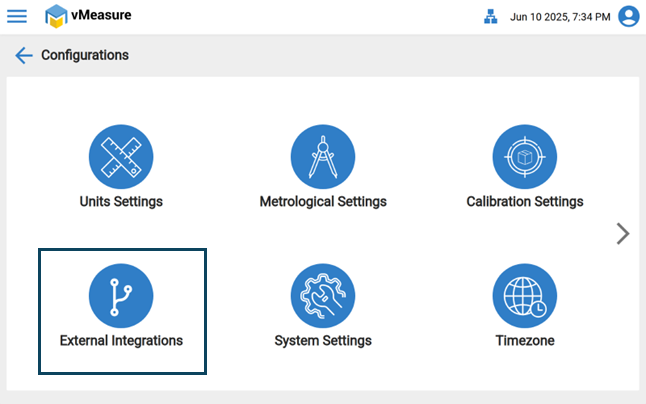
- Click on " External Integration " icon.
Step 3:
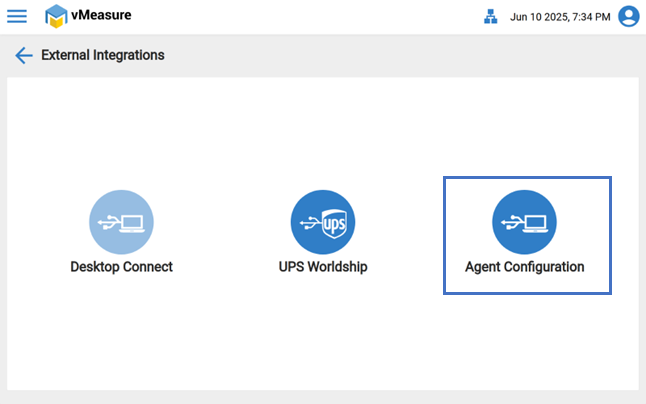
- Navigate to " Agent Configurations " icon.
Step 4:
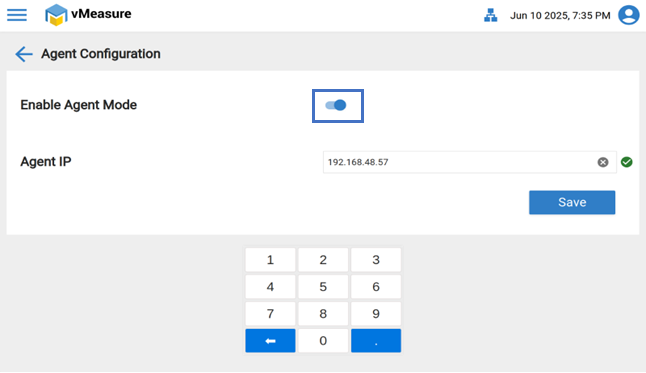
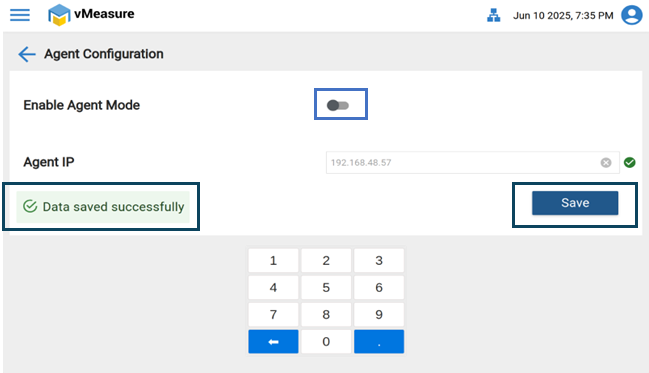
- (Turn Off / Disable) the "Agent Mode toggle button " and " Save " the setting.
If you need any support , please drop a mail to vmeasure@visailabs.com.
Was this article helpful?
That’s Great!
Thank you for your feedback
Sorry! We couldn't be helpful
Thank you for your feedback
Feedback sent
We appreciate your effort and will try to fix the article