What is Strict Mode?
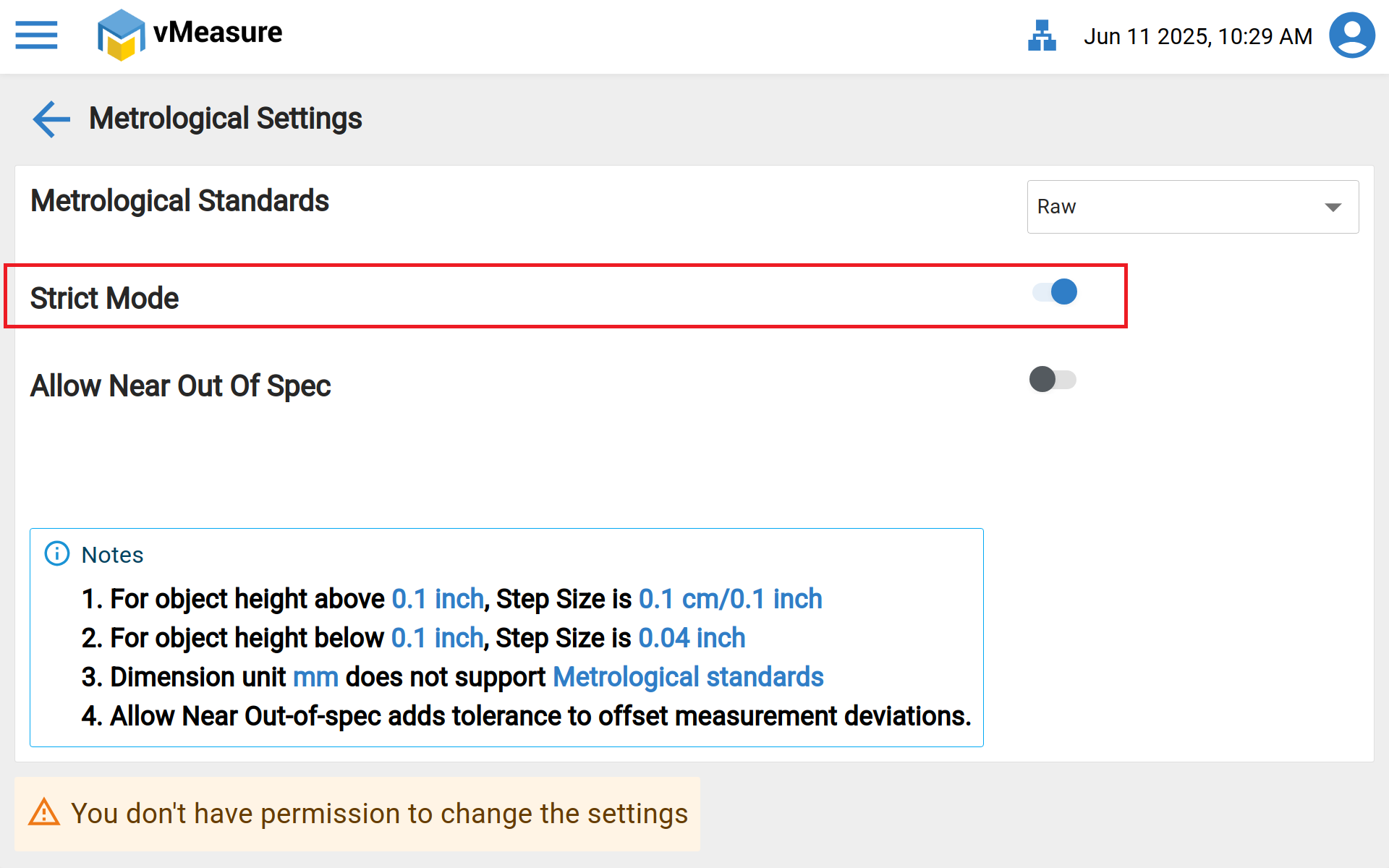
Enabling Strict Mode will give you the failure message if the object is below or above our dimensioning range to avoid false positive measurements and to improve the accuracy.
Please find KB Article- vMeasure Parcel Ultima different Calibration modes Dimensioning details
On Device:
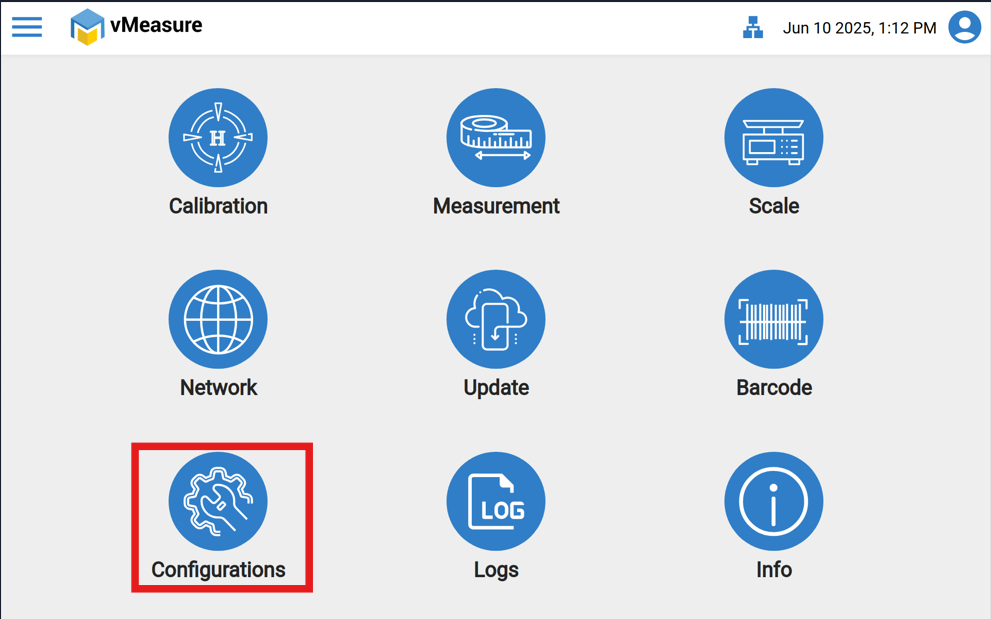
Step 1: Click the "Configurations" icon.
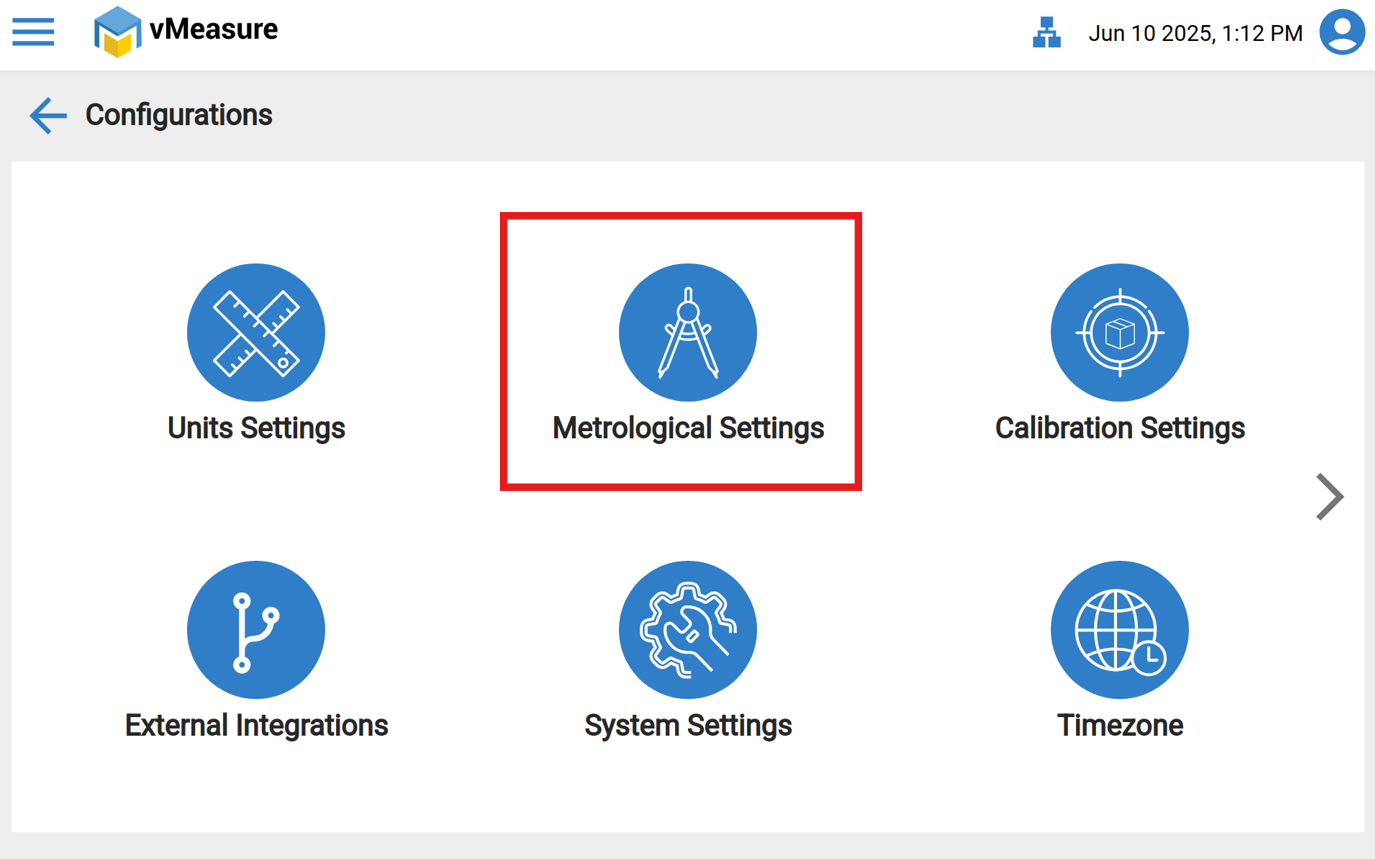
Step 2: Click the "Metrological Settings".
Step 3: Enable the "Strict mode", then click on "Save".
If you need any support, please drop a mail to vmeasure@visailabs.com .
Was this article helpful?
That’s Great!
Thank you for your feedback
Sorry! We couldn't be helpful
Thank you for your feedback
Feedback sent
We appreciate your effort and will try to fix the article