Step 1: Click the 'Configuration' icon.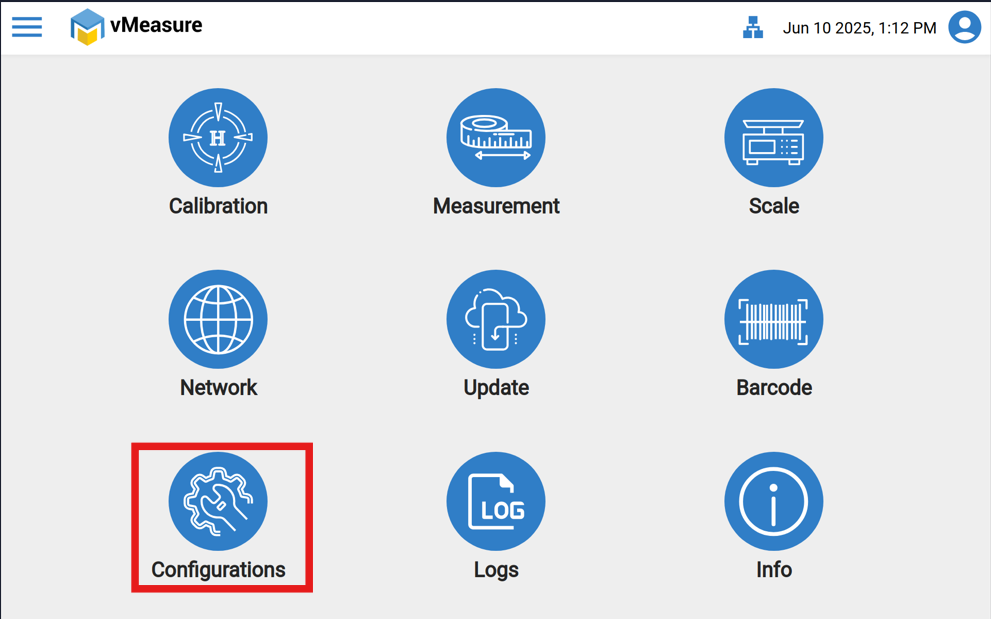
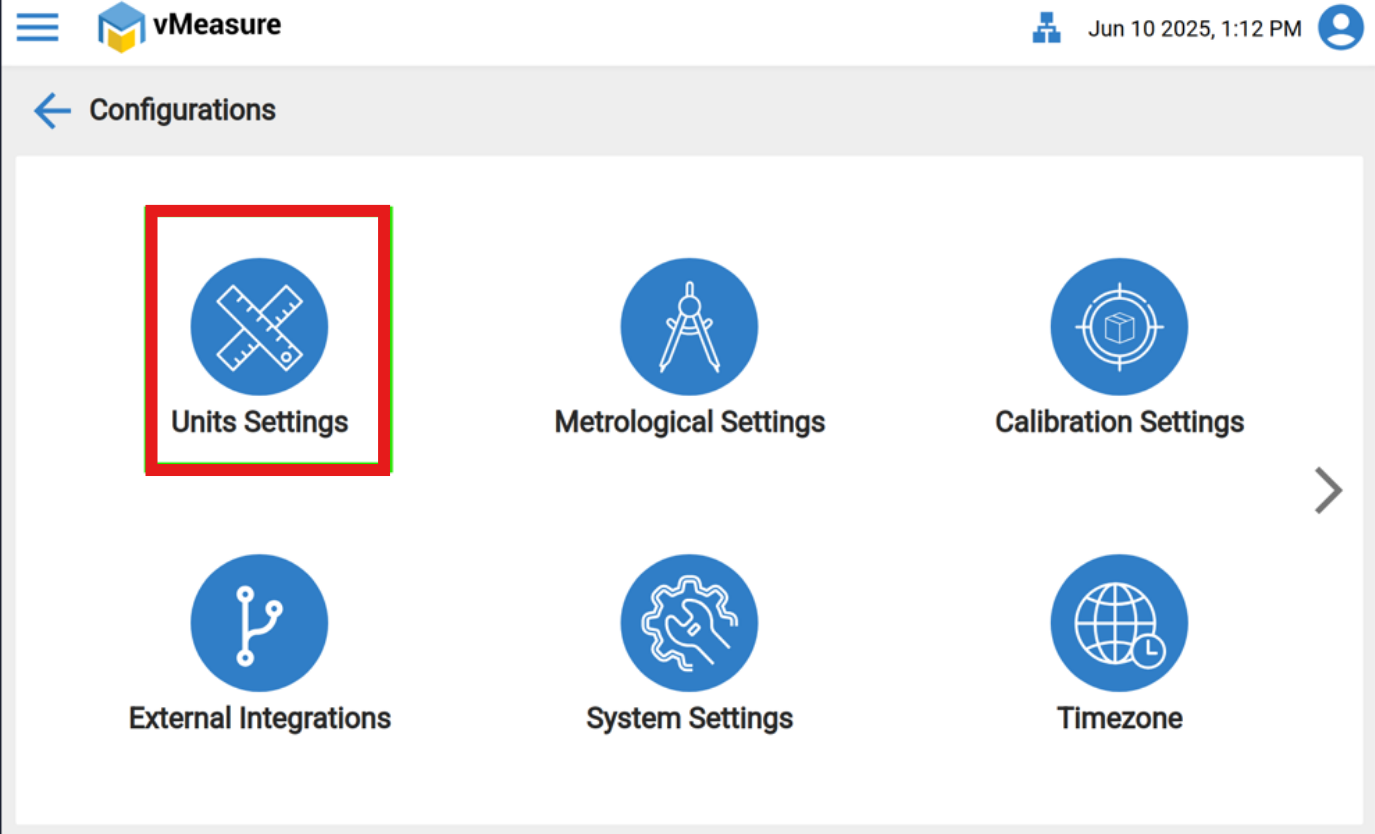
Step 2: Click the "Units Settings".
Step 3: From the drop-down select the appropriate units as required.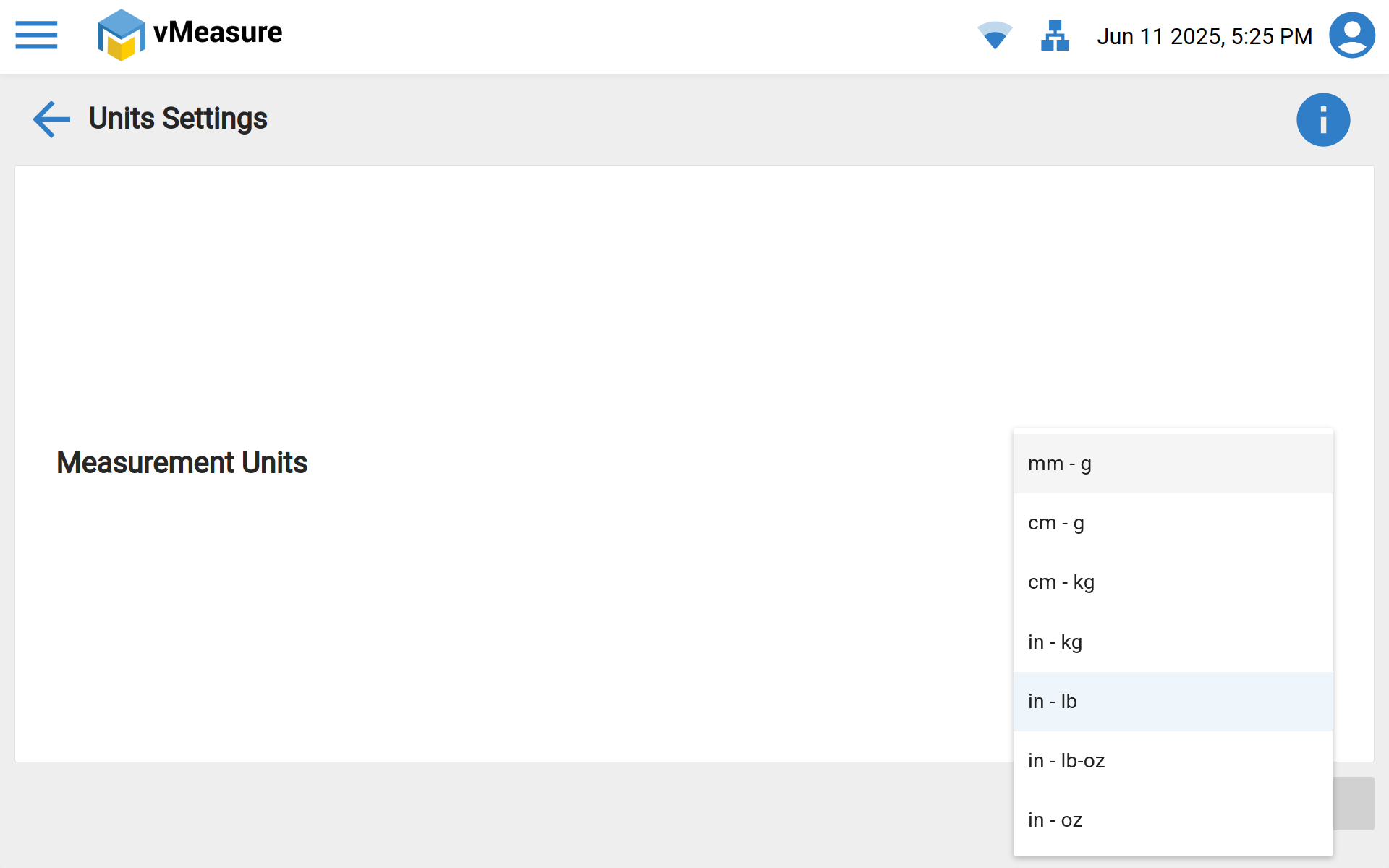
Step 4: Once the desired units are selected, press the "Save" icon to save the units.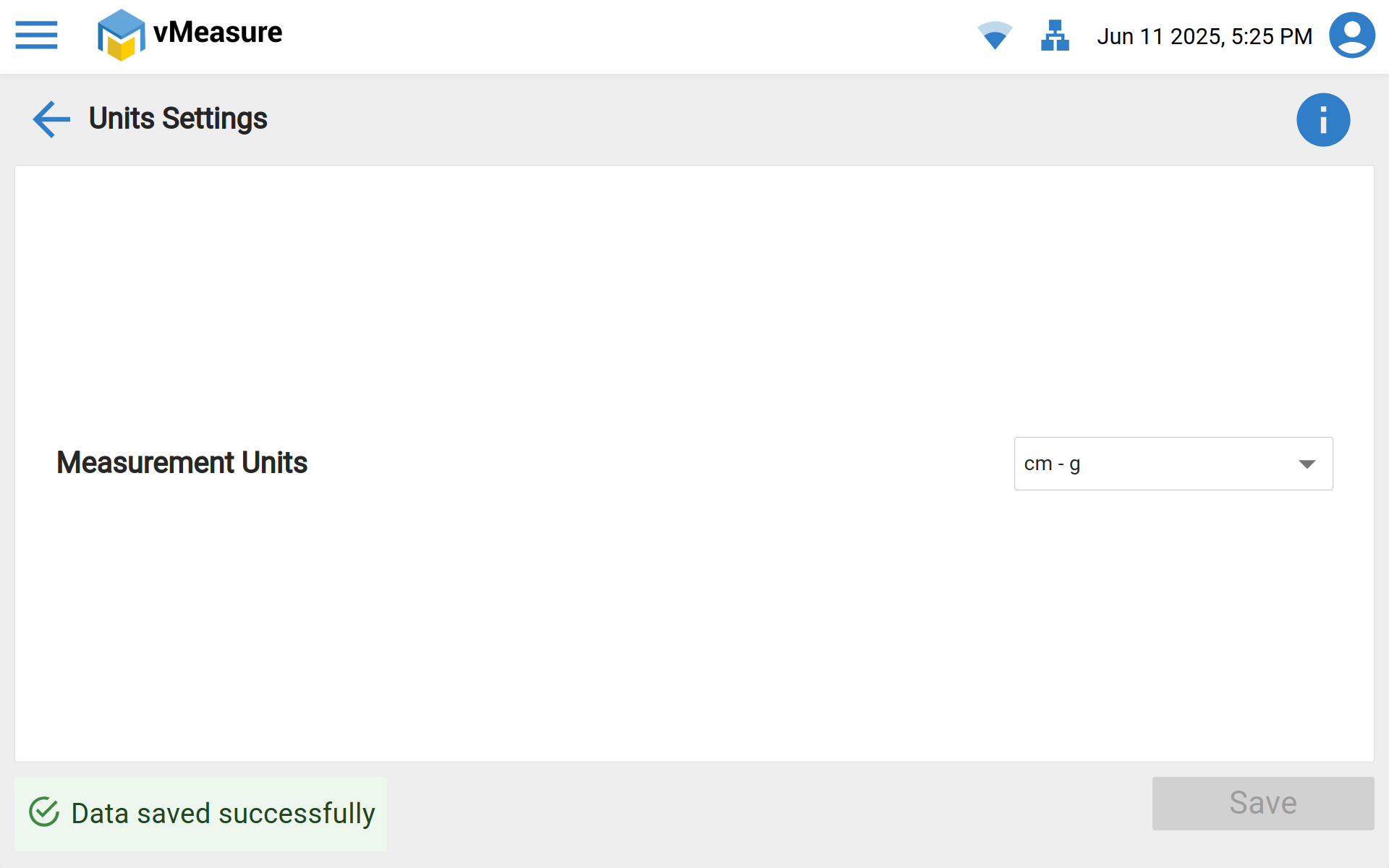 NOTE: Changing the Units will not affect the previous measurements, and changes will only be visible in the new measurements.
If you need any support, please drop a mail to vmeasure@visailabs.com.
Was this article helpful?
That’s Great!
Thank you for your feedback
Sorry! We couldn't be helpful
Thank you for your feedback
Feedback sent
We appreciate your effort and will try to fix the article