The Forge Webhook accommodates five distinct image types, each designed for specific functionalities. These image types are systematically categorized to enhance integration and performance within the system. The supported image types are as follows:
- annotatedImage
- additionalImages
- supportImages
- otherImages
- measurementReportUrl
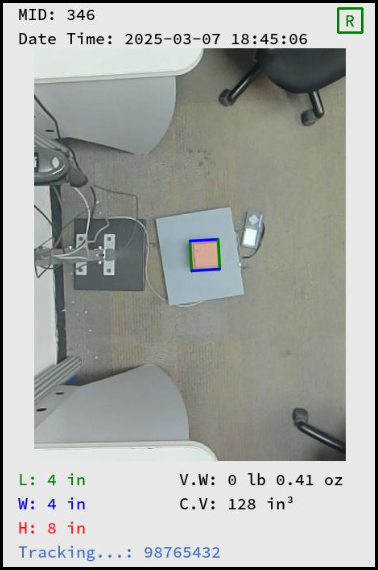
1. annotatedImage:
- The captured shipment details will be annotated directly on the shipment image. This image will be in ".jpg" format with a VGA resolution and transmitted to webhook as URL. Please refer to the attached image below for further clarification.

2. additionalImages:
- For detailed instructions on enabling the "additionalImages" option in Forge please refer to the Knowledge Base (KB) article - Click here
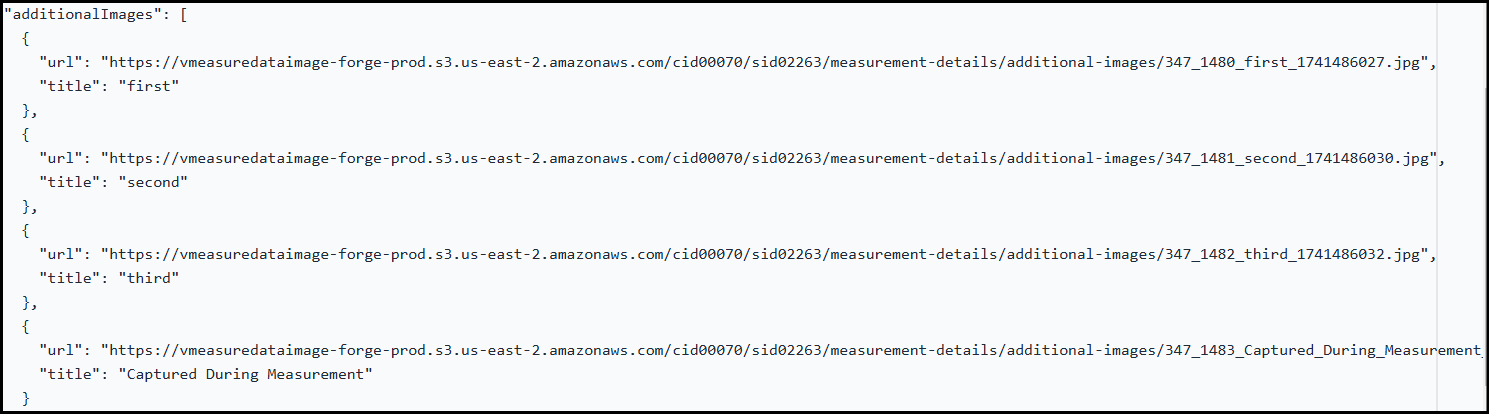
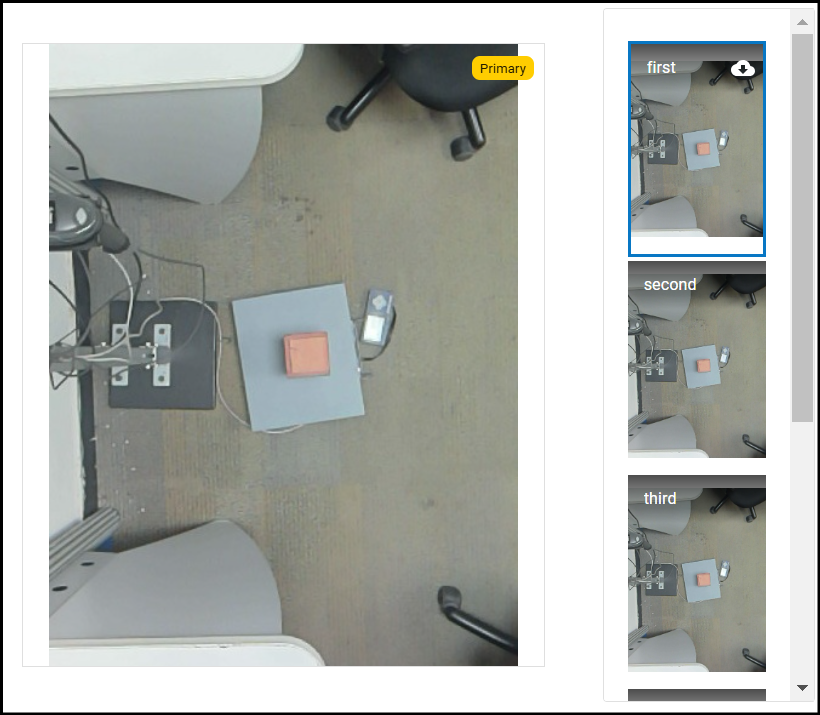
- The webhook will receive captured "additionalImages" along with their corresponding titles. These images will be transmitted as ".jpg" files in the form of URLs. Please refer to the attached image below for further clarification.
3. supportImages:
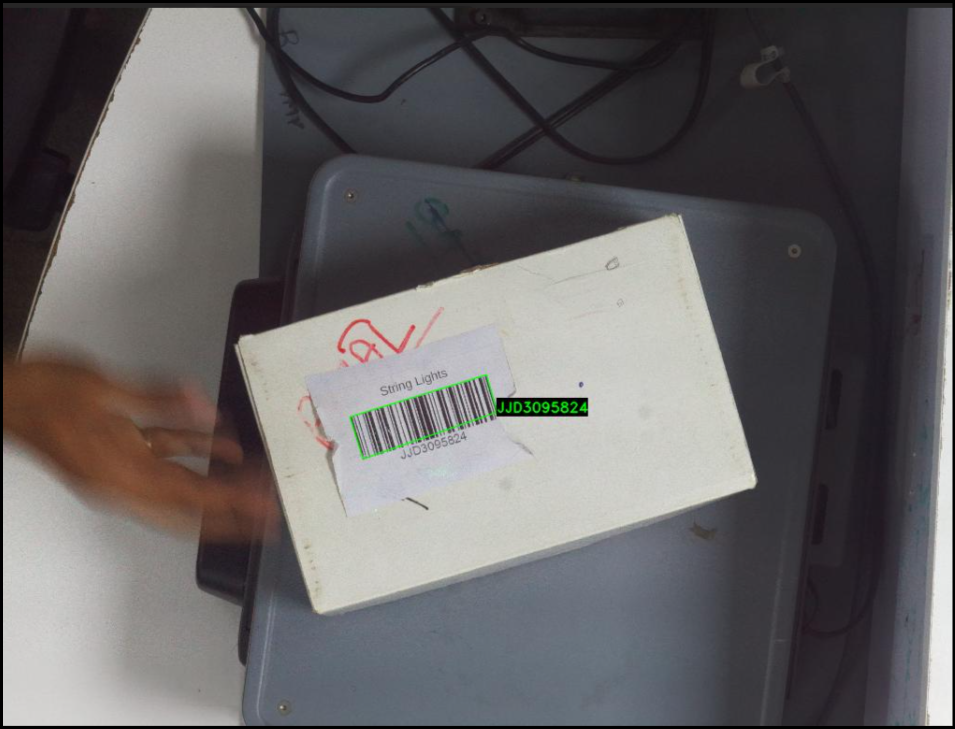
- The barcode image captured by the CodeScan setup (Automated barcode readerwill be transmitted as ".jpg" file via URL. For further clarification, please refer to the attached image below.

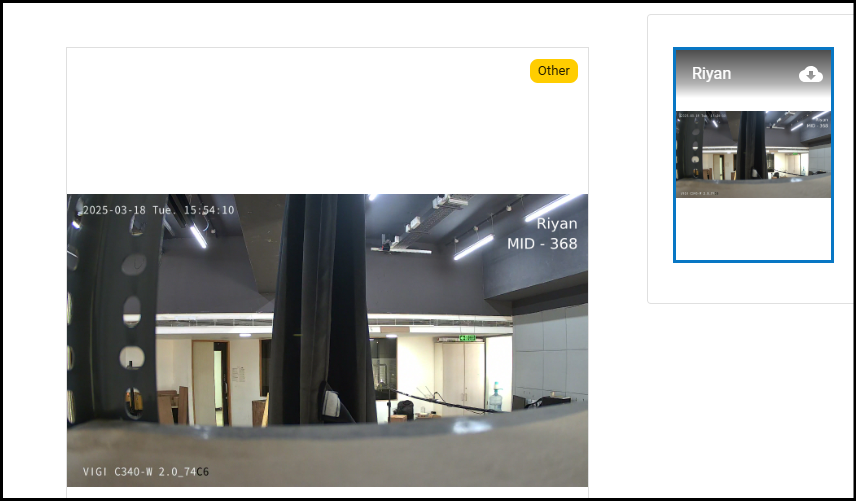
4. otherImages:
- The images captured by the external camera will be transmitted as ".jpg" files via URLs. For further clarification, please refer to the attached image below.
- KB Article for - How to connect external camera to vMeasure device (ONVIF Camera)

5. measurementReportUrl:
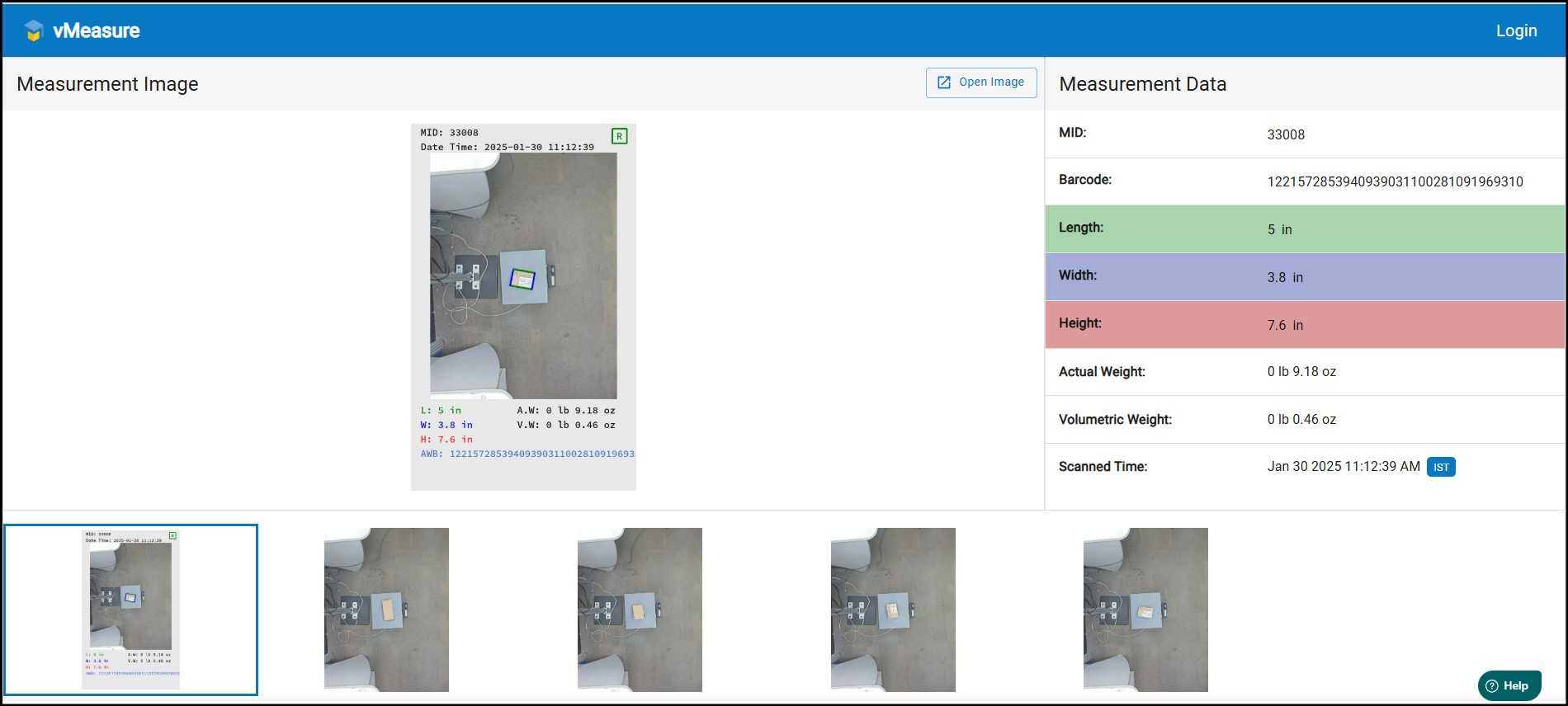
- For detailed instructions on enabling the "measurementReportUrl" option in Forge please refer to the Knowledge Base (KB) article - Click here
- For detailed instructions on enabling the "measurementReportUrl" option in Webhook please refer to the Knowledge Base (KB) article - Click here
- The captured "annotatedImage" and "additionalImages" will be combined into a single page and transmitted to the webhook as a URL. This ensures that all relevant images are consolidated for streamlined processing. Please refer to the attached image below for further clarification.

If you need any support , please drop a mail to vmeasure@visailabs.com or Click here to Submit a Ticket.
Was this article helpful?
That’s Great!
Thank you for your feedback
Sorry! We couldn't be helpful
Thank you for your feedback
Feedback sent
We appreciate your effort and will try to fix the article